
What Goes in a Presentation Folder for Client Pitches: The Ultimate Checklist for Closing Deals

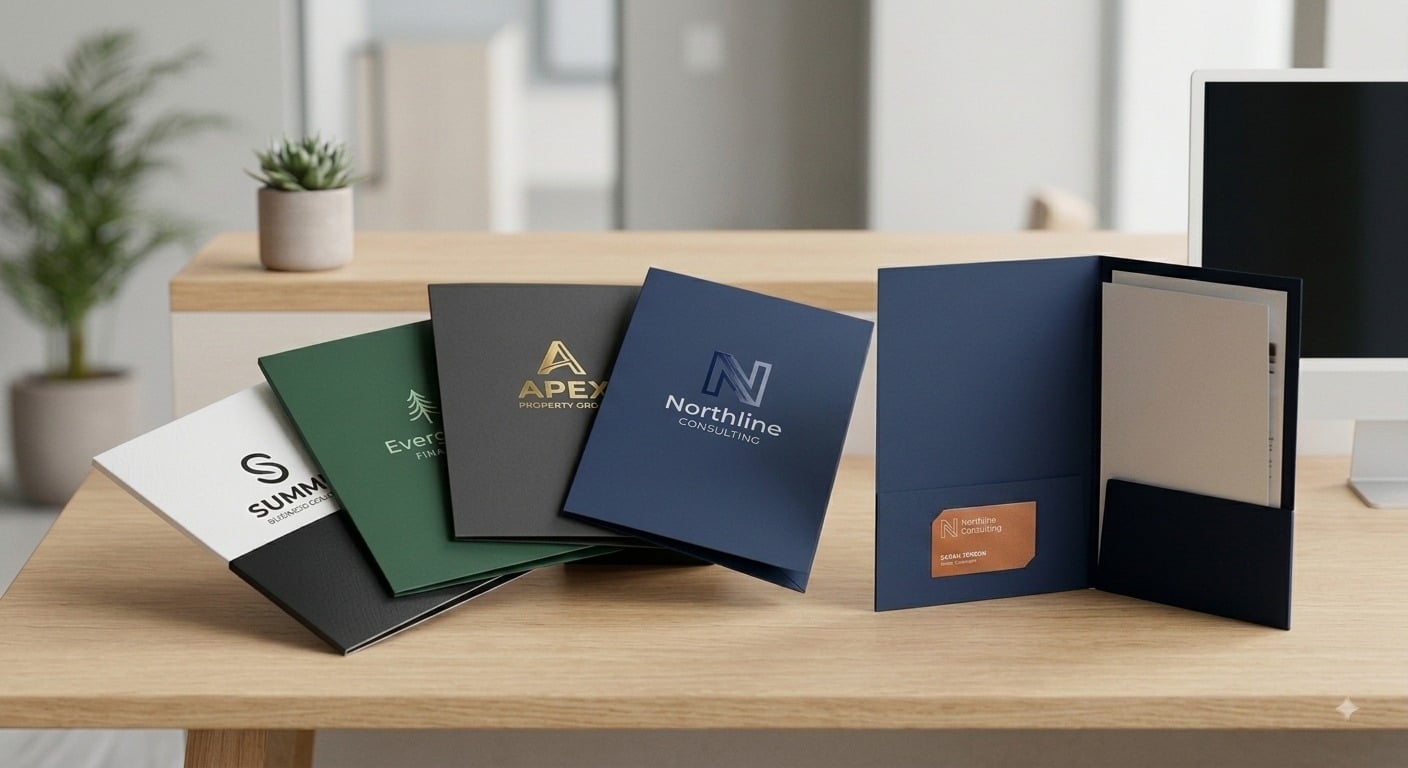
In high-stakes corporate sales, executive consulting, and commercial agency pitches, the physical materials you leave behind often speak for your brand long after the presentation ends. While digital pitch decks drive the live conversation, handing a prospective buyer a polished, well-organized physical document set builds immediate trust, demonstrates thorough preparation, and reinforces your brand’s authority.
A generic, flimsy folder filled with disorganized, loose papers creates friction and signals a lack of attention to detail. Conversely, using custom presentation folders allows you to organize your proposal into an intuitive, step-by-step narrative that guides decision-makers toward saying “yes.“
Understanding what goes in a presentation folder for client pitches is essential for any sales team looking to maximize conversion rates. This comprehensive guide outlines the exact document hierarchy, pocket organization strategies, print finishing techniques, and prepress rules needed to create high-converting client pitch packets across the United States.
The Strategic Purpose of a Physical Client Pitch Folder
In an era dominated by buried email attachments and fleeting video calls, physical sales collateral provides a tactile anchor for your business proposition. When decision-makers review vendor options in executive boardrooms, physical presentation materials remain on desks, passing through multiple hands during internal reviews.
Ordering high-quality presentation folder printing ensures your corporate materials act as a structural frame for your commercial offer. Investing in custom pocket folders elevates separate document pages into a cohesive package, keeping your logo, corporate colors, and value proposition visible throughout the review process. By organizing your pitch materials logically, you eliminate confusion and make it simple for prospective clients to locate key terms, pricing structures, and scope definitions.
Essential Right-Pocket Documents: The Core Proposal Set
The right interior pocket of branded pocket folders naturally receives the primary focus when an executive opens the folder. This side should hold your primary, decision-critical sales documents stacked in order of importance from top to bottom.
- Executive Summary Sheet: A single-page, high-impact document placed right on top that outlines the client’s key challenges, your proposed solution, and expected return on investment.
- Formal Project Proposal: The detailed scope of work (SOW), project deliverables, execution timelines, and milestone breakdowns.
- Pricing and Investment Options: A clear, transparent breakdown of package tiers, payment terms, and retainer structures.
- Contract or Agreement Page: The final sign-off document or signature page, positioned neatly at the back of the stack for easy reference when closing the deal.
Essential Left-Pocket Documents: Supporting Credibility Materials
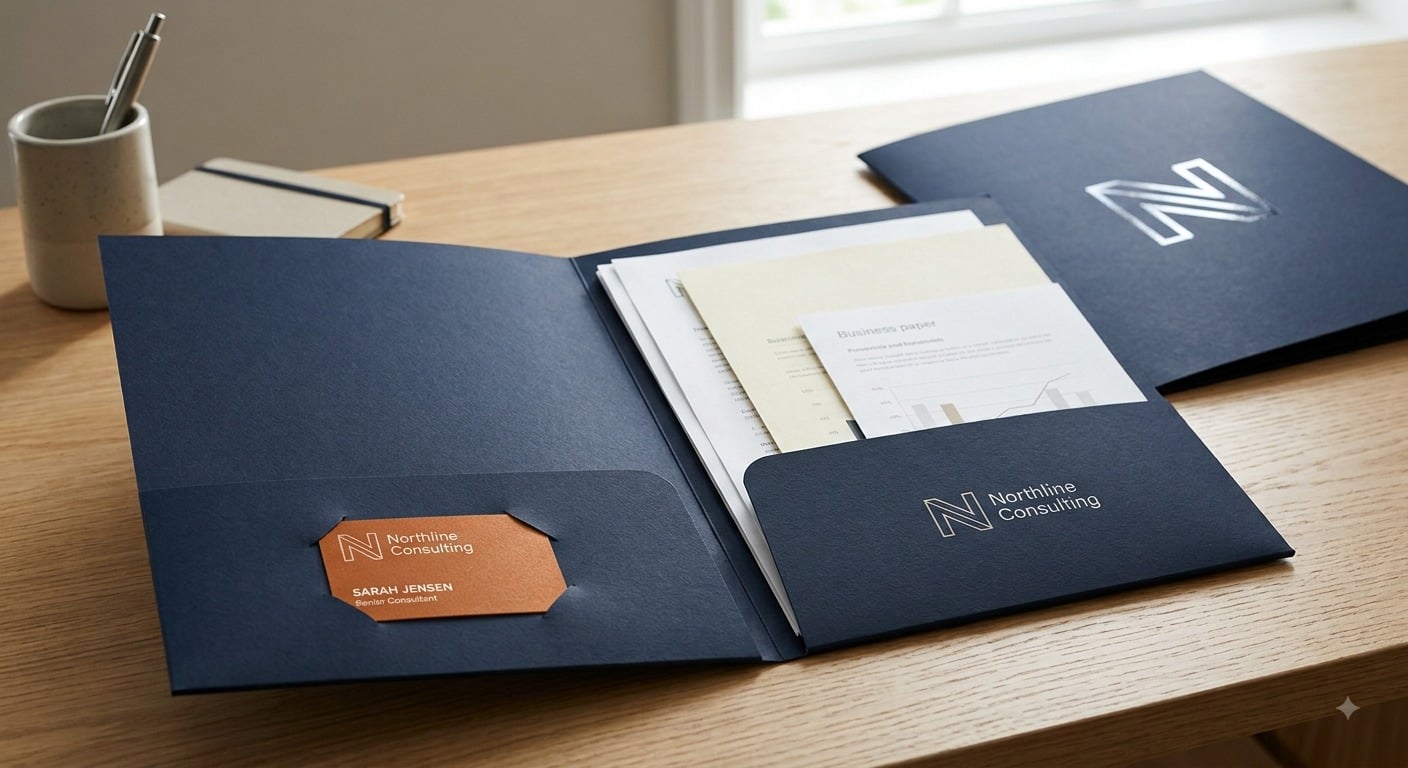
The left interior pocket serves as your credibility engine. While the right pocket handles the specific business offer, the left pocket provides the background evidence, social proof, and technical data needed to validate your capabilities.
- Case Studies and Performance Metrics: Real-world examples detailing how your firm solved similar problems for previous clients, complete with hard data and graphs.
- Client Testimonials and Reference Lists: Endorsements from recognized industry leaders, complete with direct contact details or verified review highlights.
- Company Profile and Team Bios: A brief backgrounder showcasing your firm’s history, leadership team, and specialized credentials.
- Technical Spec Sheets or Service Menus: Detailed breakdowns of software features, manufacturing standards, or supplementary service options.
Maximize Executive Impact with Die-Cut Business Card Slots
Never drop loose business cards into a folder where they can slip out and get lost during transit. Utilizing built-in, die-cut business card slots on the interior pockets ensures your primary point of contact remains front and center.
Standard folder pocket dies feature horizontal or vertical slits designed to hold 3.5″ × 2″ cards securely. When configuring business presentation folders for multi-disciplinary teams or pitch meetings involving multiple senior partners, double-pocket layouts allow you to present both account manager and technical lead contact information side by side.
When assembling your pitch kit, ensure your cards are printed on thick, premium cardstock. If you need to equip your team with crisp executive stationery before your next pitch, explore options for custom business cards online to match your folder design seamlessly.
Supplementary Inserts That Enhance Your Sales Narrative
Beyond standard proposals and corporate overviews, including specialized print inserts tailored to your client’s industry adds a layer of customization that sets your firm apart from competitors.
- Customized One-Sheet Summaries: Single-page informational sheets highlighting specific industry pain points or specialized service add-ons. If you want to include vibrant, single-page promotional inserts in your kit, consider printing promotional flyers on heavy gloss text paper.
- Product Samples or Swatch Cards: Physical fabric, paper stock, or material swatches attached to backing sheets for tactile evaluation.
- Interactive Worksheets or Questionnaires: Discovery sheets designed for the client to complete during your presentation meeting.
Structuring the Ideal Document Stack Hierarchy
Order matters when assembling physical presentation materials. Arranging your sheets randomly creates cognitive clutter for the reader. Follow this proven top-to-bottom document hierarchy for maximum clarity:
- Top Sheet: Executive Summary / Personal Cover Letter addressed to the lead decision-maker.
- Second Sheet: Detailed Scope of Work and Project Deliverables.
- Third Sheet: Pricing Schedule and Commercial Terms.
- Fourth Sheet: Implementation Timeline and Milestones.
- Bottom Sheet: Contract Signature Page.
On the left supporting side, place your primary Case Study sheet on top, followed by Company Bios, Technical Specs, and reference sheets underneath.
Choosing the Right Folder Cardstock and Surface Finishes
The physical weight, stiffness, and surface texture of your personalized presentation folders create an immediate sensory impression before any document is read. Flimsy paper reflects poorly on your firm’s operational standards.
- 14pt Cardstock: A durable, flexible paper option suitable for standard sales meetings, broad distribution, and lightweight document sets.
- 16pt Heavy Cardstock: The corporate benchmark for executive presentation folders across the United States. It provides a rigid, sturdy feel that stands upright in briefcase folders and resists corner creasing.
- High-Gloss UV Coating: Adds a reflective protective sheen that makes vibrant photos and bold corporate logos pop off the cover with high contrast.
- Smooth Non-Glare Matte Coating: Provides a clean, velvety finish that eliminates glare under bright boardroom lights, delivering a modern executive aesthetic.
Pocket Design Styles: Single vs. Two Pocket Presentation Folders
Selecting the correct interior pocket configuration depends directly on the volume of paper your sales pitch requires.
| Pocket Style | Maximum Capacity | Ideal Use Case | Key Advantage |
| Single Pocket (Right Side) | 10 to 15 flat sheets | Streamlined proposals, short-form contracts, and brief sales overviews | Keeps the focus entirely on a single proposal stack without clutter |
| Two Pocket Presentation Folders | 30 to 50 flat sheets | Comprehensive RFP responses, corporate onboarding kits, and multi-service pitches | Separates primary business terms from supporting background materials |
| Expanded Capacity Spine | 50+ heavy sheets or catalogs | Industrial equipment pitches, multi-vendor bids, and thick legal packets | Features a creased expansion spine that prevents bulging when filled |
Prepress Artwork Setup Guidelines for Folder Printing
Because custom printed folders are printed flat on large press sheets and then mechanically die-cut, folded, and glued along structural score lines, proper prepress artwork setup is crucial to prevent alignment errors.
- 300 DPI File Resolution: Ensure all vector assets, company logos, and high-resolution background graphics are set to 300 dots per inch for maximum line clarity.
- CMYK Color Profile: Design all artwork in the CMYK color space rather than digital RGB to keep physical print tones true to your design file.
- Dieline and Safety Clearance: Keep all text layers, logos, and critical contact details at least 0.25 inches away from folder trim edges, center spine folds, and pocket score lines to avoid content getting trapped in creases.
- Bleed Area: Extend background colors and edge-to-edge graphics 0.125 inches past the outer dieline to guarantee seamless color coverage after trimming.
Partnering with Printin Budget for Commercial Pitch Success
Executing a flawless sales pitch requires commercial print collateral that reflects the true caliber of your business. At Printin Budget, we specialize in producing wholesale presentation folders, corporate stationery, and marketing materials designed to help businesses win competitive bids across the United States.
Whether you need folder printing for short-run sales drops or large commercial runs for nationwide distribution, we combine heavy cardstock options, precision die-cutting, rich ink reproduction, and fast production turnarounds to ensure your pitch kits arrive on time and ready to perform.
Ready to upgrade your client pitch materials and close more deals? Visit Printin Budget today to explore folder configurations, verify your artwork setup, or request a custom quote for your next presentation project.







Comment