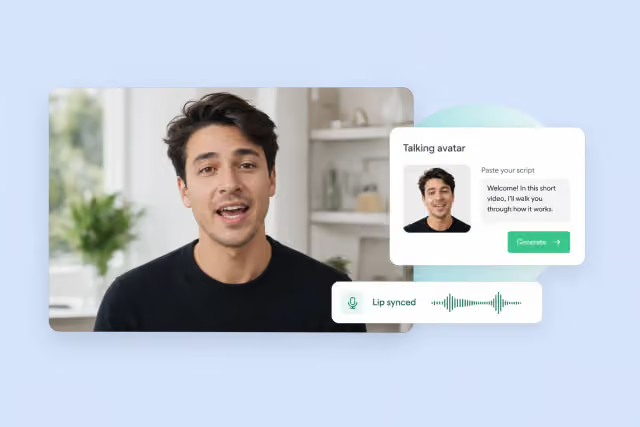
Lip sync is where most AI video tools quietly fall apart. A model can render a photorealistic face, nail the lighting, and still cough up a mouth that lags by two frames. Or skips consonants. Or freezes into a plastic smile between words.
For anyone making talking-head content, product explainers, dubbed videos, or UGC ads, that gap really matters. It’s the difference between a clip you can publish and one you’ll have to reshoot.
This roundup covers ten platforms that either specialize in lip sync or ship it inside a broader AI video generator stack. I’m not trying to crown a winner here. Different tools handle phoneme timing, facial micro-expressions, multilingual sync, and emotional delivery in very different ways — and the right pick really comes down to which of those you actually care about.
How we test
Every platform below is judged on four things that matter for lip sync and talking avatar work:
- Phoneme accuracy — how tightly mouth shapes track the actual sounds, especially fricatives, plosives, and vowel transitions
- Facial micro-expression — whether eyes, brows, and cheeks move like a real person rather than a mask
- Multilingual support — how many languages the sync engine handles natively, and whether it holds up outside English
- Emotional delivery — whether the avatar actually conveys tone, or just defaults to a flat neutral read no matter what the script says
Pricing, model choice, and workflow get noted, but they’re secondary to sync quality itself.
TL;DR
| Platform | Primary Lip Sync Engine | Languages | Free Trial |
| FreeMaker | Veo 3.1 / Seedance 2.0 + Nano Banana | Multilingual via integrated models | 60 credits over 7-day check-in |
| ElevenLabs | Veed / OmniHuman + 32+ voice languages | 32+ | 10,000 credits/mo free |
| Pippit AI | CapCut-native lip sync + digital twin avatars | 30+ | Daily free credits |
| Domo AI | Talking Avatar module (5s–60s) | Multilingual | Free credit allowance |
| Runway | Native Lip Sync + custom TTS voices | Multi-language TTS | 125 one-time credits |
| Invideo AI | AI avatars with 50+ voice languages | 50+ | Free tier available |
| Higgsfield | Lipsync Studio + UGC Factory | Multilingual | Free access on signup |
| Pictory | ElevenLabs-powered avatars, 29+ languages | 29+ | 14-day free trial |
| Fliki | 2,000+ voices, cloning in 70+ languages | 80+ | Free plan |
| Magic Hour AI | Lip Sync + Talking Photo modules | Multilingual | 3 generations/day free |
Website List
1. FreeMaker
What is it? FreeMaker is a browser-based AI video generator that combines text-to-video, image-to-video, and character animation with a built-in avatar and voice stack. Lip sync runs through its AI Avatar Maker and its cross-shot consistency system — meaning a speaker’s face stays stable across cuts while the mouth tracks the underlying audio.
Features
- AI Avatar Maker turns a single portrait into a speaking avatar with phoneme-level mouth tracking
- Cross-shot character consistency keeps the same speaker’s face across multiple clips
- Voice generation via DP-Ryn (multilingual, style blending) and DP-Sel (emotional tone, HD audio), so voice and avatar bind inside one workspace
- Video output at 720p, 1080p, and up to 4K, with stable 24/30/60 fps
- Integrated Veo 3.1 and Seedance 2.0 for talking shots with native ambient audio and dialogue
- Utility layer including an unblur video tool for cleaning up low-quality source footage before it feeds into avatar pipelines
- AI-based easy-to-use creative image tools like the coat of arms maker
Pricing
- Free: up to 60 credits earned over a 7-day check-in streak
- Lite: $14.9/month or $178.8/year — 300 credits/month, 720p output
- Pro: $29.9/month or $358.8/year — 600 credits/month, 1080p output
- Premium: $149.9/month or $1798.8/year — 3,200 credits/month, priority support
Pros & Cons
✅ Voice, avatar, and video all sit in one workspace — no stitching between ElevenLabs, HeyGen, and a separate video model
✅ DP-Sel gives real emotional tone control, not just “happy/sad” presets
✅ Character consistency holds across generations, not just within a single clip
❌ No dedicated dubbing workflow for existing videos
❌ 720p cap on the Lite tier is tight for premium client work
❌ 4K talking-avatar output chews through credits fast
Best for Creators who want to script, voice, animate, and export talking-avatar clips in one place, without shuffling assets between three tools.
2. ElevenLabs
What is it? ElevenLabs started as a voice platform, but Studio 3.0 now treats video and lip sync as first-class features. It routes video through Veed or OmniHuman lip-sync engines, which sync mouth movement to any ElevenLabs voice — including cloned ones.
Features
- 5,000+ voices across 32+ languages, with Instant and Professional Voice Cloning
- Veed and OmniHuman engines handle phoneme timing on generated or uploaded video
- Studio 3.0 multi-track timeline for lining up voiceover, captions, sound effects, and video frames
- Access to Sora 2, Veo 3.1, Kling 2.5/3.0, and Seedance 1.5/2.5 as underlying video engines
- Topaz upscaling to 4K after sync is applied
- Rollover credits (up to 2× monthly quota) on active paid plans
Pricing
- Free: 10,000 credits/month, personal use with attribution
- Starter: $6/month ($5 annual) — 30,000 credits, commercial license
- Creator: $22/month ($18.33 annual) — 121,000 credits, Professional Voice Cloning
- Pro: $99/month ($82.50 annual) — 600,000 credits, 4K upscaling
- Scale and Business tiers available for teams
Pros & Cons
✅ Voice quality and emotional range are unmatched, and that pulls sync quality up with it
✅ Multilingual sync stays tight even in Slavic and East Asian languages
✅ Credit rollover softens the “use it or lose it” pressure
❌ Video generation limits on lower tiers are strict — Starter caps at around 211 total seconds
❌ Sync is only as good as whichever underlying video model you pick
❌ The platform is voice-first, so video-native controls can feel like an add-on
Best for Podcasters, dubbing studios, and anyone whose priority is voice fidelity first, with sync layered on top.
3. Pippit AI
What is it? Pippit AI is a CapCut-powered creative agent built for short-form video. Its Digital Twin Avatars and AI Talking Photos modules focus on one job: turning a single portrait into a speaking figure that works for TikTok, Reels, and Shorts.
Features
- Digital Twin Avatars built from user photos, acting as narrators without a live camera
- AI Talking Photos animates static portraits with synchronized voiceovers and expressions
- Support for 30+ languages in avatar narration
- Powered by Seedance 2.5 for physics-aware motion, with 30-second continuous takes
- Timestamp video prompts guide distinct actions at specific moments (e.g., 0–5s, 6–15s)
- 4K resolution exports on paid plans
Pricing
- Free: daily free credits, 3 free photo avatars
- Starter: $120/year on sale (regular $200/year) — 2,100 credits/month, 1 custom video avatar
- Plus: $360/year on sale (regular $600/year) — 6,700 credits/month, 3 custom video avatars
- Pro: $1,800/year on sale (regular $3,000/year) — 35,500 credits/month, 10 custom video avatars
Pros & Cons
✅ Talking-photo output is tuned for vertical, short-form formats where most lip-sync content lives
✅ Twin avatar workflow is faster than most competitors
✅ Direct publish-and-analytics loop into TikTok
❌ Emotional range on avatars is narrower than voice-first platforms
❌ Talking-photo module works better on frontal portraits than angled or partial faces
❌ Paid plans are annual-only — no monthly option
Best for TikTok and Shorts creators who need a face on camera without actually being on camera.
4. Domo AI
What is it? Domo AI is a multi-model creation platform whose Talking Avatar module offers unusually flexible duration — clips can run 5, 10, 20, or up to 60 seconds depending on the plan. It uses the same Omni Reference system that handles character consistency across scenes.
Features
- Talking Avatar generation from 5s to 60s (Pro and Team tiers unlock the longer durations)
- Omni Reference blends up to 50 image, video, and audio references to lock a speaker’s identity
- Character to Video module brings cartoon and photo characters to life with defined motion
- Frames to Video accepts 2–8 keyframe images with AI-interpolated transitions
- Integrated Seedance 2.5, MiniMax H3, and Nano Banana Pro for rendering
- Unlimited Relax Mode on supported models keeps iteration cheap
Pricing
- Free: initial credit allowance
- Basic: $9/month annual ($13 monthly) — 600 credits, 5s/10s avatar limits
- Standard: $29/month annual ($42 monthly) — 2,200 credits
- Pro: $99/month annual ($142 monthly) — 8,000 credits, up to 60s avatar
- Team: $99 per seat/month annual — 24,000 shared credits
Pros & Cons
✅ 60-second single-take avatar duration is longer than most direct competitors
✅ Omni Reference actually holds identity across scenes, not just within a clip
✅ Relax Mode makes iteration cheap when you’re testing prompts
❌ Longer avatar durations are locked behind higher tiers
❌ Multilingual sync accuracy is inconsistent for tonal languages
❌ Interface has a learning curve compared to single-purpose avatar tools
Best for Creators making episodic content or short dramas where the same character speaks across multiple 30–60s scenes.
5. Runway
What is it? Runway is a full creative platform, and its Lip Sync tool sits alongside the Gen-4.5 and Aleph 2.0 video models. It works on both generated and uploaded footage, and lets users build custom voices for text-to-speech that then drive the sync.
Features
- Native Lip Sync tool applies to any generated or uploaded video clip
- Custom voice creation for Lip Sync and TTS on Pro and Max plans
- Character consistency via image or video references keeps the speaker stable across shots
- Gen-4.5 costs 12 credits per second for high-fidelity motion
- Node-based workflows chain multiple models and sync steps
- Aleph 2.0 handles scene editing and relighting on existing footage — useful for fixing a talking shot after sync is applied
Pricing
- Free: 125 one-time credits, watermarked
- Standard: $15/month ($12 annual) — 625 credits/month, watermark removal
- Pro: $35/month ($28 annual) — 2,250 credits/month, custom voices
- Max: $95/month ($76 annual) — 9,500 credits/month, credit rollover
- Enterprise: custom
Pros & Cons
✅ Sync quality is consistent on both generated and uploaded footage
✅ Custom voice creation lets teams build a brand-specific speaker
✅ Aleph editing means a bad take can be salvaged instead of re-generated
❌ Custom voice creation is gated to Pro tier and above
❌ Credit consumption on Gen-4.5 talking-avatar output is high
❌ No dedicated multilingual sync mode beyond what TTS voices cover
Best for Teams already using Runway for narrative video who want sync integrated into a node-based pipeline.
6. Invideo AI
What is it? Invideo AI is an AI video generator built around the Invideo Agent Two workspace, with a strong voice and avatar layer. It handles 50+ languages for AI voices with native cloning, and lets creators build custom agents — including a dedicated Voice Actor or Colorist role.
Features
- Realistic AI voices in 50+ languages with native voice cloning
- Custom agent builder including Scriptwriter, Cinematographer, and Voice Actor roles
- Long-term memory keeps avatar identity and voice tone consistent across a project
- Multi-shot editing updates characters or costumes across dozens of clips at once
- Access to Veo 3.1, Sora 2, Kling 3.0, Seedance 2.5, and ElevenLabs voices in one workspace
- Storyboarding and a Premiere Pro–style timeline editor
Pricing
- Plus: $17/month ($200 annual) — 750 credits, 4 AI avatars & voice clones
- Max: ~$83/month ($996 annual) — 3,900 credits, 16 avatars
- Generative: ~$167/month ($2,004 annual) — 8,000 credits, 40 avatars
- Elite: $900/month ($10,800 annual) — 42,500 credits, 200 avatars
Pros & Cons
✅ 50-language coverage is broader than most integrated platforms
✅ Agent memory prevents identity drift across long projects
✅ ElevenLabs voice integration brings in ElevenLabs’ quality
❌ Entry Plus tier only includes 4 avatars/voice clones — tight for agencies
❌ Credit costs on Nano Banana Pro–based avatar generation are steep
❌ Unused credits don’t roll over
Best for Agencies and educators making multi-language explainers or courses where avatar and voice consistency has to hold across many episodes.
7. Higgsfield
What is it? Higgsfield is a Universal AI Cinema Studio with a dedicated Lipsync Studio and UGC Factory. It’s different from most tools here because it treats lip sync as one output of a broader cinematography stack — one that includes optical camera simulation and multi-axis motion control.
Features
- Lipsync Studio produces talking clips from static images or existing video
- UGC Factory generates UGC-style videos with avatars for social ad workflows
- Cinema Studio 4.0 with bespoke optical stack — virtual camera bodies, lens types, focal lengths
- Multi-axis motion control stacks up to 3 simultaneous camera movements on a talking shot
- Character locking across shots and first-and-last-frame reference for scene continuity
- Access to Seedance 2.5, Sora 2, Veo 3.1, Kling 3.0, and FLUX.3 Video
Pricing
- Starter: $19/month annual — 270 credits/month, up to 2 parallel videos
- Plus: $47/month annual (regular $59) — 1,200 credits, unlimited paid parallel generations
- Ultra: $99/month annual (regular $129) — 3,000 credits, scalable to 9,000
Pros & Cons
✅ Cinematographic control on talking shots is deeper than any dedicated avatar tool
✅ Seedance 2.0 4K handles audio, lip sync, and SFX in one pass
✅ UGC Factory is tuned specifically for ad output
❌ Starter tier locks out Seedance 2.5, capping sync quality on the entry plan
❌ Credit costs on premium models are heavy
❌ Steeper learning curve if you just want “talking head from photo”
Best for Directors and agencies who need talking-avatar output to sit inside a broader cinematic shot design.
8. Pictory
What is it? Pictory is a script-to-video and text-editing platform. Its AI presenter Avatars run on ElevenLabs voices across 29+ languages. The focus is long-form content — courses, webinars, blog-to-video — where the avatar plays the role of a consistent brand presenter.
Features
- Editable AI presenter Avatars act as on-screen brand ambassadors
- ElevenLabs-powered text-to-speech in 29+ languages and accents
- Voice Cloning and Custom Avatars unlock on the Professional tier
- Text-based video editing — trim silences, delete filler words, extract highlights by editing the transcript
- PowerPoint-to-video conversion turns slide decks into voiced, animated sequences
- Automated publishing via Make and Zapier
Pricing
- Free trial: 14 days, 3 projects, 15 total video minutes
- Starter: $29/month ($25 annual) — 200 video minutes, 1 Brand Kit
- Professional: $59/month ($35 annual) — 600 minutes, Voice Cloning, Custom Avatars
- Team: $199/month ($119 annual) — 1,800 minutes shared, 3+ users
- Enterprise: custom
Pros & Cons
✅ ElevenLabs integration means sync quality inherits ElevenLabs’ emotional range
✅ Text-based editing is faster than timeline scrubbing for talking-head content
✅ PowerPoint-to-video is unusual and genuinely useful for training content
❌ Voice Cloning gated to Professional tier and above
❌ Avatar visual variety is limited compared to dedicated avatar platforms
❌ Not designed for cinematic or narrative output
Best for Corporate training teams, educators, and marketers turning written content into voiced avatar videos at scale.
9. Fliki
What is it? Fliki is an AI creator suite with one of the largest voice libraries on this list — 2,000+ voices across 80+ languages and dialects. It pairs that with AI Avatars and Digital Twins that hold appearance across scenes.
Features
- 2,000+ realistic voices across 80+ languages, with pitch, pacing, and pause controls
- Voice cloning from a 30-second to 2-minute sample in 70+ languages
- Customizable AI Avatars and Digital Twins that host or narrate videos
- Blog post / URL to video conversion with automatic narration and subtitles
- Translation and dubbing into 80+ languages with automatic subtitles and lip-syncing
- Multi-model workspace including Veo 3.1, Kling 3 Pro, Sora, Seedance 2, LTX-2, and PixVerse v5
Pricing
- Free plan available
- Paid tiers on monthly and annual billing (annual saves versus monthly)
- Credit-based system across voice, avatar, and video output
Pros & Cons
✅ 80-language dubbing coverage is exceptional
✅ Voice cloning in 70+ languages is rare at this price point
✅ Blog-to-video workflow suits marketers pushing volume
❌ Avatar visual quality trails dedicated avatar platforms
❌ Some voice options in smaller languages sound noticeably synthetic
❌ Lip-sync on dubbed content varies depending on the source language
Best for Marketers and publishers running multilingual content operations who need voice, avatar, and dubbing in one place.
10. Magic Hour AI
What is it? Magic Hour AI is a unified creative studio with dedicated Lip Sync and Talking Photo modules. It supports a wide set of underlying models — Veo 3.1, Sora 2, LTX 2.3, Kling 2.5/3.0, Wan 2.2, Seedance 2.0 — and chains generation, upscale, and export in one flow.
Features
- Dedicated Lip Sync module syncs lip movement to custom audio files
- Talking Photo animates still portrait images with speaking voices
- AI UGC Ad Generator produces authentic-looking sponsored-style social ads
- Voice Generator, Voice Cloner, and Voice Changer as separate audio utilities
- No-signup browser trial: 3 free 3-second generations per day
- Multi-step workflows chain generate → upscale → export without re-uploading
Pricing
- Free: 3 generations/day, 3-second clips at 480p with watermarks
- Creator: $19/month ($12 annual) — 144,000 credits/year, 1024px exports
- Pro: $39/month ($25 annual) — 300,000 credits/year, 1472px exports
- Business: $99/month ($66 annual) — 840,000 credits/year, 4K exports
Pros & Cons
✅ No-signup trial makes it easy to test sync quality before committing
✅ Credit rollover with no expiration cuts down on waste
✅ Upload-and-sync workflow accepts external audio cleanly
❌ Talking-photo output looks stiff on off-angle portraits
❌ Free tier’s 3-second cap is too short for real evaluation
❌ Commercial rights require a paid plan, even with credit-pack purchases
Best for Creators who want to test sync quality across multiple underlying models before locking into a single platform.
Key Takeaways
Voice quality drives sync quality more than the video model does. ElevenLabs, Pictory, and Invideo AI all lean on ElevenLabs’ voice engine, and their sync consistently reads better than platforms with weaker TTS underneath. If you’re evaluating tools, listen to the voice before you judge the mouth.
Multilingual coverage varies more than you’d expect. Fliki, ElevenLabs, and Invideo AI lead on breadth — 50 to 80+ languages. Most other platforms cover 10–30 common languages well and drop off on the long tail. Test with your actual target language before committing.
Duration limits are still a real constraint. Domo AI’s 60-second take and Pippit AI’s 30-second Seedance takes sit at the top end. Many platforms cap talking-photo output at 10–20 seconds per clip. For long-form content, plan around stitching.
Character consistency and lip sync are separate problems. Tools like Domo AI, FreeMaker, and Runway handle identity persistence, but that doesn’t automatically mean the mouth tracks well. Evaluate both independently.
Emotional delivery is where most tools still fall short. Neutral affect is the default across almost every avatar platform. ElevenLabs, FreeMaker (DP-Sel), and Invideo AI offer the clearest emotional tone controls — the rest tend to produce technically synced but flat output.
Conclusion
The right tool depends on where your actual bottleneck is. If voice is your weakest link, start with ElevenLabs or Fliki and layer sync on top. If you need visual consistency across a series, Domo AI and FreeMaker hold identity better than most. For UGC-style short-form at volume, Pippit AI and Higgsfield are built for that kind of output. And if you want to compare underlying models before committing to one, Magic Hour AI lets you test without paying full price on each.
None of these tools produce broadcast-perfect sync on every take. The practical workflow is still generate, review, regenerate — and the platforms above mostly differ in how cheap and fast that loop runs. Pick based on the loop you can afford, not the demo reel.