
Things to Keep in Mind When Generating AI Images with Gemini

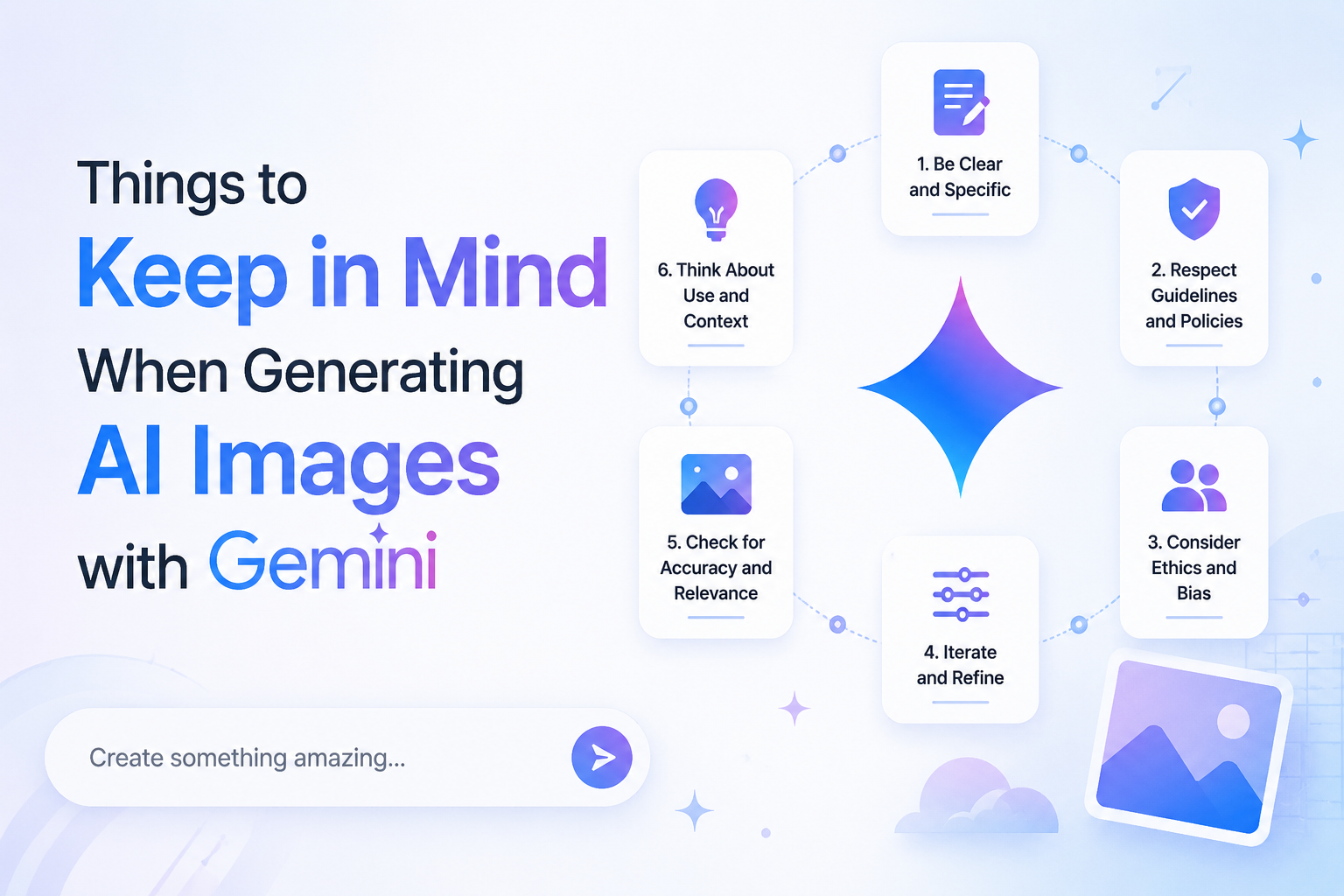
AI image generation with Google Gemini can produce stunning, professional-quality visuals, but only if you understand how to write effective prompts, respect safety policies, and optimize your content for search. This guide covers everything you need to know to create high-quality AI images with Gemini while improving your chances of ranking on Google.
1. Understanding Gemini’s Image Generation Capabilities
Gemini’s image generation is powered by advanced models like Nano Banana 2 (Flash) and Nano Banana Pro, which offer different strengths depending on your needs.
Key Specifications
| Feature | Nano Banana 2 (Flash) | Nano Banana Pro |
| Context Window | 131,072 input tokens | 65,536 input tokens |
| Max Output Tokens | 32,768 | 32,768 |
| Resolutions | 0.5K, 1K, 2K, 4K | 1K, 2K, 4K |
| Aspect Ratios | 1:1, 3:2, 2:3, 3:4, 4:3, 4:5, 5:4, 9:16, 16:9, 21:9, 1:4, 4:1, 1:8, 8:1 | 1:1, 3:2, 2:3, 3:4, 4:3, 4:5, 5:4, 9:16, 16:9, 21:9 |
| Reference Images | Up to 14 images | Up to 14 images |
| Text Rendering | 10+ languages | 10+ languages |
| Safety Features | C2PA Content Credentials + SynthID | C2PA Content Credentials + SynthID |
What This Means for You
- Nano Banana 2 (Flash) is ideal for rapid prototyping, testing multiple prompt variations, and high-volume workflows.
- Nano Banana Pro delivers higher-quality final outputs for production-ready images.
- Both models support multi-turn editing, allowing you to refine images iteratively with follow-up prompts.
2. The Perfect Prompt Formula
The single biggest factor determining image quality is how you structure your prompt. Google’s research shows that narrative descriptions significantly outperform keyword lists.
The 5-Part Prompt Formula
Use this structure for consistently strong results:
text
[Subject] + [Action] + [Location/Context] + [Composition] + [Style]
Example Prompt
“A striking fashion model wearing a tailored brown dress, sleek boots, and holding a structured handbag, posing with a confident, statuesque stance, slightly turned, against a seamless deep cherry red studio backdrop, medium-full shot, center-framed, fashion magazine style editorial, shot on medium-format analog film, pronounced grain, high saturation, cinematic lighting effect.”
Breakdown of Key Elements
| Element | What to Include | Why It Matters |
| Subject | Age, clothing, accessories, expressions, physical details | Defines the focal point with precision |
| Action | Dynamic poses, movement, interaction | Creates engaging, non-static compositions |
| Location/Context | Environment, background, setting, time of day | Establishes mood and narrative |
| Composition | Camera angle, framing, perspective, depth of field | Controls visual structure like a photographer |
| Style | Artistic medium, lighting, color grading, aesthetic | Determines the final look and feel |
Pro Tips for Better Prompts
- Be ultra-specific: “A 28-year-old woman with shoulder-length wavy auburn hair” beats “a woman.”
- Use positive framing: Say “empty street” instead of “no cars.” Describe what you want, not what you don’t want.
- Specify aspect ratio: Always include dimensions for your target platform (e.g., 9:16 for Instagram Reels, 16:9 for YouTube).
- Add technical details: Mention camera type, lens, film stock, or digital sensor for photorealistic results.
Start with proven prompts, If you’re not sure how to write the perfect prompt, PromptSeen.io gives you ready-made prompts for image and video generation that you can use as inspiration or adapt for your own projects. Instead of starting from a blank page, explore proven prompt ideas and see how detailed prompts are structured.
3. Advanced Prompting Techniques
3.1 Control the Camera Like a Professional
Use photographic and cinematic terminology to guide the AI:
| Technique | Examples & Use Cases |
| Camera Type | GoPro (immersive action), Fujifilm (authentic colors), Disposable camera (nostalgic flash aesthetic) |
| Lens Type | Wide-angle (vast scale), Macro (intricate details), Telephoto (compressed perspective) |
| Angle | Low-angle (heroic), High-angle (vulnerable), Eye-level (neutral), Aerial view (overhead) |
| Depth of Field | f/1.8 (shallow, blurred background), f/8 (deep focus, everything sharp) |
| Lighting | Three-point softbox, Golden hour, Chiaroscuro (high contrast), Backlighting (silhouettes) |
3.2 Text Rendering & Localization
Gemini excels at rendering sharp, legible text in images. Follow these rules:
- Use quotes around exact text: “Happy Birthday” or “URBAN EXPLORER”
- Specify font styles: “bold, white, sans-serif font” or “Century Gothic 12px”
- Translate and localize: Generate text concepts in one language, then specify the target language
- Text-first approach: Develop text ideas conversationally before generating the final image
- Supported languages: Korean, Arabic, Spanish, French, German, Japanese, and 5+ more
3.3 Iterative Refinement
Don’t expect perfection on the first try. Use follow-up prompts to refine:
- “Make the lighting warmer”
- “Change the character’s expression to be more serious”
- “Remove the man from the photo”
- “Add more dramatic shadows”
- “Increase the saturation by 20%”
Pro Tip: Pass thought signatures back to the model during multi-turn editing to preserve reasoning context.
4. Critical Limitations & Safety Guidelines
Understanding what Gemini cannot and will not generate is crucial for avoiding frustration and ensuring compliance.
Prohibited Content Categories
Gemini strictly blocks generation of:
- Child sexual abuse or exploitation material
- Violent extremism or terrorism promotion
- Non-consensual intimate imagery (deepfakes)
- Self-harm content
- Sexually explicit content (nudity, sexual acts)
- Hate speech or harassment
- Graphic violence or physical harm
- Celebrity and public figure likenesses (to prevent misinformation)docs.cloud.google+2
Important Restrictions to Know
| Category | Restriction Details |
| Real People | Photorealistic images of identifiable individuals are restricted. Use fictional framing or stylized approaches. |
| Celebrities | Named celebrities, politicians, athletes, and public figures cannot be generated regardless of context. docs.cloud.google |
| Copyrighted Styles | Cannot mimic specific artists’ styles (e.g., “in the style of Akira Toriyama”) or copyrighted characters. |
| NSFW Content | Dual-layer safety system makes bypassing impossible. IMAGE_SAFETY is hard-coded and cannot be disabled. |
| Face Safety | Restrictions tightened in February 2026 with Nano Banana 2 update. |
Note: All generated images include C2PA Content Credentials and SynthID watermarks for transparency.
5. Copyright & Usage Rights
Understanding your rights to AI-generated images is essential for commercial use:
- Google does not claim ownership of generated images
- You do NOT have exclusive rights—Google may generate similar images for other users
- Images can be used commercially, but cannot be trademarked or exclusively licensed
- Always disclose AI generation when required by platform policies or regulations
- Respect third-party rights: avoid generating content that infringes on existing copyrights or trademarks
6. SEO Best Practices for AI Image Content
To rank your AI image generation guide higher on Google, focus on these proven strategies.
Google’s E-E-A-T Framework (2026)
Google prioritizes content demonstrating Experience, Expertise, Authoritativeness, and Trustworthiness:
| E-E-A-T Element | How to Demonstrate in Your Content |
| Experience | Include first-hand examples, screenshots of your own Gemini generations, before/after comparisons |
| Expertise | Show deep knowledge of prompting techniques, cite official Google documentation, include technical specifications |
| Authoritativeness | Link to authoritative sources (Google Cloud, Vertex AI docs), get backlinks from industry sites |
| Trustworthiness | Disclose AI usage transparently, provide accurate information, include author bio with credentials, avoid misleading claims docs.cloud.google+2 |
Content Quality Checklist
Google’s self-assessment questions for helpful content:
- Provides original information, reporting, or analysis beyond obvious tips
- Offers substantial, comprehensive coverage of the topic
- Includes insightful analysis with real examples and data
- Has descriptive, helpful title (not clickbait)
- Free of spelling and stylistic issues
- Well-produced, not sloppy or hastily created
- Demonstrates first-hand expertise (actual Gemini usage)
- Clear sourcing and evidence of expertise
- No easily-verified factual errors
- Created primarily for people, not search enginesdocs.cloud.google+2
Technical SEO for AI Content
| Factor | Target |
| Page Speed | Optimize images (WebP format), minimize JavaScript, use lazy loading |
| Mobile-First | Ensure responsive design, test on mobile devices |
| Core Web Vitals | LCP < 2.5s, FID < 100ms, CLS < 0.1 |
| Structured Data | Add FAQ schema, HowTo schema for tutorials |
| Internal Linking | Link to related guides, prompt libraries, case studies |
| AI Disclosure | Clearly state when content is AI-assisted (builds trust) |
Common Mistakes to Avoid
| Mistake | Better Approach |
| Keyword Stuffing | Lists of disconnected keywords perform worse than narrative descriptions |
| Negative Framing | Say “empty street” instead of “no cars”—describe what you want |
| Vague Prompts | “Create a logo” → “Create a minimalist logo for a high-end skincare brand with serif typography” |
| Ignoring Aspect Ratio | Always specify dimensions for your intended platform |
| One-and-Done | Not iterating, use follow-up prompts to refine results |
| Overpromising | Asking for photorealistic celebrities or copyrighted characters (will be blocked) |
| Skipping Safety | Attempting NSFW content triggers hard-coded IMAGE_SAFETY blocks cloud.google+1 |
Check AI-Generated Content Before Publishing
If you’re publishing AI-assisted articles, blog posts, or marketing content, it’s worth reviewing your content before it goes live. An AI content detector can help identify passages that may read as AI-generated, giving you an opportunity to edit them for a more natural, original voice.
This is especially useful when using AI to scale content production. Instead of publishing the first AI-generated draft, review the output, add your own expertise and examples, fact-check important claims, and rewrite sections that feel repetitive or generic. The goal isn’t simply to “beat” an AI detector—it’s to make the content genuinely useful, authentic, and valuable to readers.
For a practical workflow, you can generate your first draft with AI, run it through an AI content detector, then refine the sections that need a more human touch before publishing. This approach can help maintain consistency while still keeping your content credible and reader-focused.
Pro Tips for Marketing Professionals
As a marketing professional, these tips will help you create compelling visuals for campaigns:
Brand Consistency: Use reference images to maintain character/product consistency across campaigns
Localization: Generate text in multiple languages for regional marketing (Hindi, English, etc.)
A/B Testing: Create multiple variations quickly for ad testing
Social Media Optimization: Use platform-specific aspect ratios (9:16 for Reels, 1:1 for posts, 16:9 for YouTube)
Product Mockups: Generate realistic product placements in various environments
Storytelling: Create sequential images for narrative-driven campaigns
Cost Efficiency: Reduce photoshoot costs by 60-80% for concept visualization clip
Workflow Integration
Gemini + Other Tools
| Integration | Use Case |
| Gemini + Veo | Create keyframes with Nano Banana, animate with Veo for video generation |
| Gemini + Lyria | Add AI-generated soundtracks to visual content |
| Gemini + Google Workspace | Integrate with Docs, Slides for presentations and reports |
| Vertex AI | Enterprise-grade API access for scalable production workflows |
Quick Reference: Prompt Templates
Save these templates for common use cases:
| Use Case | Prompt Template |
| Product Photography | “Professional product shot of [PRODUCT] on [SURFACE], soft three-point lighting, white background, 4K resolution, commercial photography style, shallow depth of field f/2.8” |
| Social Media Post | “[SUBJECT] in [SETTING], vibrant colors, Instagram-style aesthetic, square composition 1:1, bright natural lighting, lifestyle photography” |
| Logo Design | “Minimalist logo for [BRAND TYPE], clean geometric shapes, [COLOR SCHEME], vector-style illustration, white background, professional branding” |
| Blog Header | “Wide banner image for blog post about [TOPIC], 16:9 aspect ratio, modern illustration style, engaging composition with text space, professional color palette” |
| Email Header | “Email newsletter header, 600px width, [THEME], clean typography space, professional business style, brand colors [COLORS]” |
| YouTube Thumbnail | “Eye-catching YouTube thumbnail, 16:9 ratio, bold text space, high contrast, [SUBJECT] with dramatic expression, vibrant colors, click-worthy composition” |
Conclusion
Mastering AI image generation with Gemini requires understanding both the technical capabilities and creative best practices. By following the prompt formulas, respecting limitations, and optimizing for SEO with E-E-A-T principles, you can create stunning visuals that rank well on Google and engage your audience.
Remember:
- Specificity wins
- Iteration refines
- People-first content always outperforms search-engine-first content
Start experimenting with these techniques today, and watch your AI-generated imagery transform your marketing campaigns.







Comment