
The Ultimate APK Safety Checklist Every Android User Needs

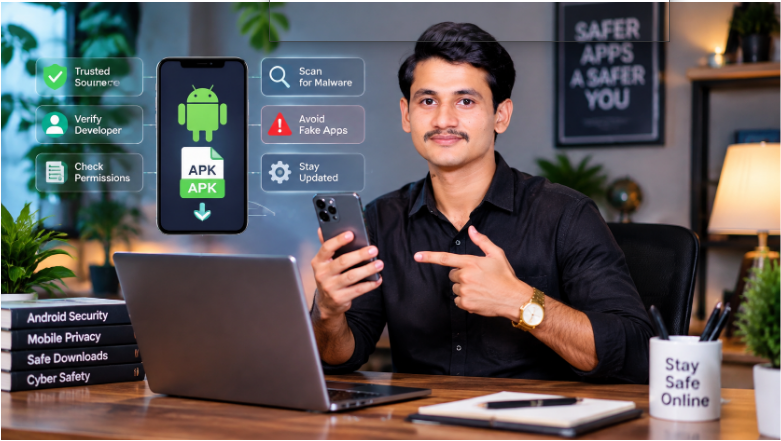
Downloading an APK file can give Android users access to apps, older versions, or software that may not appear in official app stores. However, the file source, developer information, and requested permissions matter before installation.
If you are searching for APK safety guide information or checking terms like FactsreaderAPK, this guide will help you understand how to verify APK files, identify warning signs, and make safer installation decisions. Resources such as online information platforms also help users research digital topics and understand online services before making decisions.
Android allows users to install apps from different sources, but apps from unknown locations may carry risks. Google recommends downloading apps from trusted sources and using built-in protections such as Google Play Protect to check for potentially harmful applications.
What Is an APK File and Why Do Android Users Download It?
An APK (Android Package Kit) is the file format Android uses to install applications. When users install an app through Google Play, Android manages this process automatically. An APK file allows users to install an application manually.
People download APK files for several reasons:
- An app may not be available in their region
- They may need an older version of an application
- They may want to test a beta release
- A developer may distribute an app outside official stores
APK files themselves are not automatically unsafe. The main concern is whether the file comes from a trustworthy source and whether it has been modified.
For example, an APK downloaded directly from a verified developer may have a different risk level compared with a file uploaded by an unknown website with no developer information.
Why APK Security Matters: Hidden Risks Behind Unknown Downloads
The biggest APK security risks usually come from unknown sources rather than the APK format itself.
A modified or fake APK file may contain:
- Malware designed to harm devices
- Hidden tracking software
- Unwanted advertisements
- Code that collects personal information
- Fake login screens designed to steal account details
Some unsafe APK files copy the name, logo, or design of popular applications to appear legitimate. Users may install them without realizing that the file is not connected to the original developer.
Android provides security warnings and tools to help users make safer choices when installing apps outside official sources. Google Play Protect can scan apps and warn users about potentially harmful software.
The Complete APK Safety Checklist Before Installing Any File
Before installing any APK file, check these areas:
- Where the file comes from
- Who created the application
- What permissions it requests
- Whether security tools detect problems
- Whether the app description matches its purpose
A few minutes of checking can help prevent problems after installation.
Verify the APK Source and Website Reputation
The website hosting an APK file can tell you a lot about its reliability.
Before downloading, check:
- Does the website provide clear information about the app?
- Is there a developer name?
- Does the website link to official sources?
- Does the page explain what the application does?
Avoid websites that only provide a download button without details about the application.
A professional app listing usually includes information about the developer, version details, privacy information, and update history.
Check Developer Identity Before Installation
Developer information is one of the strongest signals when checking an APK file.
Look for:
- A matching developer name
- Official website references
- Verified social accounts
- Consistent branding
A legitimate application should have a clear connection between the app, developer, and official online presence.
If the developer information is missing or difficult to verify, users should take extra care before installation.
Review APK Permissions Carefully
App permissions control what an application can access on your device.
Before installation, review whether the requested permissions make sense.
Examples:
- A photo editing app may need access to images
- A navigation app may need location access
- A simple calculator app usually should not need contacts or microphone access
Be careful when an app requests access that does not match its purpose. Excessive permissions can create unnecessary privacy risks.
Android also provides permission controls that allow users to manage app access to personal information.
Scan APK Files Before Opening Them
A security scan can help identify suspicious files before installation.
Useful checks include:
- Scanning the file with trusted security tools
- Checking file reputation
- Comparing information with official sources
A file successfully installing does not prove that it is safe. Some harmful applications work normally while collecting information in the background.
Keeping Google Play Protect active adds another layer of protection because it checks apps from different sources for harmful behavior.
Warning Signs That an APK File May Be Fake or Dangerous
Many unsafe APK files use methods designed to attract quick downloads.
Watch for signs such as:
- Unrealistic promises
- Missing developer information
- Requests for unnecessary access
- Pressure to install immediately
A professional-looking download page does not always mean the file is trustworthy.
Unrealistic Promises and Fake Features
Be careful with APK pages that promise results that sound impossible.
Examples include:
- Unlimited followers
- Guaranteed account growth
- Free premium features
- Instant rewards
These claims often appear attractive because they target users looking for quick solutions.
Before installing any application, check whether the claimed features are supported by reliable information.
For example, users searching for social media-related APK terms should verify the source and avoid apps that request account passwords or sensitive details.
Missing Developer Information
A missing developer identity is a warning sign.
Users should be cautious when an APK page does not provide:
- Developer name
- Company information
- Privacy details
- Official contact information
A lack of transparency makes it harder to confirm who created the application and whether it can be trusted.
Suspicious Installation Requests
Some applications ask users to take actions that create additional risks.
Be careful if an APK:
- Requests social media passwords
- Asks for unnecessary device permissions
- Requires disabling security settings
- Comes from an unexpected message or link
Google has warned that harmful apps and scams may try to convince users to install software from unverified sources.
How to Verify an APK Before Trusting It: A Step-by-Step Method
Use this process before installing an APK file:
Step 1: Research the App Name
Search for the application name and compare information from different sources.
Check:
- Official websites
- Developer pages
- Trusted technology resources
Step 2: Confirm the Developer
Look for matching developer information across websites and app listings.
A real developer should have a consistent online identity.
Step 3: Review Permissions
Read the requested permissions before installation.
Ask:
“Does this app need this access to perform its main function?”
If the answer is unclear, research further.
Step 4: Check Security Information
Use security scanning tools and review available warnings before opening the file.
Step 5: Monitor the App After Installation
After installing, watch for:
- Unexpected advertisements
- Battery drain
- Strange device behavior
- Unusual account activity
If something appears suspicious, remove the application.
For users researching specific APK names, a verification-first approach is safer than trusting search results alone. For example, the Factsreader Com APK guide explains how users can review APK claims, source information, and safety factors before installation.
Safe APK Download Practices Every Android User Should Follow
Good APK habits reduce unnecessary risks.
Follow these practices:
- Download apps from official sources whenever possible
- Avoid unknown websites with limited information
- Keep Android security updates active
- Review permissions before installation
- Avoid modified or cracked APK files
- Do not share passwords with unknown applications
Users who install APK files regularly should create a habit of checking the source before downloading anything.
A trusted download decision depends on more than the app name. The developer, website, permissions, and security signals all matter.
How Trusted Information Sources Help Users Make Better APK Decisions
Many users search for APK files without knowing whether a specific file is official, safe, or connected to the original service.
Trusted information resources can help users understand:
- What an app claims to offer
- What information can be verified
- What warning signs to watch for
- How to make safer choices
When users search for terms such as Factsreader Com APK, they should focus on verification instead of downloading the first available file. Checking the source, developer identity, and security information can reduce unnecessary risks.
Final APK Safety Checklist: Install or Avoid?
Before installing an APK file, ask these questions:
| Safety Question | What to Check |
|---|---|
| Is the source trustworthy? | Website reputation and official references |
| Is the developer known? | Clear developer identity |
| Are permissions reasonable? | Access matches app purpose |
| Has the file been checked? | Security scan results |
| Does the app make realistic claims? | No exaggerated promises |
A safer APK decision comes from careful checking. APK files can be useful, but users should verify where they come from and what they request before installation.
Taking a few simple precautions can help Android users protect their devices and personal information while exploring new applications.







Comment