
Why Faster AI Drafts Don’t Always Improve Team Collaboration

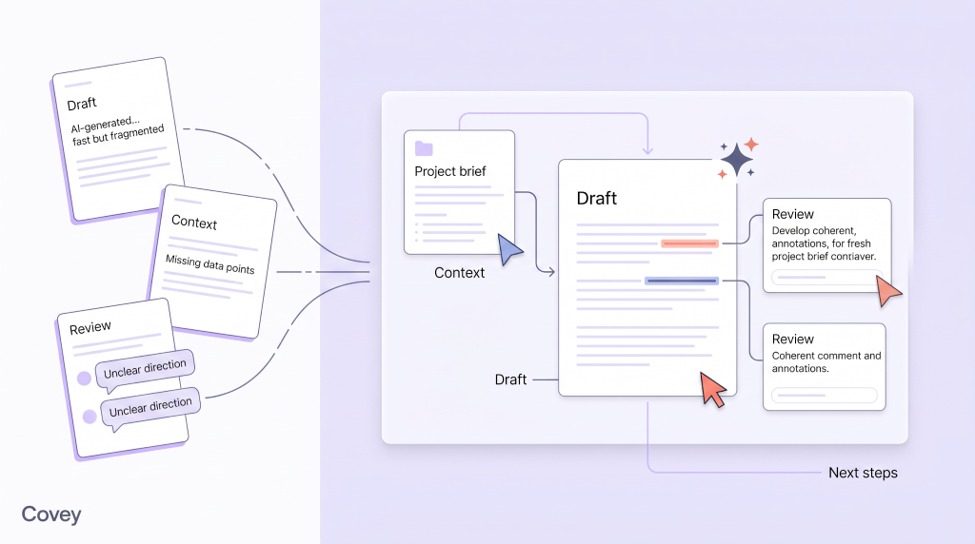
A launch plan is ready for review. The copy reads well, but the product manager spots a feature that will not be available at launch. The marketer removes it from the plan. Someone working on the announcement email still has the earlier version.
This illustrative example shows why faster AI drafts can leave team collaboration stuck. Before the campaign goes ahead, someone must find the affected work, explain the correction and check the revisions. Generating another draft takes care of only part of that job.
What gets lost when a draft changes hands
The product manager may have mentioned the limitation in a meeting. The writer may have used an older product introduction. Neither detail is obvious to a colleague who receives only the finished draft.
Sending the source file helps, but a reviewer also needs to know which decisions were made after it was written. A comment such as “remove this feature” is easy to follow once. Without the reason, the feature may reappear in the next piece of copy.
These gaps create extra work around an otherwise useful AI response. People search for the brief, ask who approved a claim or repeat a conversation that already happened elsewhere. Improving the prompt will not tell a colleague which correction to carry into the email.
Make the brief and the review available together
For the launch team, a useful starting point is a shared folder containing the current product introduction, campaign brief and brand guidance. Someone needs to maintain those files. Reviewers need access to the task as well, so they can explain a change where the work is happening.
This is the team collaboration problem that Covey addresses through Projects and shared tasks. A Project holds common materials; a task provides a conversation in which people and an Agent can work on an assignment. Access permissions determine who can join and continue.
How the launch project would work in Covey
Put the common files in a Project
Create a Project for the launch and add the product introduction, campaign brief and brand materials to its resource library. Share the Project with the people involved. They can work from the same collection instead of each building a separate set of references.
The files have different jobs. The product introduction establishes what the offering does. The brief specifies the audience and launch goal. Brand guidance covers wording and presentation. Giving each a clear name makes it easier for a colleague to check the relevant source when a claim looks wrong.
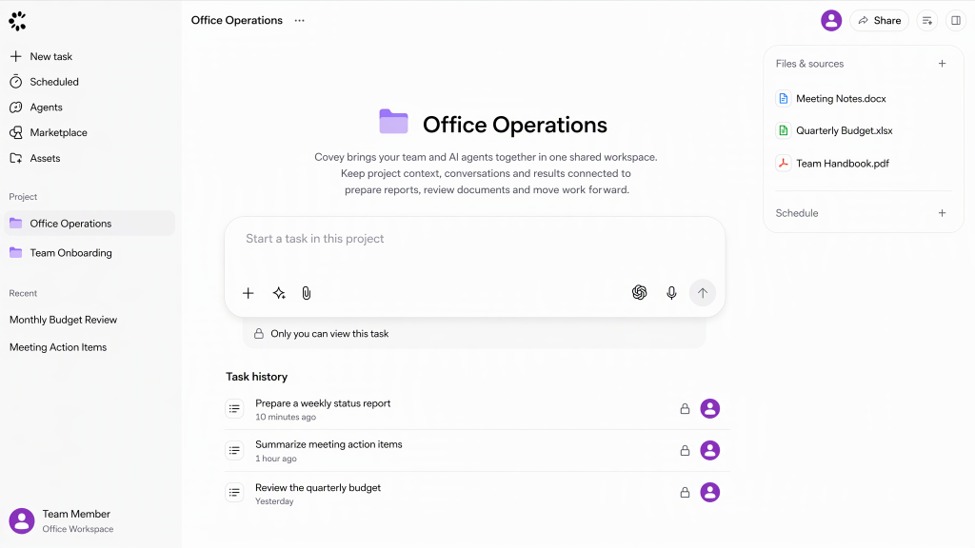
alt:Covey Office Operations workspace with example projects, task history and source files.
The workspace image uses anonymized office examples. For a launch, the team would supply its own project files. Adding those materials is a deliberate step; a saved copy should not be assumed to update when the original changes.
Give a reusable Agent a specific assignment
A team can create a campaign Agent by describing its role in a conversation, then adjusting its knowledge, Skills and Plugins. That Agent remains available to select in later conversations. It does not need to be recreated for every campaign.
For this project, the request might be: “Use the product introduction and launch brief to draft a campaign plan. Include the audience, key message, proposed channels and questions that need our decision.”
The reusable part is the Agent’s role and working method. The current assignment still needs the relevant Project materials. Selecting the same Agent elsewhere does not, by itself, give it access to every file or carry every project decision into a new conversation.
Invite the reviewer into the task
When the plan is ready, invite the product manager to the task and enable the permissions needed to participate. The reviewer can then continue in the same conversation, explain the missing feature and ask for the plan to be revised.
A useful correction would be: “This feature will not be available at launch. Remove it from the plan and check the proposed email messaging for the same claim.” The reason and the requested work stay together. The marketer can read that exchange and continue the revision without asking for a separate recap.
This is a practical distinction for team collaboration: the colleague joins the ongoing work, rather than receiving a file and reconstructing its history. People still review the output and decide what is ready to use. Sharing a task does not make an Agent’s answer an approval.
Add useful results back to the library
After the team reviews the plan, add the useful result to the Project’s resource library. It can then be referenced when preparing the announcement email, a sales brief or a later campaign.
Keep drafts distinguishable from material the team has approved. Otherwise, a larger library simply gives people more versions to sort through. Saving the reviewed plan, with the relevant product limitation, gives the next task a concrete starting point.
The same applies to an Agent’s work. Reuse the result because it is relevant and checked, not just because it was generated in an earlier conversation.
About Covey by Converge AI
Covey by Converge AI is an AI business partner for professionals and small teams. Its positioning is “Your AI business partner, uniting your team with agent teams”. Alongside shared projects and custom Agents, it supports work such as research, document preparation and content creation.
alt:Converge AI homepage with the headline “From individual intelligence to institutional intelligence”.
Check what the next colleague can actually use
The launch example offers a straightforward way to evaluate the setup. Can the next colleague open the relevant materials, read the correction and continue the task? Is the reviewed plan available for the next assignment?
Those questions make team collaboration easier to assess than the speed of the first draft. If the brief is still missing or the reviewer cannot join, another AI response will leave the handoff unfinished.







Comment