
The Streaming Reliability Stack: What Really Determines IPTV Quality in 2026

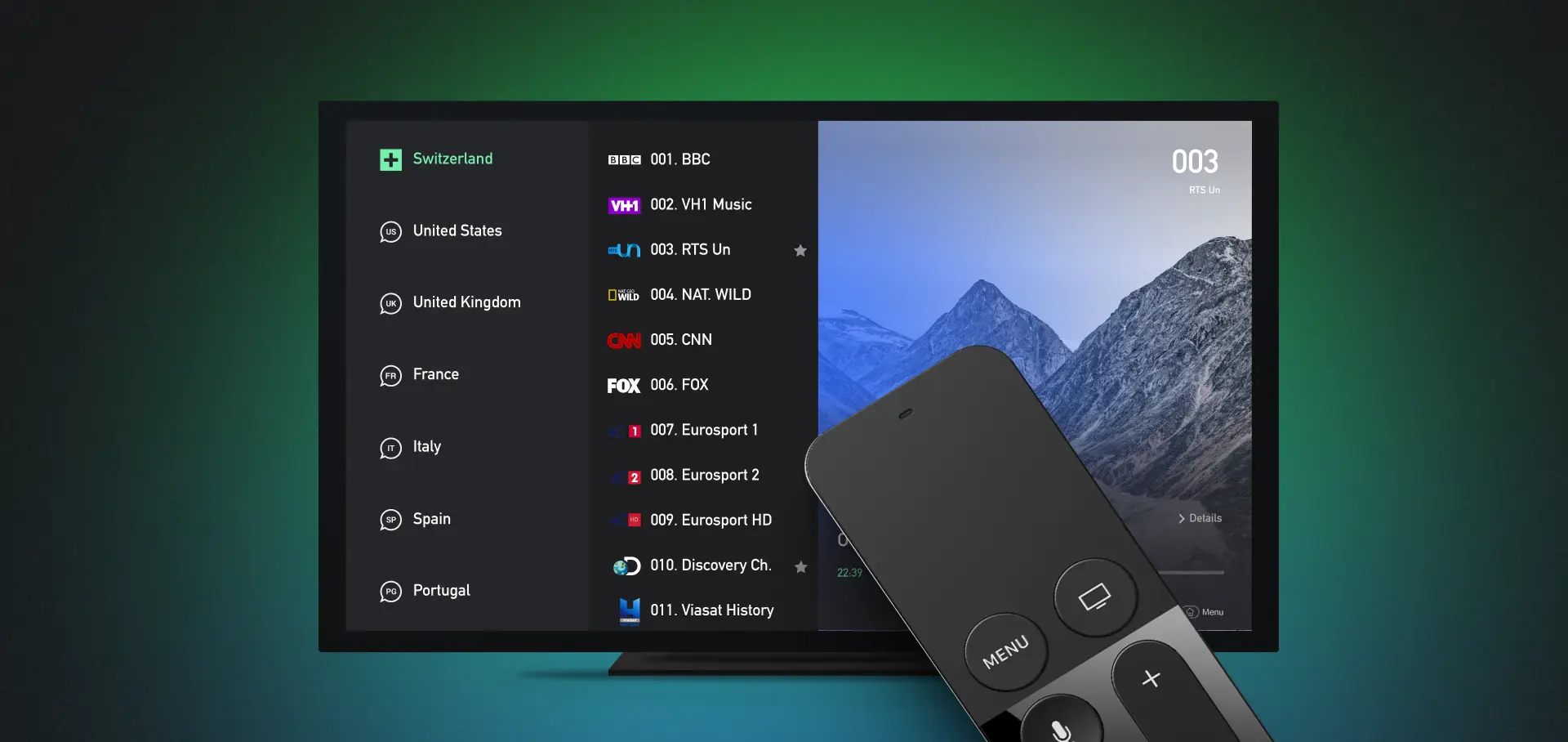
A practical systems view of why two viewers with the same internet speed can have completely different streaming experiences
Internet television services such as ChannelMoa are often judged by a single number: download speed. If a home has a fast fiber or cable connection, the assumption is that live television should be flawless. In practice, streaming quality is a systems problem. A video must be encoded correctly, packaged for delivery, served from reliable infrastructure, routed across the public internet, carried through a home network, decoded by a device, and handled by a player that is configured for the source. A weakness at any one of those layers can produce the same symptom on the screen: slow startup, freezing, audio drift, low resolution, or a failed channel change.
That is why troubleshooting by repeatedly running a speed test rarely solves the hardest cases. A better approach is to treat streaming as a chain: the goal is not to guess which company or device is at fault, but to isolate the layer that is actually failing. This seven-layer reliability stack provides a practical way to do that without turning the living room into a networking laboratory.
1. Source and encoding: quality begins before the stream reaches the internet
Every live or on-demand stream starts with a source that must be encoded into a format a consumer device can decode. Resolution alone does not determine quality. Bitrate, frame rate, codec choice, keyframe spacing, audio format, and encoder stability all influence the final experience. Two streams labeled 1080p can look very different if one has enough bitrate for fast motion and the other has been compressed too aggressively.
Live sport is especially demanding because camera pans, crowds, grass textures, score graphics, and rapid cuts expose compression artifacts quickly. A clean source with sensible encoding can look excellent at a moderate bitrate, while a poorly prepared source may look soft or blocky even when the viewer has hundreds of megabits of available bandwidth. No router setting can repair information that was lost at the encoding stage.
2. Packaging and delivery protocol: the player needs a stream it can consume efficiently
After encoding, video is divided into small media segments and described by a manifest or playlist. Modern internet video commonly uses HTTP-based delivery because it works well with caches, content delivery networks, and ordinary web infrastructure. The player requests segments continuously and tries to keep enough media buffered to survive short network fluctuations.
This layer creates a trade-off between responsiveness and resilience. A larger playback buffer can absorb brief congestion but may increase startup time and live delay. A smaller buffer can feel more immediate but leaves less room for jitter. Low-latency modes reduce the distance from the live event to the screen, yet they also require a well-tuned end-to-end path. The best configuration is therefore not simply ‘lowest latency’; it is the lowest latency the entire chain can sustain reliably.
3. Origin, CDN, and traffic management: peak hours reveal infrastructure quality
A stream that works perfectly on a quiet weekday afternoon can struggle during a major live event. The difference is concurrency. When thousands of viewers request the same content at once, origin capacity, caching strategy, edge availability, load distribution, and failover behavior become visible to the user.
Content delivery networks reduce the distance between viewers and media by serving frequently requested segments from geographically distributed edge locations. They also reduce the load on the origin. But a CDN is not a magic switch: cache configuration, routing decisions, capacity planning, and upstream redundancy still matter. A useful real-world test is therefore not just ‘does it play?’ but ‘does it remain stable at the time I actually watch?’
4. ISP and internet path: raw bandwidth is only part of the story
A home may measure 300 Mbps in a speed test and still experience playback problems. Speed tests usually connect to a nearby optimized server, while a media stream can travel through a different set of networks and interconnection points. Packet loss, jitter, transient congestion, routing changes, or overloaded peering links can affect one destination while leaving another fast.
This is why comparing several services can be informative. If every reputable video platform struggles at the same time, the local connection or ISP path deserves attention. If only one source has problems while other high-bitrate streams remain stable, the issue is more likely to sit farther upstream in the content path. The diagnosis becomes stronger when tests are repeated at the same time of day rather than performed once.
5. The home network: Wi-Fi can be fast and still be unstable
The last few meters between the router and the television are often the least measured part of the system. Wi-Fi performance changes with distance, walls, neighboring networks, interference, channel width, band selection, and the radio inside the receiving device. A phone beside the router may report excellent results while a television mounted against a wall receives a much weaker signal.
For a baseline test, Ethernet is valuable because it removes most radio variables. When wired playback is stable and Wi-Fi playback is not, the service does not need to be changed; the local network does. If Ethernet is impractical, moving the access point, using a cleaner band, reducing interference, or adding a properly placed mesh node can be more effective than paying for a faster internet package.
6. Device and decoder: the screen is also a computer
Smart TVs, streaming sticks, phones, tablets, and set-top boxes all have different processors, memory limits, operating systems, codec support, and thermal behavior. A device may have enough network speed but still struggle to decode a high-resolution stream, load a very large guide, or keep a heavy application responsive. Older televisions can be particularly confusing because the panel may still look excellent while the built-in software platform has aged.
A practical test is to use the same account on two supported devices. For readers comparing setup options across televisions, streaming sticks, phones, and boxes, the Channel Moa TV device overview is a useful example of organizing compatibility by screen and operating environment. If playback fails on one device but works on another over the same network, the device or player becomes the primary suspect. This comparison is much more useful than changing multiple settings at once. It also explains why a small external streaming box can sometimes improve the experience without replacing the television itself.
7. Player, account, and guide data: the application is part of the delivery chain
The player is not merely a visual skin. It handles authentication, playlist parsing, guide data, buffering behavior, decoder selection, subtitle tracks, aspect ratio, and sometimes external-player handoff. That is why the same subscription can behave differently in two applications. The most useful setup guidance therefore starts with the device and player actually in use, then checks credentials, server details, playlist refresh, and decoder behavior before changing the network.
Account rules matter too. An expired login, an incorrect server address, a session limit, a mistyped credential, or a playlist that has not refreshed can all look like a network failure. Electronic program guide data adds another dependency: a stream may play perfectly while the schedule is empty or shifted because the guide source, time zone, or mapping is wrong. Treat playback and guide problems as separate symptoms until testing proves they share a cause.
A faster diagnostic method: start with the symptom, not the assumption
The most efficient troubleshooting process changes one variable at a time. The table below is a useful first pass before resetting apps, replacing routers, or changing providers.
| Symptom | Most likely layers | First useful test | Avoid doing first |
| Buffers only in the evening | CDN/origin, ISP path, home congestion | Retest the same channel at off-peak and peak time | Buying a faster plan immediately |
| One device fails; another works | Device, decoder, player | Use the same account on both devices over the same network | Changing account credentials repeatedly |
| All streaming apps struggle | Home network, ISP, router | Test Ethernet and a second reputable video service | Blaming one content source |
| Picture plays but EPG is wrong | Player, guide source, time zone | Check device time and refresh only the guide | Reinstalling the entire app |
| Fast speed test, one source buffers | Routing, CDN, source | Compare another high-bitrate stream at the same time | Assuming Mbps equals end-to-end quality |
How to evaluate an IPTV setup before committing long term
A short trial is most valuable when it is structured. Testing only one movie for five minutes tells very little about live reliability, channel switching, guide behavior, or peak-hour performance. A better trial mirrors the household’s real usage.
Use this sequence:
- Test on the exact device that will be used most often, not only on a phone.
- Check one live channel, one on-demand item, search, favorites, and guide loading.
- Repeat the test during the evening or another normal viewing period.
- Change channels several times and note startup delay rather than judging one stream.
- Restart the app and device once to confirm the account reloads cleanly.
- If a problem appears, compare Ethernet versus Wi-Fi or a second supported device before changing several settings.
For households using multiple screens, organizing setup by device and operating environment is more reliable than assuming every player behaves the same way. A device-first checklist also makes it easier to isolate whether a problem belongs to the account, the application, the hardware, or the local network.
What good streaming support looks like
Support quality is increasingly part of streaming quality because the service crosses so many layers. Useful support does not begin by telling every user to reinstall the app. It asks for the device model, player name, connection type, approximate time of the issue, the affected content category, and whether another device or service works. Those details turn a vague complaint into a reproducible incident.
Users can help by protecting sensitive information. Screenshots should exclude passwords, full playlist addresses, payment details, and unnecessary device identifiers. A precise description such as ‘live channels freeze after two minutes on the LG TV over Wi-Fi, but the same account works on an Android box over Ethernet’ is more actionable than ‘IPTV is not working.’
The larger lesson: reliability is end-to-end
The most important change in internet television is not a single codec, app, or device. It is the shift toward an end-to-end quality model. Viewers experience the whole path at once, even though the path is built from independent systems. The source can be excellent while the Wi-Fi is poor; the network can be perfect while the device decoder is overloaded; the stream can be healthy while an expired account prevents playback.
Thinking in layers makes those problems easier to solve. Start with the symptom, compare one variable at a time, test under realistic conditions, and avoid treating download speed as the only measure that matters. When every layer is healthy, internet television feels simple. When one layer fails, a structured diagnosis is the fastest way to make it simple again.





Comment