
Seedance 2.5 vs Wan 3.0: Choose the Workflow, Not the Winner


Seedance 2.5 vs Wan 3.0 looks like a conventional AI video model comparison: two systems, one prompt, and a winner. That framing is useful for a demo, but incomplete for production. Both models can create native audio-video sequences up to 30 seconds. The more practical difference is what each model can use as creative evidence, how a team can revise the result, and what must be delivered at the end.
The difficult part often happens before generation. A team may have a product photo, a mood reference, a campaign deck, a character idea, and conflicting opinions about style—but no approved visual source of truth. A reference-first workspace such as Whisk AI becomes relevant at that stage: subject, scene, and style inputs can be combined into still-image directions before either video model receives the brief. Its role is not to replace Seedance or Wan. It is to make the visual intention easier to inspect.
The best model is the one that removes the most expensive uncertainty in the brief, not the one that wins a single showcase prompt.
The Quick Answer: Start With the Bottleneck
Seedance 2.5 is the stronger candidate when a project depends on a large, carefully art-directed reference package or needs timestamp-level audiovisual changes, green-screen work, camera-perspective edits, or performance blocking. ByteDance documents support for as many as 30 images, 10 video clips, and 10 audio clips in one generation.
Wan 3.0 is the stronger candidate when the source material extends beyond media references. Alibaba Cloud documents text, image, video, and audio inputs alongside documents and public web pages. It also offers first-frame and first-and-last-frame control, video editing and extension, native audio, output up to 1080P, and an API priced by generated duration and resolution.
Seedance 2.5 and Wan 3.0 are not separated by duration; both reach 30 seconds. They are separated by what they accept as evidence and how precisely teams can revise it.
That means the decision should begin with four questions:
- Is the brief mainly visual, or is important information still trapped in documents and web pages?
- Does the production need many explicit references, or a smaller mixed-media packet?
- Will revision happen at specific timestamps, through shot anchors, or through broader content edits?
- Is the output an exploratory draft, an editable sequence, or a 1080P delivery candidate?
Why “Same Prompt” Tests Often Mislead
A same-prompt comparison appears fair because the words are identical. The models, however, may not interpret those words through the same production grammar. One may respond better to time-coded direction and reference media; another may benefit from a document, first and last frames, or a prompt broken into shot beats.
The prompt is also only one variable. A real comparison must control the reference images, source video, audio, duration, aspect ratio, resolution, safety constraints, and acceptance criteria. Otherwise, a result may reflect better preparation rather than a better model.
There is another problem: showcase quality is not production value. An impressive clip can still fail if the product shape changes, a character loses identity, the spoken line misses its timing, or the final shot cannot cut into the campaign edit. The useful unit of comparison is therefore not the prettiest generation. It is the accepted shot.
How the Model-Routing Workflow Works in Practice
Before choosing a model, this four-step process turns an ambiguous brief into a controlled comparison that a creative team can actually review.
Step 1: Build a Visual Source of Truth
Start with the assets that cannot drift: the character, product, location, wardrobe, color treatment, and key composition. Create or select one approved image for each protected attribute. If the hero product appears in three different shapes across the source material, resolve that conflict before video generation.
Keep visual exploration separate from final approval. Teams can remix subject, scene, and style directions, but only the selected stills should enter the test packet. The output of this step is a compact reference board, not a folder of every attractive possibility.
Step 2: Create One Matched Test Packet
Write a short scene contract covering the story beat, duration, aspect ratio, camera intent, subject action, audio goal, and elements that must not change. Then prepare the smallest coherent packet that explains the scene.
For a product spot, that packet might contain a verified product image, one character image, one environment plate, one camera-motion reference, and a short audio guide. If a launch deck contains necessary product claims, keep it available for the Wan path, but convert its most important visual facts into the same approved stills used for the Seedance path.
Step 3: Run Model-Native Pilots
Hold the creative contract constant while expressing it in the native grammar of each model. For Seedance 2.5, use the visual, motion, and audio references with clear timing and protect the portions likely to need targeted revision. For Wan 3.0, test the same media packet, then use document or web input only when it carries information the reference board cannot express. First-and-last-frame control can be useful when the ending composition is non-negotiable.
Do not optimize one model extensively while giving the other a first attempt. Allow the same generation budget and the same number of correction rounds. Save prompts, settings, source files, and outputs so the comparison remains reproducible.
Step 4: Score Accepted-Shot Cost
Review each output in separate passes for identity, product geometry, spatial continuity, motion, camera behavior, dialogue, sound, editability, and rights. Mark a clip accepted only if it can enter the intended timeline with defined, limited correction work.
Then calculate the real cost: generation charges, correction rounds, operator time, upscaling, sound repair, compositing, and discarded outputs. A lower generation price can become expensive if a team repeatedly rebuilds the same scene. A more controllable model may justify a higher initial cost when it protects approved material.
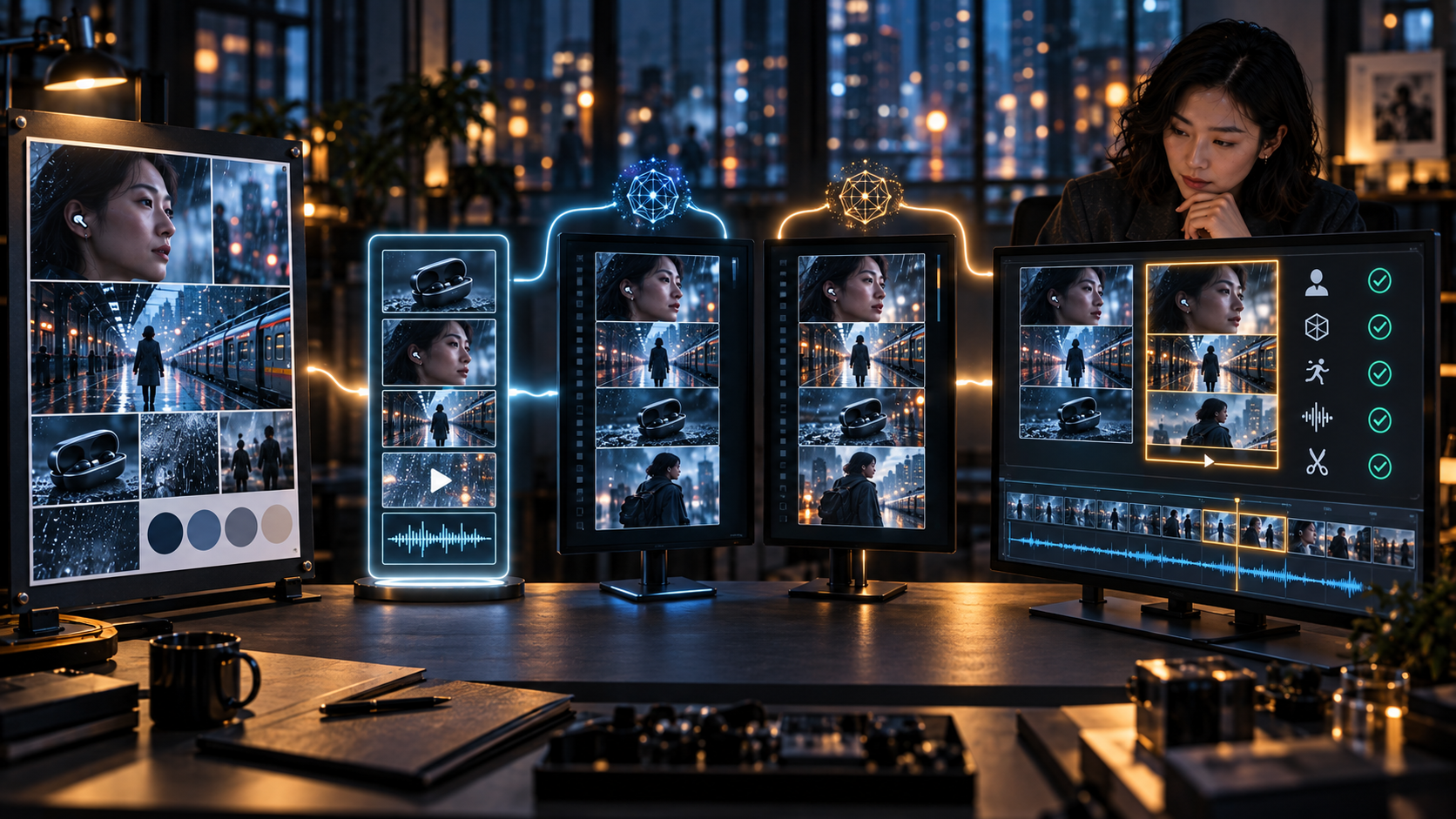
A fair comparison must hold the reference packet, duration, aspect ratio, and acceptance criteria constant before judging outputs.
A Worked Decision Exercise: A 24-Second Earbud Launch
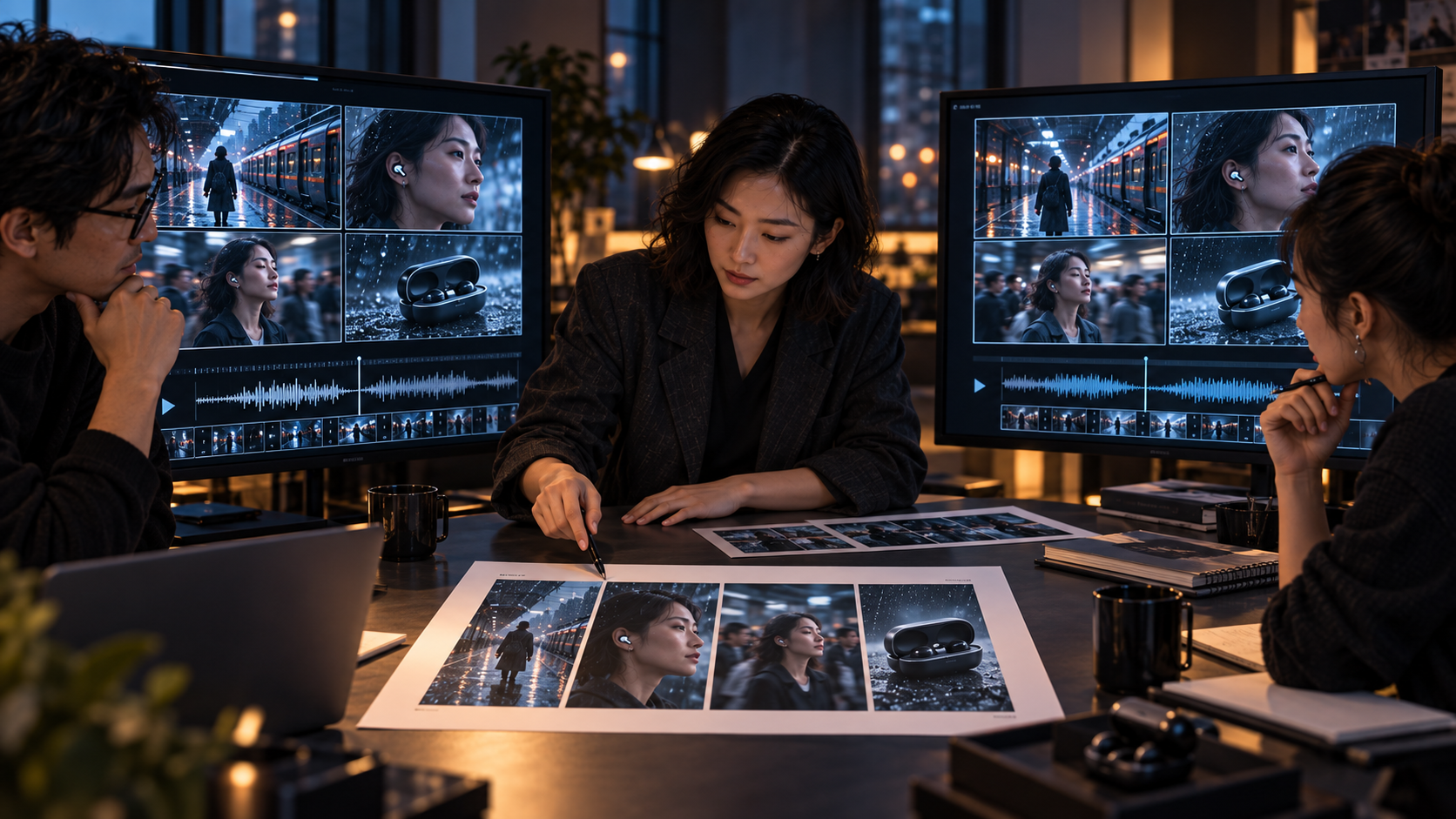
Consider a fictional 24-second vertical launch video for wireless earbuds. The story has four beats: a commuter enters a rainy station, places an earbud in one ear, the surrounding noise falls away, and the final shot holds the product beside a clean color field.
The protected elements are the earbud geometry, the commuter’s face and coat, left-to-right movement, cool rain outside the train, and a final composition with clear negative space. The source pack contains three product angles, one approved character portrait, one station plate, a short walking reference, an audio guide with platform ambience, and a one-page product brief.
Seedance 2.5 would be the logical first pilot if the team expects detailed timing changes: reduce head movement between seconds eight and ten, preserve a hand position during the product close-up, or change only the final audio beat. Its larger documented reference capacity also leaves room for more wardrobe, performance, camera, and sound examples when the art direction becomes dense.
Wan 3.0 would be the logical first pilot if the product brief and public product page contain information that should shape the narrative, if the final hero composition must be defined by a last frame, or if the review copy needs a native 1080P option through the API. Its broad input path can reduce the manual step of translating every piece of business material into prompt language.
The team should still run a smaller pilot in the other model. The decision sheet would record whether the product survived motion, whether the four beats were readable, how many local corrections were needed, whether the audio supported the edit, and how much operator time produced one acceptable cut. No speculative “winner” is required before those outputs exist.
Seedance 2.5 vs Wan 3.0: Key Workflow Differences
This comparison maps published capabilities to production decisions without pretending that specifications alone can predict the better-looking final clip.
| Criteria | Seedance 2.5 reference-heavy workflow | Wan 3.0 mixed-input workflow | What the team should test |
| Native duration | Up to 30 seconds | Up to 30 seconds | Beat clarity across full clip |
| Reference packet | 30 images, 10 videos, 10 audio | 10 images, 5 videos, 5 audio | Smallest packet that preserves intent |
| Non-media input | Not a headline capability | Documents and public web pages | Whether source facts shape the story |
| Revision style | Timestamp-level and production controls | Editing, extension, frame anchors | Corrections without collateral drift |
| Delivery path | Platform-dependent output options | API up to 1080P | Required master and finishing work |
| Best use case | Dense art direction and precise edits | Business briefs and mixed source material | The project’s costliest uncertainty |
| Main limitation | More references can create conflicts | Broad inputs still need direction | Human review remains mandatory |
Choose Seedance 2.5 When Control Is Time-Coded
Seedance 2.5 is attractive for advertising, narrative previsualization, music-driven work, and scenes with detailed performance direction. The ability to supply many images, video clips, and audio clips is valuable when those references are organized around specific roles.
The quantity is not automatically an advantage. Thirty image slots should not become an invitation to upload thirty competing versions of a character. Give each protected attribute one source of truth. Use additional references only when they contribute a distinct function: movement, lighting, camera language, voice, rhythm, or environment.
Its editing emphasis also suits teams that can describe corrections precisely. “Make it better” is not an edit plan. “Between seconds 12 and 14, keep the actor and camera path unchanged but replace the background reflection” is closer to a production instruction.
Choose Wan 3.0 When the Brief Is Bigger Than the Mood Board
Wan 3.0 is compelling when the source material includes a product page, a PDF, a presentation, or other structured information alongside images, video, and audio. That can help product marketing, training, explainers, tourism, and campaign work begin from material a business already maintains.
First-and-last-frame control is also useful when a sequence must arrive at a defined composition. Video extension can continue an accepted shot, while general editing supports changes to visual elements, dialogue, and story content. The published 1080P API option gives teams a clearer route when delivery resolution is part of the requirement rather than an afterthought.
Broad input does not remove the need for a visual brief. A model can read a product page and still choose an unsuitable camera angle, color relationship, or emotional tone. Documents explain what must be communicated; approved images show how it should feel.
Where a Reference-First Image Tool Fits—and Where It Does Not
A reference-first image tool is most useful before the comparison. It can help a team explore the subject in several scenes, test style directions, prepare a clean environment plate, or create a still that defines the final composition. Those images then become reviewable inputs rather than vague adjectives.
It should not be presented as a video benchmark, finishing suite, or guarantee of cross-model consistency. Moving an image into a video model can introduce changes in identity, geometry, lighting, and motion. The team must also confirm that the receiving platform supports the relevant file type and that it has permission to use every uploaded face, product, artwork, voice, and brand element.
Limitations That Specifications Cannot Resolve
Neither published feature lists nor polished demos can establish how a model will behave on a specific campaign. Complex physical interaction, multiple speaking subjects, reflective products, hands near small objects, dense typography, and long camera moves remain demanding. Audio requires separate review for intelligibility, lip synchronization, voice identity, music, and unwanted artifacts.
Availability, pricing, output tiers, and safety policies can also vary by region and platform. Teams should verify current product documentation before committing a production schedule. They should retain source permissions, prompt and model records, approved references, and an audit trail of generated assets.
Most importantly, editing controls do not replace editorial judgment. A model can preserve a weak ending exactly as requested. Someone still has to decide whether the story is clear, whether the product is represented accurately, and whether the final clip belongs in the campaign.
The Practical Verdict
Choose Seedance 2.5 first when the production bottleneck is a dense reference package or a correction that must happen at a precise moment. Choose Wan 3.0 first when the bottleneck is converting documents, web information, frame anchors, or mixed business assets into a 1080P-capable video workflow.
For serious evaluation, do not ask which model is universally better. Build one approved visual source of truth, prepare a matched test packet, run each model in its native grammar, and compare accepted-shot cost. The answer may change from one scene to the next—and a workflow that can route those scenes deliberately is more valuable than permanent loyalty to either model.






Comment