
Safe App Download Practices for Communication Tools

Communication apps are now essential for personal messages, remote work, online communities, customer support, and business coordination. Teams rely on them to exchange files, confirm tasks, manage discussions, and stay connected across different locations. Because these tools are so important, downloading and installing them safely should be treated as a serious security step.
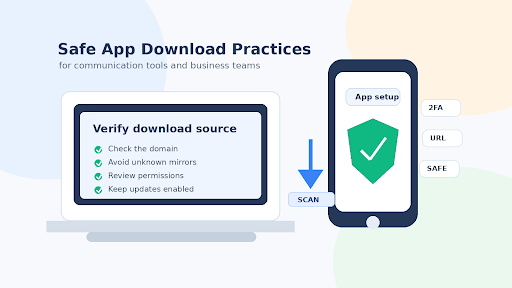
The first rule is to verify the download source. Many users find apps through search engines, social media posts, forum comments, or links shared in chat groups. Some of these links may be helpful, but others can lead to fake websites, modified installers, or pages designed to collect personal information. A safe download process begins with checking the domain, the page content, and the file source.
For Chinese-speaking users, searches such as telegram 下载 are often used to find download guidance, installation steps, or device-specific instructions. This can be useful, but users should still review the website carefully before clicking any download button. A trustworthy guide should provide clear information and should not pressure visitors with aggressive pop-ups, fake warnings, or confusing redirects.
Fake installers are one of the most common risks. A file may look like a normal app package but contain unwanted software, advertising modules, spyware, or malicious code. Before installing any communication tool, users should check the file name, the publisher, the source page, and whether the download path makes sense. If a website offers many different buttons for the same download, that is a warning sign.
Using official app stores can reduce risk for mobile users. App stores are not perfect, but they usually provide a safer environment than random APK websites or file-sharing platforms. For desktop users, downloading from a verified source is usually safer than using links from unknown blogs, social media posts, or comment sections. The goal is to reduce the number of unknown parties between the user and the software.
Permissions are another important part of app safety. Communication tools may need access to contacts, camera, microphone, notifications, or storage. Some permissions are normal for messaging features, but users should be cautious if an app requests access that does not match its purpose. Reviewing permissions during installation and after setup can help protect personal data.
Businesses should create simple internal rules for communication app downloads. Employees should know which tools are approved, where to download them, and how to report suspicious links. This is especially important for remote teams, because a compromised communication account can expose internal messages, client files, project details, and contact lists.
A practical telegram 下载教程 can help users understand the basic safety checks before installation, including source verification, permission review, account protection, and update management. These steps are simple, but they can prevent serious security problems later, especially when users are installing apps on devices that also store work files or personal information.
Verification codes should be protected carefully. Many communication apps use phone numbers, email addresses, or one-time codes for login. Users should never share verification codes with anyone, even if the request appears to come from a friend, customer support representative, or group administrator. Attackers often use social engineering to trick users into giving away account access.
Two-factor authentication is strongly recommended for accounts used in business communication. A strong password is useful, but it is not always enough. Two-factor authentication adds another layer of protection if a password is stolen or reused on another website. Businesses should encourage employees to enable account security features whenever possible.
Updates are also important. App developers regularly fix bugs, improve compatibility, and patch security vulnerabilities. Users who keep old versions for too long may remain exposed to known problems. Enabling automatic updates or checking for updates from a trusted source can reduce this risk.
Users should be careful with modified versions of communication apps. Some websites promote unofficial versions that claim to offer extra features, removed limits, or special privacy options. These versions may sound attractive, but they can be dangerous because the software has been changed by unknown parties. A modified app may include hidden tracking, unwanted ads, or credential theft.
Website behavior can also reveal risk. Fake download pages often show countdown timers, multiple download buttons, suspicious browser notifications, or messages that claim a device is infected. A reliable download guide should be easy to read, transparent about what it offers, and clear about the next steps. If a page feels manipulative, users should leave it.
Scanning downloaded files can provide an additional layer of protection. Antivirus tools, browser warnings, and operating system security features are not perfect, but they can detect many common threats. If a file triggers a warning, users should not ignore it simply because they want to install the app quickly.
Safe downloading is ultimately about reducing unnecessary risk. Communication tools can improve productivity, community engagement, and business coordination, but they should be installed from trustworthy sources and protected with good account security habits. Taking a few extra minutes to verify a download source is much easier than recovering a stolen account or cleaning an infected device.







Comment