cworkflow that defines who creates content, who reviews it, how assets are organized, and how successful strategies can be replicated across future projects. Using a Free AI video generator can significantly streamline this process by enabling creators to produce high-quality videos quickly without the need for expensive software or advanced technical skills.
Combined with a lightweight operating system, a Free AI video generator helps teams accelerate output, maintain consistent quality standards, improve collaboration, and reduce operational risks. This structured approach ensures that creative wins are easier to manage, reuse, and scale as video production demands continue to grow.
1) Define three roles (even if one person does them)
- – Producer: generates shot blocks and does first-pass selection
- – Reviewer: checks brand fit, compliance, and obvious artifacts
- – Publisher: exports in platform specs and coordinates launch + reporting
Clear responsibility reduces last-minute chaos and prevents “everyone reviews everything.”
2) Standardize naming so assets are searchable
If you can’t find an asset in 10 seconds, you can’t reuse it. Use a fixed naming format:
`project-product-angle-block-version-date`
Example: `A01-sunscreen-commute-hook-v3-0203`
This makes collaboration practical and prevents duplicate work.
3) Turn what works into templates
Your most valuable assets aren’t individual videos—they’re reusable blocks:
- – Winning hook patterns (sentence + pacing + framing)
- – Shot-card templates for show/proof/CTA blocks
- – Subtitle layout rules and brand safe zones
- – QA checklist for stability, readability, and compliance
Templates onboard new teammates faster and keep output consistent across campaigns.
4) Keep minimal risk notes for commercial work
If you use faces, voice, music, or client inputs, record basics:
- – Source (owned, client-provided, licensed)
- – Permission scope (organic only, paid allowed, commercial delivery)
- – Approval owner (who signed off)
This doesn’t need to be heavy. A few lines of metadata can save you from serious rework later.
A simple asset lifecycle (so nothing gets lost)
Treat every output as moving through four stages:
- Draft: raw generations and alternates
- Selected: shortlisted blocks for assembly
- Approved: passed brand/compliance checks
- Shipped: exported, launched, and logged with performance notes
The only rule that matters: don’t mix “draft” and “approved” in the same folder. Clarity beats cleverness.
Two review gates that prevent rework
- – Gate 1 (before editing): check for obvious artifacts, instability, and off-brand visuals.
- – Gate 2 (before publishing): check subtitles, claims, trademarks, and export specs.
When review happens at the right time, you avoid polishing clips that were never usable.
What to document for every shipped asset
Keep it lightweight, but consistent:
- – The final prompt/shot-card used (or a link to the template)
- – Export specs (aspect ratio, duration, platform)
- – Any sensitive inputs (faces, voice, client materials) and who approved them
- – A short performance note (hold rate, clicks, or qualitative feedback)
This turns each delivery into a learning artifact instead of a dead file.
The point: fewer surprises, faster shipping
Creative thrives with freedom—but delivery thrives with systems. A simple team workflow turns generative video from a personal skill into a repeatable production capability.
As a final habit, keep one shared “template shelf”: the best hook blocks, the cleanest show shots, and the default subtitle layout. When a new project starts, you begin from that shelf and adapt, rather than reinventing style under deadline pressure.
Over time, this shelf becomes your team’s fastest path to consistent quality.
In day-to-day production, teams often generate draft blocks in the AI Video Generator and then route only the best candidates into review. If your pipeline includes product stills or title-card motion, Image to Video AI can produce consistent openers that match your layout templates. And for spokesperson deliverables, adding Lip Sync after the voice track is finalized helps prevent last-minute trust issues caused by obvious mouth/audio mismatch.
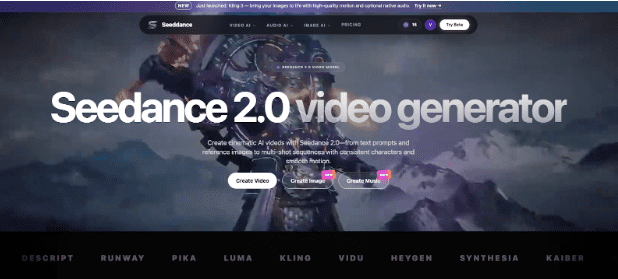
Seedance 2.0 is another generative video model you can use to produce short clips from prompts or images.