
Microsoft 365 vs Office 2024: Which One Is the Better Choice for You?

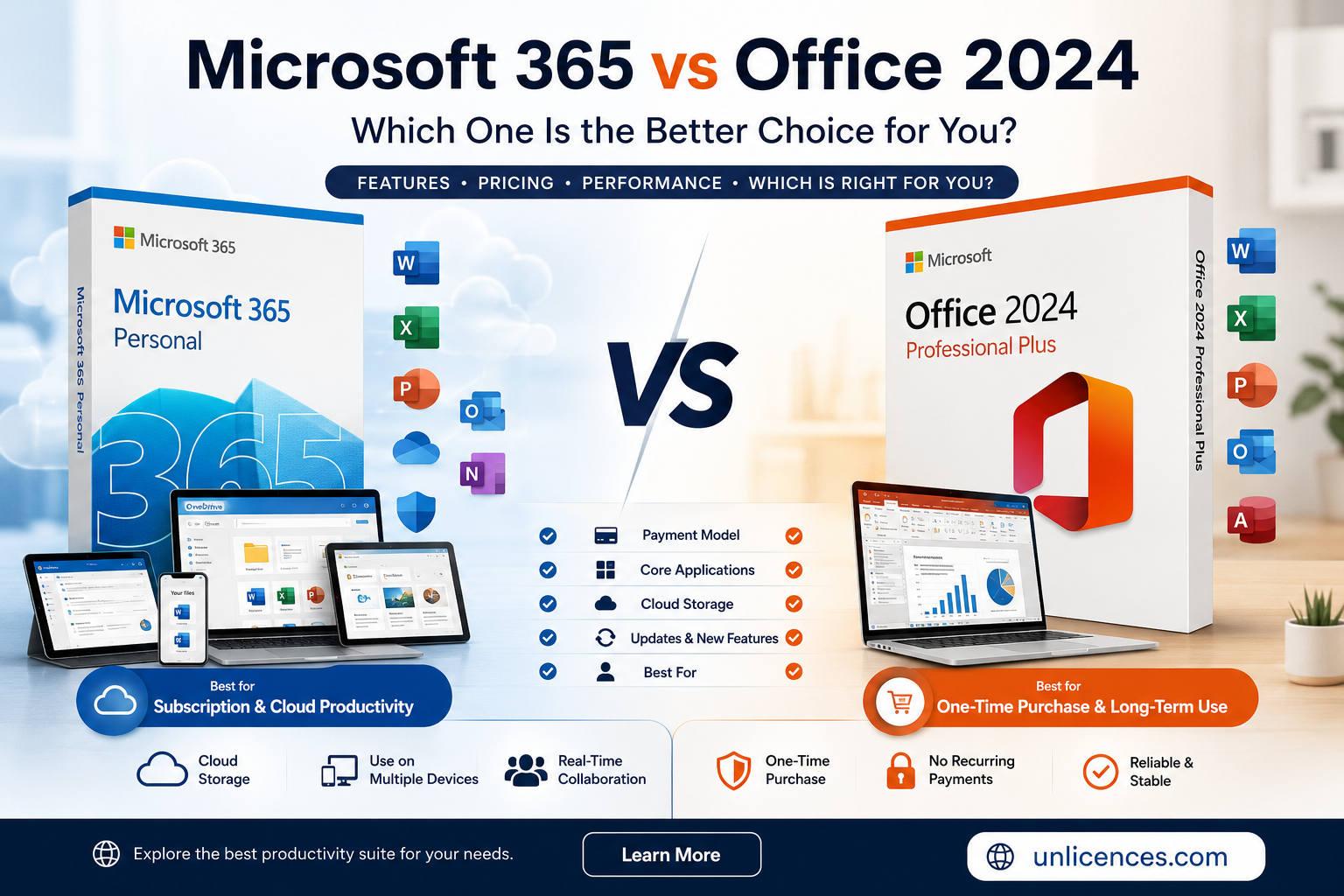
It is not so simple these days to choose Microsoft Office. The two good options available now are Microsoft 365 and Office 2024. At first sight, they appear to be almost the same since both contain the usual programs such as Word, Excel, PowerPoint, and Outlook. But if you look a little more closely, you will see some important differences that can have an impact on your budget, your productivity, and your long-term value.
Understanding the difference between MS Office 2024 and Office 365 will help you make a wiser investment if you are a student, freelancer, small business owner, or professional. The first offers continual updates via subscription, while the second is a one-off purchase with a lifetime license for a single device.
In this guide, we are going to look at all the major features, explain who each version is intended for, and assist you in choosing the solution that is most suitable for your requirements.
What’s the main difference between Microsoft 365 and Office 2024?
The main difference between Microsoft 365 and Office 2024 lies in how you pay for the software and how it evolves over time.
Microsoft 365 is on a subscription basis, so you can pay either on a monthly or annual basis and in return get continuous feature updates, cloud storage via OneDrive, and the ability to access your files on various devices.
On the contrary, Office 2024 is a conventional one-off purchase; after you have bought the software you hold that version permanently on the licensed device and do not have to pay any recurring subscription fees.
For many users, this difference is enough to make it clear which product is the most appropriate.
Why Office 2024 Appeals to Many Users
A major reason why people compare Office 2024 and Office 365 is the cost.
Many users have no desire to have yet another monthly subscription; they would rather pay once and then use the software for years without having to worry about renewal dates or ongoing charges.
Office 2024 is precisely what is claimed.
Once the software has been installed and activated, you can keep using the applications without having to pay the monthly fees. This is especially appealing to professionals who mainly use desktop applications and who do not necessarily need cloud-based collaboration tools on a daily basis.
A further benefit is predictability. Because the software version stays the same, companies usually find it easier to keep a stable working environment without having to adapt to frequent changes to the interface or to new features.
Why Microsoft 365 Remains Popular
While Office 2024 provides permanent ownership, Microsoft 365 offers flexibility, which is something that many modern users value.
Instead, subscribers get continuous improvements rather than having to wait several years for a fully new version of Office, with new productivity tools, security improvements, and AI-powered enhancements being made during the subscription period.
Microsoft 365 is also very closely integrated with cloud services, which in turn makes it easier to work on a number of different devices and to collaborate with coworkers in real time.
For people working in remote settings, in hybrid working environments, or who frequently switch from using a desktop computer to a laptop, a tablet and a smartphone, the ability offered by cloud services is valuable.
What value does Office 365 offer compared to Office 2024?
The answer completely comes down to the way in which you use Microsoft Office.
If you mostly produce documents, spreadsheets, presentations, invoices, reports, or school assignments on just one computer, buying the software once could offer greater long-term value.
Rather than making monthly payments, you make a one-off investment and then use the software for several years.
Because it contains office applications that they use every day and need for a continuing subscription, many professionals who are looking for a permanent productivity solution do not require Office 2024 Professional Plus.
If you want to find out more about Microsoft Office 2024 Professional Plus,you can check whether it suits your workflow.
In contrast, Microsoft 365 might be worth the ongoing subscription fee if your work relies on continuous collaboration, uses cloud storage, and requires that you always have the latest Microsoft features.
Comparing the Core Applications
When you are looking at MS Office 2024 and 365 for use either at a personal or business level, both of the solutions feature Microsoft’s most widely used productivity applications.
These include:
- Microsoft Word for professional documents
- Microsoft Excel for spreadsheets and financial analysis
- Microsoft PowerPoint for presentations
- Microsoft Outlook for email and calendar management
- OneNote for digital note-taking
For most users, the day-to-day experience in these applications seems familiar no matter which version they select.
It is not the case that Word or Excel is absent; rather, it is the way in which these programs get updates and become part of Microsoft’s cloud ecosystem.
Who ought to select Office 2024?
Office 2024 is often an excellent choice for users who:
- Prefer a one-time purchase
- Want predictable long-term software ownership
- Primarily work on one computer
- Don’t rely heavily on cloud collaboration
- Need reliable Office applications for business, education, or personal productivity
For such users, Office 2024 provides the usual Microsoft Office experience without the need for ongoing subscription fees.
If you continue to subscribe to Microsoft 365 for a number of years, the total of your recurring payments may eventually go beyond the cost of buying office 24 pro plus outright.
Office 2024 takes a different route: you pay once, activate the software, and then be able to use it on your licensed PC without having to pay any further subscription fees.
This makes Office 2024 especially attractive for:
- Small business owners
- Freelancers
- Students
- Home users
- Professionals who mainly work from one computer
Excellent long-term value can be obtained with a one-time purchase if your workflow does not place a heavy emphasis on cloud collaboration or on constantly changing features.
What is the better option for business users?
The needs of businesses vary according to their size and the way they work.
Because it offers real-time collaboration, cloud storage, and synchronized work on a number of devices, companies that have remote teams usually gain advantages from using Microsoft 365.
Nevertheless, a great many small businesses function in a different way.
Accountants, consultants, designers, legal professionals and office administrators usually work from a single workstation and therefore require reliable productivity software rather than constant feature updates.
For such users, Office 2024 provides all the necessary features for professional work and does not involve any ongoing software costs.
Security and Updates
It is important to have security no matter which version you select.
Microsoft offers security updates for its supported Office products in order to help guard users against known vulnerabilities.
The point is that there are feature updates.
Microsoft 365 keeps on adding new features during the subscription period.
Office 2024 is aimed at providing a stable experience and continues to get the security updates that apply during the period for which it is supported; those users who place a high value on consistency generally appreciate this method since it leads to fewer unexpected changes to the interface.
Microsoft 365 vs Office 2024: Pros and Cons
Office 2024 |
Microsoft 365 |
| ✔ One-time purchase | ✔ Continuous feature updates |
| ✔ No recurring subscription | ✔ Cloud collaboration |
| ✔ Familiar desktop experience | ✔ OneDrive integration |
| ✔ Excellent for long-term ownership | ✔ Multiple device support (depending on plan) |
| ✔ Stable interface | ✔ Regular productivity improvements |
One of the two options is better in all cases.
By contrast, each product is used by different kinds of users.
Common Mistakes Buyers Make
Few people take into account how Microsoft Office actually works when they buy it.
Some common mistakes include:
- Selecting a subscription option when a permanent license would be sufficient for their needs.
- They pay for cloud features that they never use.
- Choosing software solely on the basis of price rather than on its long-term value.
- Supposing that all users need the latest features.
- Failing to check which applications are included prior to buying.
If you take just a few minutes to compare your daily workflow with each licensing model, you’ll be able to make a better decision.
How to Decide Between Office 2024 and Microsoft 365
Ask yourself a few simple questions.
Does most of your work involve using one computer?
Would you like to pay just once rather than each month?
Do you never use cloud collaboration?
Office 2024 might then be the more practical choice if you say ‘yes’ to most of them.
In contrast, if you regularly work on a number of different devices, share files with your colleagues, and would like to have access to Microsoft’s latest productivity features as soon as they become available, Microsoft 365 might be the more suitable choice for you.
Frequently Asked Questions
How does MS Office 2024 differ from Office 365?
The main difference lies in the licensing model: Office 2024 is bought once for use on a licensed device, whereas Microsoft 365 is a subscription service that provides continued feature updates and access to cloud-based services.
Is Microsoft Office 2024 available as a one-time purchase?
Yes, Office 2024 can be purchased once, so you can use that version on the licensed device without making any further subscription payments.
Between Office 2024 and Office 365, which is the better option?
There is no single answer that applies to everyone.
Office 2024 will provide very good long-term value if you want to have permanent ownership and mainly use one computer. On the other hand, Microsoft 365 would be the more suitable option if you need cloud collaboration, access from multiple devices, and regular feature updates.
Does the version of Office 2024 contain Word, Excel, and PowerPoint?
Yes, Office 2024 contains the well-known Microsoft productivity applications that are used every day by many individuals, students, and businesses.
Can I use Office 2024 without an internet connection?
After installation and activation, many core desktop features can be used without a continuous internet connection. However, internet access may still be required for activation, updates, or certain online features.
Who should buy Office 2024 Professional Plus?
Office 2024 Professional Plus is often a strong choice for professionals, freelancers, businesses, and home users who want a permanent Microsoft Office solution without recurring subscription fees.
If you’re looking for a long-term productivity suite, you can explore Microsoft Office 2024 Professional Plus to review its included applications and licensing details.
Final Verdict
Choosing between Microsoft 365 vs Office 2024 ultimately comes down to your work style rather than which product has the longest feature list.
Microsoft 365 is designed for users who value cloud services, frequent feature updates, and seamless collaboration across multiple devices. Its subscription model suits businesses and individuals who want the latest tools as they become available.
Office 2024 takes a different approach. It provides the familiar Microsoft Office experience through a one-time purchase, making it an appealing option for users who prefer predictable costs and long-term ownership. For many professionals, students, and small businesses, this model offers the right balance of functionality and value.
Before making your decision, think about how you use Office every day. The best choice isn’t necessarily the newest or most feature-rich option—it’s the one that supports your workflow, fits your budget, and helps you stay productive for years to come.







Comment