
Is Your CPU Secretly Slowing Down Your GPU?

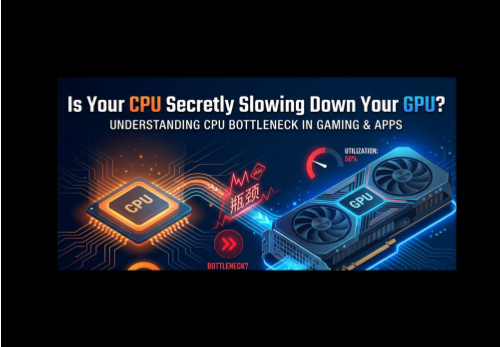
You finally did it. You saved up, picked out a shiny new graphics card, and installed it with big dreams of smooth gameplay and high frame rates. But when you fire up your favorite game, something feels off. The frame rate barely moved. Maybe it even feels choppy in certain moments. You start to wonder if you made a mistake buying that GPU at all.
Here is the truth. You probably did not waste your money. Your GPU is likely fine. The real problem might be sitting right next to it, inside your CPU.
This is called a bottleneck, and it happens more often than most people realize.
What Does Bottleneck Even Mean?
Think about a highway that has four lanes for most of the drive, but suddenly narrows down to one lane because of construction. Even if every car on that highway is fast and powerful, they all have to slow down once they hit that narrow section. Traffic backs up. Nobody can move at full speed anymore.
Your computer works in a similar way. The CPU and GPU are supposed to work together as a team. The CPU handles the thinking part of a game. It figures out where objects are, runs the game logic, and tells the GPU what needs to be drawn on screen. The GPU takes that information and actually paints the picture you see, frame by frame.
If your CPU is slow or outdated, it cannot feed information to the GPU fast enough. The GPU ends up sitting there waiting, like a fast car stuck behind a slow driver. That waiting is the bottleneck. It means your expensive GPU is not being allowed to show what it can really do.
How Do You Know If This Is Happening To You?
You do not need to be a computer expert to spot the signs. Here are a few common ones.
Your GPU usage looks low while you play, often sitting far below 100 percent, while your CPU usage is maxed out or very close to it. This is one of the clearest signs that your CPU cannot keep up.
Your frame rate feels choppy or inconsistent, even though your GPU is supposed to be powerful enough to handle the game smoothly.
You upgraded your graphics card expecting a big performance jump, but the improvement felt small or barely noticeable.
If any of that sounds familiar, there is a good chance your CPU is the one holding things back, not your GPU.
Why This Happens More Than People Expect
A lot of people assume the GPU is the most important part of a gaming PC, so they spend most of their budget there. That is not a bad idea, but it can backfire if the CPU gets left behind.
Pairing a powerful GPU with an older or weaker CPU is one of the most common mistakes PC owners make. The GPU is fully capable of pushing high frame rates, but the CPU simply cannot send instructions fast enough to let that happen. It is a mismatch, not a defect in either part.
This tends to happen a lot at lower resolutions like 1080p, since the CPU has to work harder to keep up when the GPU is not busy rendering as many pixels. At higher resolutions like 1440p or 4K, the GPU usually becomes the bigger factor instead, since it has so much more visual detail to render per frame.
How To Actually Check If Your CPU Is The Problem
Guessing is not a great strategy when real money is involved. The good news is that you do not have to guess anymore. Free online tools called bottleneck calculators let you enter your exact CPU and GPU, along with the resolution you play at, and they give you an estimate of how balanced your setup really is.
I regularly use mypcbottleneck.com to check pairings before recommending upgrades to people. You simply plug in your components and it tells you whether your system is well matched or if one part is likely dragging the other one down. It takes less than a minute and can save you from spending money on the wrong upgrade.
If you want to understand this topic in even more depth, including how GPU usage numbers can be misleading and what a healthy bottleneck actually looks like, this guide on GPU bottlenecks breaks it down in plain language with real examples.
What To Do If Your CPU Is Holding You Back
If you discover your CPU is the weak link, you have a few options depending on your budget and goals.
Lowering some in-game settings, especially ones tied to physics, AI, or draw calls, can ease the load on your CPU and free up some performance.
Closing background programs while gaming, like browsers, chat apps, or recording software, can also help since your CPU has less competition for its attention.
If neither of those give you enough of a boost, upgrading the CPU itself is the most permanent fix. Just be careful not to overcorrect and pair a very strong CPU with a weaker GPU, since that just flips the bottleneck the other way.
The Bottom Line
A bottleneck does not mean your hardware is broken or that you made a bad purchase. It simply means two parts of your system are not working together as smoothly as they could be. The moment you understand which part is holding the other one back, fixing it becomes a lot easier and a lot cheaper than blindly upgrading everything.
Before you buy your next GPU or wonder why your current one feels underwhelming, take a minute to check your pairing by using a trusted bottleneck calculator. It might save you from making the same mistake twice.






Comment