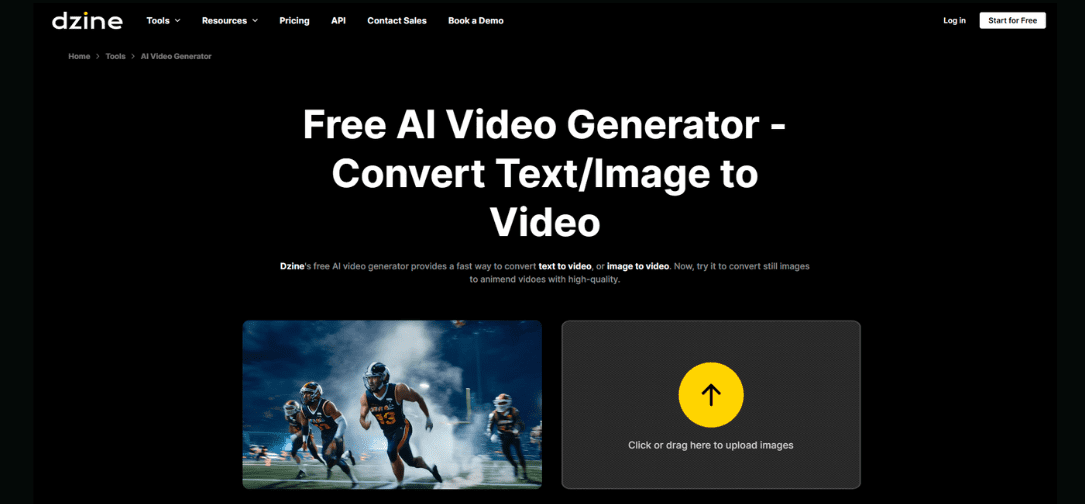
Ever opened a video editor and closed it 30 seconds later? Complex timeline and confusing tools make video creation a chore. Video editing was never meant to be this complicated.
That’s why AI tools like the Dzine AI video generator exist; to turn ideas into videos without the technical mess. AI-based tools such as the Dzine AI video generator have changed that.
With Dzine, you can convert text, images, and your own video snippets into professional-grade content within minutes. The perfect video creator for marketers, content creators, and designers, the Dzine AI video maker streamlines creation while keeping creativity in your hands.
Here’s Why AI Video Generators Will Replace Traditional Video Editing by 2026
Classic video editing demands different software, skills, time, and effort. Editors work on transitions, audio syncing, visual effects, and color grading—processing hours of footage for a single project. AI video generators, on the other hand, simplify it.
Tools like Dzine use AI to auto-produce videos at scale, without sacrificing quality. Users can create content more quickly, maintain visual consistency among projects, and scale video production without added expense. This speed, coupled with good-quality output and creative flexibility, is why AI video generators are replacing traditional editing processes.
What Is Dzine AI Video Generator And How It Works from Scratch to End?
Dzine AI video generator is an all-in-one platform that takes care of the entire process to create a video from A to Z. There is no need for complicated keyframe-based animation tools. With its easy-to-use interface, anyone can create professional videos.
Dzine AI is the weapon of modern video creation that does almost everything:
- Text-to-video generator allows you to convert regular text into videos.
- Image-to-video generator animates static images.
- Video-to-video generator breathes new life into existing footage.
All tools are designed for speed, quality, and versatility to help creators make beautiful content fast.
The platform also has an onboard video editor, allowing users to tweak visuals, add text overlays, synchronize audio, and adjust transitions from one workspace. With this end-to-end solution, Dzine AI is an entire creative ecosystem.
Dzine AI combines rapid video creation with high-quality output. State-of-the-art algorithms ensure smooth transitions with clear and detailed images. It gives professional-grade rendering even for complex projects. Users have precise control over motion and effects so that each video looks exactly as envisioned. This combination of speed and control sets Dzine AI apart from other tools.
Text to Video Generator
Turning text into a video with Dzine is quick and straightforward. You don’t need editing skills or complex settings to get started.
Step 1. Describe the video scene and effects you want
Enter your text and explain what you want to see in the video. You can describe scenes, styles, mood, and any visual effects you prefer. Dzine AI uses this input to understand the structure and flow of your video.
Step 2. Select the model, duration, and resolution
Choose the AI model that fits your project, then set the video length and output resolution. These options help control the quality and format of the final video.
Step 3. Click Generate
Once everything is set, click Generate. Dzine AI automatically creates the video, arranging scenes, visuals, and motion based on your input. You can preview the result and download the final version.
This tool is ideal for turning written ideas into structured, engaging videos without manual editing.
- Blog posts and articles converted into explainer videos
- Marketing copy transformed into promotional content
- Scripts turned into presentation or training videos
- Product descriptions converted into visual demos
Image to Video Generator
The Dzine image-to-video generator animates static images, enabling content creators, photographers, and animators to bring visuals to life for social media, advertising, or presentations.
How to Transfer Your Pictures to Video?
Step 1. Upload images as starting and ending frames or as reference images
Add one or multiple images to define how the video begins, ends, or looks overall. These images guide the visual direction of the video.
Step 2. Describe the desired video plot and effects
Explain how you want the video to unfold. You can describe motion, transitions, mood, and any visual effects to shape the final output.
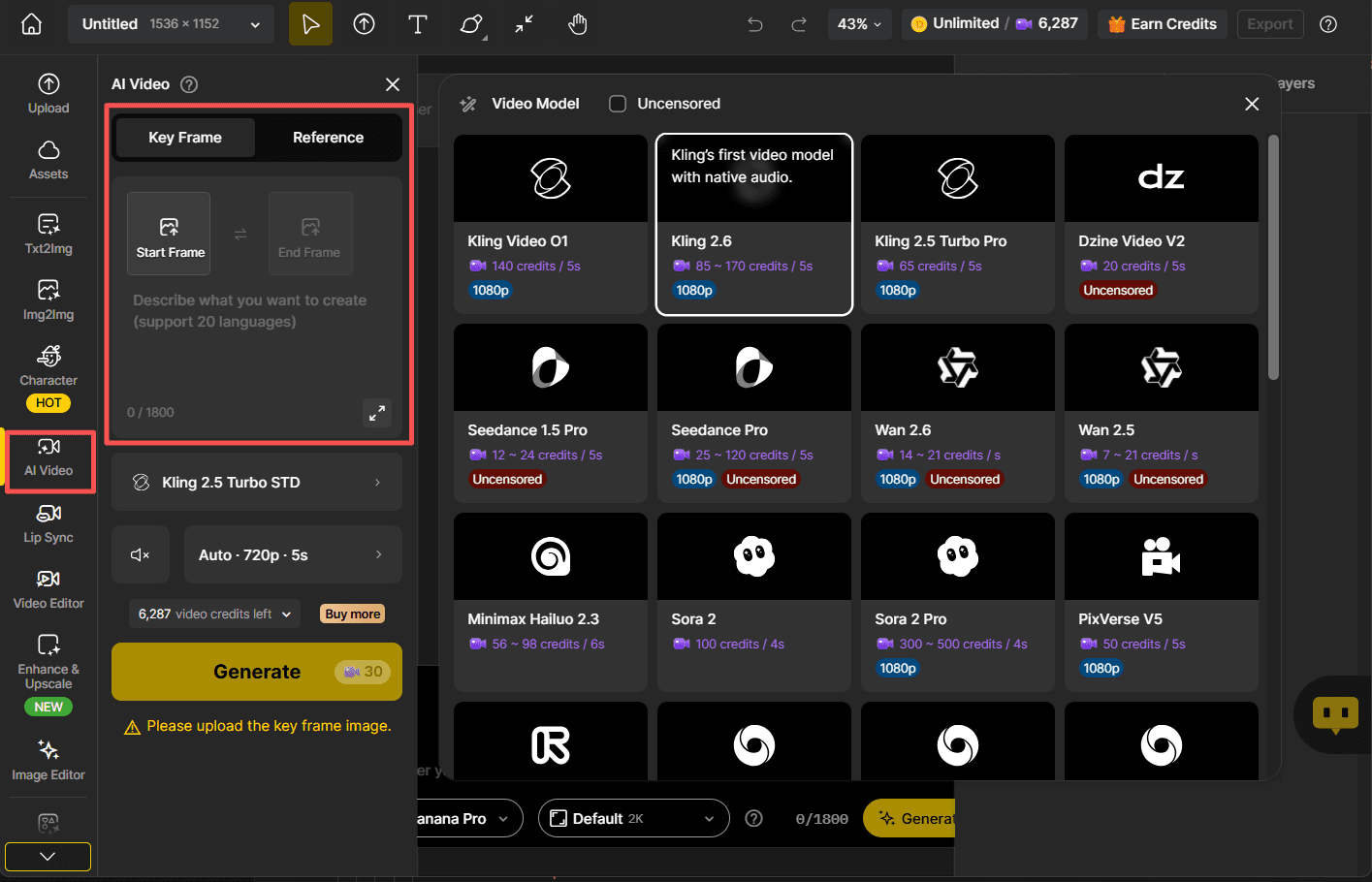
Step 3. Select the model, duration, and resolution
Choose the AI model and set the video length and quality to match your needs.
Step 4. Click Generate
Once ready, click Generate. Dzine AI creates the video by animating your images smoothly and applying the selected settings.
Use Cases for Dzine Image to Video Generator
Perfect for animating static visuals and creating motion-driven stories from images.
- Social media reels from product or lifestyle photos
- Photo slideshows for ads or brand storytelling
- Visual presentations with animated transitions
- Portfolio visuals for photographers and designers
Video to Video Generator
Dzine’s video-to-video generator transforms your footage with enhanced style, motion, and effects.
How to Create a New Video Using Dzine?
Step 1. Upload the original video and a reference image (optional)
Add your existing video to use as the base. You may also upload a reference image to guide the visual style of the output.
Step 2. Enter commands describing the changes you want to make
Describe the edits you want, such as adjustments to color, lighting, style, or overall mood. Dzine AI uses these instructions to modify the video.
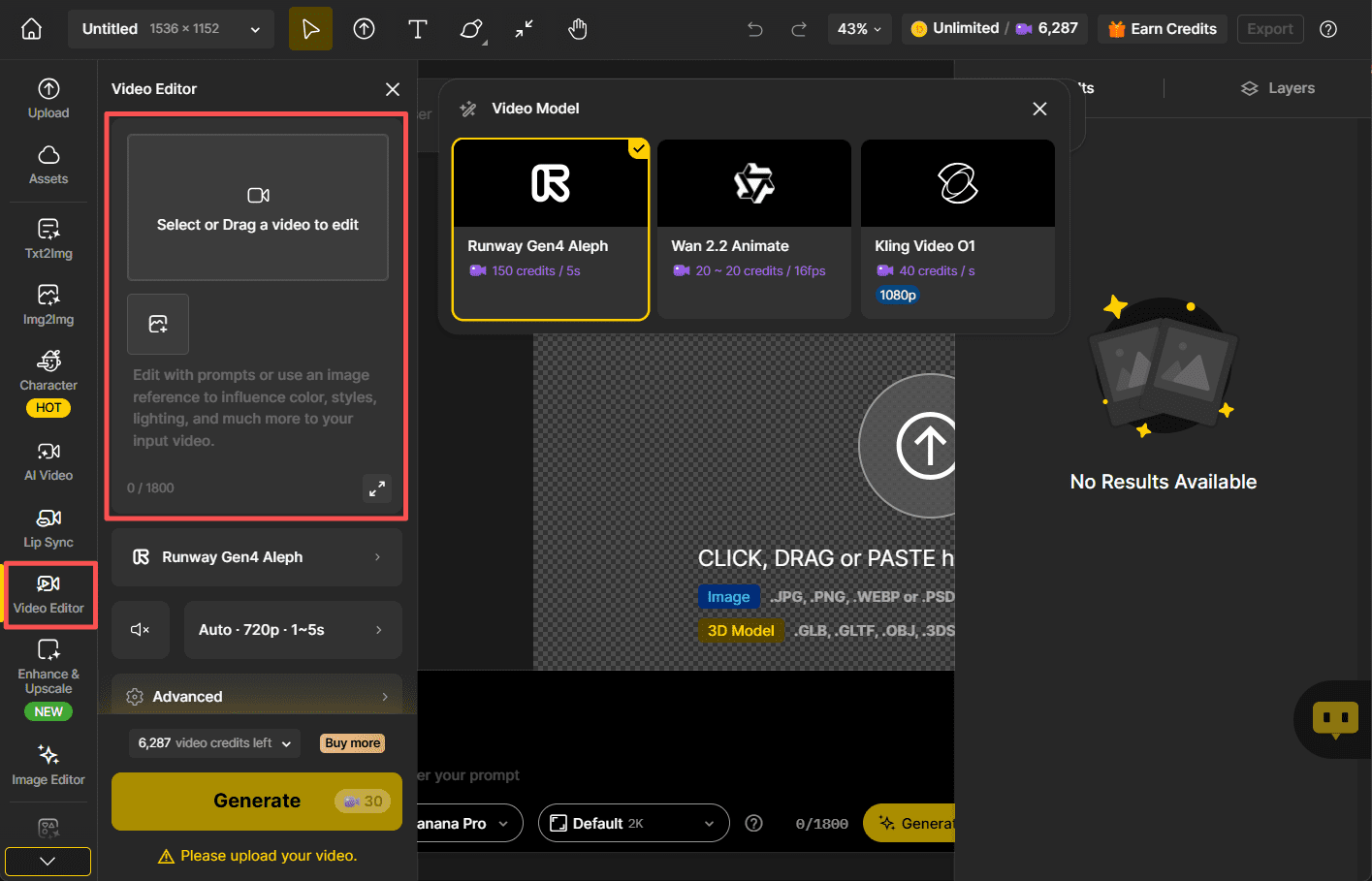
Step 3. Select a model
Choose the AI model that best fits your editing requirements.
Step 4. Click Generate
Click Generate to create the updated video. Dzine AI processes the changes and delivers the new version.
Use Cases for Dzine Video to Video Generator
Best for refreshing, enhancing, or restyling existing video content.
- Repurposing old videos with a new visual style
- Adjusting lighting, color, or mood for different platforms
- Creating multiple versions of the same video
- Enhancing raw footage for polished final output
Dzine’s built-in video editor allows full video customization. You can adjust effects without external software. This integration saves time and ensures consistent quality for all projects.
What Makes Dzine AI Video Generator Stand Out?
Dzine AI includes advanced tools that push creative boundaries and elevate production quality.
Lip Sync AI Video for Talking Heads and Avatars
Animate characters’ lip movements to sync perfectly with dialogue. Ideal for explainer videos, avatars, or animated storytelling.
Motion Control, Style Presets, and Visual Effects
Dzine AI allows precise motion control, cinematic style presets, and visual effects to enhance video quality. These features require minimal configuration while providing creative freedom.
Dzine vs. Other Video AI: Why Are More Users Choosing It?
Dzine excels in output quality, speed, and customization. Its learning curve is gentle, allowing both beginners and professionals to produce professional-looking videos quickly.
Dzine AI balances simplicity with control, delivering high-quality output while allowing creators to experiment with their own creative choices.
| Feature / Platform | Dzine AI | Runway | Synthesia | InVideo AI |
| Text-to-Video | Yes | Limited | No | Yes |
| Image-to-Video | Yes | Yes | No | No |
| Video-to-Video Editing | Yes | Yes | No | Basic |
| Unified Workflow | Yes | No | No | Partial |
| Creative Flexibility | High | High | Limited | Medium |
| Learning Curve | Low | Steep | Low | Low |
| Best Use Case | All-in-one video creation | Advanced creators | Avatar videos | Social media videos |
Is Dzine AI Video Generator Good to Use in 2026 and Afterwards?
With growing demand for video content, Dzine AI is indispensable. It lets users create professional, on-brand videos in minutes, scale production without additional cost, and maintain a consistent visual style. Whether for advertising, education, or personal projects, Dzine AI is an innovative solution for creators in 2026 and beyond.
FAQs
What is Dzine AI video generator?
It is a tool that turns text, images, and video clips into professional AI videos.
Can I use Dzine AI for commercial purposes?
Yes, it is ideal for promotional presentations, social media, and commercial advertising.
Is prior knowledge of video editing necessary?
No. Dzine AI is designed to be easy for both beginners and professionals.
How fast can I create videos?
Complex videos can be produced in minutes, much faster than traditional editing.
Can I create videos from an existing video with Dzine AI?
Yes. The integrated Dzine AI video editor allows full customization and enhancement of existing footage.