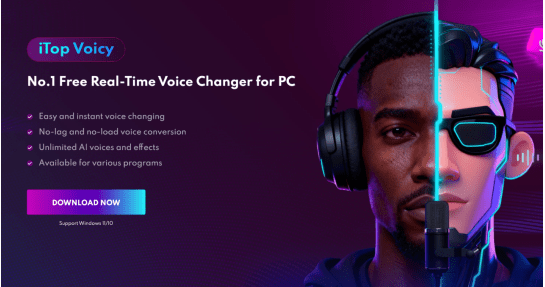
It’s now simple and accessible to craft podcasts and audiobooks with standout, memorable voices. Using AI-powered tools like iTop Voicy from iTop Software Inc., ordinary narration can be transformed into polished, studio-quality audio without expensive equipment or hiring voice talent. With this powerful tool, creators can craft immersive, expressive storytelling that keeps audiences captivated from start to finish.
What are Podcasts and Audiobooks?
Podcasts are serialized audio content, either scripted or spontaneous, offering interviews, narratives, commentary, or educational discussions. Podcasts are available on platforms such as Spotify, YouTube, and Apple Podcasts, allowing audiences to listen on the go, during exercise, or while multitasking. Audiobooks are spoken versions of written works, turning novels, guides, or educational texts into immersive, hands-free listening experiences. For both podcasts and audiobooks, the quality of narration makes a difference—expressive voices captivate, while monotone or unclear speech can push listeners away. With tools such as iTop Voicy, creators can shape realistic, studio-quality voices, adjust emotional delivery and pitch, and bring stories or characters to life.
Best Voice Changer to Create Podcasts and Audiobooks
iTop Voicy, made exclusively for Windows, delivers professional-grade voice transformation for podcasts and audiobooks. Offering simple installation, instant AI voice transformation, and fully adjustable voices, it empowers creators, educators, and voice actors to generate polished, immersive audio easily. Ideal for beginners and professionals alike, iTop Voicy offers a versatile, high-quality tool for crafting immersive storytelling and bringing every narration to life, even as it continues to establish its presence in a competitive market.
Key Features
- Real-Time Voice Changing Without Lag
iTop Voicy offers real-time voice transformation with ultra-low latency. From live podcasts and streaming to roleplay and character voice experiments, it brings both flair and professionalism to your audio.
- One-Click Audio Conversion
The software enables users to convert existing audio recordings with a single click. This feature enables audiobook producers to create distinct character voices without recording each line separately.
- Studio-Level Recording With Noise Reduction
iTop Voicy cleans up audio by eliminating background noise, echoes, pops, and mic hissing, producing polished, studio-quality sound. Even at home without professional equipment, creators can produce podcasts, audiobooks, and streams that sound polished and professional effortlessly.
- Custom Voice Creation & Adjustments
Adjust pitch, timbre, energy, and emotion to create completely customized voices that match your content. Whether you need a deep, dramatic narrator, a soft, meditative tone, or energetic character vocals for fiction scenes, iTop Voicy provides full flexibility.
- Large Voice Library & Sound Effects
The tool provides multiple voice presets—from male and female to robotic, kid, elderly, and animated characters—combined with sound effects to enrich storytelling and captivate audiences.
- Easy-to-Use Interface
With its intuitive design, iTop Voicy allows anyone, including beginners, to easily transform their voice. Easy to pick up, it enables anyone to generate professional-grade audio quickly and efficiently.
Step-by-Step Guide: Create Podcasts and Audiobooks with iTop Voicy
Step 1: Download & Installation
- Head to iTop Voicy’s official site and get the newest version for your Windows PC.
- Open the downloaded “itop_voicy_installer.exe” by double-clicking to begin the installation process.
- Use the prompts displayed on your screen to finalize the setup on your PC.
Step 2: Create or Log In to Your iTop Voicy Account
Sign Up: Select the User Profile icon at the bottom left, choose Sign Up, and follow the on-screen instructions to create your account.
Log In: Log in with your email and password, or via your Google or Microsoft account.
Forgot Password:
- Click the User Profile icon, select Forgot Password?, and complete the steps to reset your password.
User Profile:
- After logging in, personalize your profile by updating your avatar and name.
Step 3: Launch the Program & Select a Voice
Run the software and check out the different voice choices. Select a ready-made voice or craft your own by modifying tone and character.
Step 4: Record or Import Your Script
Use a microphone to record and transform your voice in real time, or import audio to adjust afterward.
Step 5: Apply Voice Transformation
Enable instant processing or apply built-in filters to your audio files. The AI engine provides seamless, realistic voice effects for longer sessions.
Step 6: Enhance Audio
Apply built-in noise reduction and optional background sounds to enhance the listening experience. Intensify drama, set the scene, or distinguish each character.
Step 7: Export Your Final Audio
When your audio is complete, export it and upload to your podcast or audiobook service.
Tips for Better Podcast & Audiobook Production
- Write a structured script and rehearse tone shifts.
- Adapt voices to reflect the traits and feelings of each character.
- Assign different voices or effects to make conversations easier to follow.
- Record in a quiet environment to improve recording results.
- Incorporate opening and ending tunes to elevate your content and hold audience attention
- Use speech pacing variations to maintain listener interest.
Conclusion
Whether it’s a mystery podcast, self-help audiobook, educational content, or audio theater, a clear, professional voice matters. iTop Voicy, a cutting-edge AI voice changer, provides high-quality audio and limitless creative possibilities. It allows you to create custom, expressive voices without needing costly recording sessions or professional talent. Effortlessly engage listeners while elevating your storytelling. Transform your audio with iTop Voicy, unlocking new ways to create professional, polished, and immersive sound experiences.
FAQs
Q 1. Can I design my own personalized voice models?
Yes. With Voice Lab, iTop Voicy lets you fine-tune voices and apply effects like reverb, echo, and chorus to create unique sounds. This allows you to create distinctive, expressive voices perfect for storytelling and character development.
Q 2. Can I apply iTop Voicy to pre-recorded audio files?
Certainly! iTop Voicy lets you work with existing recordings, add voice transformations and effects, and improve audio clarity. After editing, export your files in multiple formats to ensure professional-level quality.
Q 3. Is real-time voice changing available in iTop Voicy while recording?
Yes. iTop Voicy offers real-time AI voice changing as you record, making it great for podcasts, live streams, roleplay, and interactive content. You can hear changes instantly, adjust settings as you speak, and produce polished audio without post-editing.