
How to Build a Shot Ledger for Reference-Heavy Seedance 2.5 Projects

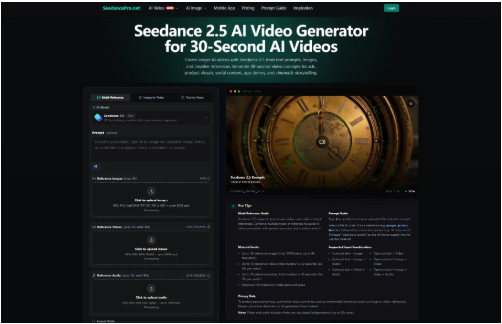
AI video teams are learning a practical lesson: once a project uses more references, longer clips, and repeated revisions, the hard part is not only making another draft. It is remembering exactly how the useful draft was made.
A prompt can disappear into a chat thread. A product image can be renamed three times before it reaches a campaign folder. Someone exports a clip, someone else trims it for a social post, and by the end of the week nobody is fully sure which source files produced the version the client liked.
That problem is easy to overlook when a clip is just a quick experiment. It becomes more serious when a team is using image references, video references, audio cues, aspect ratios, and 30-second scenes across several rounds of review.
This is where a shot ledger helps. It is a simple record that connects each generated clip to the references, prompt, settings, review notes, and approval status behind it. For teams testing Seedance 2.5, that record can keep reference-heavy work from turning into a folder full of mystery outputs.
Why a Strong Draft Can Still Be Hard to Rebuild
Creative teams often judge AI video by the first visible result. Does the subject stay recognizable? Does the motion feel usable? Does the clip look good enough to bring into a review meeting? Those questions matter, but they leave out a more operational question: can the team reproduce or explain the result later?
Reference-based generation makes that question harder. A visual draft may depend on one product image for shape, one mood-board image for color, a short video for camera movement, and an audio file for rhythm. Seedance 2.5 supports mixed image, video, audio, and text references, with enough input capacity for fairly complex reference sets.
That flexibility makes reference tracking more important, not less. If the team cannot tell which material guided which part of the result, each revision becomes guesswork. A good draft should not become a lucky accident.
Start the Ledger Before Generation
A shot ledger can live in a spreadsheet, project board, production tracker, or shared database. The format matters less than the habit. Every planned clip gets a row before generation begins.
Useful columns include clip ID, campaign name, business purpose, prompt version, reference files, reference roles, aspect ratio, duration, output link, reviewer notes, rights status, and final decision. A small agency might add client approval. A larger team may add owner, review date, export format, and destination platform.
The row should use plain language. Instead of logging “Ref 03,” write “blue product photo, used for packaging shape.” Instead of “music demo,” write “licensed 12-second rhythm cue, used for pacing only.” Later, when someone asks why the video has a certain movement or color, the answer is visible.
Give Each Reference One Job
Reference libraries become confusing when every file is expected to do everything. A product photograph should not also carry the lighting style, camera angle, emotional tone, and motion path unless the team has made that choice on purpose.
Before uploading materials, give each reference one job. One image can define the subject. Another can define color. A video can suggest motion or camera movement. An audio file can suggest rhythm or atmosphere. A written prompt can connect those pieces into one scene.
File naming pays off here. A file named final_new_3.png tells the next reviewer almost nothing. A file named approved-front-packaging-reference.png tells the team what role it was meant to play. When uploaded files are referenced inside a prompt, clean names also make the instruction easier to read and the ledger easier to audit.
Keep the Prompt Short Enough to Inspect
A shot ledger is not a place to reward long prompts. It is a place to make creative decisions traceable. If a prompt is so overloaded that nobody can identify what changed between version three and version four, the record will not help much.
For a longer video concept, the prompt should still answer the basics: subject, setting, camera movement, action, mood, and ending state. Then it should explain how references are used. A team might write: use the packaging photo for product shape, use the retail shelf image for environment, and use the short phone video only for slow left-to-right camera movement.
That level of instruction gives reviewers something to check. Did the product shape hold? Did the environment match the approved visual direction? Did the motion become too dramatic? The ledger should capture the answer, not just store the output.
Change One Variable at a Time
Many teams waste time because every new generation changes too many things at once. The prompt changes, the references change, the duration changes, and the aspect ratio changes. When the result improves, nobody knows why. When it gets worse, nobody knows what broke it.
A better revision habit is dull but effective: change one meaningful variable at a time. If the issue is camera pace, keep the references and subject description stable. If the issue is product recognition, keep the movement stable and adjust the product reference. If the clip feels crowded, reduce scene action before adding more instructions.
The ledger should record the reason for each revision in one sentence. For example, V2 slowed the camera movement after the reviewer said the logo was hard to read. V3 removed the second background reference because the color drifted too warm. These notes are not bureaucracy. They stop the team from repeating the same failed test next week.
Review Longer Clips by Timecode
A longer AI video can look good in the first few seconds and still lose direction halfway through. That is why a simple approved or not approved note is too thin for a draft that has real scene progression.
Reviewers should use timecodes. At 00:04, does the main subject still match the reference? At 00:12, does the camera movement support the message? At 00:21, has the background invented details that do not belong? At the final frame, does the clip end in a usable place for an edit?
This kind of review is especially helpful for business teams creating product visuals, ad concepts, app demos, training clips, or internal storyboards. The point is not to make the ledger heavy. The point is to write down the exact moment where the clip works or fails.
Track Rights and Restrictions as Input Data
Reference tracking is also a rights issue. Every uploaded image, video, and audio file should have a status: original, licensed, approved by client, internal only, or do not use externally. If nobody can identify the source of a reference, it should not be treated as a safe production input.
This matters even when the draft is only for internal review. Reference materials can contain people, private locations, copyrighted artwork, logos, music, or client assets. A clear ledger forces the team to ask whether the file is appropriate before it becomes part of a generated clip.
For many business cases, product-only images, licensed graphics, original diagrams, non-identifiable settings, or virtual characters are cleaner starting points than real faces or copyrighted visual material. That choice should be recorded as part of the production note, not left to memory.
A practical Seedance 2.5 reference video workflow should therefore track more than creative taste. It should record what each asset is, what it is allowed to do, and whether it is appropriate for generation and later publication.
Close the Ledger When the Clip Leaves the Generator
The generated clip is rarely the final asset. It may be trimmed, captioned, color-adjusted, combined with voiceover, resized for a vertical post, or placed into a larger edit. Those later steps should not erase the generation history.
When a clip leaves the generator, add the export name, final file location, editor notes, approval owner, and publishing destination. If the team later needs to update the campaign, answer a client question, or remove a reference from circulation, the path from input to final asset remains visible.
This is also useful for learning. After several projects, the ledger shows patterns. Maybe product clips fail when the reference set includes too many background images. Maybe 16:9 drafts review well for website banners, while 9:16 drafts need simpler movement for vertical placements. Maybe certain prompt habits create better endings. Without a record, those lessons disappear.
Start Small, Then Make the Habit Stick
A shot ledger does not need to become a department-wide system on day one. Start with five columns: clip ID, purpose, references, prompt version, and review note. Use it for one campaign. If the team actually opens it during review, add rights status and export tracking next.
The value is not in making AI video work feel formal. The value is in giving creative teams enough memory to make better decisions. When references, prompts, revisions, and approvals stay connected, a good draft is easier to understand, improve, and defend.
AI video tools can now produce longer and more reference-guided clips, but production still depends on ordinary human habits: naming files clearly, writing down decisions, checking rights, and watching the whole result before publishing. A shot ledger keeps those habits close to the work.
Read More From Techbullion






Comment