
How Big Should Your TV Be? A Guide to Choosing a Large-Screen TV

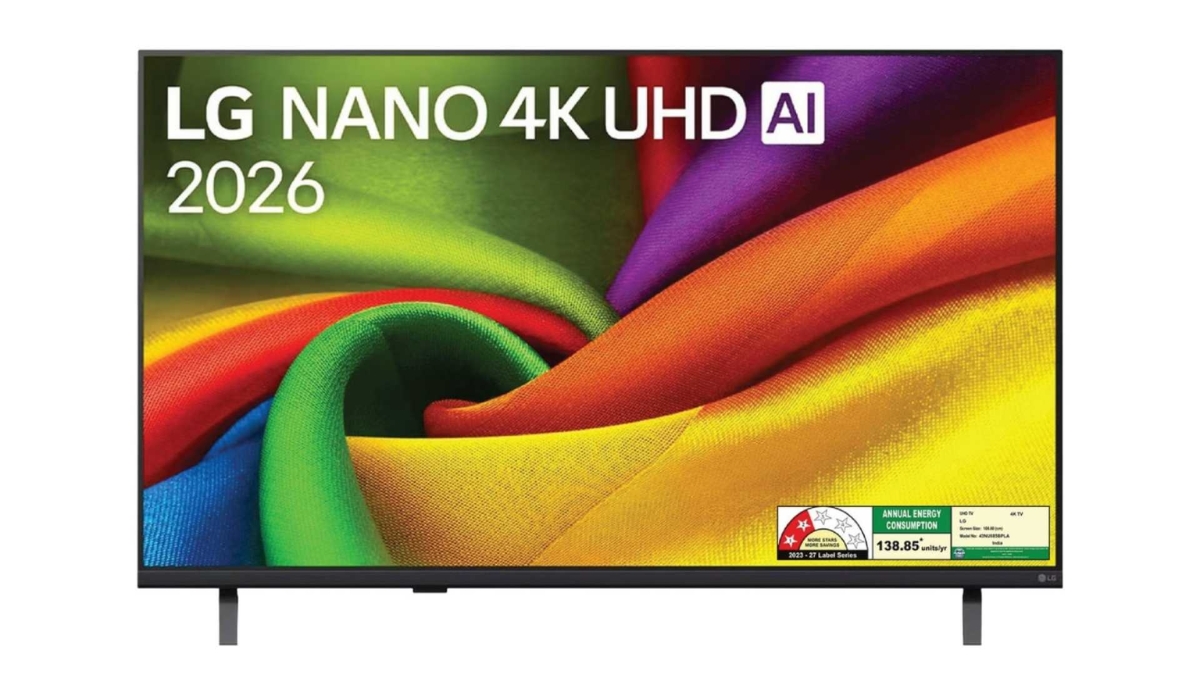
A larger TV can change how you experience movies, sports and games, but screen size isn’t the only factor to consider.
The right choice depends on how far you sit from the screen, what you watch, how much of your field of vision you want the TV to occupy, and the features you need for your viewing habits.
LG’s NANO 4K UHD range includes large-screen options such as the 191cm (75) NU870B and NU885B, combining 4K resolution with picture-processing, entertainment and gaming features.
LG
So, before choosing a large-screen TV, here are some questions worth asking.
Is a 191cm (75) TV Too Big for My Living Room?
Not necessarily.
The size of your room matters, but your viewing distance matters just as much.
If your sofa is relatively close to the TV, a 249cm (98) screen may occupy a large portion of your field of view. If you have a larger living room and sit farther away, the same screen can provide a more immersive viewing experience.
Instead of choosing a TV based only on the dimensions of the room, consider the distance between your usual seating position and the screen.
For large-screen TVs, 4K resolution can also be useful because the larger display provides more screen area for displaying detail.
How Far Should I Sit From a 191cm (75), 218cm (86) or 249cm (98) TV?
There isn’t one viewing distance that works for every setup.
Your preferred viewing distance can depend on your eyesight, the type of content you watch and how immersive you want the experience to feel.
A useful approach is to sit in your normal viewing position and consider how much of your field of vision you want the TV to occupy. If you find yourself frequently moving your head or eyes to follow action across the screen, the display may be too large for that particular setup.
If the screen feels small from your usual seating position, moving to a larger size may provide a more immersive viewing experience.
Is 4K Important on a Large TV?
Resolution becomes an important consideration as screen size increases.
A 191cm (75), 218cm (86) or 249cm (98) screen provides a large display area. A 4K panel provides 3840 × 2160 pixels, giving the TV a high-resolution image across that display area.
LG’s NANO 4K UHD range combines 4K resolution with technologies such as Nano Detail Enhancer and 4K Super Upscaling, which are designed to process detail and lower-resolution content.
This means that when choosing a large TV, it’s useful to consider both the size of the display and how the TV processes the content shown on it.
Will a Large Screen Work Well for Sports?
A large screen can provide an immersive way to watch sports, but motion processing is also worth considering.
Think about watching a cricket ball travelling across the field, a footballer making a fast run or a Formula 1 car moving around a track. Motion-processing features can help the TV handle fast-moving scenes.
LG’s NANO 4K UHD NU870 models feature TruMotion, with AI Genre Selection identifying the content genre and adjusting judder levels for motion smoothing suited to content such as movies and sports.
The models also feature Sports Alert, which can provide information about game schedules and scores and allow you to switch to a live game.
If sports are a major part of your viewing, therefore, it makes sense to look beyond screen size and consider the TV’s motion-processing features.
Does Refresh Rate Matter on a Large-Screen TV?
Refresh rate can be relevant when you watch fast-moving content or play games.
Refresh rate refers to how many times the TV refreshes the image every second. LG’s TV buying guide explains that higher refresh rates can make motion appear smoother, particularly during fast-paced gaming and high-speed content.
However, screen size should not be considered separately from the rest of the display technology. Refresh rate, motion processing and the type of content you watch all contribute to the viewing experience.
For example, LG’s 191cm (75) NANO 4K UHD NU870 supports features including VRR up to 60Hz, ALLM, HGiG and GeForce NOW, making it suitable for gaming as well as general entertainment.
Is Input Lag Important for Gaming on a Large TV?
Yes, input lag is a useful specification to consider if you plan to game.
Input lag is the delay between pressing a button on your controller and seeing the corresponding action appear on screen. Lower input lag generally allows for a more responsive gaming experience.
When choosing a large gaming TV, look for features such as:
- ALLM for automatically switching to a low-latency gaming mode
- VRR for synchronising the display’s refresh rate with compatible gaming hardware
- Game Optimizer and Game Dashboard for adjusting gaming settings
- HGiG for HDR gaming
LG’s large-screen NANO 4K UHD models include these types of gaming features. The 191cm (75) NU870 also offers a Gaming Portal with access to supported cloud and webOS gaming services.
Will a Large TV Work Well for Movies?
A large screen can provide a more cinematic viewing setup, particularly when combined with 4K resolution and appropriate picture-processing features.
LG’s 191cm (75) NANO 4K UHD models support FILMMAKER MODE, which is designed to preserve the cinematic presentation of compatible content by turning off motion smoothing.
They also support HDR10 Pro and HLG Pro, which are designed to process compatible HDR content and reproduce differences between highlights and shadows.
If movies are a major part of your viewing, consider screen size, viewing distance and picture-processing features together rather than focusing on screen size alone.
What If I Don’t Always Watch 4K Content?
Not all content is available in native 4K.
Your TV may receive content from streaming services, television broadcasts, older films and other lower-resolution sources.
LG’s NANO 4K UHD range uses 4K Super Upscaling to process lower-resolution content for presentation on a 4K display.
This makes upscaling an important feature to consider when choosing a large TV, particularly if your viewing includes a mix of content resolutions.
Does a Large TV Need a Powerful Processor?
The processor plays an important role in processing picture and sound.
LG’s NANO 4K UHD range combines its 4K display with AI-powered picture processing, including Nano Detail Enhancer, AI Super Upscaling and Dynamic Tone Mapping, depending on the model.
These technologies are designed to help the TV process different types of content rather than simply displaying every source exactly as received.
On a large screen, where picture details are displayed across a larger area, processing can therefore be an important part of the overall TV experience.
Will Everyone in the Room Get a Good View?
This is another consideration when choosing a large TV.
If you’re watching with a group, not everyone will necessarily be sitting directly in front of the screen.
LG’s large-screen NANO 4K UHD range lists Wide Viewing Angle as a feature designed to maintain realistic colours for viewers watching from different positions.
This can be useful in larger living rooms where people may be sitting on sofas or chairs positioned at different angles.
What Size Should I Choose: 191cm (75), 218cm (86) or 249cm (98)?
Think about your room, viewing distance and viewing habits first.
A 191cm (75) TV could suit you if:
- You want a large screen for movies, sports and TV.
- Your viewing distance is moderate.
- You watch a mix of different types of content.
- Your living room has enough space for a large display.
LG’s 191cm (75) NANO 4K UHD models offer 4K resolution, Nano Detail Enhancer, HDR, motion features and gaming capabilities.
A 218cm (86) TV could suit you if:
- You have a larger viewing area.
- You want a larger display for movies and sports.
- You regularly watch content with multiple people.
- You have sufficient wall space and viewing distance for the larger screen.
At this size, picture processing and motion handling can be important considerations because the image occupies a larger area.
A 249cm (98) TV could suit you if:
- You have a large room.
- You want a home-cinema-style viewing setup.
- Multiple people regularly watch from different positions.
- You have enough space for the TV to become a prominent part of the room.
At this size, don’t choose based on screen size alone. Measure the available wall space, check the seating distance and consider where the TV will be placed before making your decision.
What Should I Check Before Buying a Large-Screen TV?
Before choosing a 191cm (75), 218cm (86) or 249cm (98) TV, ask yourself:
How far will I sit?
Make sure the screen size works comfortably with your normal viewing distance.
What do I watch most?
Movies, sports and gaming can place different demands on a TV.
How does it handle motion?
Look at refresh rate and motion-processing technologies.
Do I game?
Check features such as input lag, VRR, ALLM and gaming settings.
What happens to non-4K content?
Look for upscaling technology that can process lower-resolution content.
Will everyone in the room see the picture clearly?
Consider viewing-angle features if you regularly watch with family or friends.
Will the TV physically fit?
Measure the available wall space, furniture area, doorways and route through which the TV will enter your home.
So, How Large Should Your TV Be?
There isn’t one screen size that works for every room.
The right choice depends on your available space, viewing distance, content preferences and the TV features you plan to use.
For sports, consider motion processing. For gaming, look at input lag, VRR and ALLM. For movies, consider 4K resolution, HDR and cinematic picture modes. And for a large screen, consider upscaling and picture processing because not everything you watch will be available in native 4K.
LG’s NANO 4K UHD range combines 4K resolution, Nano Detail Enhancer, HDR, motion processing, gaming features and smart-TV capabilities. Its 191cm (75) NU870 models include features such as TruMotion, Sports Alert, Game Optimizer and Gaming Portal for different types of content.
Ultimately, choosing between 191cm (75), 218cm (86) and 249cm (98) isn’t simply about choosing a larger screen.
It’s about finding a screen size that works with your room, seating position and viewing habits, and then choosing the picture, sound and smart-TV features that fit the way you watch.






Comment