AI-generated video has gone from experiment to everyday tool faster than most people expected. Eighteen months ago, the common advice was to wait — the output was too glitchy, the pricing was unclear, the results too unpredictable. Now teams that dismissed it are quietly using it for social content, product previews, and localization.
The technology didn’t suddenly become perfect. It became good enough. And in production environments where speed matters, “good enough” is often sufficient.
Why AI video is finally practical
Video production has always been bottlenecked by time. Most people can picture what they want; the hard part was always getting there. Equipment, software, editing time, color grading, exports. A competent editor takes years to develop, and even skilled editors spend most of their time on the mechanical parts of the job.
AI tools cut a lot of that out. A product photo becomes a 10-second clip in under two minutes. A portrait becomes a talking avatar. A recorded presentation gets re-faced for a different market without re-shooting. These are live workflows, not demos.
The cost shift is real too. A short product video from a freelance videographer runs $300-$800 in most markets. AI-generated clips cost a few dollars in compute credits. That doesn’t make AI a full replacement, but it does change the math on how often you can afford to produce video content, and for which products.
What creators are actually using these tools for
The realistic picture is less exciting than the pitch decks suggest. Most creators using AI video tools are producing social content faster, or testing formats that were previously too expensive to try.
Platforms like iMideo pull several of these functions into one interface: image-to-video, text-to-video, video extending, auto subtitles. The consolidation matters more than it sounds. Managing four separate subscriptions for four separate tools adds friction; having them in one place doesn’t.
For e-commerce teams, the most common use is generating secondary product clips. The hero product gets professional photography; everything else gets AI video. A skincare brand might shoot one hero item properly, then use AI to generate motion clips for the other 40 SKUs in the catalog. Not perfect, but fast and cheap enough to be worth doing.
Social media teams use it differently. The goal there is volume — keeping channels active between major shoots. A single photoshoot produces 8-10 still images; AI tools can turn those into 20-30 short clips with different motion effects, different aspect ratios, different pacing. Same source material, more output.
Video face swap: what it is and where it’s actually useful
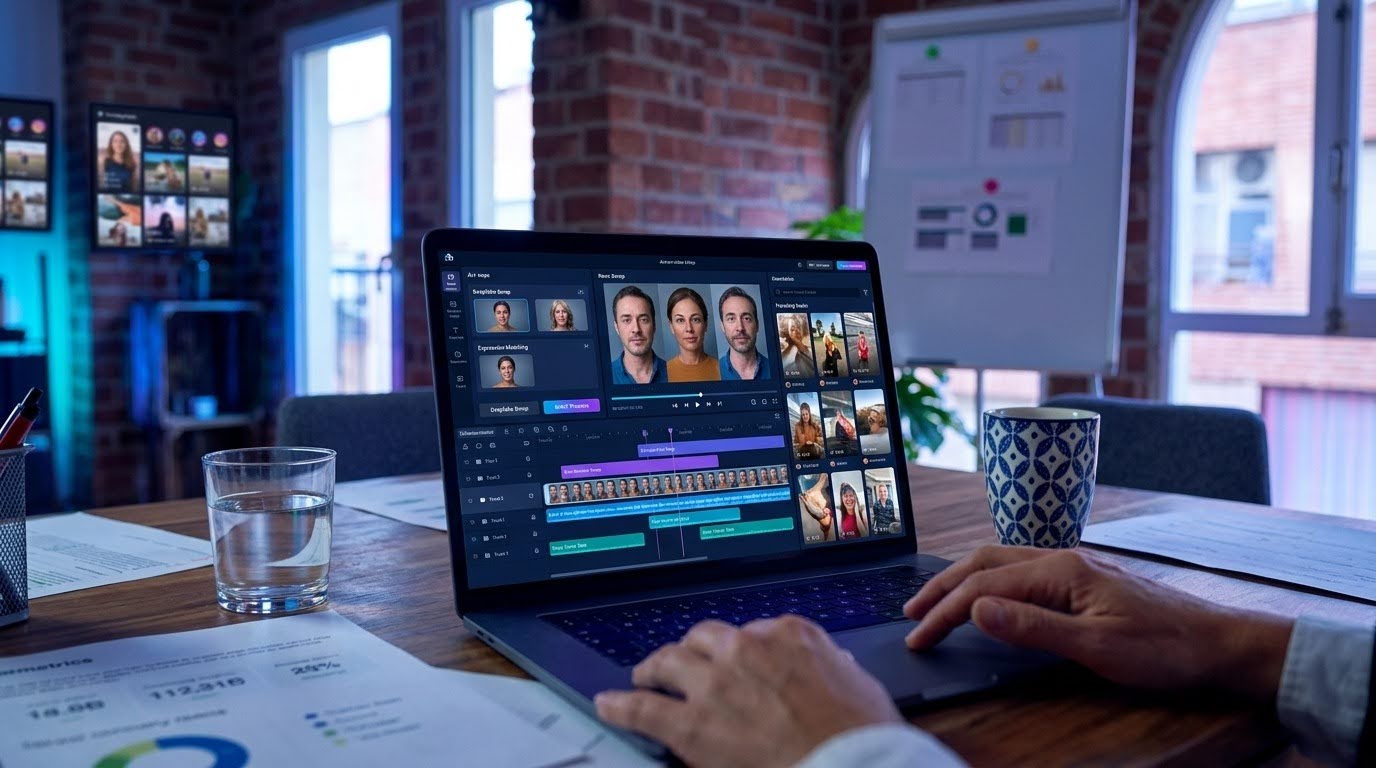
Video face swap gets attention partly because it sounds dramatic. The mechanics are simpler: take a source face, apply it to a target video frame-by-frame, and let the model handle lighting, expression, and motion matching.
The biggest real use case is localization. Instead of re-shooting a product video for each market, you replace the on-screen presenter with a local face. The content stays the same; only the face changes, with full disclosure.
Creators also use it for sketch content, meme formats, and testing how different “looks” perform with different audiences. That last one is surprisingly common: a creator will swap their face for an avatar or a stock character to see whether the content performs differently when the audience doesn’t recognize the person.
The technology is noticeably better than it was two years ago. Early tools struggled with edge cases: hair boundaries, strong directional lighting, faces that moved quickly. Current models handle these much more cleanly, though results still depend on source video quality and how similar the two faces are in proportion.
Face swap output degrades on clips over 30-40 seconds. Longer clips accumulate small inconsistencies that compound by the end. Short social clips and product demos are where it works best.
Why model choice matters more than it used to
Most AI video platforms ran on a single underlying model until recently. The problem: no single model is best at everything. Kling handles smooth motion well, Veo does better with naturalistic scenes, Seedance produces different results on portrait content.
Platforms that give you access to several models without making you switch tools save real testing time. You try one, get a flat result, try another, get what you needed. The alternative is maintaining accounts on multiple platforms and manually moving assets between them.
This also matters for staying current. The AI video model space moves fast — a model that was best-in-class six months ago may have been surpassed by two newer options. Platforms that add new models regularly mean you don’t have to migrate your entire workflow every time something better comes out.
How to evaluate a tool before committing
The mistake most teams make is evaluating AI video tools using demo content from the vendor’s own website. Those demos are optimized to show the tool at its best. What you actually need to know is how it performs on your content, with your typical photography, for your specific use case.
The only reliable test is to take three or four of your actual product images, run them through two or three different tools, and compare the output side by side. It takes an afternoon. The differences are often significant — one tool may handle your product category well while another produces consistently flat results for the same input.
Pay attention to edge consistency, color accuracy under different lighting conditions, and what happens at the beginning and end of each clip. Those transition moments tend to reveal the most about a model’s actual quality.
What doesn’t work well yet
The main failure mode is input dependency. AI video is only as good as the source material. Dark, blurry, or cluttered images produce dark, blurry, cluttered video. The tool doesn’t fix bad photography; it animates it.
Text-to-video still struggles with physical consistency in longer clips. Objects drift slightly between frames. Hands remain a weak point across most models. If precision matters — if the product label needs to be readable throughout, for instance — AI video is a starting point, not a final deliverable.
For face swap specifically, consent and source material are real considerations. Most platforms have usage policies, but responsibility for appropriate use sits with the creator.
Longer clips (anything past 60 seconds) also tend to accumulate errors that are difficult to fix in post. For short-form social content, this isn’t a problem. For long-form explainers or product demos, you’ll hit limitations that require manual intervention.
The practical takeaway
AI video tools are useful for specific tasks. They don’t replace production judgment, and they work best when you know exactly which part of the workflow you’re handing off to them.
The teams getting the most out of these tools aren’t trying to replace video production — they’re using AI to handle the volume work so human effort can focus on the content that actually drives decisions. Campaign hero videos still get shot properly. Everything else gets generated.
If you haven’t tested them yet, the entry point is low. Most platforms offer free tiers with watermarked exports. Run your actual content through two or three tools and compare the output directly — reading feature pages is a poor substitute for seeing what happens to your specific images.