Since its emergence in the 1950s, Artificial Intelligence (AI) has become a game-changer in the working environment; it automated time-consuming software workflows and helped them work more efficiently than ever. AI has taken away much of the manual work that once bogged us down, from automating routine tasks to improving data analysis. One part where friction remains is with the hardware setup, however. The software has become faster and more intuitive, but the hardware — especially the daily setup in hybrid and remote work settings — has remained an unwieldy struggle.
This friction shows up in the small but consistent task of connecting devices and adjusting screens, as well as sorting out various cables’ complicated tangles. For many professionals, the setup process not only takes a lot of time but is also mentally tiring. It is so prevalent in fact that it’s starting to impact our overall productivity leading to the need for an efficient, frictionless hardware solution more than ever! This is where the USB-C docking station comes in as a tool to help you eliminate these inefficiencies and allow for reimagining your interaction with your workspaces.
Why hardware friction is the unseen tax of AI
In this era of AI-driven software, hardware friction is rarely far from our minds, whether it comes in the form of a lagging mouse or an unresponsive keyboard. Invented over 100 years ago, mankind then developed telephones (much quicker than letters!), power supplies for the devices, and eventually computers — leading to complex workflows that could be automated using software tools. This ongoing friction with the hardware, however, is a hidden drain on efficiency despite not being very noticeable.
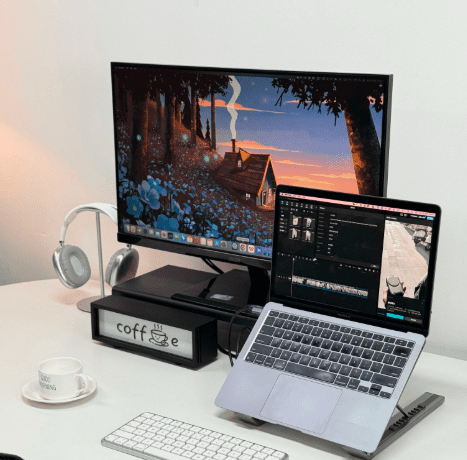
Consider the experience of setting up a hybrid workstation. For many professionals, it means propping up the laptop so that its camera is at eye level, connecting an external monitor and linking up the keyboard/mouse components to ensure everything lines up properly. These steps may seem small but compound over time. They break flow, cost cognitive resources, and in the case of frequent location changes create redundant actions that need to be dealt with repeatedly throughout the day. This kind of friction often goes unrecognized because it’s so ingrained in what a workday looks like. But over the course of a week or even month, they can add up to hours of lost productivity for an employee.
WSD: A Different Approach to the Hardware Cycle
Workplace stress diagnosis (WSD) is the industry moment needing a review of all hardware. WSD considers not only the physical discomfort you experience when sitting for a long time in poor ergonomics but also the cognitive burden suffered by inefficient workspaces. Setup tax. However the setup tax is something so many professionals endure day in and day out that it impacts cognitive fatigue, diminished focus — and thus productivity.
As companies implement more flexible, hybrid work policies, WSD indicates a growing need for reevaluation of the hardware tools that facilitate remote work. This moment is a call for businesses to adopt hardware that minimizes friction and simplifies work setup, which translates into better physical and mental well-being.
What Is The Solution?
An All In One, Multi-Port Docking Station
The USB-C docking station is a modern-day equivalent to the hardware friction solution. Bringing multiple devices into one single piece of hardware means a faster, more efficient setup, fewer cables and less thought required to configure the workspace.
For example, the Mukiya laptop dock stand. Incorporating dual 4K HDMI outputs, 100W PD delivery (power), USB3.0 x2 and SD/TF slots in its 9-in-1 port layout this hub offers high versatility with minimal clutter. The additional double HDMI ports allow you to run dual-monitor setups seamlessly, and a 100W PD means there’s no need for separate power brick charging your laptop. With two USB 3.0 ports allowing for fast data transfer speeds alongside SD/TF slots that make it easy for professionals to access external storage devices, cameras and other media without issues.
New specifications matter for tech professionals far beyond convenience — they allow for a more productive, efficient workspace. The Mukiya laptop dock stand review showcases how this docking station replaces the tangles of wires and adapters with a single device; perfect for people who want high-performance workstations that just work, effortlessly.
The Economic Impact: More Time Spent on Value-Added Work
The ultimate benefit of removing hardware friction is not just convenience. For time-poor tech and fintech professionals, the minutes saved from not having to set up a workstation is top of mind — as each minute gained can be redirected into work on higher-value tasks. For example, coding, analyzing financial models or checking the latest tech stocks — each of these pieces requires hardware setup that tends to add friction in whatever you are doing and disrupts your flow so that eliminating it eliminates the barrier of entering work / getting into your daily tasks quickly.
Entrepreneurs and workers with flexible schedules can get up to speed in a moment by adding a simple working USB-C docking station into the office scenery. Such devices spare us from those myriad micro-decisions about cables and the peripherals we want to set up, allowing users to direct their energy to what really matters: their work.
Summary
With AI optimizing software workflows, the demand for intelligent hardware solutions has become evident. The shore-up between software efficiency and hardware productivity is also the same reason for the popularity of USB-C docking stations and the advanced Mukiya laptop dock stand. These tools help professionals focus on their tasks, without the cognitive drain of having to tinker with their workspaces every single day by removing the everyday friction.
WSD is an opportunity for the industry to rethink the utility of their tools and make choices about how best to lock in what creates a productive work environment. Time to implement hardware solutions that bolster cognitive health, improve workflows, and help our remote workforces work smarter — not harder.