
Droven.io RPA and Business Automation: A Straight Answer to What It Actually Covers

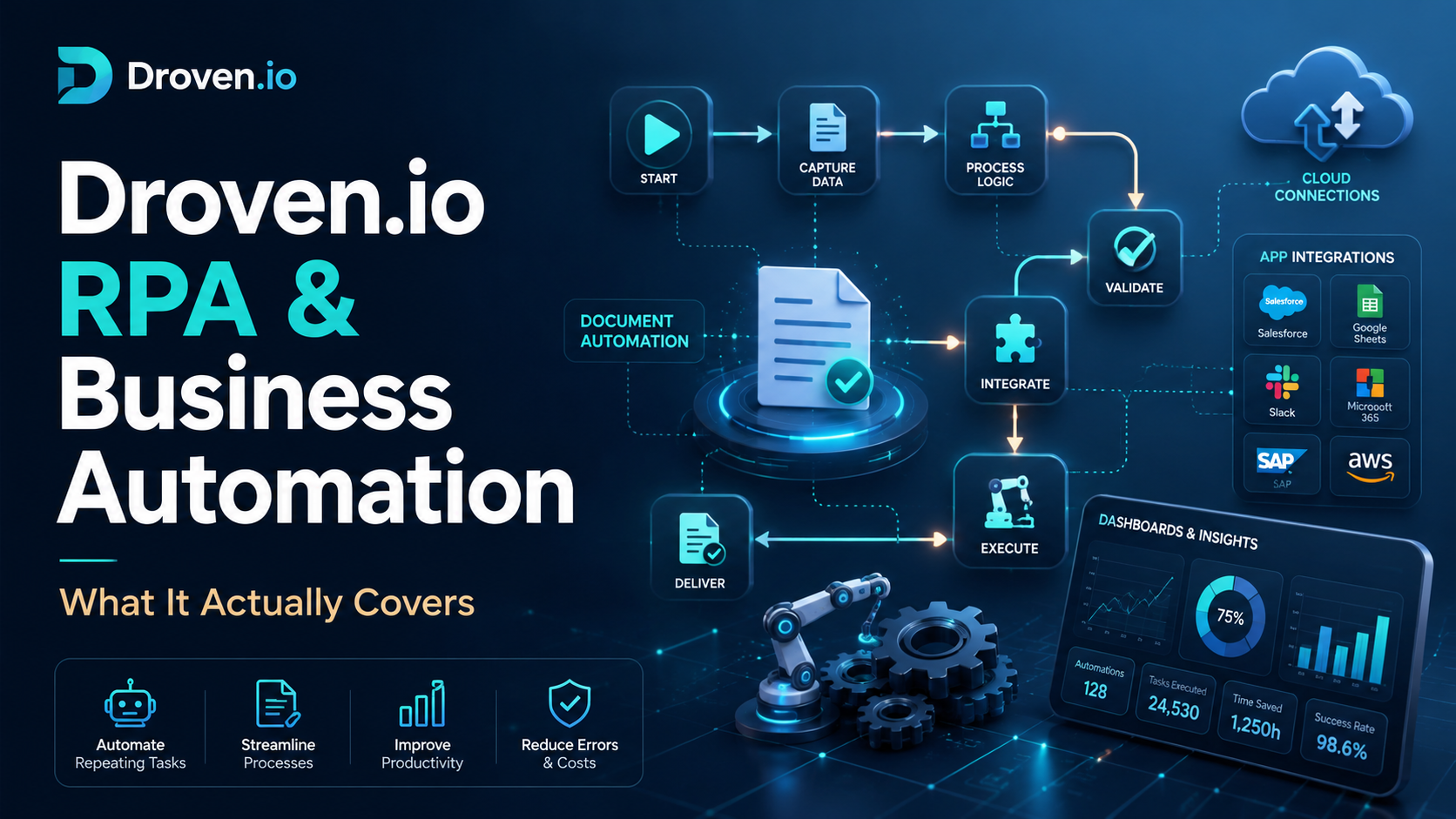
Search “droven.io rpa and business automation” and you’ll notice something within the first few results: nobody quite agrees. Half the articles out there describe it like a full-blown automation suite, complete with drag-and-drop bot builders, prebuilt connectors for Salesforce and QuickBooks, and per-seat pricing tiers. The other half say flatly that there’s no software to install, no account to create, and no bot to configure. That’s not a small disagreement. It’s the kind of contradiction that tells you a search term is trending faster than the content around it is getting checked.
This article is here to settle that, and to be genuinely useful either way. Maybe you searched the exact phrase because you’re trying to figure out if this is a tool worth trialing. Maybe you’re further along, already comparing automation vendors, and you want a plain-language refresher on RPA and business automation before you sit through another sales call. Either way, by the end of this you’ll know what Droven.io actually is, how RPA and business automation differ, where the two overlap, and what a sane evaluation process looks like before any budget moves.
What Droven.io Actually Is (and Isn’t)
Here’s the part worth getting right first, because it changes how you should read everything else written about this topic. Based on what’s publicly documented, Droven.io functions as an educational technology platform, not a piece of RPA software. It publishes articles and guides covering artificial intelligence, robotic process automation, machine learning, cybersecurity, cloud computing, and digital transformation, aimed at business owners, managers, developers, and anyone trying to understand these categories before they buy into one. It doesn’t appear to sell a workflow builder, a bot engine, or a subscription plan of its own.
That distinction matters more than it sounds like it should. If you’re hoping to sign up somewhere and start automating invoices this afternoon, that’s not what this is. If your goal is to actually understand what RPA and business automation mean, how they differ, and which questions separate a real vendor from a marketing page, that’s closer to the job this kind of resource is built for. For a fuller walkthrough of how the platform frames these ideas in practice, this guide to droven.io rpa and business automation covers it in more depth.
It’s also worth flagging something you won’t see many articles admit: a chunk of the content currently ranking for this phrase reads like it was written to match search volume rather than to describe anything verifiable. You’ll spot pieces that walk through specific feature lists, things like webhook support, custom AI agents, or particular integrations, and then, a few paragraphs later, quietly note that public information about those features is limited. That’s worth treating as a warning sign, on this topic or any other. Good research starts by noticing when a “feature list” can’t actually be traced back to a real product page.
So What Is Robotic Process Automation, Really?
Strip away the marketing language and RPA is fairly simple. It’s software that mimics the clicks, keystrokes, and copy-paste actions a person would normally do on a screen, and it does them exactly the same way every time, without getting tired or distracted. An RPA “bot” isn’t a physical robot. It’s a script running against your existing applications, following rules someone defined in advance.
A few concrete examples make this easier to picture. An accounts payable bot can open an email, pull an attached invoice, read the vendor name and amount, key that information into your accounting software, and route it for approval, all in the time it takes you to read this sentence. A customer service bot can scan an incoming support ticket for keywords and assign it to the right queue instead of a person doing that sorting by hand. A reporting bot can log into three separate dashboards every Monday morning, pull the same numbers, and drop them into a spreadsheet before anyone’s finished their coffee.
The appeal is obvious once you’ve watched one of these run: no fatigue, no typos from someone doing the same task for the two-hundredth time, and no dependency on one person being at their desk that day. The limitation is just as real, though. RPA is rule-following, not judgment-making. Show it something outside its defined pattern, a CAPTCHA, a layout change, an invoice format it’s never seen, and it typically stops rather than adapts. That’s exactly why the next distinction matters.
RPA vs. Business Automation: Not the Same Word
People use “automation” loosely enough that RPA and business automation get treated as interchangeable, and they’re not. RPA automates a task. Business automation, sometimes called business process automation or BPA, connects an entire workflow across multiple systems and departments so work keeps moving without someone manually handing it off at every stage.
Employee onboarding is a good example of the difference. RPA alone might automate one piece of that, say, creating a new hire’s account in the HR system. Business automation strings the whole thing together: the moment HR marks someone as hired, a workflow creates their user profile, sends a welcome email, provisions their email and software access, notifies IT to ship a laptop, and updates payroll records, all without a person manually triggering each step in sequence.
Invoice processing works the same way. A narrow RPA bot might just extract data from a PDF invoice. A full business automation workflow takes that extracted data, matches it against a purchase order, checks it against budget limits, routes it for the right approval based on dollar amount, and updates the accounting system once it’s signed off, with a human only stepping in for the approval decision itself. The short version: RPA replaces a task, business automation redesigns the process built around it.
RPA vs. AI Automation: Where People Actually Get Confused
This is the mix-up that trips up more people than any other in this space. RPA follows fixed rules. It does not learn, and it does not interpret situations it hasn’t seen before. Artificial intelligence, on the other hand, analyzes patterns, makes predictions, and can generate language or recommendations based on data it’s been trained on. If you want a fuller grounding in how machine learning and generative models actually work, Toolsimpli’s Artificial Intelligence section is a solid place to keep building that vocabulary.
The two aren’t competitors. Increasingly, they’re combined. When AI is layered onto RPA, you get what the industry calls intelligent automation or cognitive automation: bots that can read an unstructured document like a scanned receipt, understand context using natural language processing, and make a judgment call about how to route it, instead of failing the moment something doesn’t match a rigid template exactly.
There’s a real trade-off buried in that upgrade, though, and it’s one vendors don’t always spell out clearly. Rules-based automation fails in predictable ways. A bot either completes the task or hits a wall and stops. AI-driven steps fail less predictably, because a model can generate a confident, plausible-looking answer that’s still wrong. That means any workflow with an AI step in it needs validation checks, grounding in your actual business data, and a human review point for anything customer-facing. Skipping that step is where a lot of “smart automation” projects quietly go wrong months after launch.
Why Hyperautomation Is the Real Story of 2026
If you’ve seen the word “hyperautomation” showing up more often this year, there’s a reason for it. Analysts including Gartner use the term to describe the combination of RPA, low-code platforms, AI, and process mining working together across an organization, rather than one department running one bot in isolation. The market numbers back up why this is getting attention: estimates put the global RPA market’s 2026 value anywhere from roughly $1.7 billion to $14.5 billion depending on how narrowly it’s scoped, with compound annual growth rates commonly cited between 19% and 32% a year.
What’s actually driving that growth isn’t just “automation is trendy” as a headline. It’s that AI agents can now sit on top of traditional RPA bots and orchestrate them, deciding which bot runs when, handling exceptions that used to require a person to step in, and coordinating tasks across systems that never used to talk to each other at all. Rather than RPA getting replaced by AI, as some predicted a few years back, it’s becoming the execution layer underneath more intelligent orchestration. RPA turned out to be the foundation this new wave is building on, not the thing it’s replacing.
Real Business Use Cases Worth Knowing
Automation earns its keep fastest in departments where volume is high and the steps are repeatable. A few places it consistently shows up in practice:
- Finance — pulling invoice data from emails, matching purchase orders, flagging duplicate payments, reconciling expense reports, and generating recurring financial reports without someone rebuilding the same spreadsheet every week.
- HR — creating new-hire profiles, sending onboarding paperwork, screening resumes against basic criteria, and updating employee records across multiple systems at once.
- Customer support — routing tickets based on keywords or urgency, answering frequently asked questions through a chatbot, and escalating anything that genuinely needs a human touch.
- Operations and logistics — reconciling shipping data across carrier platforms, updating inventory counts, and flagging orders that fall outside normal patterns.
- Sales and marketing — qualifying inbound leads, updating CRM records after a call or email, and triggering follow-up sequences based on customer behavior.
None of these require a massive IT project to get started. The common thread across all of them is that the task is frequent, rule-based, and easy to measure, which is exactly the profile worth automating first, whether you’re a five-person team or a five-thousand-person company.
No-Code Tools and the Rise of the Citizen Developer
One of the bigger shifts in this space isn’t a new algorithm. It’s who gets to build the automation. Traditional RPA suites often required a developer to record and script every interaction, which meant automation lived entirely inside IT’s backlog, waiting its turn behind everything else. The newer generation of platforms leans on visual, drag-and-drop builders instead, letting the person who actually understands a process, an operations manager, a finance lead, a support supervisor, build the workflow themselves.
That’s given rise to what the industry calls the “citizen developer,” a business user with no formal programming background who can still map out and launch an automated workflow. It’s not a replacement for technical teams on complex, high-stakes systems, but for the kind of repetitive task most departments deal with daily, it means automation stops being something you wait months for IT to schedule and becomes something a team can pilot on its own within a week or two.
How to Evaluate Any RPA or Automation Platform
Whether you’re looking at a specific named vendor or working from a comparison list some blog post handed you, the same checklist applies every time. Before taking any automation claim at face value, run it through this:
- Is there a working demo or free trial? Marketing copy with no way to actually click through the product is a red flag on its own, no matter how polished the page looks.
- Are the integrations named specifically? “Works with your favorite tools” tells you nothing useful. “Connects to Salesforce, QuickBooks, and Microsoft 365” is something you can actually go verify.
- Is pricing published, or hidden behind a sales call? Both can be legitimate business models, but a hidden price paired with no free tier and no demo deserves extra scrutiny before you hand over contact details.
- Does independent commentary exist, or does every mention read the same? If ten articles use nearly identical phrasing, treat that as marketing copy reworded ten times, not ten independent opinions.
- Does it give a real answer on data security and access controls? Vague reassurance about being “enterprise-grade” isn’t the same thing as a documented, specific answer.
A single-task bot usually takes a matter of days to two weeks to get running properly once you commit to it. A connected, multi-system workflow typically runs two to six weeks, and it’s worth rolling that out in phases rather than trying to automate an entire department on day one.
Common Mistakes Businesses Make When They Start Automating
A few patterns show up again and again in automation projects that stall or quietly get abandoned a few months in. The first is automating a process that was already broken. A bot will follow a messy, inconsistent workflow exactly as instructed, which just means you now have a fast, consistent version of a bad process instead of a slow one. Fix the process before you automate it, not after.
The second mistake is skipping the pilot stage and trying to automate an entire function at once. Automation that goes straight from an idea to full production, with no small-scale test and no human review gate, tends to break in ways nobody anticipated: a login prompt that wasn’t there before, a form field that moved, an edge case that shows up on the fortieth invoice instead of the first ten. The third mistake is treating automation as a one-time setup rather than something that needs an actual owner. Interfaces change, business rules shift, and a bot that isn’t maintained tends to fail quietly rather than loudly, sometimes for weeks before anyone even notices.
The fourth mistake is reaching for AI-powered automation before nailing the basics. If a rules-based bot can already handle most of a task reliably, adding a language model on top of it before you understand where the remaining share actually breaks down usually adds complexity without adding much real value.
A Practical Starting Checklist for Your First Project
If you’re ready to move past research and actually try something, keep the first project small and specific. Pick one task that happens often, follows clear rules, and has a measurable outcome, something like invoice data entry, ticket routing, or a recurring report, rather than an entire department’s workflow all at once.
Map the current process exactly as it happens today, including the exceptions and edge cases, before you build anything at all. Build a pilot version with a human checkpoint before anything gets pushed live to a customer or vendor. A simple approval step, like a manager reviewing the bot’s output in a shared channel before it goes further, catches most early mistakes before they turn into a real problem. Measure the actual time saved and error rate against the manual process, not just whether the bot technically ran without crashing. Once that first automation is stable and proven, use it as the template for the next one instead of starting from scratch each time.
Where Automation Shows Up Across Different Industries
Retail and e-commerce automate order confirmations, inventory syncing between a storefront and a warehouse system, and return processing. Healthcare administration automates appointment reminders, insurance eligibility checks, and patient record updates between systems that were never designed to talk to each other. Real estate and property management automate lease renewals, maintenance ticket routing, and rent reconciliation across units. None of these industries needed to be “tech companies” first. They just had enough repetitive, rule-based volume to make automation worth the setup time.
Signs Your Team Is Ready to Automate
A handful of signals tend to show up right before a team gets serious about automation, and they’re worth watching for even if you’re not actively shopping yet. The same task keeps landing on someone’s calendar every single week with no real variation in how it’s done. New hires need a full afternoon of training just to learn a process that’s mostly copying data from one screen to another. Errors keep surfacing not because anyone is careless, but because doing the same manual entry hundreds of times a month makes a mistake statistically inevitable. Growth is being held back not by demand, but by how many people are available to process the paperwork that demand creates. Any one of these on its own is a hint. Two or three together are usually a clear signal that a pilot project is worth the time it takes to set one up.
Frequently Asked Questions
Is Droven.io the same as an RPA vendor like UiPath or Automation Anywhere?
No. Based on publicly available information, Droven.io functions as an educational resource covering RPA and related technology topics, while companies like UiPath, Automation Anywhere, and Microsoft Power Automate are actual software vendors you can sign up with and deploy directly.
Do I need a developer to start with RPA?
Not necessarily anymore. Many current platforms use visual, no-code builders aimed at business users, though complex, high-stakes integrations still benefit from technical involvement.
What’s the difference between RPA and a simple Zapier-style integration?
Both connect systems, but classic RPA can operate at the interface level, clicking and typing the way a human would, which matters for older systems without a proper API. Integration tools like Zapier generally work through APIs directly and don’t simulate on-screen actions.
How much does a first automation project typically cost?
It depends heavily on scope, but starting with a single, well-defined task keeps the investment small and the risk low, which is exactly why most sensible rollouts begin there instead of a company-wide rollout on day one.
Can a small business realistically use RPA, or is it only for large enterprises?
Small businesses are actually a growing share of RPA adoption, mainly because no-code platforms have lowered the technical barrier enough that a small operations team can pilot something without hiring a developer first.
Where Education Fits Before You Spend a Dollar
Reading about automation doesn’t replace testing it, and that part is worth being upfront about. But good research does something a vendor demo can’t: it gives you a shared vocabulary and a realistic set of expectations before a salesperson starts talking. A team that understands the difference between RPA and business automation, or between rules-based bots and AI-driven ones, asks sharper questions and is a lot harder to oversell to.
That’s the gap that educational platforms are actually built to close, and it’s the same territory Toolsimpli covers across its own guides on AI tools, automation, and the broader technology decisions businesses face before they commit budget to anything new. Use the research stage to build the strategy. Then validate everything, every integration claim, every pricing detail, every performance number, against a real trial before it ever touches your actual business data.







Comment