
Why Your Business Calls Show Up as “Spam Likely” and How to Fix It

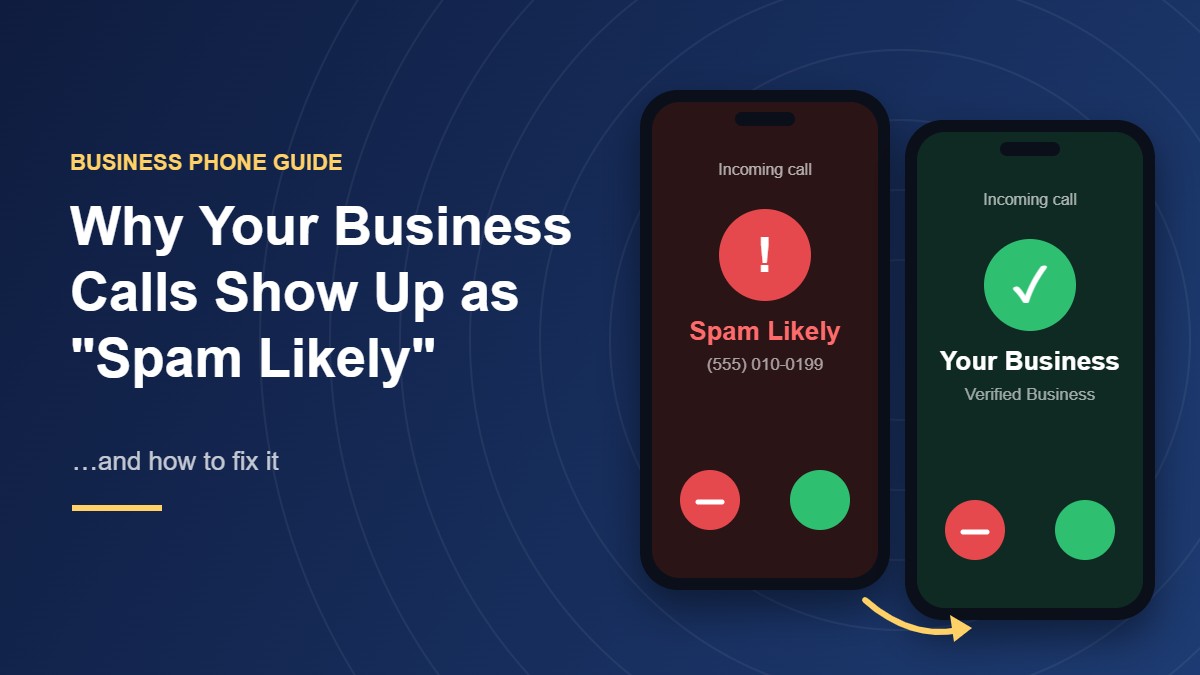
Your business calls show up as “Spam Likely” because the recipient’s carrier has decided your number looks risky. That decision comes from how the number behaves:
- how many calls it places
- how many get answered
- how often people report it
- whether the carrier can verify the call really came from you
The label says nothing about whether your business is legitimate. It reflects patterns, and you can change them by fixing how your calls are authenticated and how your team uses its numbers.
What Does “Spam Likely” Actually Mean?
“Spam Likely” is a warning the recipient’s carrier adds to an incoming call before the phone rings. It appears where your caller ID would normally sit, and the exact wording changes from one carrier to the next.
Carriers add these warnings because of caller ID spoofing. The FCC defines spoofing as a caller deliberately falsifying the information sent to a caller ID display to disguise their identity, and a spoofed call looks identical to a real one on the screen.
So the carrier can’t take the number at face value. It scores each call on how the number behaves and whether the call can be verified, then warns the person you’re calling when that score drops too low.
What Does the Label Cost a Business?
The obvious cost is the unanswered call. A sales rep who spends the morning dialing from a flagged number reaches voicemail after voicemail, and every follow-up from that number gets the same treatment.
The bigger cost lands on calls customers need to take. A lender confirming a loan application and a bank’s fraud team checking a suspicious charge both depend on the person picking up, and a warning on the screen tells that person not to.
Why Do Legitimate Business Numbers Get Flagged?
Carriers rely on call analytics systems that watch number behavior across their networks. A real business trips the same signals a robocaller does when its calling patterns look similar.
These are the patterns that get business numbers flagged:
- Bursts of outbound calls. A sales team working through a long list from one number in a single afternoon looks a lot like an autodialer.
- Short calls and low answer rates. Calls that ring out, hit voicemail or end within seconds tell the system that people don’t want to hear from this number.
- Reports from recipients. Every tap on “block and report” hurts the number’s reputation, even when the person simply forgot they asked for a callback.
- A recycled number. Carriers reassign numbers, so a new line can arrive carrying the bad reputation its previous owner built.
- Calls the network can’t verify. If the carrier can’t confirm your business has the right to use the number, the call starts with less trust before anyone answers.
None of these mean your business did something wrong. They mean your numbers look risky to a system that only sees patterns.
How Does STIR/SHAKEN Decide Whether Your Call Is Trusted?
STIR/SHAKEN is the call authentication framework US carriers use against spoofing. As the FCC explains, the originating carrier signs the caller ID as legitimate, and other carriers validate that signature as the call passes between networks.
Each signature carries an attestation level, which tells the receiving carrier how much the originating carrier knows about the caller:
- Full attestation (A): The carrier knows the customer and confirms they’re authorized to use the number.
- Partial attestation (B): The carrier knows the customer but can’t confirm they’re authorized to use that specific number.
- Gateway attestation (C): The carrier received the call from another network and can’t vouch for who placed it.
Attestation doesn’t block a call by itself. It feeds the same analytics systems that apply the label, so a call with partial or gateway attestation starts from a weaker position.
Businesses usually lose full attestation by splitting their setup. A sales team uses a dialer app that displays the company’s main number, but that number is hosted with a different provider, so the carrier placing the call can’t confirm the business owns it.
The cleanest setup keeps numbers and outbound calling with the same provider. A company that runs its calls, numbers and caller ID through one unified communications platform gives the originating carrier what it needs to sign each call with full attestation. Spreading those across a third-party dialer and an old carrier is how a legitimate number ends up looking unverified.
CNAM vs Branded Caller ID: Which One Puts Your Name on the Screen?
A bare number gives the person you’re calling little reason to pick up. Showing your business name helps, and there are two ways to do it.
CNAM (Caller Name) is the name registered to your number in the caller name databases carriers check when a call comes in. It’s inexpensive, and every outbound business number should have one.
How CNAM displays depends on the recipient’s carrier and phone. Landlines and some carriers show it as registered, while many mobile phones show the carrier’s own lookup instead.
Branded caller ID goes further. Through programs run with carriers and call analytics companies, it can show your verified business name, your logo and sometimes the reason for the call on supported smartphones, after the provider vets your business.
Neither one removes a spam label on its own. If the analytics system flags the number, the warning shows no matter what name sits behind it, which is why the reputation work comes first.
How Do You Fix a “Spam Likely” Label?
Clearing a label takes a mix of paperwork and behavior change. Work through these steps in order.
1. Audit every outbound number
List each number your business calls from, who uses it and what for. Moving sales, support and the main line onto an all-in-one business phone system turns that list into one inventory, with every number, its owner and its call history in the same place. Retire any number nobody can account for before it does more damage.
2. Check how each number shows up
Call test phones on each of the major US carriers from every outbound number and note exactly what appears on the screen. A number can look clean on one network and carry a warning on another.
3. Register your numbers and dispute wrong labels
The analytics companies’ carriers rely on letting businesses register numbers and requesting a review when a label is wrong. For each number, have this ready:
- your legal business name and website
- the number and the team that uses it
- the type of calls it makes, such as appointment reminders or sales follow-ups
- a contact person who can answer questions about it
4. Register CNAM on every outbound number
It won’t clear a label by itself. Once the label lifts, though, a named call gives the person you’re calling a reason to answer.
5. Change the patterns that caused the flag
Spread outbound calls across the day instead of firing through a list in one sitting, and give each team its own numbers so one campaign can’t damage the main line. Don’t cycle through fresh numbers to dodge labels; analytics systems treat rotation as a spam signal.
6. Make callbacks land somewhere
Some people won’t answer an unknown number but will call it back to see who it was. If that callback reaches a menu that names your company or a person who can help, the number earns trust, and if it rings into nothing, it earns a report.
7. Call people who expect to hear from you
A scheduled follow-up gets answered, while an unexpected call from an unfamiliar number gets reported. Confirming the time by email first does more for a number’s reputation than any registration form.
How Do You Keep the Label From Coming Back?
A cleared number gets flagged again if the same habits return. Treat number reputation like any other operating metric and review it on a schedule.
Each month, check these signals in your call history for every outbound number:
- answer rates on outbound calls
- calls that end within the first few seconds
- which numbers place the most calls each day
- callbacks from people asking who called them
When answer rates on one number fall while the others hold steady, test that number on each carrier again. Catching a label early costs a registration form, while catching it late costs a month of unanswered calls.
A Verified Number Gets Answered
“Spam Likely” is a judgment about your number’s behavior, not your business. Carriers see unverified calls, bursts of short calls and complaints from recipients, so they warn the person you’re calling.
Keep your numbers and your calling with one provider so every call carries full attestation. Then register your name, pace your outbound calls and call people who are expecting you, and the screen will show a business worth answering instead of a warning.






Comment