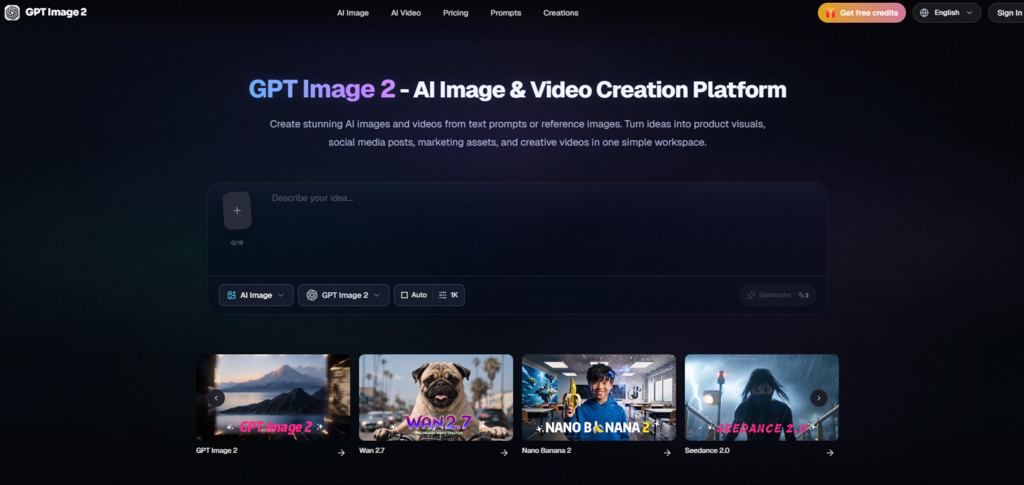
Marketing teams that run lean often face a recurring friction point: the person who writes the campaign strategy is rarely the person who renders the visual assets, and the translation between the two roles generates delays, misunderstandings, and repetitive revision rounds. Recent advances in AI image models promise to shrink that gap by letting the strategist describe what they want in words and see it arrive in pixels. The tool built around gpt image 2.0 strips that promise down to its practical core, offering a browser interface where a marketing generalist can generate campaign visuals without touching a design application or writing a creative brief. I tested this premise by simulating a launch campaign for an organic tea brand, using only natural-language prompts to produce a hero image, several platform-specific adaptations, and a visual identity that could hold together across a feed.
The Language Gap That Slows Down Campaigns
When a marketer tells a designer “make it feel warm and organic,” the designer must translate an emotional adjective into a concrete set of choices about color temperature, depth of field, prop selection, and typography. If the first interpretation misses the mark, an asynchronous revision loop begins. Even with skilled collaborators, the process embeds hours of interpretive labor that do not directly advance the campaign’s strategic goals. For marketing teams without dedicated design resources, the gap is steeper: the choices often default to stock photography or template libraries that were never built to reflect a specific product’s character. An interface that shortens the distance between a descriptive sentence and a first visual draft addresses not just a speed problem but a communication bottleneck.
Prompting Your Way to a Campaign Look Without a Style Guide
Rather than starting from reference images or mood boards, I relied entirely on written descriptions to steer the visual direction across multiple assets. The objective was to see whether a non-designer could maintain a recognizable aesthetic thread using only words.
Defining Visual Identity Through Conversational Prompts
I began by describing the tea brand’s desired atmosphere: “soft diffused morning light, ceramic textures, muted sage green and cream palette, shallow depth of field, a sense of quiet ritual.” The prompt contained no technical camera terms beyond what a casual photographer might use. Across the first set of hero image generations, the outputs consistently returned warm amber highlights, softly blurred backgrounds, and a compositional stillness that matched the brief.
How Descriptive Language Mapped to Visual Output
When I described “a ceramic teapot on a linen cloth, steam curling in natural window light” to GPT Image 2 AI, the model delivered images where the steam interacted with the light direction in a physically plausible way, and the linen texture read clearly even at a distance. The ceramic surface held subtle specular highlights that added tactile credibility. This cause-and-effect clarity between word choice and visual outcome lowered the anxiety of prompting: I did not need to guess which adjectives the model would ignore. The limitation was that abstract mood terms like “peaceful” required more concrete visual anchors in the prompt to produce repeatable results; when I removed the physical descriptors and relied solely on mood language, the outputs became compositionally varied and harder to align into a campaign set.
Adapting One Hero Image for Five Different Platforms
Campaigns rarely live on a single canvas. After settling on a hero image direction, I took the strongest output and used the aspect ratio controls to generate versions for an Instagram post, an Instagram Story, a Twitter header, a blog cover, and a square newsletter thumbnail.
From Square Post to Vertical Story Without Redesigning
The parameter panel allowed ratio changes without altering the prompt’s core description. The square post tightened the composition around the teapot and linen. The vertical story expanded the frame upward to include more window light and negative space suitable for overlaid text. The wide Twitter header pulled back to show more of the table surface and props, naturally accommodating the panoramic format. In each case, the model recomposed the scene intelligently, preserving the teapot’s central role while adapting the surrounding context. This single-prompt, multi-ratio workflow turned what is normally a layout exercise in design software into a fast series of generations.
When the Model Drifts and You Need a Style Anchor
Not every adaptation landed cleanly. One Twitter header variant shifted the color temperature from warm morning light to a cooler midday blue, breaking the visual continuity with the other assets. Another generation introduced a second teacup that crowded the composition in a way the hero shot had avoided.
The Discipline of Reprompting with Specifics
The fix was not technical; it was descriptive. Adding the phrase “maintain the same warm morning light and single teapot composition” to the prompt for the problematic ratio brought the outputs back in line. The lesson for a marketing generalist is that style drift can be corrected with language alone, but it requires noticing the drift and explicitly countering it in the prompt. The tool does not yet offer a style-reference image parameter to lock a look across generations, so this verbal anchoring becomes the primary consistency mechanism.
The Exact Process That Turned Text into Post-Ready Graphics
The campaign session distilled into a repeatable sequence that matches what the site’s interface actually presents, step by step.
Step 1: Write the Prompt as You Would Brief a Designer
Enter the description in the input bar at the bottom of the page, using natural language that covers subject, setting, mood, and any text that should appear on the image.
Including Context, Mood, and Practical Use
My most effective prompts for the tea campaign included the intended platform indirectly by describing the necessary composition—for the newsletter thumbnail, I noted “tight framing, no dead space at edges, text-safe center.” The model appeared to use this functional framing to structure the output’s spatial layout, which reduced the number of re-gens caused by poor cropping.
Step 2: Adjust Settings for the Specific Platform
Use the parameter panel to select the model, choose the aspect ratio matching the target platform, and set the resolution based on whether the output is for preview or final use.
Choosing the Right Ratio and Resolution Instantly
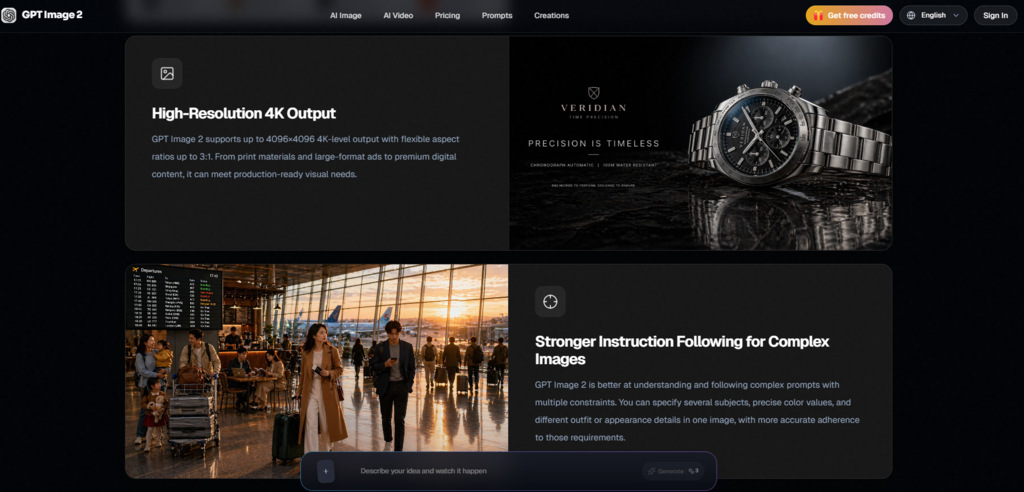
For fast iteration during the campaign build, I stayed at 2K resolution and switched ratios between generations. Once the strongest compositions were identified, I re-ran the selected prompts at 4K for the hero image and the blog cover, where higher detail justified the additional credit. Since the credit cost did not change with resolution in the current configuration, this two-pass approach felt efficient.
Step 3: Curate the Set from Generated Variations
Review the outputs in the session view, download the keepers, and use underperforming generations as reference images for corrective prompts if needed.
Why Generating Multiple Counts Per Prompt Matters
Generating two or three variations per prompt gave me a small gallery to curate from, which was essential for managing the style drift described earlier. The best campaign set emerged not from a single perfect generation, but from selecting the images that naturally cohered across platforms and discarding the outliers. Building in this curation step from the start prevents the frustration of expecting one-shot perfection.
Weighing the Browser Tool Against Other Popular Generators
Marketers evaluating AI image tools for campaign work often encounter a few common names. The comparison below focuses on the practical experience of using each for the type of multi-asset campaign described above.
| Aspect | Midjourney | DALL·E 3 via ChatGPT | This Site |
| Access point | Discord server, requires account | ChatGPT interface, requires account | Browser page, testable without login |
| Prompting style | Keyword-heavy, parameter suffixes | Conversational, chat-based | Natural language, parameter panel separated |
| Short-text accuracy | Generally low, often garbled | Moderate, improving | Strong for headlines and tags, needs proofing |
| Image editing workflow | Remix, variation, region vary | Reference images via chat | Reference upload with text-driven edit, no manual mask |
| Multi-format adaptation | Requires re-prompting per ratio | Requires describing each crop in chat | Direct ratio selector, prompt preserved across changes |
| Free tier | Limited GPU time | Limited with subscription | Daily credits, 6 free for new users |
| Learning curve | Moderate (Discord, parameters) | Low (conversational) | Low (self-explanatory within minutes) |
The site’s differentiator is not raw capability but workflow design: it separates technical decisions from creative language, which aligns well with a marketer’s mental model. The trade-off is that it lacks the community exploration layer of Midjourney or the conversational context memory of ChatGPT.
The Gaps That Keep a Human in the Loop
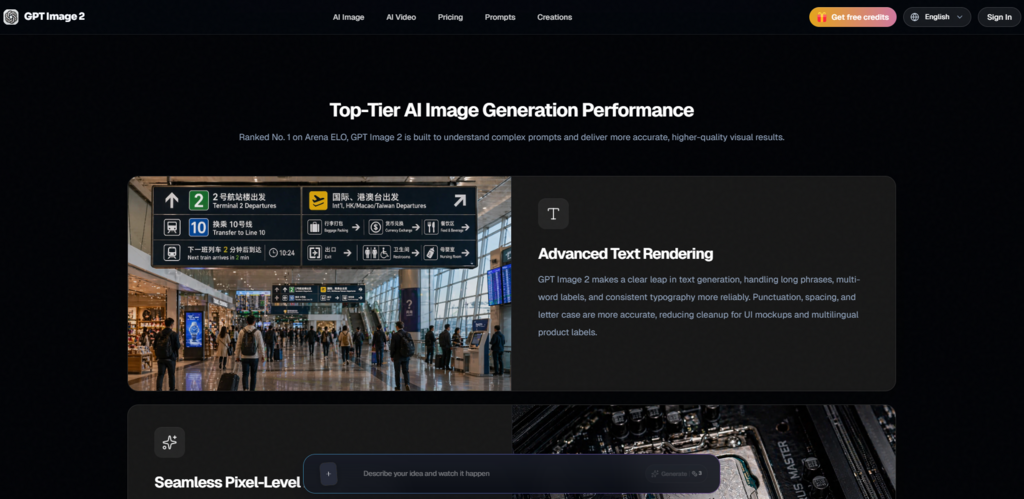
Several limitations emerged that a marketing team should account for in campaign timelines. First, the model’s text rendering, while strong for short headlines, is not yet dependable for body copy or dense paragraph text; designing a poster with a full paragraph of legible Chinese characters required multiple attempts and still benefited from a quick check. Second, Chinese-language prompt fluency lags behind English, so marketers working in Chinese should expect to write longer, more detailed prompts or mix English direction with Chinese text strings to get consistent results. Third, the absence of a style-reference parameter means that across twenty generations, a handful will drift in color grading or composition, demanding a curator’s eye. These are not dealbreakers—the tool is transparently in active development—but they do set realistic expectations for anyone planning a high-volume campaign with tight visual consistency requirements.
Measuring Value by Fewer Stops in the Review Chain
For a marketing generalist who built a five-platform campaign asset set in a single sitting, the value of the tool is most visible in what did not happen: no design brief was written, no revision email was sent, and no stock photo library was scrolled in search of a “close enough” starting point. The final assets still deserve a proofreading pass before publication, and a trained designer could elevate them further, but the baseline shifted from “we need to find someone” to “we have something to work with.” In campaigns where timing determines relevance, that shift is not an incremental improvement. It is a structural change in how quickly a team can move from a strategy document to a visual presence that looks intentional.