As 2018 draws to a close, the enterprise technology world is confronting a reality that once seemed distant: infrastructure automation is no longer optional. Across banking, retail, healthcare, manufacturing, and telecommunications, organizations are racing to modernize aging database ecosystems while maintaining uninterrupted service delivery.
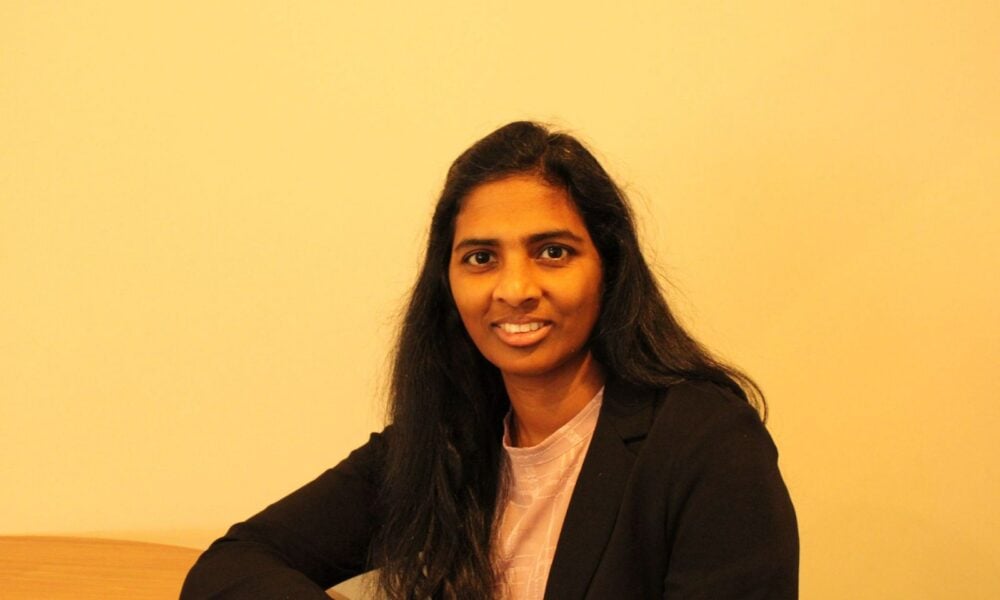
At the center of this transformation stands Madhava Rao Thota, a database and cloud infrastructure specialist whose work throughout 2018 has increasingly positioned him as one of the defining architects of modern database automation and cloud-native resilience engineering.
While much of the industry spent the year debating digital transformation strategies, Madhav was implementing them in production environments designing automated database ecosystems, orchestrating large-scale migrations, and redefining how enterprises think about operational reliability in the cloud era.
By the end of 2018, his growing body of research and enterprise engineering experience had established him as a leading voice in Infrastructure-as-Code-driven database modernization, hybrid-cloud migration strategy, and resilient distributed architecture design.
THE YEAR ENTERPRISE DATABASES REACHED A BREAKING POINT
Throughout 2018, organizations faced mounting pressure to modernize mission-critical systems. Legacy databases built for static, on-premise environments struggled to support the demands of real-time analytics, multi-region applications, containerized workloads, and continuously deployed software pipelines.
The challenge was not simply cloud adoption it was operational survivability.
Enterprises needed architectures capable of:
- Scaling across regions without downtime
- Automating provisioning and failover
- Supporting hybrid and multi-cloud deployments
- Maintaining compliance and security across distributed systems
- Reducing operational overhead while increasing resilience
For many organizations, the database layer became the most difficult obstacle in modernization efforts.
“Application teams moved fast, but databases remained the bottleneck,” observed independent cloud strategist Daniel Mercer. “The engineers who understood both distributed systems and operational automation became incredibly valuable in 2018.”
Madhava Rao Thota emerged as one of those engineers.
RESEARCH THAT ANTICIPATED THE INDUSTRY’S FUTURE
By 2018, several of Madhav’s earlier research publications had begun circulating widely among cloud architects, infrastructure engineers, and enterprise modernization teams.
His work addressed a problem many organizations had only begun to recognize: traditional database administration models could not survive at cloud scale.
Among the most discussed publications were:
- Resilient Data Engineering: The Evolution of Database and Big Data Administration in Cloud-Native Platforms (2016)
- End-to-End Infrastructure Automation: Leveraging Terraform and Ansible for Intelligent Database and Big Data Orchestration (2017)
- From Data Centers to Cloud Platforms: A Scalable Framework for Database and Big Data Migration (2017)
- Strategic Modernization of Cloud Databases with Enhanced Resilience and Security Controls (2018)
- Transforming Database Leadership in the Era of Cloud-Native Automation and Resilient Operations (2018)
- Designing Hybrid Cloud and Big Database Architectures for High Availability and Cost Efficiency (2018)
Together, the publications outlined a coherent modernization philosophy built around automation, repeatability, distributed resilience, and cloud-native operational design.
Industry observers increasingly viewed the work not as isolated technical studies, but as part of a broader framework for the future of enterprise database engineering.
THE RISE OF AUTOMATION-FIRST DATABASE OPERATIONS
One of Madhav’s most influential contributions during 2018 was his continued advocacy for automation-first infrastructure management.
At a time when many enterprises still relied heavily on manual provisioning and operational ticket queues, Madhav argued that database environments should behave like programmable platforms not static systems requiring constant human intervention.
His automation frameworks leveraged:
- Terraform for declarative infrastructure provisioning
- Ansible for configuration orchestration and deployment consistency
- Automated replication management
- Self-healing failover workflows
- Policy-driven security baselines
- Infrastructure versioning and reusable modules
Rather than treating Infrastructure-as-Code as a convenience tool, he positioned it as the operational foundation for scalable resilience engineering.
“Automation is the mechanism through which reliability becomes repeatable,” Madhav noted in one of his 2018 discussions on cloud operations. “Without reproducibility, resilience becomes accidental.”
That philosophy resonated strongly with enterprises struggling to manage increasingly complex cloud environments.
A PRACTICAL BLUEPRINT FOR HYBRID CLOUD MODERNIZATION
While many cloud discussions in 2018 focused narrowly on migration speed, Madhav’s work emphasized architectural sustainability.
His modernization frameworks broke large transformation programs into manageable operational stages:
- Infrastructure readiness analysis
- Dependency and schema mapping
- Replication and failover redesign
- Automated environment provisioning
- Security and governance alignment
- Controlled migration execution
- Continuous optimization and observability
What distinguished his work was its practical grounding.
Rather than promoting a one-size-fits-all cloud strategy, Madhav advocated workload-specific platform alignment:
- OLTP systems optimized on Aurora and managed MySQL clusters
- Distributed NoSQL architectures using Cassandra and MongoDB
- Analytical pipelines leveraging BigQuery and Redshift
- Streaming ecosystems integrated with Kafka, Kinesis, and Dataflow
- Hybrid replication models for compliance-sensitive workloads
His cloud-neutral perspective gained particular attention among organizations seeking to avoid vendor lock-in while maintaining operational flexibility.
ENGINEERING EXPERIENCE BEHIND THE FRAMEWORKS
Unlike many infrastructure commentators of the era, Madhav’s credibility stemmed from years of direct operational experience inside enterprise environments.
Across organizations including Cognizant Technology Solutions and large-scale enterprise infrastructure teams, he worked extensively with:
- MySQL, MariaDB, Percona, Oracle, SQL Server
- Cassandra, MongoDB, Redis, and DocumentDB
- High-availability replication architectures
- Disaster recovery orchestration
- Cross-region cloud deployments
- Performance tuning and query optimization
- Terraform-managed infrastructure provisioning
- Ansible-driven automation pipelines
His operational background included handling complex migration initiatives involving Oracle and SQL Server workloads transitioning into cloud-native MySQL and Aurora environments.
Colleagues describe him as an engineer equally comfortable discussing distributed systems theory and troubleshooting production outages under pressure.
“Many people understand cloud architecture conceptually,” said infrastructure consultant Rebecca Sloan. “Madhav understood what actually happens when systems fail in production and how to engineer around those realities.”
THE EVOLUTION OF THE DATABASE ADMINISTRATOR
One of the central themes of Madhav’s 2018 work was the transformation of the database administrator role itself.
Historically, DBAs were evaluated on maintenance tasks backups, tuning, patching, and recovery procedures.
But Madhav argued that modern database leadership required something broader:
- Automation engineering
- Platform architecture
- Reliability design
- Cross-functional collaboration
- CI/CD integration
- Infrastructure governance
- Observability and resilience planning
His research effectively described the emergence of what many organizations now recognize as the Database Reliability Engineer a hybrid role blending DBA expertise with Site Reliability Engineering principles.
Industry experts increasingly viewed this perspective as ahead of its time.
“His work anticipated where enterprise operations were heading,” noted cloud researcher Dr. Leonard Hayes. “Today we talk about platform engineering and SRE-driven database operations. Madhav was already describing those patterns years earlier.”
INDUSTRY RECOGNITION CONTINUES TO GROW
By late 2018, Madhav’s publications and architectural approaches were being referenced in modernization discussions across cloud engineering communities.
Architects particularly praised:
- His practical use of CAP and PACELC theory in migration planning
- His focus on deterministic automation
- His emphasis on operational resilience over marketing trends
- His cloud-neutral modernization philosophy
- His integration of security controls into automation pipelines
“Madhav’s work succeeded because it balanced theory with operational realism,” said enterprise architect Jonathan Reeves. “He understood that automation without resilience is fragile, and resilience without automation doesn’t scale.”
A DEFINING VOICE IN THE CLOUD DATABASE ERA
As enterprises accelerate toward cloud-native infrastructure models, the importance of resilient database architecture continues to grow.
Madhava Rao Thota’s work throughout 2018 reflects the emergence of a new class of infrastructure leader engineers who operate at the intersection of automation, distributed systems, cloud architecture, and operational resilience.
His research and engineering contributions helped organizations rethink how databases should be deployed, governed, automated, and scaled in an era defined by constant change.
If 2018 was the year enterprises fully embraced infrastructure automation and cloud-native modernization, it was also the year Madhav Rao Thota emerged as one of the technologists helping define what that future would look like.