
Best Practices for Writing Prompts in a Text to 3D Tool to Get Cleaner Results

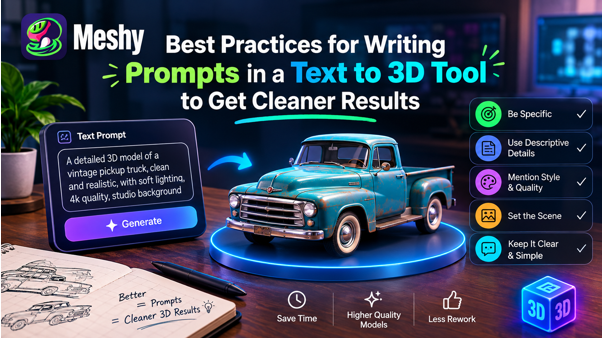
Anyone who has typed “a cool dragon” into a 3D generator and received a lumpy result knows the problem: the model followed an underspecified prompt.
Prompt quality strongly influences output quality. A text to 3d tool can turn a sentence into a model in minutes, but it still needs clear information about the subject, form, material, and style. The following practices matter most.
Start by Focusing on One Specific Topic
The most frequent mistake is trying to include everything in one prompt. A knight standing beside a horse in a castle courtyard surrounded by banners and a fountain is asking for way too much information in one go.
Build models one object at a time. Create the knight, horse, and fountain separately, then combine them in Blender, Unity, or another 3D application. Individual assets are easier to adjust and scale.
Specify Form and Structure
Generic words such as “awesome” or “beautiful” provide little structural information. Describe what the object should look like from multiple angles.
Notice the difference between these examples:
- Weak: A cool sword
- Stronger: a straight-bladed medieval longsword with a leather-wrapped grip and circular crossguard
The stronger prompt provides useful information about shape, materials, and proportions. Include the details that define the object without turning the prompt into an unfocused list.
Provide Descriptions of Materials and Surface Characteristics
Surface descriptions are often overlooked. “Weathered oak with iron banding” gives the generator more direction than “wooden barrel.” Materials such as brushed steel, matte plastic, worn leather, cracked stone, and polished ceramic suggest different visual properties.
Still keep it grounded. Three or four material details are plenty. Add another dozen, and the model starts to average them out into something vague.
Description of Pose and Orientation
Pose matters, especially for characters. A neutral A-pose or T-pose is generally easier to rig than a character leaping with crossed arms. If animation is planned, state the desired neutral pose in the prompt.
With regards to objects, include an orientation like upright or front-facing. This reduces odd angles and keeps the geometry readable.
Say What You Don’t Want
If the tool supports negative prompts, use them selectively. Terms such as “extra limbs,” “floating parts,” or “noisy texture” can help when those problems recur.
Don’t go overboard. It’s better to have a few negative prompts rather than too many of them.
Keep the Style the Same
Conflicting style terms can produce incoherent results. Combining “realistic,” “cartoon,” “low-poly,” and “hand-painted” in one prompt gives the model no clear direction. Pick one style and use it consistently.
When creating a group of game assets, repeat the same style language across prompts. A phrase such as “stylized hand-painted, pastel palette” can help the set feel more consistent.
Matching Prompt to Use Case
A model intended for 3D printing has different requirements from one used in a mobile game. For printing, favor robust forms without thin unsupported parts. For a game, a simple silhouette and controlled polygon count may matter more.
Iterate Instead of Starting Over
Treat the first generation as a draft. Change one variable at a time so you can tell which wording improved the result. If the proportions are wrong, revise the shape description; if the surface looks flat, refine the material terms.
Start a simple notebook of prompts that work for you. In just a couple of weeks you will end up with your own phrases to use, which will be more valuable than any standard formula.
Employ a Dependable Generator and Study Its Traits
Every generator responds to language differently. Spend time testing prompt length, keywords, and negative prompts in the text to 3D tool you use, and record the phrases that produce reliable results.
A Simple Prompt Formula
If unsure, consider the following format:
Subject + key shape details + material + style + pose or orientation
For example: “Wooden treasure chest with curved lid, rusty iron straps, front lock, stylized hand-painted finish, front-facing orientation.”
The example is brief, specific, and internally consistent.
Concluding Words
Clear prompts improve the odds of cleaner 3D models, but longer prompts are not automatically better. Focus on one subject, describe its form and material, and iterate. Even with a strong prompt, inspect the geometry and expect some cleanup before production use.







Comment