If you make content for a living — YouTube videos, podcasts, indie games, TikTok clips — you already know the pain of finding the right music. Stock libraries feel stale after your hundredth scroll through the same “upbeat corporate” category. Licensing fees eat your budget before you’ve even started editing. And copyright strikes? Don’t get me started. One wrong track and your monetized video goes silent overnight.
That’s why AI music generators have gone from “interesting experiment” to “essential tool” for creators in 2026. The technology has matured fast. We’re not talking about glitchy MIDI loops anymore — these platforms produce full, polished tracks with real-sounding instruments and vocals that could pass for studio recordings.
But with so many options flooding the market, which ones are actually worth your time and money? I’ve spent the past year testing nearly every major AI music platform for my own video projects and client work. Here’s what I found — the good, the limitations, and who each tool is really built for.
What Makes a Great AI Music Generator in 2026
Before diving into specific tools, let’s establish what actually matters when evaluating these platforms. After generating hundreds of tracks across different projects, I’ve narrowed it down to five criteria:
- Audio quality: Does the output sound broadcast-ready, or does it have that unmistakable “AI fuzz” that screams synthetic?
- Copyright clarity: Do you own what you create? Can you monetize it without worrying about claims?
- Generation speed: Can it keep up with a real production workflow, or are you waiting 10 minutes per track?
- Style range: Does it handle more than just lo-fi beats and generic pop?
- Prompt intelligence: Does it understand what you actually mean, or do you need to engineer prompts like you’re writing code?
With those criteria in mind, here are the three platforms that consistently delivered for me this year.
BeMusic AI — Best for Speed, Simplicity, and Full Ownership
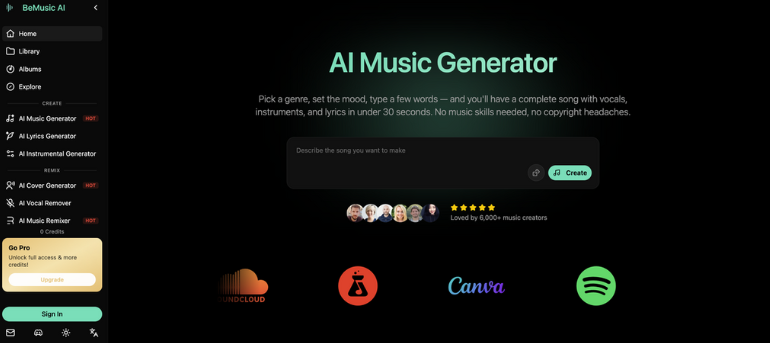
BeMusic AI has quietly become a go-to among YouTubers, podcasters, and short-form video creators. The value proposition is dead simple: describe what you want in plain English, and get a complete song — vocals, instruments, lyrics, the whole thing — in under 30 seconds.
I started using it for background music on documentary-style YouTube videos. What hooked me wasn’t just the speed, but the ownership model. Every track you generate is 100% royalty-free and legally yours. No revenue sharing, no Content ID flags, no fine print that bites you six months later. For creators who publish daily and can’t afford to worry about takedowns, that’s not a nice-to-have — it’s a requirement.
The platform supports 50+ genres, and the output quality has improved dramatically since early 2025. I recently generated a cinematic orchestral piece for a travel video intro, and my editor genuinely asked which composer I’d hired. That’s the bar we’re at now.
Where BeMusic AI particularly shines is accessibility. You don’t need to understand music theory, chord progressions, or production terminology. If you can describe a vibe in a sentence — “melancholic piano with soft strings, slow tempo, rainy day feeling” — you’ll get something usable on the first or second try. The 6,000+ active creators on the platform seem to agree.
Suno AI — Best for Musicians Who Want Creative Depth
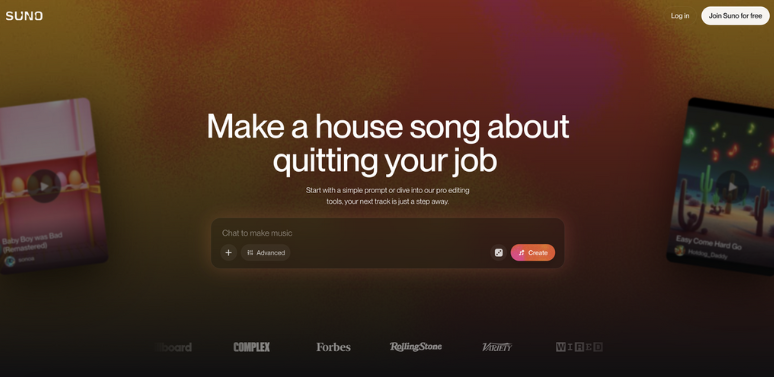
Suno AI takes a fundamentally different approach. While BeMusic AI optimizes for speed and simplicity, Suno is built for people who already think in musical terms and want granular control over the output.
The generation quality is impressive — particularly for complex arrangements with layered instrumentation and unconventional structures. I’ve used it to prototype song ideas that I later developed with real instruments, and it handles nuanced prompts remarkably well. You can specify chord progressions, vocal timbres, production styles, and even reference specific musical eras.
The tradeoff? It’s less instant-gratification. The learning curve is steeper, and getting consistently great results requires understanding how to communicate musical ideas effectively. If you’re a content creator who just needs a solid background track in two minutes, Suno might feel like overkill. But if you’re a musician using AI as a creative collaborator — a brainstorming partner that never runs out of ideas — it’s genuinely powerful.
Generation times are also longer than some competitors, which matters if you’re iterating quickly across multiple projects.
Udio AI — Best for Vocal Realism and Emotional Range
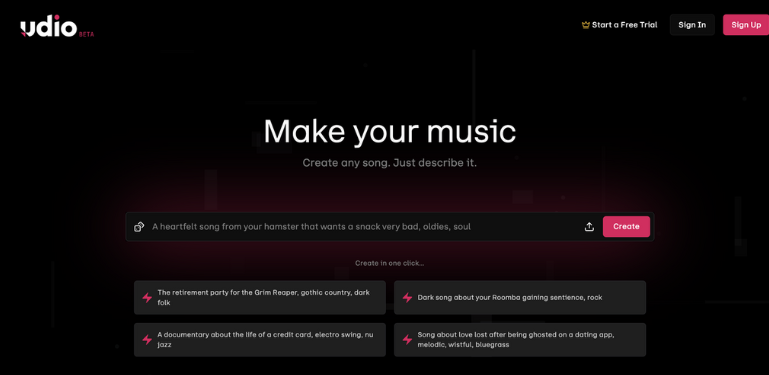
Udio AI has carved out its niche specifically around vocal quality. If your project needs singing that doesn’t sound like a robot trying to feel emotions, Udio deserves serious consideration.
The vocal synthesis is remarkably natural — to the point where listeners in my audience consistently can’t identify AI-generated vocal tracks. I tested this informally by mixing AI and human vocals in a playlist and asking followers to guess. The results were essentially random. That’s a milestone.
Udio is particularly popular among podcast producers who need vocal intros and outros, filmmakers scoring emotional scenes, and advertisers creating jingles. The platform handles genre-switching well and offers solid control over vocal characteristics — gender, tone, energy level, even subtle things like breathiness and vibrato.
The main limitation I’ve noticed is generation speed. Tracks with complex vocal arrangements can take noticeably longer than instrumental-only platforms. And the prompt system, while capable, sometimes requires more specificity to get the vocal style you’re imagining.
How to Choose the Right Tool for Your Workflow
Here’s my honest take after a year of daily use across all three platforms: there’s no single “best” AI music generator. The right choice depends entirely on what you’re making and how you work.
- High-volume content creators (daily YouTube uploads, TikTok, social media) → BeMusic AI wins on speed, simplicity, and clean copyright ownership
- Musicians and producers exploring ideas → Suno AI offers the deepest creative control and handles complex musical concepts
- Projects requiring realistic vocals → Udio AI leads in vocal synthesis and emotional authenticity
- Tight budgets with commercial needs → BeMusic AI’s royalty-free model eliminates ongoing licensing costs entirely
Most working creators I know — myself included — use two or three of these tools depending on the project. They’re not mutually exclusive. I might generate a quick background track on BeMusic AI for a YouTube video, then jump to Suno for a more experimental piece I’m developing as a musician, then use Udio when a client specifically needs vocal content.
The Bigger Picture: Why This Matters for Creators
A year ago, AI music was a novelty. Today, it’s infrastructure. The creators who’ve integrated these tools into their workflows aren’t just saving money on licensing — they’re producing more content, iterating faster, and maintaining creative consistency across projects.
The cost savings alone are significant. A single commissioned track from a human composer runs $500–$5,000 depending on complexity. Stock music subscriptions cost $15–$50/month and still limit what you can do. AI generation? Often free to start, with paid plans that cost less than a single stock music license.
But the real value isn’t just financial. It’s creative freedom. When generating a track takes 30 seconds instead of 30 days, you experiment more. You try weird ideas. You score that side project you’d never have budgeted music for. That compounds over time.
Final Thoughts
The AI music space in 2026 is genuinely exciting — not because the technology is new anymore, but because it’s finally good enough to replace expensive workflows without sacrificing quality. Whether you’re scoring a short film, building a game soundtrack, or just need a fresh intro track that doesn’t sound like everyone else’s, these tools deliver real, usable music in minutes.
The best advice I can give? Try the free tiers on each platform. Generate a few tracks with the same prompt across all three. You’ll know within five minutes which one clicks with your creative process — and which combination gives you the coverage you need.
Your audience won’t know the difference. Your wallet definitely will.