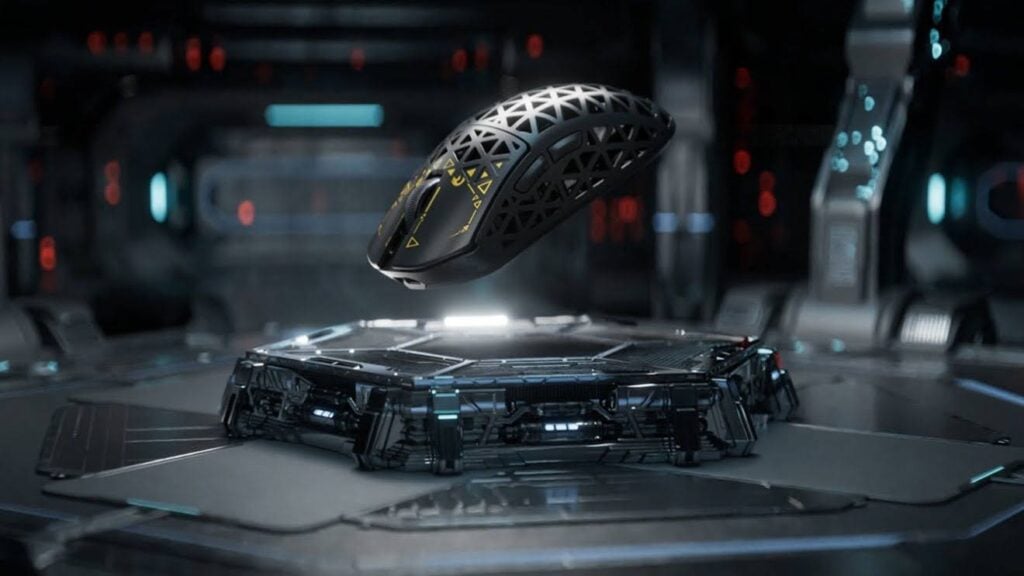
You’re locked in a clutch round, crosshair perfectly placed, when you lift your mouse to reposition—and your cursor jerks wildly across the screen. The shot misses, the round is lost, and frustration sets in. This scenario plagues countless gamers, and the culprit is often something they’ve never considered: lift-off distance. LOD refers to the height at which your mouse sensor stops tracking surface movement when you pick it up. When this distance is too high, even a slight lift during a repositioning swipe registers unwanted cursor movement, destroying the precision you’ve spent hours building through practice. For competitive players who frequently lift and reposition their mouse—especially those using low sensitivity settings—unmanaged LOD introduces inconsistency that no amount of aim training can fix. In this article, we’ll explore the mechanics behind lift-off distance, examine how your mousepad texture directly influences it, outline the tangible benefits of optimizing for low LOD, and walk through practical hardware and software tuning steps. Whether you’re a seasoned FPS competitor or a tech enthusiast obsessed with extracting peak performance from your peripherals, mastering LOD management is the overlooked edge that separates good aim from great aim.
Understanding High Lift-Off Distance: The Foundation of Mouse Tracking
Every optical mouse sensor works by capturing thousands of surface images per second, comparing consecutive frames to calculate movement direction and speed. Lift-off distance is the threshold height—typically measured in millimeters—at which the sensor can no longer resolve these surface details and ceases reporting movement to your system. A mouse with high lift-off distance (around 3-4mm) continues tracking well after you’ve begun lifting it off the pad, translating that upward-and-sideways motion into unwanted cursor displacement. A mouse with low LOD (1mm or less) cuts tracking almost immediately, leaving your crosshair exactly where you intended it to stay.
The practical difference becomes obvious during gameplay. When executing a flick shot in a tactical shooter, a low-sensitivity player might run out of mousepad space mid-swipe, lift to recenter, and slam back down for a follow-up correction. With high LOD, that lift introduces a few pixels of drift—enough to turn a headshot into a miss. During sustained tracking of a strafing target, repeated micro-lifts compound the error further. Modern optical sensors from leading manufacturers have made significant progress in minimizing default LOD, yet surface compatibility, firmware tuning, and physical setup still determine whether you actually achieve the low tracking cutoff these sensors are capable of. Treating LOD as a tunable performance variable, rather than a fixed spec, is the first step toward eliminating an invisible source of inconsistency in your aim.
Mousepad Texture and Its Direct Impact on Lift-Off Distance
Your mousepad isn’t just a surface for gliding—it’s the optical reference your sensor reads to determine movement and, critically, to decide when to stop reading. Different surface textures reflect infrared light back to the sensor in distinct patterns, and this directly determines how cleanly and at what height the sensor loses its ability to resolve tracking data. A surface that scatters light uniformly gives the sensor a clear signal to cut off at a predictable height, while a surface with inconsistent reflectivity can confuse the sensor into tracking longer than expected or cutting off unevenly. Understanding this relationship lets you choose a pad that complements your mouse’s sensor rather than fighting against it.
Cloth Pads: Consistency and Control for Low LOD
Cloth mousepads, particularly those with tightly woven micro-weave surfaces, provide the most predictable LOD behavior for most modern optical sensors. The dense, uniform fiber pattern creates consistent texture detail at the microscopic level, giving the sensor a reliable reference frame that degrades cleanly as the mouse lifts away. Thicker cloth pads (3-4mm) also allow mouse feet to sink slightly into the surface, effectively reducing the baseline distance between sensor and pad—this mechanical advantage means the sensor reaches its cutoff threshold sooner during a lift. Pads with a Cordura-style weave or hybrid cloth surfaces with controlled surface roughness tend to produce the most stable low-LOD results across different sensor generations. If you prioritize stopping your cursor dead the instant you lift, a quality cloth pad with a tight weave is your safest foundation.
Hard and Hybrid Surfaces: Speed vs. LOD Predictability
Hard pads—whether glass, aluminum, or coated plastic—offer minimal friction and maximum glide speed, but their interaction with LOD is more complex. Glossy hard surfaces can create specular reflections that trick some sensors into tracking at greater heights, because the reflected light pattern remains partially coherent even as distance increases. Textured hard pads mitigate this by introducing surface detail similar to cloth, though the pattern is often less uniform. Hybrid pads that layer a thin textile or coated film over a rigid base attempt to combine speed with optical consistency, and many succeed in delivering acceptable LOD for fast-paced FPS play. For MOBA or RTS players who rarely lift aggressively, the slight LOD variance of a hard pad may be negligible. But for tactical shooter players executing constant lift-and-replace movements, testing your specific mouse-and-pad combination is essential—sensor calibration profiles exist precisely because hard surfaces behave unpredictably without them.
Key Benefits of Optimizing for a Low Lift-Off Distance
The most immediate benefit of a well-tuned low LOD is elimination of ghost movement during repositioning. Every time you lift and replace your mouse, a properly configured low LOD ensures your crosshair stays planted on the pixel where you left it. In a tactical shooter, this means your pre-aimed angle holds true after a 180-degree swipe-and-recenter, letting you fire confidently the instant you touch back down. For tracking scenarios—following an erratically strafing opponent in an arena shooter—micro-lifts during direction changes no longer inject random drift that forces constant micro-corrections, freeing your focus for reading enemy movement patterns instead of compensating for hardware inconsistency.
Beyond raw accuracy, low LOD builds subconscious trust in your setup. When your muscle memory knows that lifting equals a clean stop, you commit to aggressive repositioning without hesitation. This translates directly into faster reaction chains: swipe, lift, plant, shoot becomes a fluid sequence rather than a gamble. In RTS and MOBA contexts, precise cursor placement on small unit icons or minimap clicks benefits similarly—fewer accidental selections, fewer misclicks during intense teamfights. The competitive edge isn’t dramatic on any single action, but compounded across hundreds of lifts per match, optimized LOD measurably tightens your overall performance envelope and removes a variable that no amount of sensitivity adjustment or aim training can address on its own.
Step-by-Step Mouse Performance Tuning for Ideal LOD
Achieving optimal lift-off distance requires a systematic approach that addresses both physical hardware and software configuration. Many players assume LOD is a fixed characteristic of their mouse, but in reality it’s a tunable parameter influenced by sensor height, surface calibration, firmware settings, and even the condition of your mouse feet. The following steps walk you through a complete LOD optimization process, from inspecting your hardware to dialing in software profiles that lock your tracking cutoff at the lowest reliable height.
Hardware Calibration and Sensor Settings
Start by checking your mouse’s sensor position relative to the pad surface. Worn or uneven mouse feet increase the gap between sensor lens and pad, raising effective LOD even if your software settings are configured for minimum cutoff. Inspect your skates for flat spots, accumulated grime, or peeling edges—if they’ve seen more than six months of heavy use, replace them with aftermarket PTFE feet of uniform thickness. Thinner feet (0.6-0.8mm) reduce baseline sensor height and help achieve lower LOD, though going too thin can cause the sensor housing to scrape on textured cloth pads. After replacing feet, perform a surface calibration if your mouse supports it. Mice from brands like Razer, ROCCAT, and MAMBASNAKE include built-in calibration routines or adjustable LOD settings that sample your specific pad’s reflective properties and adjust the sensor’s tracking threshold accordingly. Run this calibration on a clean, flat section of your pad, and repeat it whenever you switch surfaces or notice tracking inconsistencies. If your mouse lacks automatic calibration, manually set LOD to the lowest available option and test by slowly lifting the mouse while watching for cursor movement—if tracking cuts cleanly below 2mm of lift, your hardware foundation is solid.
Software Configuration for Precision Control
Open your mouse’s companion software—Logitech G Hub, Razer Synapse, SteelSeries GG Engine, or your manufacturer’s equivalent—and navigate to the sensor or performance settings panel. Most modern drivers offer a dedicated LOD toggle, typically presenting two or three height options (low, medium, high) or a slider measured in millimeters. Set this to the lowest value available. Next, verify that your DPI and polling rate settings complement this change. A polling rate of 1000Hz ensures the sensor reports position updates frequently enough that the cutoff transition feels instantaneous rather than laggy. DPI itself doesn’t directly alter LOD, but running an extremely low DPI (under 400) on some sensors can introduce tracking instability near the cutoff threshold—if you experience skipping or jitter after lowering LOD, try raising DPI slightly and compensating with in-game sensitivity reduction. Create separate profiles for different game genres: your tactical FPS profile should use the absolute minimum LOD with surface calibration locked to your primary pad, while a general desktop or strategy game profile can afford slightly higher LOD for comfort during casual use. Save these profiles to onboard memory if possible, ensuring your settings persist regardless of which PC you connect to. Finally, test your configuration in a controlled environment—open a drawing application, perform repeated lift-and-replace motions, and confirm that no stray lines appear during the lift phase. If you see even a single pixel of drift, revisit your surface calibration or try a different pad before accepting the setup as competition-ready.
Building Your Ultimate Gaming Setup with LOD in Mind
Optimizing lift-off distance isn’t a single adjustment—it’s the result of every component in your setup working together. The mouse-and-pad pairing forms the core of this system, and choosing them in tandem rather than independently produces the best results. If you play low-sensitivity tactical shooters and frequently lift to reposition, pair a mouse with a proven low-LOD sensor alongside a tightly woven cloth pad that complements that sensor’s calibration profile. If you prefer the speed of a hard surface for arena shooters or MOBAs, select a textured hard pad rather than a glossy one, and verify through your mouse’s calibration routine that LOD remains stable across the entire surface area.
Your desk environment matters more than most players realize. A desk surface that flexes or vibrates introduces micro-movements that can interact with borderline LOD settings, so a stable, rigid desk is a prerequisite for consistent tracking cutoff. Ambient lighting rarely affects modern infrared sensors directly, but if you’re using an older laser mouse, strong light sources hitting a reflective pad at certain angles can interfere with tracking consistency near the cutoff height. Keep your pad clean—dust, skin oils, and debris alter surface reflectivity over time, gradually shifting your calibrated LOD upward without any obvious warning sign. Wipe cloth pads monthly with lukewarm water and let them dry flat; clean hard pads weekly with a microfiber cloth.
Ergonomics tie everything together. Your grip style determines how you lift—fingertip grip users lift more frequently and at sharper angles than palm grip users, meaning they benefit disproportionately from aggressive low-LOD tuning. Position your mousepad so that your natural resting arm angle places the mouse near the pad’s center, giving you maximum repositioning range in every direction before a lift becomes necessary. A final setup checklist for peak LOD performance: fresh PTFE feet of uniform thickness, a clean pad matched to your sensor’s calibration, LOD set to minimum in software with a verified surface profile, a stable desk with no flex, and a grip-appropriate mouse shape that encourages controlled lifts rather than panicked swipes. When every element aligns, lift-off distance becomes invisible—exactly as it should be.
Master Your LOD Setup for a Measurable Competitive Edge
Managing lift-off distance is one of the most impactful yet overlooked adjustments you can make to unlock genuine mouse precision. Throughout this guide, we’ve established that LOD is not a fixed hardware limitation but a tunable variable shaped by sensor technology, surface interaction, and deliberate configuration choices. The right mousepad texture—whether a tightly woven cloth for predictable low cutoff or a textured hard surface paired with proper calibration—forms the optical foundation your sensor depends on. The benefits of optimized low LOD extend beyond eliminating ghost movement; they build the subconscious hardware trust that lets you commit fully to aggressive repositioning without second-guessing your crosshair placement. And the tuning process itself, from inspecting mouse feet and running surface calibration to configuring software profiles and testing in controlled environments, transforms LOD from an abstract spec into a measurable competitive advantage. Take thirty minutes this week to audit your current setup. Check your mouse feet for wear, run a surface calibration on your primary pad, verify your LOD software setting is at minimum, and test with a drawing application for any drift during lifts. That small investment compounds into tighter aim across every match you play—because the best precision upgrades are the ones you stop noticing entirely.