
AI-Assisted Custom Product Decoration: Smarter Workflows for UV DTF Production

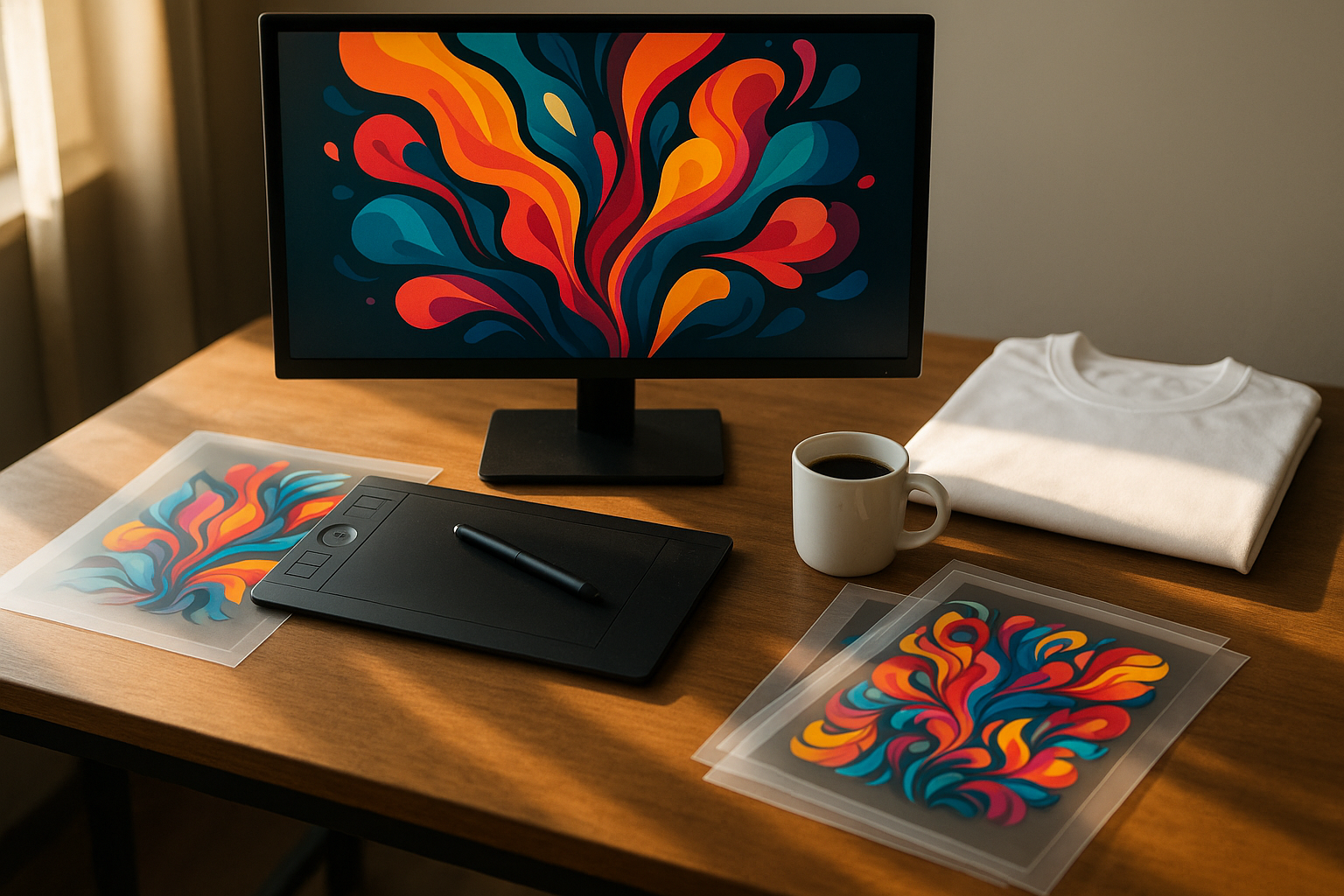
AI Is Entering the Physical Side of Personalization
Artificial intelligence is commonly discussed as a content, software or analytics technology. Yet some of its most practical uses are appearing in businesses that make physical products. Custom merchandise companies, promotional-product suppliers, packaging studios and local print shops all manage large amounts of digital information before a single item reaches production.
A typical order may include an email description, a logo in the wrong file format, several product variants, a spreadsheet of names, a deadline and a photograph showing approximate placement. Someone must interpret the request, confirm dimensions, prepare artwork, group similar jobs, estimate cost and make sure the finished pieces match the order. The printing step may take minutes; the decisions around it can take much longer.
AI can help organize those decisions. It can classify incoming requests, identify missing information, flag artwork risks, recommend job groupings and summarize production data. Used carefully, it reduces repetitive administrative work and gives operators more time for tasks that still require physical judgment.
UV DTF printing is a useful example because it connects highly variable digital designs with a wide range of physical products. The process is flexible, but flexibility creates complexity. The opportunity for AI is not to replace the printer operator. It is to make that complexity more visible and manageable.
Why Custom Product Businesses Have a Data Problem
Personalization businesses rarely receive standardized orders. One customer wants fifty identical branded bottles. Another wants twelve names across three colors. An online shop may sell hundreds of designs but produce only a few units of each. A corporate buyer may approve artwork through several people and change the delivery address at the last moment.
These variations create fragmented data. The order platform knows the product and payment. The artwork folder contains design files. Email holds approvals. A spreadsheet contains personalization details. The RIP stores print settings. The production team may record completion on paper or in a messaging group.
When information is split across these systems, employees spend time searching and re-entering data. Mistakes often come from context rather than printing: the wrong file version, an omitted name, an incorrect quantity or a design applied to the wrong product color.
AI tools are good at extracting structure from unstructured information. They can turn a customer message into fields, compare a spreadsheet with an order, summarize a conversation and highlight conflicts. This does not require a futuristic factory. It requires a controlled workflow in which the system is given clear tasks and a human reviews the result before production.
Understanding the Role of UV DTF
UV DTF is a transfer-based decoration process. Color, white and adhesive-related layers are printed onto a film system. After lamination or the required film sequence, the finished graphic can be transferred to a product without heat pressing. The method is commonly used for glass, coated metal, plastic, ceramic, packaging, promotional products and objects that are difficult to load directly onto a flatbed printer.
The process is attractive because image production is separated from product application. A business can print transfers in batches, store them under controlled conditions and apply them when blank products are available. It can also prepare transfers centrally and send them to another location for application.
That flexibility creates several planning decisions. Which designs should share a film? How should artwork be nested? Which products have compatible surfaces? How many transfers should be printed to cover expected rejects? When should a design be produced in advance, and when should it wait for a confirmed order?
A commercial UV DTF printer provides the physical output capability. AI becomes useful around the machine by helping the business manage artwork, priorities, variation and production history. The value comes from connecting software decisions to a documented print process.
Intelligent Order Intake Can Reduce Rework
Order intake is one of the easiest places to begin. A structured assistant can read customer-provided information and produce a production brief containing product type, quantity, design count, personalization fields, requested size, deadline, shipping method and missing details.
The assistant can ask consistent questions. Is the artwork vector or high-resolution raster? Does the customer want a transparent background? What is the target width in millimeters? Will the transfer be placed on a flat, cylindrical or strongly curved surface? Does the product have a coating that has been tested for adhesion?
Consistency matters because experienced sales staff often fill gaps automatically, while new employees may not know which details affect production. A guided intake process captures that knowledge without requiring the AI to make final technical decisions.
The resulting brief should remain editable and traceable. The customer-approved information, not the model’s interpretation, must control production. If the system is uncertain, it should flag the field rather than invent a value. This principle is essential whenever AI handles dimensions, names, dates, addresses or quantities.
A strong intake workflow reduces back-and-forth while preserving responsibility. It makes the next steps easier because the artwork team receives a defined problem instead of a collection of messages.
AI-Assisted Artwork Preflight
Artwork preflight checks whether a file is ready for production. Traditional checks include dimensions, resolution, color mode, transparency, embedded fonts, edge quality and the presence of unwanted backgrounds. UV DTF adds considerations for white underbase, small isolated elements, thin strokes, adhesive coverage and transfer handling.
AI-assisted tools can identify likely problems and explain them in plain language. A low-resolution logo may look acceptable on a phone screen but become visibly soft at the requested size. A design with many tiny independent elements may be difficult to lift and apply. Fine white details may disappear when the underbase is generated. Text may be too small for reliable transfer production.
Automated checks should produce recommendations, not silent alterations. Upscaling cannot recreate every missing detail. Background removal can damage fine edges. Vectorization can change letterforms. The artwork operator must compare any processed result with the approved original.
A useful preflight report records the source file, requested output size, effective resolution, detected risks and changes made. This creates a review point before the file enters the RIP. It also helps sales staff explain why a customer needs to provide better artwork or approve a simplified design.
AI can make preflight faster, but production standards decide what is acceptable.
Design Assistance Without Losing Brand Control
Generative tools can help customers explore concepts, backgrounds, patterns and product mockups. They can create variations quickly, which is valuable for small businesses that do not have a full-time design department. The risk is that rapid generation can produce inconsistent branding, inaccurate product representations or artwork that cannot be printed cleanly.
A controlled design system starts with approved brand assets. Logos, color references, typography rules and prohibited modifications should be stored separately from generative prompts. AI may propose compositions around those assets, but it should not redraw the logo or substitute an approximate typeface.
Printability should be part of the design brief. A beautiful image with hundreds of tiny disconnected details may be unsuitable for a transfer. Very subtle transparency, extremely fine gradients or edge effects can behave differently when white and adhesive layers are introduced. The design team needs templates showing minimum line weights, safe areas and expected viewing distance.
Mockups should be labeled as visual previews. A digital rendering cannot guarantee exact color, gloss, texture or adhesion on the final product. Physical samples and approved references remain the standard for production.
AI is most helpful when it accelerates options while keeping the brand, process and approval rules fixed.
Personalization at Scale Requires Data Discipline
Names, numbers, locations, QR codes and short messages can turn one design into hundreds of unique outputs. This is commercially attractive because customers value individual relevance. It is also a common source of expensive mistakes.
The personalization dataset should have defined columns, character rules and a unique order identifier. AI can detect duplicate names, unexpected symbols, blank fields and values that exceed the available design area. It can compare the requested quantity with the number of personalization records and highlight the difference.
The system can also help fit text. Long names may need a smaller size or a two-line treatment. Rather than applying one automatic adjustment to every record, the workflow can flag exceptions for review. This preserves consistency while preventing a small number of unusual values from breaking the layout.
Data should be frozen after approval. If a customer submits a revised spreadsheet, the production team needs a clear version change and a new validation report. Mixing records from two versions is more dangerous than any printing problem.
The physical output should remain traceable to the dataset. Transfer sheets can include small job codes outside the usable graphic area, and packing lists can follow the same identifiers. AI helps identify anomalies, but identifiers keep the digital and physical items connected.
Smarter Nesting Can Save Film and Operator Time
Nesting arranges designs on the printable film area. The goal is not simply to fill every empty space. The layout must also support cutting, handling, lamination and application.
Optimization software can group graphics by production settings, rotate compatible designs, maintain spacing and reduce unused film. AI can add business rules: keep one customer’s order together, separate rush work, avoid mixing designs that are visually similar, or place fragile fine-detail transfers where they are less likely to be damaged during trimming.
A perfectly dense layout can be difficult to use. Operators need enough space to identify and cut each transfer. Very different design sizes may create awkward handling. If sheets are sent to another location, labels and order grouping may be more valuable than a small reduction in material use.
The optimization target should therefore include labor and error risk. A layout that uses two percent more film but saves ten minutes of sorting may be the better choice. The system should learn from production data rather than optimizing one metric in isolation.
Once a nesting rule set has been validated, it can turn a folder of small orders into a predictable daily batch.
Forecasting Which Designs to Produce in Advance
Because UV DTF separates transfer production from final application, businesses can hold a limited inventory of popular graphics. The challenge is choosing what to produce and how much.
Demand forecasting can analyze historical sales, seasonality, event calendars, product availability and current order trends. It may show that certain monograms sell steadily, while event-specific designs have a short peak. It can identify items that are frequently ordered together and suggest a combined production batch.
Forecasts should support decisions, not create unlimited stock. Transfers have storage requirements, designs can become outdated, and cash tied up in slow-moving inventory still has a cost. A practical policy defines minimum demand, maximum stock and review dates.
The model should distinguish real demand from temporary promotion. A design that sold strongly because it was featured in an advertisement may not continue at the same rate. Human planners know when a corporate event, influencer post or discount caused an unusual spike.
Small businesses can begin with simple recommendations: likely reorders, stock below threshold and designs with declining demand. Even modest forecasting reduces emergency production and helps the team schedule film runs during quieter periods.
Routing Orders Between Direct Printing and Transfers
Not every product should use UV DTF. A flat, stable object in a large recurring order may be more efficiently printed directly. A strongly curved or assembled item may favor transfer application. A dedicated tumbler printer may be appropriate when a business produces consistent cylindrical drinkware at volume and needs controlled full-wrap decoration.
AI can support routing by applying documented rules. The order brief may include surface shape, material, quantity, image coverage, available fixtures, turnaround and durability requirements. The system can suggest direct printing, UV DTF or rotary production and explain which rule produced the recommendation.
Final routing should remain with production staff, especially for new materials. Adhesion tests, coatings and product geometry can override a general rule. The purpose of the recommendation is to make the decision consistent and visible, not to hide it.
Over time, the business can compare estimated and actual labor for each route. If transfer application repeatedly takes longer than expected for a certain product, the rule can change. If a rotary fixture reduces rejects for a recurring bottle, more of that work can move to direct cylindrical printing.
A data-informed routing system helps the company sell several processes without turning scheduling into guesswork.
Quality Checks Can Become More Consistent
Quality control for custom decoration includes more than image sharpness. The operator must confirm correct artwork, quantity, orientation, surface adhesion, edge integrity, white coverage, color consistency and transfer application.
Computer vision can compare a completed transfer sheet with the expected layout. It may identify a missing graphic, severe banding, a major color shift or an object placed in the wrong region. A camera at the application station can capture evidence that the correct transfer was applied to the correct item.
These systems require controlled lighting and defined tolerances. A standard office camera cannot make reliable color judgments simply because an AI model is connected to it. Reflective film, varnish and transparent layers complicate imaging. The inspection goal should be specific and testable.
Human tactile checks remain important. Adhesion, edge lift and surface contamination may not be visible in a photograph. Sample testing can reveal whether a transfer survives expected handling.
The useful approach is layered. Automated checks catch obvious, repeatable errors. Operators evaluate material behavior and ambiguous results. Recorded images and job data help investigate complaints and improve future production.
Color Management Is Not an AI Guessing Game
AI can suggest color corrections, but accurate production color still depends on profiles, calibrated devices, ink behavior, substrate appearance and viewing conditions. A model cannot infer the exact printed result from an uncalibrated customer screen.
The business should maintain reference output for common film, ink and print modes. Monitors used for artwork approval should be reasonably calibrated. Brand-critical colors should be matched through physical sampling and documented settings.
White ink density affects color appearance. A stronger white layer can increase opacity but may change texture, curing and film behavior. Varnish or laminate changes gloss and perceived saturation. These process variables must be controlled before software optimization is meaningful.
AI can help search the history of previous jobs. If a similar brand color was produced successfully, the system can retrieve the file, profile and notes. It can identify jobs with large reprint rates and suggest that the preset be reviewed.
What it should not do is promise an exact match based on a verbal color description. Physical color remains a measurement problem.
Predictive Maintenance Begins with Good Records
Maintenance is another area where AI is often described too dramatically. A small shop may not need a complex predictive model. It does need consistent records of nozzle checks, cleaning cycles, environmental conditions, ink consumption, error messages and component replacement.
Once those records exist, software can identify patterns. Increasing cleaning frequency may indicate a developing capping or environmental issue. A gradual rise in reprints on one channel may justify inspection before complete failure. Ink use that deviates sharply from expected coverage can trigger a review.
The recommendations should connect to approved maintenance procedures. An alert can ask the operator to perform a nozzle check, inspect a wiper or verify temperature and humidity. It should not improvise mechanical repairs.
Data quality matters. If employees record only serious failures, the system cannot learn the difference between normal operation and deterioration. Simple, quick logging is more sustainable than a complicated form nobody completes.
The objective is planned intervention. Preventing one missed deadline may be more valuable than squeezing a small amount of additional life from a consumable component.
More Accurate Job Costing
Flexible production makes job costing difficult because two orders with the same number of products can require very different amounts of artwork, film, cutting and application labor. AI can help estimate cost from historical jobs, but the inputs must reflect the actual process.
Useful fields include artwork preparation time, printable area, white coverage, film usage, lamination, trimming, application minutes, blank-product cost, rejects, packing and shipping. The system can compare the estimate with the completed job and identify where assumptions were wrong.
This feedback is valuable for sales. A complicated personalized order may need a setup charge even when the physical products are inexpensive. A repeat design with clean data may qualify for a lower price. Rush work should include the scheduling cost it creates.
Estimates should provide a range when uncertainty is high. New materials, customer-supplied blanks and untested surfaces can produce unpredictable labor or rejects. A cautious quote protects both the business and the customer relationship.
Over time, better costing reveals which products generate contribution and which merely keep the printer busy.
Privacy and Intellectual Property Need Clear Boundaries
Customization data can include names, photographs, employee information, event details and customer artwork. Uploading that material to an AI service without understanding its storage and training policies creates unnecessary risk.
Businesses should decide which tools are approved, what data may be processed and how long files are retained. Sensitive customer information should be minimized. Personalization records should be accessible only to employees who need them and deleted according to a defined policy.
Intellectual property is equally important. Customer logos and licensed artwork should not be used to train unrelated models or generate designs for other clients. Generated images may contain uncertain rights or elements that resemble protected brands. Commercial use requires review.
AI output should also be checked for fabricated claims. Product descriptions, safety instructions and technical specifications must come from verified sources. A fluent sentence is not evidence.
Clear boundaries allow the team to use automation confidently because everyone understands which tasks are appropriate and which require private or human-controlled processing.
Human Approval Is a Design Requirement
A human-in-the-loop process is sometimes described as a temporary limitation until models improve. In physical production, it is better understood as a control point. Ink, film and blank products are consumed when a job starts. Some customer-supplied objects cannot be replaced easily. Approval should occur before irreversible actions.
The person reviewing a job needs useful evidence: the source request, extracted order fields, artwork preview, detected risks, personalization count, selected production route and final layout. Approval should not mean clicking a button without context.
Responsibility must be clear. Sales confirms the customer requirement. Artwork staff confirm design and dimensions. Production confirms material, settings and schedule. Quality staff confirm output where the organization is large enough to separate the roles.
AI can prepare information for each decision and record what was approved. It cannot own the customer promise or the physical result.
This division of labor makes automation safer and often faster because employees no longer repeat basic checks while still controlling the decisions that matter.
A Phased Implementation Roadmap
A practical rollout can be completed in stages:
- Standardize the order form and production brief.
- Create naming rules for customers, jobs, artwork and personalization files.
- Introduce AI-assisted extraction for incoming requests with mandatory review.
- Build an artwork preflight checklist and automate only measurable checks.
- Connect approved files to a controlled production queue.
- Add nesting rules that account for film, cutting and order grouping.
- Track estimated versus actual labor, material use and rejects.
- Use historical data for reorder and stock recommendations.
- Introduce image-based verification for one clearly defined defect.
- Review privacy, retention and intellectual-property policies.
- Train staff on uncertainty, exceptions and escalation.
- Expand only after the current stage produces reliable data.
This sequence starts with information quality because every later recommendation depends on it. Companies that skip standardization often automate inconsistency and then blame the software.
Metrics That Show Whether the System Is Working
The business should track a small set of operational measures before and after implementation:
- Time from order receipt to production-ready brief.
- Percentage of orders requiring clarification after artwork begins.
- Preflight issues found before RIP processing.
- Personalization errors per order.
- Film utilization and trimming time.
- Setup and application minutes by product category.
- Reprints caused by artwork, data, printing or application.
- On-time completion rate.
- Difference between estimated and actual job contribution.
- Inventory written off because designs became obsolete.
These metrics prevent the team from confusing activity with improvement. Generating more suggestions is not the goal. Reducing avoidable work and improving dependable output are the goals.
Results should be reviewed by job type. An automation may help personalized gift orders while adding little value to simple wholesale runs. The company can then focus the system where complexity is highest.
The Future Is a Connected Production Record
The next step for intelligent customization is not a printer that independently invents products. It is a connected production record that follows an order from request through artwork, printing, application, inspection and delivery.
Such a record can preserve the approved design, personalization dataset, process route, RIP preset, film batch, operator notes and verification images. When the customer reorders, the business can reproduce the work without reconstructing decisions from old messages.
AI can make that record searchable. Staff can ask which materials produced adhesion complaints, which designs require extra handling or which product categories are routinely underestimated. Answers should point back to real jobs and documented evidence.
This is a grounded form of intelligence. It helps a physical operation learn from its own history while keeping experienced people responsible for technical judgment.
Conclusion
AI-assisted UV DTF printing is best understood as workflow intelligence around a flexible decoration process. The technology can structure orders, check artwork, validate personalization data, improve nesting, forecast transfer demand, support routing and make quality records easier to use.
Its value depends on standards. Customer information must be confirmed. Artwork changes must be visible. Color and adhesion require physical controls. Maintenance recommendations need reliable records. Sensitive data and intellectual property need clear protection.
When those foundations are in place, AI reduces the administrative friction that makes custom production expensive. Operators spend less time searching, retyping and checking routine details. They spend more time solving the material, quality and customer problems that genuinely require experience.
The future of product decoration is not simply faster printing. It is a better connection between digital demand and physical execution, with software handling complexity and people retaining control of the result.






Comment