When purchasing a home, most buyers understand the importance of getting a professional inspection. However, many don’t realize that some of the most expensive problems are often the ones hiding in plain sight. Understanding what to look for – and what questions to ask your inspector – can save you from costly surprises after closing.
Here are five commonly overlooked inspection issues that every homeowner should understand, along with expert insights on how to protect your investment.
1. Sewer Line Problems: The Hidden Expense Underground
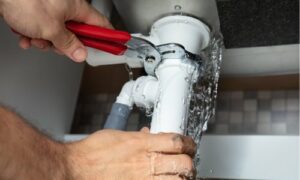
One of the most expensive surprises new homeowners face involves their sewer line – the pipe that carries waste from your home to the municipal system or septic tank. Unlike visible plumbing issues, sewer line problems often go undetected until they become major emergencies.
Traditional home inspections typically don’t include sewer line evaluation because the pipes are underground and require specialized camera equipment to assess properly. This oversight can be costly. Sewer line repairs can range from $3,000 for minor fixes to $15,000 or more for complete line replacement.
Common sewer line issues include:
- Tree root intrusion, especially in older neighborhoods with mature landscaping
- Collapsed or broken pipes due to age or ground settling
- Improper installation or repairs from previous work
- Blockages from inappropriate items flushed or washed down drains
What homeowners should know: Sewer scope inspections use specialized cameras to provide real-time video of your sewer line’s condition. This additional service can identify problems before they become emergencies, potentially saving thousands in unexpected repair costs.
Many inspection companies now offer sewer scope services as an add-on to standard inspections. For homes built before 1980 or properties with large trees near the sewer line, this additional inspection is often worth the investment.
2. Thermal Imaging: Seeing What the Eye Cannot
Modern inspection technology has revolutionized the industry, with thermal imaging cameras becoming an invaluable tool for identifying hidden problems. These devices detect temperature differences that can indicate moisture intrusion, electrical issues, or insulation problems that aren’t visible during standard visual inspections.
What thermal imaging can reveal:
- Moisture intrusion: Water leaks behind walls or in ceilings often show up as temperature differences before visible damage occurs
- Electrical hot spots: Overloaded circuits or loose connections create heat that thermal cameras can detect, potentially preventing fires
- Insulation gaps: Missing or inadequate insulation appears clearly on thermal images, helping identify energy efficiency issues
- HVAC problems: Ductwork leaks and system inefficiencies are easily spotted with thermal technology
The value proposition: While thermal imaging might add to your inspection cost, it can identify problems that could cost thousands to repair later. A small roof leak detected early might cost $500 to fix, while the same leak discovered after it causes interior damage could cost $5,000 or more.
Not all inspection companies offer thermal imaging as a standard service, so it’s worth asking whether this technology is included or available as an add-on when choosing your inspector.
3. The Pacific Northwest Moisture Challenge
For homeowners in Washington State and the broader Pacific Northwest, moisture management presents unique challenges that buyers from drier climates might not fully appreciate. The region’s wet winters and mild summers create conditions where moisture-related problems can develop slowly and cause significant damage over time.
Regional moisture concerns include:
- Exterior envelope issues: Poor caulking around windows and doors can allow water penetration that leads to rot and mold
- Basement and crawl space moisture: Inadequate vapor barriers and ventilation can create ongoing humidity problems
- Roof and gutter systems: Heavy rain loads require properly functioning drainage systems to prevent water intrusion
- HVAC condensation: Systems that aren’t properly maintained can create moisture problems that affect indoor air quality
Prevention strategies: The best defense against moisture problems is understanding your home’s specific vulnerabilities. During your inspection, pay special attention to areas where different materials meet (like where siding meets windows), basement or crawl space conditions, and the overall condition of exterior caulking and weatherproofing.
Professional inspectors familiar with regional climate challenges can identify potential problem areas and recommend preventive maintenance that saves money long-term.
4. Electrical System Capacity and Safety
Many homes, particularly those built before 1990, have electrical systems that weren’t designed for modern electrical loads. With today’s homes filled with computers, large televisions, kitchen appliances, and electric vehicle chargers, older electrical systems can become overloaded and potentially dangerous.
Common electrical issues that inspections reveal:
- Inadequate panel capacity: Older homes might have 60-amp or 100-amp electrical service, while modern homes typically need 200-amp service
- Outdated wiring: Aluminum wiring, knob-and-tube systems, or cloth-wrapped wiring can present safety hazards
- GFCI protection: Missing ground-fault circuit interrupters in bathrooms, kitchens, and outdoor areas create shock hazards
- DIY electrical work: Unpermitted or improperly done electrical work can create serious safety risks
Cost implications: Electrical upgrades can be expensive, with panel upgrades typically costing $2,000-$4,000 and whole-house rewiring potentially costing $8,000-$15,000 or more. However, these issues also present serious safety risks, making professional evaluation essential.
During your inspection, make sure your inspector evaluates not just whether electrical systems work, but whether they’re adequate and safe for your intended use of the home.
5. HVAC System Efficiency and Longevity
Heating, ventilation, and air conditioning systems represent one of the largest ongoing expenses for homeowners, both in terms of energy costs and eventual replacement. Many buyers focus on whether the system works during the inspection but don’t consider efficiency, remaining lifespan, or maintenance requirements.
Key HVAC evaluation points:
- System age and expected lifespan: Most furnaces last 15-20 years, while heat pumps typically last 10-15 years
- Energy efficiency ratings: Older systems may work but cost significantly more to operate than modern efficient units
- Ductwork condition: Leaky or poorly insulated ducts can waste 20-30% of heated or cooled air
- Maintenance history: Systems that haven’t been properly maintained may have shortened lifespans or immediate repair needs
Financial planning: Understanding your HVAC system’s condition helps with both immediate and long-term budgeting. A system that’s likely to need replacement within 2-3 years should factor into your purchase negotiations, while efficiency issues might influence your ongoing utility budget planning.
Ask your inspector about the system’s maintenance requirements and efficiency characteristics, not just its current functionality.
Making Informed Inspection Decisions
The home inspection process serves as your opportunity to understand exactly what you’re purchasing. While no home is perfect, understanding potential issues helps you make informed decisions about your investment.
Tips for maximizing your inspection value:
- Choose experienced local inspectors: Professionals familiar with regional building practices and climate challenges provide more relevant insights
- Consider additional services: Sewer scopes, thermal imaging, and specialized inspections can provide valuable information beyond standard visual inspections
- Attend the inspection: Being present allows you to ask questions and better understand your home’s systems
- Plan for follow-up: Establish relationships with qualified contractors for any identified maintenance or repair needs
The investment perspective: Professional home inspections typically cost $400-$800, while the problems they identify can save thousands in unexpected repairs. More importantly, inspections provide peace of mind and help you understand your home’s maintenance needs from day one.
Working with Professional Inspection Services
When selecting a home inspection company, look for professionals who combine technical expertise with clear communication. The best inspectors don’t just identify problems – they help you understand what issues mean for your specific situation and priorities.
Qualities of effective inspection services:
- Comprehensive reporting: Detailed reports with photos and clear explanations of findings
- Modern technology: Use of thermal imaging, moisture meters, and other diagnostic tools
- Local expertise: Understanding of regional building practices and common issues
- Ongoing support: Availability for follow-up questions and clarification after the inspection
For homeowners in the Seattle area and throughout Northwest Washington, companies like Titan Inspection Services have built reputations on thorough evaluations and clear communication. With over 30,000 inspections completed, their team understands both regional building challenges and modern inspection technology.
Whether you’re a first-time buyer or an experienced investor, taking advantage of comprehensive inspection services and pricing options can provide valuable insights into your potential purchase. Many companies also offer online quote systems that make it easy to understand costs and schedule services.
Protecting Your Investment
Buying a home represents one of life’s largest investments, and professional inspection services provide essential protection for that investment. By understanding common issues and working with qualified professionals, you can make informed decisions that save money and provide peace of mind.
Remember that the goal isn’t to find the perfect home – it’s to understand any home’s true condition so you can make smart decisions about your purchase and future maintenance needs. A thorough inspection process sets the foundation for years of successful homeownership.
This article provides general information about home inspection considerations. For specific advice about your property purchase, consult with qualified inspection professionals and real estate advisors familiar with your local market conditions.