
CMG Visuals Review: A Closer Look at the Dallas LED Video Wall Company Businesses Keep Recommending

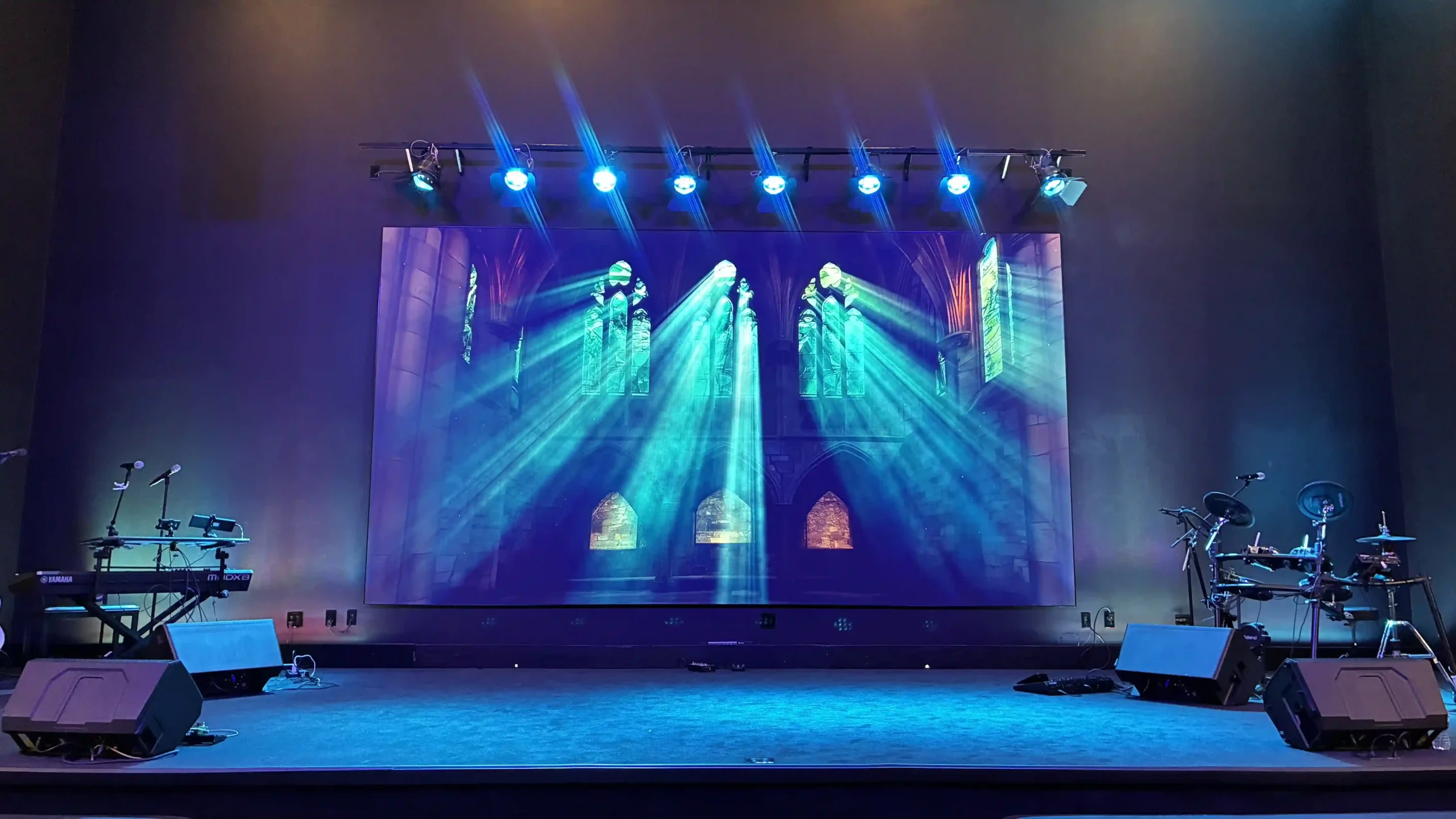
The LED display industry has grown fast over the past five years. Corporate events, churches, trade shows, and retail spaces now treat large-format screens as standard equipment rather than a luxury. With demand rising, dozens of AV companies have entered the market. Most of them rent hardware. Few of them own the full process from consultation to installation to long-term servicing.
CMG Visuals, a Dallas-Fort Worth company operating under the Copano Media Group brand, positions itself in the second category. This review examines what the company offers, how its process works, which projects back up its claims, and where prospective clients should pay attention before signing a contract.
What CMG Visuals Does
CMG Visuals focuses on four core services: LED video wall sales, installation, rental, and ongoing maintenance. The company sells custom LED screen panels for permanent installations, rents complete video wall systems for events, and services displays after deployment.
The company works with clients across hospitality, entertainment, corporate, production, and spiritual sectors. This range matters. A church installation carries different requirements from a trade show booth. Viewing distance, ambient light, mounting structure, and content workflow all change between environments. A vendor with experience across sectors makes fewer assumptions and asks better questions during planning.
One structural advantage stands out. CMG Visuals maintains direct relationships with overseas LED manufacturers. This removes distributor markups from the supply chain and lets the company price competitively without dropping panel quality. For buyers comparing quotes, this explains why CMG Visuals often comes in below larger integrators on identical specifications.
The Team Behind the Screens
The company keeps a small, specialised team. Jack, the founder, leads sales, integration, and long-term client strategy. Cole guides customers through rentals, purchases, and custom installation planning. Conner handles servicing and on-site installation work.
Two credentials deserve attention here. First, the team includes certified LED engineers who program, design, and build displays to match each client’s needs. Second, all technicians hold NovaStar certification. NovaStar produces the control systems behind most professional LED walls worldwide. A technician trained on these controllers diagnoses signal problems, colour calibration issues, and mapping errors faster than a generalist AV crew. For event clients, this reduces the risk of a screen failure during a live moment.
The Rental Service Reviewed
Rental forms the most visible part of the CMG Visuals business. The company supplies LED walls for concerts, corporate events, festivals, weddings, and trade shows across the Dallas-Fort Worth area and beyond.
The rental process follows a clear sequence. You request a quote through the website form. The company responds with pricing within 30 to 60 minutes once details arrive. After you sign, the team asks for your videos and images ahead of the event. Technicians test and map your content so everything displays correctly on the wall before doors open. On event day, the crew installs, powers, and tests the system, then monitors the display throughout the event. Teardown and packing follow once your event ends.
This content pre-mapping step separates professional operators from equipment lenders. Plenty of rental companies drop off panels and leave the client to figure out scaling and resolution. CMG Visuals handles this in advance, which removes the most common failure point in event visuals.
For outdoor events, the company supplies weather-resistant, high-brightness screens built for direct sunlight. Washed-out colours and blurry playback under daylight remain the two biggest complaints in outdoor LED rental. High-brightness panels solve both.
Documented Projects
Marketing copy means little without completed work behind it. CMG Visuals publishes a running portfolio of finished projects, and several examples show the company’s range.
The company installed a P1.9 LED church screen at Christ United Methodist Church in Farmers Branch, Texas, covering 151 square feet using its 101 and 201 Series panels. A P1.9 pixel pitch delivers sharp imagery at close viewing distances, a sensible specification for a sanctuary where front rows sit near the screen.
On the corporate side, CMG Visuals completed a 135-inch 0.9mm 4K LED video wall installation for WAC Lighting’s meeting room in Long Island, New York. A 0.9mm pitch sits at the premium end of the market and shows the company handles high-end boardroom work, not only event staging.
Event rentals include a 19.69 by 9.84 foot outdoor LED screen for the Texas Health Resources groundbreaking ceremony in Plano, a high-resolution wall for Libsyn at the Gaylord Texan in Grapevine, a 10×10 trade show wall for Enerbine at the Thrive 2026 energy conference in Houston, and a motion backdrop rental at Gilley’s Dallas for a corporate event. The company also supported a multi-screen church setup in Fenton, Michigan, covering three LED screens totalling roughly 366 square feet.
Two things stand out in this list. The projects span four states, so the company travels beyond its Dallas base. The projects also span pixel pitches from premium 0.9mm indoor panels to large outdoor formats, so the inventory covers both ends of the specification range.
What Customers Say
Public reviews give the clearest signal on how a company performs under pressure. Two examples from CMG Visuals clients illustrate a pattern.
One client came to the company after their previous LED vendor went out of business, leaving a broken screen with no support. Jack and his team stepped in, kept communication open even while he travelled abroad, and dispatched a technician to diagnose the issue on site.
Another client lost their entire trade show booth setup to a mishap. They contacted CMG Visuals mid-morning. By late evening the same day, the team had coordinated payment, logistics, and a full LED video wall installation at the booth.
Same-day recovery on a trade show floor requires stocked inventory, available crew, and a decision-maker who answers the phone. Most AV companies fail at least one of these tests. Both stories point to responsiveness as the company’s strongest trait, and responsiveness matters more in live events than any hardware specification.
The Buying Process
For purchase and installation clients, CMG Visuals follows a structured path. The team evaluates your location first, checking viewing angles, screen placement, lighting conditions, and technical requirements. After product selection, you receive a detailed quotation covering the displays and any additional services. A formal sales agreement follows your approval, then hardware installation using standard low-voltage construction techniques.
After installation, the team tests the full system for clarity, brightness, and stability before handover. Post-sale, the company offers repair services with a dedicated support team for malfunctions or damage. This matters for permanent installations. LED walls run for years, and panels fail occasionally. A vendor who services what they sell protects your investment far better than one who disappears after commissioning.
Where Buyers Should Pay Attention
No review is complete without caveats. Three points deserve consideration.
First, rental deposits in this industry often reach 50 percent of the total, and some deposits are nonrefundable. Confirm the refund terms in writing before you sign, whichever vendor you choose.
Second, CMG Visuals operates with a small team. Small teams deliver personal service and fast decisions, as the client stories show. During peak event season, book early to secure your dates.
Third, pricing depends heavily on screen size, resolution, and event duration. Request a written quote with a full breakdown of setup, operation, and teardown costs so you compare vendors on equal terms.
Why the Full-Service Model Wins
The broader lesson from this review applies across the AV industry. Businesses lose money on LED displays in two places: at the start, through poor specification, and later, through absent support. A wall with the wrong pixel pitch wastes budget on resolution nobody sees, or ruins the experience with visible pixels at close range. A vendor with no service arm leaves you stranded when a panel fails three years after purchase.
The full-service model closes both gaps. Engineers who specify, install, and service the same hardware carry accountability through the entire lifecycle. CMG Visuals built its business on this model, and the project record shows the approach works in practice, not only on paper.
The Verdict
CMG Visuals earns a strong recommendation for businesses, churches, and event organisers in Texas and surrounding states. The company combines direct manufacturer sourcing, NovaStar-certified technicians, a documented multi-state project portfolio, and a service record built on speed.
The published projects prove capability across the specification range, from 0.9mm boardroom walls to large outdoor event screens. The client testimonials prove reliability under pressure, which no datasheet demonstrates. The end-to-end model, covering sales, installation, rental, and servicing under one roof, gives you a single point of accountability for the life of your display.
If your organisation needs an LED video wall for an event or a permanent space, request a quote, ask for the full cost breakdown, and confirm your dates early. Based on the public record, CMG Visuals delivers what most AV vendors only promise: screens installed on time, content mapped correctly, and a team who picks up the phone when something goes wrong.







Comment