
WiFi Installation Guide for Faster and Reliable Networks

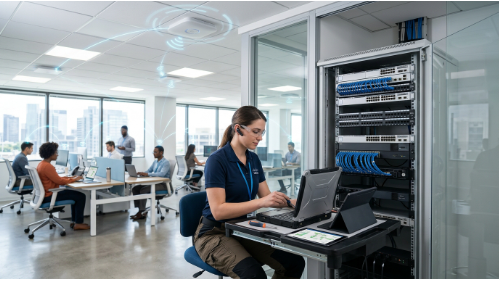
A reliable wireless connection has become essential for modern homes and businesses. From remote work and video conferencing to smart devices and cloud-based applications, users need a network that provides consistent speed, strong coverage, and secure connectivity. WiFi Installation is the foundation of building a reliable wireless network that can support today’s increasing demand for internet-connected devices.
Many people assume that setting up WiFi only requires connecting a router and entering a password. However, professional installation involves proper planning, equipment selection, network configuration, and performance testing. A poorly installed network can result in slow speeds, weak signals, connection drops, and security issues. An effective WiFi installation process ensures every stage, from planning to final optimization, contributes to a faster, more stable, and secure wireless network.
Understanding the complete installation process helps users create a wireless network that delivers better performance, reliability, and long-term value.
Understanding the WiFi Installation Process
A successful WiFi installation starts with understanding the environment where the network will operate. Every home and business has different requirements based on size, layout, number of users, and connected devices.
The process usually begins with:
- Evaluating the location and coverage requirements
- Understanding internet usage needs
- Selecting suitable networking equipment
- Planning router and access point placement
- Configuring and testing the network
A proper installation approach ensures that wireless signals reach the required areas while maintaining speed and stability.
Step 1: Analyze Network Requirements
Before installing any equipment, the first step is to identify the network requirements. A small apartment with a few connected devices will have different needs compared to a large home or business environment.
During this stage, important factors include:
- Property size and layout
- Number of users
- Connected devices
- Internet activities such as streaming, gaming, or business applications
- Areas where strong coverage is required
This assessment helps determine the type of equipment needed and prevents future performance problems.
Step 2: Select the Right Equipment
Choosing suitable networking hardware is an important part of the installation process. The router, access points, and other network devices should match the coverage area and performance requirements.
Modern WiFi equipment includes:
- Advanced wireless routers
- Mesh WiFi systems
- Wireless access points
- Network security features
A proper router installation involves more than placing the device and connecting cables. The router must be positioned correctly, configured properly, and optimized according to the environment.
For larger properties or offices, additional access points may be required to provide consistent connectivity across all areas.
Step 3: Plan Router and Access Point Placement
The location of networking equipment has a major impact on wireless performance. Even a high-performance router may deliver poor results if it is placed incorrectly.
During installation, professionals consider:
- Building structure
- Walls and physical obstacles
- Signal interference
- Device locations
- Coverage requirements
A planned wireless network installation focuses on creating balanced coverage instead of simply increasing signal strength from one location.
Routers should generally be placed in open and central locations to allow wireless signals to distribute more effectively.
Step 4: Configure the Wireless Network
After installing the hardware, the next step is configuring the network settings. This ensures devices can connect properly while maintaining security and performance.
The configuration process includes:
- Creating a network name (SSID)
- Setting a strong password
- Selecting security protocols
- Configuring frequency bands
- Updating firmware
- Managing connected devices
Proper WiFi configuration improves network efficiency and helps protect the connection from unauthorized access.
Security settings should always be reviewed during installation because wireless networks can become vulnerable when outdated protection methods are used.
Step 5: Test Speed and Coverage
Testing is an essential part of professional installation. After configuration, the network should be checked to identify any weak areas or performance issues.
Testing usually includes:
- Checking signal strength
- Measuring connection speeds
- Testing different locations
- Identifying dead zones
- Reviewing device connectivity
If certain areas have weak signals, adjustments can be made by repositioning equipment or adding additional networking devices to improve WiFi coverage.
Step 6: Optimize Network Performance
Once the network is installed and tested, optimization helps maintain reliable performance over time.
Common optimization steps include:
- Adjusting wireless channels
- Reducing interference
- Updating network equipment
- Managing bandwidth usage
- Improving device connectivity
A well-optimized network provides a smoother experience for activities such as video calls, online meetings, streaming, and cloud-based applications.
Why Professional Installation Matters
While many users can complete a basic router setup, professional installation focuses on creating a complete and reliable networking solution. A professional approach ensures proper equipment selection, effective coverage planning, secure configuration, accurate performance testing, and long-term network reliability.
As wireless networks become more complex, WiFi installation services help ensure the right equipment is selected, configured, and positioned to deliver reliable performance. This is particularly important for larger homes, business environments, and properties with multiple users and connected devices, where network stability and coverage have a direct impact on the overall user experience.
Home and Business WiFi Considerations
The requirements of a home network and a business network can vary significantly. Homes often focus on streaming, smart devices, and remote work, while businesses require stable connectivity for employees, communication tools, and cloud systems.
A reliable home WiFi installation should consider:
- Multiple users
- Smart home devices
- Entertainment systems
- Remote working requirements
Business networks often require more advanced planning, including scalable solutions that support growing numbers of users and devices.
The Role of Modern Wireless Networks
Wireless technology continues to evolve as more devices become connected. Businesses and organizations increasingly depend on strong wireless infrastructure to support digital operations.
Modern wireless networks help provide:
- Reliable employee connectivity
- Better device management
- Improved security
- Flexible network expansion
A properly designed wireless environment allows organizations to adapt to changing technology needs without replacing the entire network setup.
Common WiFi Installation Mistakes That Impact Network Performance
Even with high-speed internet and advanced networking equipment, poor installation decisions can significantly reduce WiFi performance. Many connectivity issues are not caused by the internet provider but by incorrect planning, improper configuration, or unsuitable equipment choices.
Understanding these common mistakes helps users build a more stable and efficient wireless network.
Incorrect Router Placement
Router placement is one of the most important factors affecting wireless performance. Installing a router in enclosed spaces, behind furniture, or near devices that cause interference can weaken signal distribution and lead to inconsistent connectivity.
A well-planned installation considers the physical environment, building structure, and areas requiring reliable coverage.
Using Unsuitable Networking Equipment
Not every router or access point is designed for every environment. Selecting equipment without considering property size, number of connected devices, and usage requirements can limit network performance.
Professional network planning focuses on choosing hardware that can support current demands while allowing future expansion.
Neglecting Network Security Configuration
Security is a critical part of any wireless installation. Using weak passwords, outdated encryption methods, or default settings can expose networks to unauthorized access and potential security risks.
A properly configured network should include updated security protocols and regular firmware updates to maintain protection.
Skipping Network Testing and Optimization
A WiFi network may appear functional after installation but still have hidden performance issues, such as weak coverage areas, unstable connections, or unnecessary interference.
Professional testing helps identify these problems by evaluating signal strength, connection speed, and overall network performance. Optimization after installation ensures the network continues to deliver reliable connectivity over time.
Final Thoughts
WiFi installation is a detailed process that involves planning, equipment selection, configuration, testing, and optimization. A reliable wireless network is not created by simply connecting a router; it requires careful consideration of coverage, performance, and security.
By following a structured installation process, users can build networks that deliver faster speeds, stronger coverage, and more stable connections for everyday digital activities.
As homes and businesses continue to rely on connected technology, a properly designed WiFi network will remain an important part of modern connectivity.
Read More From Techbullion







Comment