Your Internet Service Provider (ISP) acts as a gateway to the Internet, handling every request you make. Every time you request to open a website, it travels through the ISP’s network and to the correct destination. It sounds simple but that pathway is visible to more people than you assume.
The ISP can already see the sites you visit, but using unsecure public WiFi potentially exposes you to much larger risks, including the theft of your login credentials or payment details.
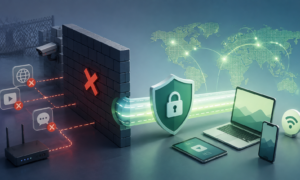
All of those problems go away when you use a VPN like ApexGuard. Instead of connecting to the website directly, the VPN creates an encrypted tunnel to relay the request to its server and then to the destination. The immediate benefit is that the ISP cannot see what’s inside the tunnel and websites see the VPN server’s IP address instead of yours.
What Does a VPN Change About a Connection?
A VPN doesn’t fundamentally change the way you connect to the Internet; it just makes what you do already in a more secure way. At a high-level, it becomes a secure intermediary for your traffic, so the ISP and local networks that carry it can no longer read any of its contents.
The encrypted tunnel
If the pathway doesn’t change, how do you send data without getting it seen? You wrap the data packet inside another data packet, which is what the term “tunnel” describes. A VPN takes what your device needs to send, places it inside a new packet addressed to the VPN server, and encrypts it.
Since the outer packet is addressed to the VPN server, anyone intercepting the data packets doesn’t know the actual destination address that the inner packets carry.
The replaced IP address
Your ISP has a unique IP address that reveals where it comes from. Sites can block you based on geographic location and advertisers can more accurately identify and target you with the IP address.
Working as an intermediary, the VPN server uses its own IP address to communicate with the destination. So, the website only sees the VPN server’s IP address and never yours.
Private DNS handling
ISPs use DNS servers to translate a website’s human-readable domain name into the actual IP address your device needs to connect to. These DNS queries happen every time you open a new website, and are usually handled by your ISP or another public provider, giving it accurate information about the sites you visit.
VPN takes over that responsibility so all queries go to the resolver operated by the VPN provider, preventing the ISP from tracking your browsing history.
| Approach | What it changes | Best suited for |
| Private browsing mode | The session cookies and browsing history | Shared devices |
| Proxy server | The IP address for one application | Changing geo-location where security isn’t a priority |
| VPN | The IP address and encryption for all traffic | Browsing unsecure networks and hiding web activity from the ISP |
How Does the VPN Tunnel Get Built?
For a VPN tunnel to serve its purpose, the device and the VPN server need to agree on a shared encryption key before they can securely send over the user’s traffic over the Internet.
The problem with sending the shared key over the Internet is that anyone intercepting the communication can use the key to decrypt VPN traffic. The Diffie-Hellman key exchange solves this by having each side create a private key, derive a public key from it, and exchange only the public keys. Each side then combines the received public key with its own private key to independently calculate the same shared secret. An interceptor can see the public key but cannot feasibly derive the secret without either of the private keys.
ApexGuard uses IKEv2/IPsec, a two-part protocol where IKEv2 negotiates the shared key and IPsec encapsulates and encrypts each data packet. The VPN server proves its identity through a certificate issued by a trusted third-party called a Certificate Authority (CA). Once the key has been derived, IPsec takes over and starts encapsulating each data packet.
It’s also worth noting that not only is IKEv2/IPsec widely recognized as a secure protocol, it’s best-suited for mobile devices because its reconnection speed allows the VPN tunnel to survive a network seamlessly.
Is a VPN the Same Thing as a Proxy or Incognito Mode?
Although the three tools get grouped together because they sound like privacy features, they’re not equal in their approach and solve different problems.
Private Browsing Modes Are Not Truly Private
A web browser stores data such as browsing history, cookies, and metadata about your device. Private browsing or Incognito mode controls what doesn’t get stored persistently. All data regarding what websites you’ve visited and the cookies stored get erased when you close the browser.
However, it doesn’t protect you on a network level, meaning nothing changes when it comes to how the ISP sees your browsing history or how the websites see your IP address. If you have a shared device, private browsing just hides the browsing history from other users.
Proxy Servers Don’t Encrypt Traffic
A proxy shares some similarities with a VPN, as it uses an intermediary server to route Internet traffic to its destination, and websites see the proxy server’s IP address instead.
But while VPN encrypts every type of traffic on your device, a proxy can only be configured per application and does not use encryption. A typical usage is running a proxy extension in the web browser to route the browser’s traffic through the proxy server. Everything else on your device continues to use the normal route.
VPN Works Differently
A VPN doesn’t have the shortcomings of a proxy server and it makes your browsing activities truly private. It operates on the OS-level so every traffic on the device gets encrypted without manually setting each application. The traffic gets delivered to the VPN server without the ISP ever knowing about the destination.
Where Does a VPN Matter in Everyday Use?
A VPN has great applications in everyday life as you use your device and rely on unknown networks to access the Internet.
Public Wi-Fi
Public Wi-Fi in cafes, hotels, co-working spaces, and airports are unfamiliar networks that you cannot verify. The network admin can observe the traffic passing through the network because despite HTTPS securing pages end to end, the part about domain names remains visible.
A VPN secures the connection from unwanted threats like Man-in-the-Middle (MITM) attacks.
Geo-restricted Websites
A common challenge for travelers is accessing the websites and services they rely on in a country. Content is not always consistent across regions, such as on streaming services. It’s called geo-restriction and it’s based on the IP address you access.
You can get around this by connecting to a VPN server in a country where the website or content is available.
Local censorship
Travelers can also face challenges if the country imposes local censorship on certain media like news outlets, streaming services, foreign websites, and iGaming platforms. The easiest way is to hide your DNS queries and allow the VPN server to handle those requests instead of the local ISP.
Regional Pricing
Online streaming services, digital goods stores, hotels, and airlines often show cheaper prices for emerging markets. A VPN can help you see the prices offered around the world, and potentially get the same product for a lower cost.
What Should a Beginner Look for in a VPN Service?
When you navigate through the marketing claims and paid advertisements, there are a few things that actually determine whether a service does what it promises.
Zero Logs Policy
This is a non-negotiable feature that you must always look for in a VPN. We’ve talked about how a VPN hides your browsing history from the ISP, but what about the VPN provider?
Everything funnels through the VPN server so the provider now sees what the ISP used to see. A zero-logs architecture which is audited by a third party firm assures that the VPN provider doesn’t log your data and follows the best practices to ensure the data is safe.
Safe Jurisdiction
A VPN provider that’s operating in the United States is more at risk than a VPN like ApexGuard in Switzerland. The former has mandatory data retention policies that would log your every visit with timestamps and allow law enforcement agencies to collect it.
Operating from a safe jurisdiction under Swiss laws means that ApexGuard provider is not legally obligated to store and retain such data. When there are zero logs, there’s nothing to surrender.
Modern Protocols
The fundamental pillar of a VPN connection is the protocol being used to securely transfer your data over the public internet. PPTP has been cryptographically vulnerable for years and any provider still listing it as an option should not be trusted.
ApexGuard uses kernel-level IKEv2/IPsec which is widely recognized as a strong and reliable VPN protocol.
RAM-Only Architecture
Many VPN services rely on rented server infrastructure that neither guarantees the best performance or privacy policy. ApexGuard’s network is not only operated by the company, but the service also runs on RAM-only servers. It means that all data gets erased the moment the servers restart or shut down, making data retrieval much more difficult for law enforcement agencies.
Refund Policy
A refund policy lets you test the VPN on your own connection. Some ISPs block VPN connections, so it’s worth knowing if the VPN will be usable. Connect to servers, run a DNS leak test, and stress test it by triggering certain features like Kill Switch before you settle on it.
Avoid Free VPNs
Free VPNs are the antithesis of everything a VPN is meant to do: they are notoriously slow, run outdated network software, and have been known to sell user data to cover their operating costs and make a profit.