
Understanding Ransomware: A Comprehensive Guide

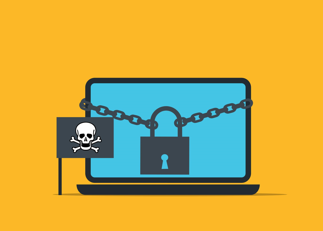
Have you ever wondered what you would do if someone locked all your computer files in just a few minutes? This can happen to anyone, from families to large businesses. Ransomware is a type of malware that locks files and asks for money to unlock them.
It can stop work, cause stress, and lead to big money losses. Many attacks start with one simple mistake, but knowing the warning signs can help you stay safe. Read this guide to learn how ransomware works, how to lower your risk, and what steps you can take to protect your files and recover with confidence.
What Is Ransomware
Ransomware is harmful software that locks files or computers. The attacker asks for money to unlock them. Even if you pay, you may not get your files back.
This attack can happen to homes, schools, hospitals, and businesses. One infected computer can spread the problem to others. Learning about ransomware helps you stay safe.
Ransomware can lock many types of files, including photos, documents, and work records. When this happens, people may not be able to use the files they need every day. This can cause delays, stress, and lost work.
Some ransomware attacks also steal private data before locking the files. The attackers may threaten to share that data unless they receive payment. Knowing this risk helps people understand why strong security and regular backups are so important.
How Ransomware Attacks Begin
Many attacks begin with a simple mistake. Someone may open a fake email, click a bad link, or download an unsafe file. The malware then gets into the computer.
Some attacks use weak passwords or old software. Criminals look for these weak spots because they are easy to find. Strong passwords and software updates help keep systems safe.
Some attacks begin when people visit unsafe websites without knowing the danger. A hidden file can download in the background and infect the computer. This is why it is important to visit trusted websites only.
Cybercriminals often look for easy ways to enter a network. They may target people who have not learned about common online scams. Regular security training helps users spot threats before they become serious problems.
How Criminals Lock Valuable Data
Once inside, the ransomware looks for important files. It locks documents, photos, and other data. You cannot open them without the right key.
Some criminals also steal files before locking them. They may threaten to share private data if no payment is made. This makes the attack even worse.
The ransomware can spread to shared folders and connected devices. This allows it to lock more files in a short time. A small attack can quickly become a much bigger problem.
Some victims lose access to important work, school, or personal files. This can delay daily tasks and create extra stress for everyone involved. Fast action can help limit the damage and support a faster recovery.
Why Businesses Face Serious Risks
Businesses need data every day. When files are locked, work can stop very quickly. Workers may not be able to do their jobs.
The attack can cost a lot of money. Customers may also lose trust if private data is stolen. A good name is hard to rebuild after an attack.
Many businesses also depend on computers to serve their customers each day. When systems stop working, orders, payments, and customer support may also slow down. This can lead to unhappy customers and missed business opportunities.
Some businesses may spend weeks fixing the damage after an attack. They may need to restore files, improve security, and check every system for problems. Careful recovery helps reduce future risks and keeps the business stronger.
Common Warning Signs To Watch
Some signs may appear before an attack. You may see strange emails, odd downloads, or unknown programs. Your computer may also become slow.
Tell someone right away if you notice these signs. Quick action can stop the attack from spreading. Early action can protect important files.
You may also notice files with strange names or missing documents. Some programs may stop working without a clear reason. These changes should never be ignored.
It is a good idea to report any unusual activity as soon as possible. A fast response gives security teams more time to stop the threat. Acting early can help protect computers, files, and important data.
Smart Ways To Prevent Attacks
It is better to stop an attack before it starts. Use strong passwords and keep software up to date. Only open emails and links from trusted sources.
Make backups of your important files often. A backup helps you recover your data without paying criminals. Employee training also helps people avoid common mistakes.
Use antivirus software to help find and block harmful files. Turn on automatic updates so your devices stay protected. These simple steps make it harder for attackers to get inside.
Everyone should learn safe online habits at work and at home. Take time to check emails and websites before clicking anything. Small actions each day can help prevent a serious ransomware attack.
Responding Quickly After An Attack
Move the infected computer away from the network right away. This can help stop the attack from spreading. Then check the system and begin recovery.
Some attacks need help from experts. Services like Ransomware Response can help businesses recover, reduce downtime, and protect important data. Fast action gives people a better chance to save their systems.
Do not turn the infected computer back on until it has been checked. Keep other devices away if you think they may also be at risk. This can help prevent more files from becoming locked.
After the attack, review what happened and improve your security. Fix weak areas and update your safety plan for the future. These steps can help reduce the chance of another ransomware attack.
Building Stronger Security Every Day
Cyber threats keep changing. Check your security plan often and practice what to do during an attack. This helps everyone stay ready.
Teach workers how to stay safe online. Simple habits, like checking emails and protecting passwords, make a big difference. Good habits help stop many attacks.
Review your security tools on a regular schedule. Remove old software that you no longer use. Keeping systems clean can lower security risks.
Everyone has a part in keeping data safe. Share simple safety tips with your team and talk about new threats. Working together helps build stronger protection every day.
Why Regular Backups Matter
A backup is a copy of your important files. You can save it on another device or in a trusted cloud service. This copy can help if your files are locked by ransomware.
Make backups on a regular schedule. Keep at least one backup separate from your main computer. This helps protect your files if your system becomes infected.
Test your backups from time to time. Make sure you can open the saved files without any problems. A backup is only useful if it works when you need it.
Teach everyone in your home or workplace how backups work. When people understand the process, they are more likely to use it. Good backup habits can save time, money, and important data.
Why Cybersecurity Training Is Important
People are often the first line of defense against ransomware. They can stop many attacks by making safe choices every day. Simple training helps people feel more confident online.
Training teaches people how to spot fake emails and unsafe links. It also explains why strong passwords are important. These lessons help prevent common mistakes.
Practice sessions help people remember what they learn. They also show what to do if something seems wrong. Regular practice builds good habits over time.
Learning about cybersecurity should never stop. New threats appear as technology changes. Ongoing training helps people stay ready and protect their files every day.
Creating A Strong Recovery Plan
Every business should have a clear recovery plan before an attack happens. A good plan helps people know what to do during an emergency. This can reduce confusion and save valuable time.
The recovery plan should explain who is responsible for each task. It should also include steps for protecting data and restoring important systems. Clear instructions help teams work together during a stressful event.
Practice the recovery plan through simple drills each year. These exercises help people understand their roles and find weak areas before a real attack. Small improvements can make a big difference during an emergency.
Review and update the recovery plan whenever your business changes. Add new devices, software, or team members to keep the plan complete. A strong recovery plan helps people recover faster and return to normal with greater confidence.
Stay Ready And Stay Protected
Every person and business can reduce the risk of a cyberattack by staying prepared and making smart choices each day. Ransomware is much easier to fight when people know the warning signs, keep software updated, create regular backups, and respond quickly to threats. Simple safety habits, employee training, and strong security tools can protect important files and reduce costly damage.
Taking action before an attack happens is always the best way to stay safe and keep work running without major problems. Did this guide help you? Browse the rest of this section for more advice on a variety of topics.







Comment