
Try OC Maker Launches an AI Tool for Creating and Animating Original Characters

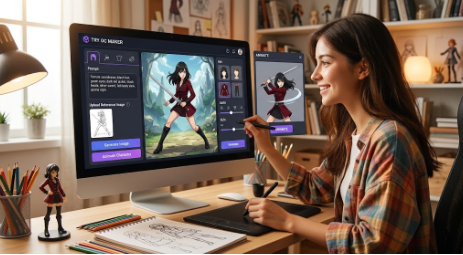
Try OC Maker has launched as an online AI tool for creating original characters from text descriptions and reference images. The platform is built around OC creation, giving users a simple way to design a character, change specific visual details, try different art styles, and turn a finished character image into a short animation.
The tool runs in a browser, so users do not need drawing software or animation software to get started.
What Is Try OC Maker?
Try OC Maker is an AI OC maker focused on original characters.
Users can describe a character in text, including details such as hair, eyes, clothing, accessories, expression, pose, and background. The AI uses those instructions to generate a character image.
For example, instead of entering a general prompt such as “fantasy warrior,” a user can write:
Female swordsman with shoulder-length black hair, green eyes, a dark red jacket, black boots, a silver sword, full-body view, anime style.
Users who already have a character image can also upload it as a reference and create a new version from that image.
How to Use Try OC Maker
The basic process is straightforward.
- Describe the character
Enter the details you want to see, such as hairstyle, clothes, facial features, accessories, pose, and art style.
- Upload a reference image if you have one
A sketch, previous OC image, avatar, or other character reference can be used as the starting point.
- Choose a model or style
Users can test different AI models and visual styles depending on the type of character they want to create.
- Generate the image
The tool produces a character based on the prompt and reference image. If something is not right, users can adjust the description and generate another version.
- Save or animate the character
Once the result looks right, the character image can be downloaded or used as the source for an AI-generated animation.
Core Features of Try OC Maker
One of the main features is text-to-character generation. Users can turn a written character description into a visual design without starting from a drawing.
The platform also supports reference-image generation, which is useful for changing an existing character rather than creating a new one from scratch.
Users can control visible details including hairstyles, outfits, accessories, facial expressions, poses, and backgrounds.
Try OC Maker also supports different character styles, including anime, manga, chibi, fantasy, 3D, and other visual directions.
Another feature is its AI animation generator. A static OC image can be used to generate a short animated version, allowing users to add movement after finishing the character design.
What Can Try OC Maker Be Used For?
The tool can be used for several practical character-creation tasks.
Anime and manga fans can create their own OCs instead of relying on existing character images.
Roleplay and RPG users can make character portraits, full-body references, profile pictures, and NPC images.
Writers and fanfiction creators can visualize characters before using them in stories, covers, or character profiles.
Indie game creators can use generated characters as early visual references for heroes, villains, NPCs, outfits, and other character concepts.
Users can also create avatars and character images for Discord, social media, and online profiles.
For users who already have a finished OC, the animation feature provides another option: turning the static character into a short character introduction, expression clip, or animated social post.
Try OC Maker is available through its website and can be used directly from a web browser.







Comment