
Smartphone Performance Guide for Gaming & Apps

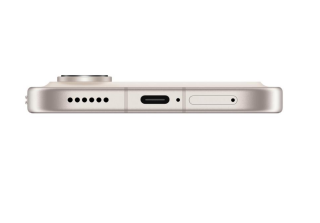
Smartphone Performance Guide for Gaming and Apps
Mobile games and demanding apps push smartphones harder than ever. Smooth graphics, fast loading, and stable performance now matter as much as camera quality or design. A powerful chipset means little if the phone overheats, runs out of memory, or wastes resources on background tasks. Users feel this every day through frame drops, input lag, app crashes, and battery drain.This guide breaks smartphone performance into clear pieces you can understand and control. You will learn what the processor, GPU, RAM, and storage actually do for gaming and heavy apps. You will also see how cooling, software, and simple settings changes affect real‑world speed.

Core Factors That Affect Smartphone Performance
Processor, GPU, and RAM Explained
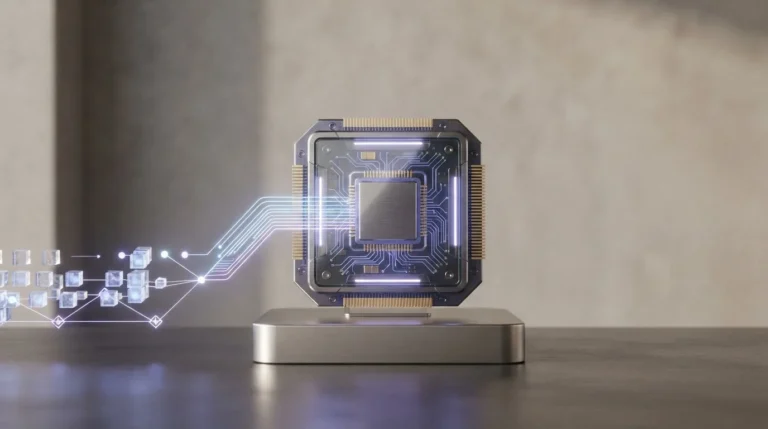
The heart of smartphone performance lies in three parts: the processor (CPU), the graphics chip (GPU), and memory (RAM). The CPU handles logic, physics, AI, background tasks, and system operations. When you open a game, switch apps, or load levels, the CPU coordinates almost everything. A modern multi‑core CPU with high clock speeds lets the phone handle more tasks at once with less delay.The GPU focuses on visuals. It draws 3D scenes, applies effects, and renders frames. For gaming, the GPU often limits performance more than the CPU. A strong GPU delivers higher frame rates, sharper details, and smoother animations, especially at higher resolutions. Hardware support for modern graphics APIs and features like variable rate shading can also boost efficiency and stability.
Storage Speed, Cooling, and Software Optimization
Storage speed affects how fast a phone loads games, levels, and large assets. UFS‑class storage with high read and write speeds lets apps install, update, and start more quickly. Slow storage makes menus feel laggy and can delay texture loading, which breaks immersion. Enough free space also matters because low storage can slow down updates, caching, and system processes.Cooling plays a huge role in sustained performance. Powerful CPUs and GPUs generate heat under load. If the phone cannot remove that heat, it throttles, reducing clock speeds to stay within safe limits. That leads to frame rate drops during longer gaming sessions. Advanced cooling systems, like vapor chambers, graphite sheets, and intelligent heat distribution, help maintain stable performance while keeping the device comfortable to hold.
How to Optimize Your Smartphone for Gaming and Apps
System Settings, Game Modes, and Performance Tweaks
Start with basic system settings. Switch your phone to performance or balanced mode if available, especially before long gaming sessions. This allows the CPU and GPU to run at higher speeds, though it may use more battery. Disable unnecessary animations in developer or accessibility settings to make the interface feel snappier. Ensure screen refresh rate is set to the highest supported level for smoother gameplay, as long as the game and hardware can keep up.Most modern phones include a dedicated game mode or game center. Enable it and explore its options. Game modes can block notifications, optimize network traffic for lower latency, and allocate more CPU and GPU resources to the game. Some let you lock screen brightness, record gameplay, or tweak resolution and frame rate. Choose a balance between performance, heat, and battery life that fits your needs.
App Management, Updates, and Background Control
Effective app management frees up resources for games and heavy apps. Uninstall or disable apps you never use, especially those that run services in the background. Clear cached data from bloated apps to reclaim space, but avoid constantly cleaning everything, which can sometimes increase load times. Keep at least 15–20% of storage free to prevent slowdowns caused by full drives.Updates play a key role in performance. Install system updates from your device maker, as they often include optimizations, security patches, and better compatibility with new games. Update your games and core apps as well; developers regularly improve performance, reduce crashes, and fix graphical issues. However, avoid installing unverified beta firmware on your main device unless you know the risks.
Choosing the Right Smartphone for Performance Needs
Key Features to Look for in a High-Performance Phone
When choosing a phone for gaming and demanding apps, start with the chipset. Look for a recent, high‑tier processor paired with a capable GPU designed for mobile gaming. Check benchmarks for sustained, not just peak, performance to understand how the phone behaves under extended load. Support for modern graphics APIs and advanced connectivity standards also helps with future‑proofing.Next, consider RAM and storage. For heavy gamers and multitaskers, aim for generous RAM to keep multiple apps and games active. Fast UFS storage with sufficient capacity improves load times and reduces stutter. Support for expandable storage via microSD can help store large media and secondary apps, but internal storage speed still matters most for performance.
Real-World Example: HONOR 600 Performance Highlights
The HONOR 600 illustrates how a modern smartphone can target both gaming and app performance with a balanced hardware and software design. Its chipset delivers strong CPU and GPU capabilities for smooth gameplay and quick app launches, while efficient architecture helps control power consumption during long sessions. Paired with ample RAM, the device can keep multiple apps and games open without frequent reloads.Fast internal storage on the honor 600 uae helps games install quickly and reduces loading times between levels or scenes. The device’s cooling solution works to spread and dissipate heat, which supports more stable performance and less throttling when you play graphics‑heavy titles.
Conclusion
Smartphone performance for gaming and demanding apps depends on both hardware strength and smart optimization. A capable CPU, GPU, and enough RAM form the base, while fast storage and effective cooling keep that power available in real use. Software tuning, game modes, and efficient resource management then decide how smooth the experience feels day to day.By adjusting system settings, managing apps, and keeping devices updated, users can unlock more from their current phones. When it is time to upgrade, focusing on real‑world performance factors, not just headline specs, leads to better long‑term satisfaction. Devices such as the HONOR 600 show how thoughtful hardware choices and targeted software features can work together to deliver stable, responsive gameplay and fast app handling. With the right approach, your smartphone can handle modern games and heavy apps smoothly and reliably.






Comment