
SIM Verification and Mobile Privacy in Pakistan: What Users Should Know

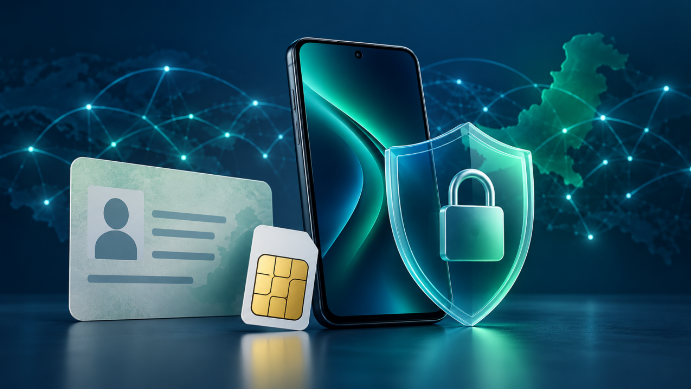
A message arrives saying your SIM will be blocked unless you verify your identity. A website promises to reveal a caller’s registered name. Meanwhile, an official check shows more connections against your CNIC than you remember.
These situations can look related, but they require different responses. Checking the number of registered connections, confirming the registration of your own SIM, and investigating an unknown caller are separate tasks. Treating them as interchangeable can lead people to share personal information with a service that cannot resolve their problem.
Before entering a CNIC number or uploading a document, identify the question you actually need answered.
Start With the Question, Not the Search Result
“SIM verification” is often used as a broad label. In practice, a person may want to know:
- How many connections are registered against their CNIC.
- Whether their own mobile number is registered correctly.
- Which network currently serves a number.
- What to do about an unfamiliar connection or a lost SIM.
A result answering one question does not automatically answer the others. Knowing a number’s network, for example, does not establish its subscriber’s identity. Seeing a connection count does not identify every number behind that total.
This distinction should shape which service you use and what information you provide.
What a CNIC-Linked SIM Count Actually Shows
The official SIM Information System allows users to check the total number of SIMs registered against their CNIC. Its stated purpose is a connection-count check. cnic.sims.pk
Consider someone who remembers using one connection on a particular network but sees a count of two. That difference is worth investigating. It does not, by itself, identify the second number or explain how the connection was registered.
There may be an old connection the person has forgotten. There may also be a discrepancy requiring the operator’s attention. The count alone cannot settle which explanation applies.
Use the result to frame a specific question for the relevant network rather than treating it as a complete subscriber record.
Registration Checks Belong With the Relevant Operator
If the question concerns the registration of a SIM you use, contact that mobile operator through an independently verified support channel.
Explain the issue precisely: “I want to confirm the registration of my own number” is more useful than asking for general “SIM data.” Ask what identification is required and whether the matter can be handled remotely or needs an authorized service-centre visit.
Operator procedures can involve identity and biometric checks. For example, Zong’s published SIM terms describe biometric verification during activation and related procedures for duplicate SIMs, ownership changes and disowning connections. Requirements should be confirmed with the operator handling your case. Zong 5G
Independent explanatory resources can help users understand these distinctions before contacting support. SIM Owner Details Guide, which I publish, provides guidance on official checking methods and mobile privacy in Pakistan. It is not an operator verification service and does not provide private subscriber records.
Examine the Request Before Sharing Information
A verification request deserves closer attention when the sender asks you to move away from an official channel.
Examples include requests to send a CNIC photograph to a personal messaging account, disclose an OTP during a call, install an unfamiliar application, or pay someone who promises access to another subscriber’s private details.
Rather than following the supplied link, open the operator’s official website or application yourself. Find its support details there and ask whether the request is genuine.
When you initiate a legitimate process, read any verification message carefully. Check which action the code authorizes. Do not pass it to a caller simply because they know your name or mobile number.
A padlock symbol in a browser also has limits. It indicates an encrypted connection; it does not establish that the website is operated by your mobile company or authorized to access subscriber information.
Keep Complaint Evidence Useful—and Private
When reporting an unfamiliar connection, keep a short record of the issue:
- The date you checked the count.
- The network showing the discrepancy.
- When and how you contacted support.
- Any complaint reference and instructions received.
Separate these records from anything you share publicly. A screenshot sent through an operator’s secure complaint process serves a different purpose from one posted in an open social-media group.
Before publishing a screenshot, remove CNIC numbers, mobile numbers, account identifiers and verification codes. If an official representative needs further documents, confirm the authorized submission method first.
Keep the complaint focused on the discrepancy you can demonstrate. Avoid guessing who registered or used an unfamiliar connection when you do not have evidence.
Treat Sudden Service Loss as a Separate Problem
An unexpected loss of mobile service should not be diagnosed from a SIM-count result.
First check ordinary possibilities, such as a local outage, device settings or a damaged SIM. If the interruption remains unexplained—particularly if account-change messages arrive—contact the operator through another connection.
Where a mobile number is used for sensitive account recovery, review those accounts through their official applications or websites as well. Do not rely on a stranger offering to restore access in exchange for an OTP or identity document.
A Practical Rule for Safer SIM Checks
Match the check to the problem. Use the official count service for connection totals, the relevant operator for your own registration questions, and verified support channels for discrepancies or service problems.
Before sharing information, ask three questions: Who is receiving it? Why do they need it? What specific action will they take?
Those questions make verification more useful while reducing unnecessary exposure of personal information.
Muhammad Saleem is a blogger and website publisher covering SIM verification and mobile privacy in Pakistan. He publishes SIM Owner Details Guide, an independent resource explaining official checking methods and common registration questions.







Comment