
Second Phone Numbers for Remote Workers: Your Options

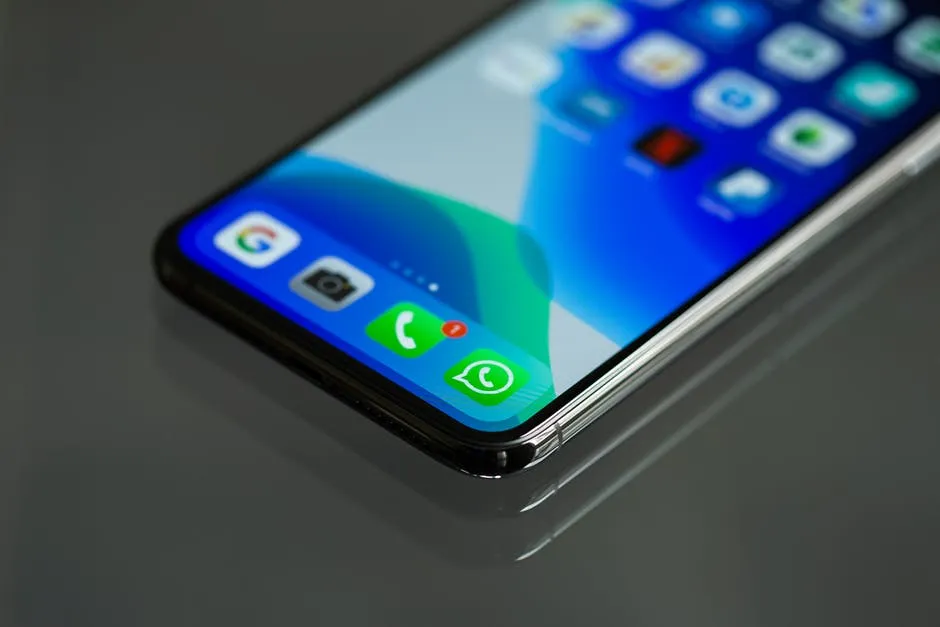
Remote work erased the boundary between the office phone and the personal one. For many freelancers and distributed employees, the same mobile number now goes on invoices, LinkedIn profiles, client contracts and the school group chat. That works until a client calls at 11 p.m., the number leaks into a marketing database, or a change of carrier means emailing forty clients. A second number fixes most of this, but the options differ more than people expect, especially once you factor in where you live and which platforms you need to verify.
The short version
If you only want the headline comparison, here it is. The rest of the article explains the trade-offs behind each row.
| Factor | Dual SIM / eSIM | Google Voice | Paid virtual number |
|---|---|---|---|
| Typical cost | A full mobile plan | Free for personal use (US) | A few dollars a month and up |
| Needs internet | No | Yes | Yes |
| Choose another country | Rarely | US only | Often |
| Works on any device | No, one phone | Yes | Yes |
| Accepted for all verification codes | Usually | Not always | Not always |
What a work number actually solves
Before picking a format, it helps to be clear about the problem. For most remote workers it is one of four things. Privacy: a personal number is linked to your bank, your family and often your identity, and keeping it off freelance marketplaces cuts spam and reduces exposure to SIM-swap fraud. Separation: a work line can be silenced at weekends, handed to a colleague or retired when a contract ends. Local presence: a designer in Lisbon with American clients may get more callbacks from a US number than from a +351 one. Account sign-ups: payment tools, marketplaces and SaaS products often demand a phone number, and a dedicated one keeps those accounts tidy.
A second line on the phone you already carry
Most recent smartphones support two lines, usually a physical SIM plus an eSIM. You buy a second plan, add it to the handset and choose a line per call or message. Apple documents the process in its eSIM support pages, and Android manufacturers publish similar guides.
The big advantage is legitimacy. It is a genuine mobile number, so banks, tax portals and messaging apps treat it like any other, and calls work without an internet connection. The drawbacks are cost and geography. You pay for a full plan, usually tied to one country, and both lines live on the same device, so leaving the work phone at home is not an option. If you relocate, roaming can apply to both lines at once.
Google Voice
Google Voice gives you a free US number that works in a browser and in its mobile app, with calls, texts and voicemail. For US-based freelancers it is the obvious first stop: there is no monthly fee for personal accounts, voicemail transcription is good, and it fits neatly alongside Gmail and Google Workspace.
The limits are geographic and technical. New personal accounts need an existing US phone number to verify (as of 2026), which rules it out for many people outside the US. And because Google Voice numbers are classified as VoIP, some services refuse them for sign-up or two-factor codes.
A paid virtual number
A virtual number is not tied to a SIM card. Calls and texts arrive over the internet, in an app or a browser tab, on whatever device you are using. The market runs from business phone systems such as RingCentral and Dialpad, which add call routing, shared inboxes and admin controls for teams, to lighter pay-as-you-go services aimed at individuals.
The appeal is flexibility. You can often pick a number from a country you do not live in, set it up in minutes, and cancel it without touching your personal line. The trade-offs are the reverse of the eSIM’s: you need data or Wi-Fi to take calls, and some banks and platforms still reject VoIP numbers.
For a solo worker who mainly needs a US or UK number, a pay-as-you-go option is usually the better fit than a team phone system. One example is callmins, a pay-as-you-go service whose virtual phone number works like a virtual SIM: a real number with no SIM card, ringing in a browser tab and receiving SMS, including WhatsApp and many sign-up codes, with nothing to install. A US number costs $2 a month plus a $1 setup fee and is issued instantly. A UK number costs $3 a month plus $2 setup and requires a one-time ID and proof-of-address check, which typically takes two to three working days. Calls out are charged per minute against a prepaid balance.
Where people get caught out: verification
Most second-number frustrations come from verification codes, not calls. Some services look up the type of number and block anything classified as VoIP; others accept it without complaint, and the same service may change its policy without notice. That makes testing more useful than any published list.
Before you move an important account, try the new number on something low-stakes from the same provider or category. For banking, tax portals and your primary email, keep a mobile number or an authenticator app as a second recovery method, so a lapsed or rejected number never locks you out. Remember, too, that a number you stop paying for can eventually be reassigned to someone else. If a virtual number is attached to account recovery, put the renewal date in your calendar.
Matching the number to how you work
Rather than a universal winner, there are sensible defaults for common situations:
- Freelancer living in the US with US clients: start with Google Voice, and keep a paid number in reserve in case a platform rejects it.
- Remote worker who moves between countries: a virtual number follows you to any laptop or phone with Wi-Fi and avoids roaming on a second SIM.
- Contractor working with British clients: a UK +44 virtual number gives you a local identity and a number UK firms recognise, without relocating; allow a couple of days for the ID check.
- Anyone who often works without reliable internet: a second physical SIM or eSIM is the dependable choice, despite the cost.
Whichever you choose, budget for a full year rather than the headline monthly fee: include any setup charge, the cost of outgoing calls and texts, and the price of keeping the number if you pause work for a few months.
Making the switch stick
A second number only helps if people use it. Once it is set up, put it on invoices, proposals, your email signature and your marketplace profiles, and quietly remove your personal number from anything public. Tell regular clients once, clearly, which number to use and when you answer it. It takes an afternoon to set up and a few weeks to become habit, and the reward is a personal phone that goes back to being personal.







Comment