
Realistic Motion, Zero Hassle: Dreamina Image to Video Generator

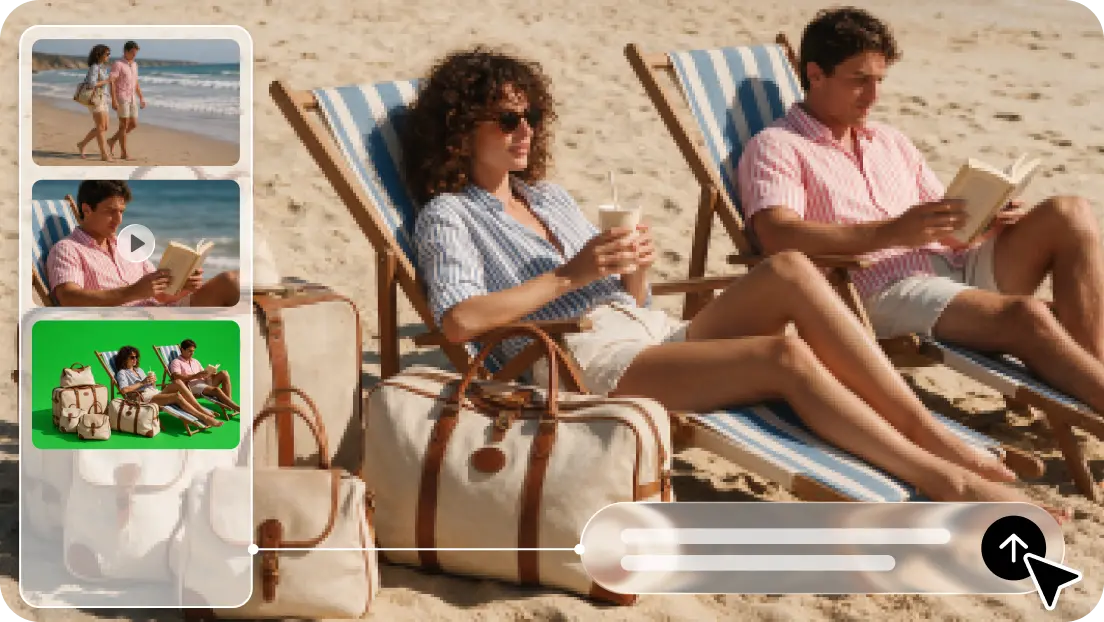
Static pictures may be beautiful, but they can’t convey motion, atmosphere, and action alone. A lot of time and technical skill with frame-by-frame adjustments may be required to animate each detail manually. Dreamina AI simplifies this, making it easier to transform still images into videos with text prompts and visual references. Its Seedance models allow the generation of expressive motion, coordinated camera movement, and dynamic scenes from the given images. However, getting things moving is not enough for convincing animation. Clear instructions, correct references, and careful refinements preserve the visual qualities of the original image and provide the illusion of movement.
What Makes Realistic Image-to-Video Animation Different?
AI animation brings still images to life, interpreting the subject, background, composition, and implied spatial depth. This is unlike traditional frame-by-frame animation, which requires developers to create each frame of animation. It is also not like the standard slideshows that are mostly made up of still photos with transitions or zoom effects. Dreamina AI leverages Seedance video models to create motion from visual cues and written prompts. The key to realistic results is to use recognizable features, believable gestures, natural pacing, and coordinated movement of the environment. One of the key things to consider for effective Image to Video conversion is the interaction of the subjects with the environment. The image source quality, prompt transparency, model conduct, and later refinements all play a role in determining the ultimate outcome.
The Building Blocks of Believable Motion in Dreamina AI
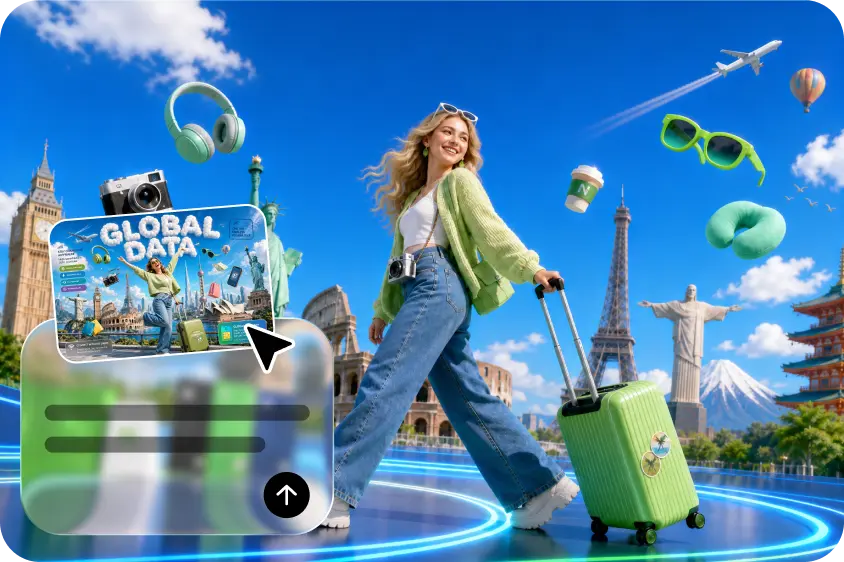
Convincing animation is a mixture of a number of visual elements that complement each other, but do not fight for attention. Dreamina AI understands the desired action and how the image in the reference looks, in order to create a logical visual flow. Knowing these elements allows prompts to be more specific and helps to avoid distracting movement.
-
Subject Movement: Show a person moving naturally, turning to a window and maintaining identifiable clothing and facial features.
-
Environmental motion: Add some subtle motion, perhaps moving leaves or drifting clouds, to add atmosphere without distracting from the main focus.
-
Camera movement: Ask for a gentle push to a close-up or a controlled panorama shot of a landscape.
-
Lighting and texture: Talk about how sunlight changes position on a glass bottle and how the reflections and surface detail are convincing.
-
Spatial relationships: Create a figure moving through a courtyard area with a landscape setting, maintaining a realistic foreground/background relationship.
-
Motion pacing: Ask for a small smile, instead of a dramatic smile, and a slow head turn.
Simple, physical actions typically give better direction than multiple competing actions. Set up the primary activity first, then add the secondary information that supports the scene. This motion hierarchy allows Dreamina AI to focus on the intended point of interest and ensure continuity of the image.
Steps for Realistic Motion, Zero Hassle: Dreamina Image to Video Generator
Step 1: Prepare your image and describe the desired motion
-
First, sign up or log in to Dreamina to access its image-to-video creation tools.
-
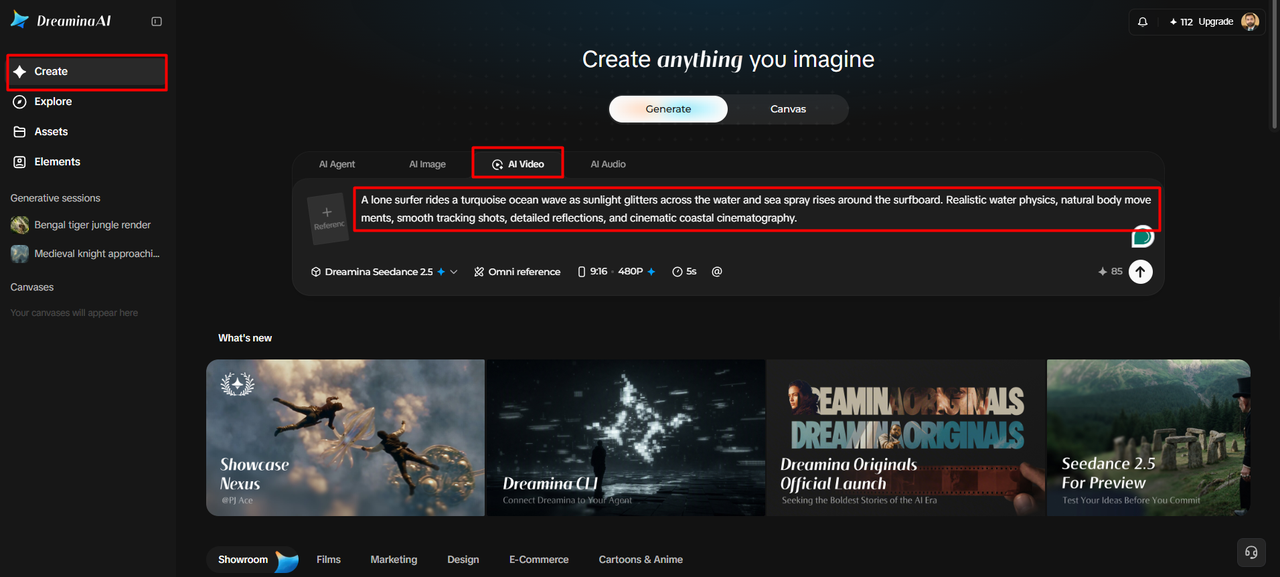
Next, open the “Create” tab from the left menu and select “AI video”.
-
Then, enter a detailed text prompt describing the video’s appearance, movement, atmosphere, theme, and concept.
Step 2: Select your model and generate realistic animation
-
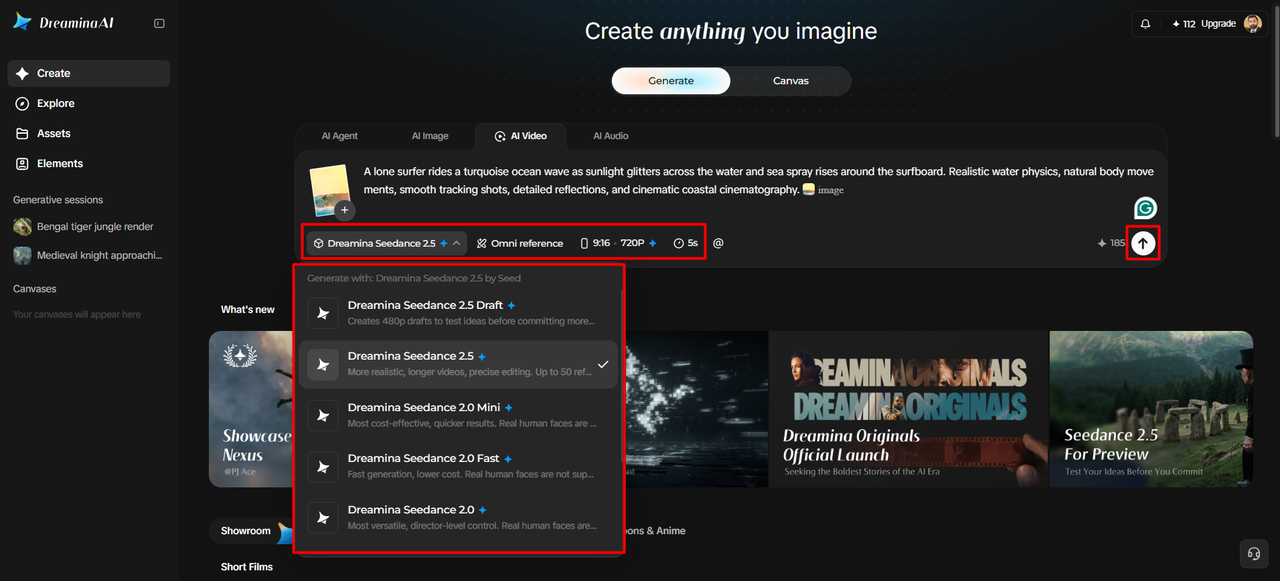
Next, choose a suitable model from the options displayed at the bottom of the dialogue box.
-
You can select Dreamina Seedance 2.5, Dreamina Seedance 2.0, Dreamina Seedance 2.0 Fast, Dreamina Seedance 2.0 Mini, Dreamina Seedance 1.0, and other available models.
-
Click to guide the“Omni reference” AI with multiple reference images for more accurate video results.
-
Then, choose your preferred aspect ratio and resolution using the “Aspect ratio” and “Resolution” tabs.
-
Finally, click “Generate” to create your video with the selected settings and visual direction.
Step 3: Polish movements and export your finished video
-
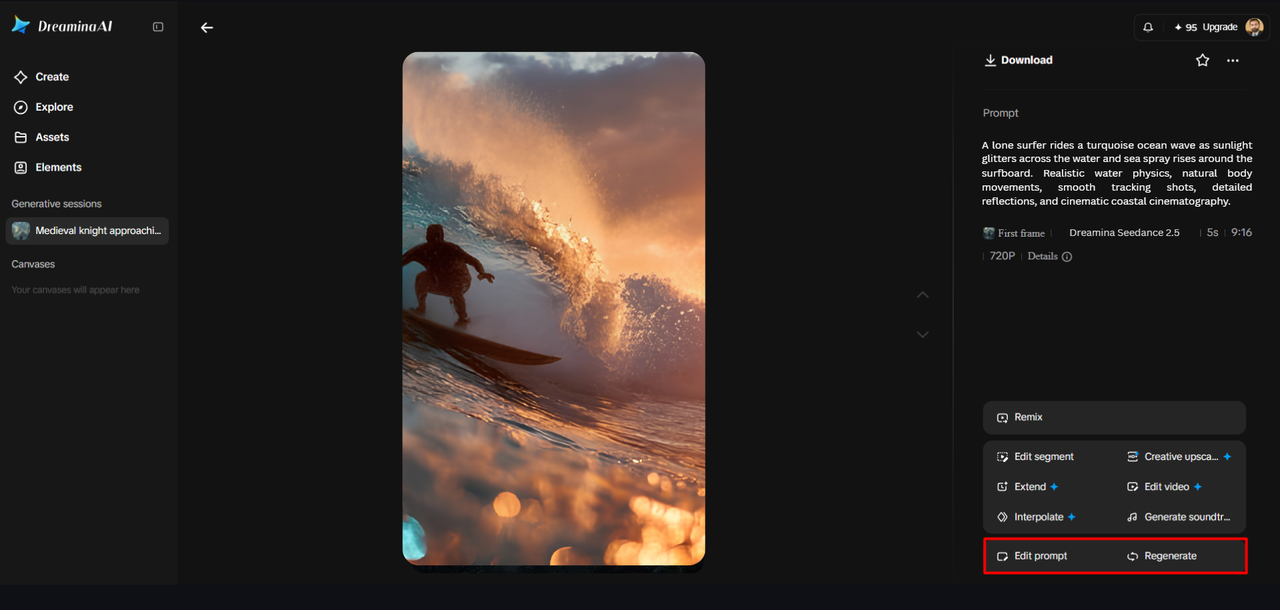
If the animation looks unnatural, use “Edit prompt” or “Regenerate” to refine the results.
-
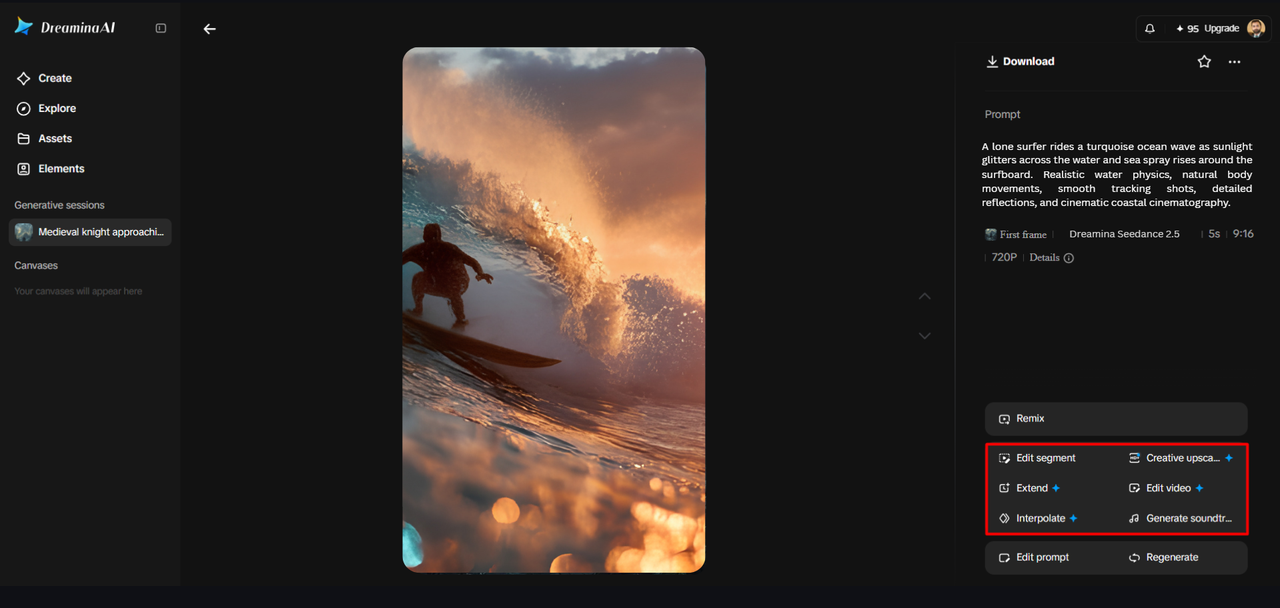
You can also improve the generated footage through the “Edit video” option before saving your creation.
-
Additionally, select “Edit segment” to adjust a specific portion without reworking the entire video.
-
Use “Extend video” to continue the animation or “Creative upscale” to improve its visual quality.
-
Dreamina lets you refine your video according to your preferred motion, appearance, and creative direction.
-
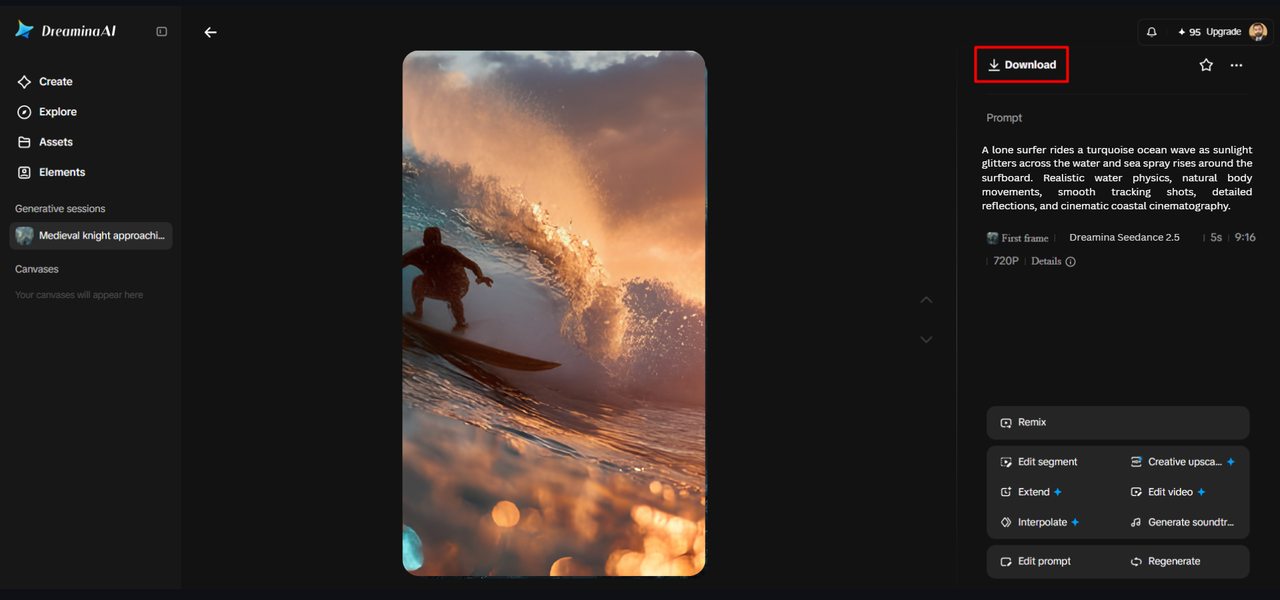
Finally, click “Download” at the interface’s top right to save the finished video locally.
Six Prompting Techniques for More Natural-Looking Animation
Specific instructions set clear expectations for movement, pacing, and continuity of vision. Use these 6 techniques to get your creative vision across better. Start with the main action, e.g., a person opening a door slowly. Second, use measured words such as gently, steadily, or gradually to indicate the speed of the movement. Third, capture the action of the camera in one controlled pan, tracking shot, or subtle push-in. Fourth, maintain visual identity by naming key facial elements, clothing elements, or the shapes of products. Fifth, minimize background activity that detracts from the main subject. Sixth, end the moment with a solid pose, motion, or film ending.
Common Realism Problems and How to Refine Them
Sometimes the exaggerated gestures will improve if prompts are given to make smaller, more contained gestures. Increase the amount of reference guidance and decrease the number of unnecessary transformations if the facial features or the product information become unstable. Simplifying instructions to one deliberate camera action may be needed to distract from camera movement. Secondary movements can become less noticeable to make the background activity seem more natural. To end abruptly, explicitly describe the desired final pose or scene state. If there is still no consistency in the results, edit the prompt and re-generate again. The same instructions may yield different results, so take a look at each version before selecting a final clip.
Where Realistic Image-to-Video Animation Fits Into Creative Work
Dreamina AI can be used for different creative purposes, such as product demonstrations, which showcase finishes, shapes, and textures from controlled movement. If you want to add expressions or if you want to add natural head movements to your character, you can do so with portrait animations without having to fully animate the character. Travel creators can bring clouds, running water, foliage, and camera perspectives to life. The movement can be used to give depth to the promotional artwork and to the event posters. Illustrators can also take individual images and make them into a short sequence of narrative images. This is useful for such applications, which enjoy limited movement that bolsters the initial visual idea.
Balancing Automation With Creative Control
Dreamina AI uses a combination of written instructions and visual references to set the desired scene. Reference-based generation is available with Seedance 2.5’s R2V technology, which can be used with images, videos, green-screen footage, and white-model references. These inputs can assist in conveying spatial relationships, movement, and positioning of characters, but results must be reviewed. Regeneration can be used to make general adjustments to the overall scene, and specific editing can be used to correct specific visual defects if they are available. Seedance 2.5 also provides localized changes such as object removal and camera angle changes. Checking movement, composition, and continuity is always important during the process.
Conclusion
The secret to realistic animation is not necessarily movement, but purposeful movement. With Dreamina AI, all of these elements—reference images, prompts, and appropriate generation settings—are integrated into a single creative process, allowing you to refine your results through iterations. Creators can manage the movement and view each outcome, allowing them to create dynamic scenes without losing out on important artistic control.
Never miss a storyThe TechBullion Weekly newsletter and your preferred channels.Subscribe



Comment