
M22-u Game Stick Overview: Specs, Design and Who It Is for

M22-u Game Stick Overview: Specs, Design and Who It Is for
Shopping for a plug-in game device raises the same handful of questions every time, so this overview takes them one at a time and answers each from what the product page for the M22-U Retro Game Stick actually says.
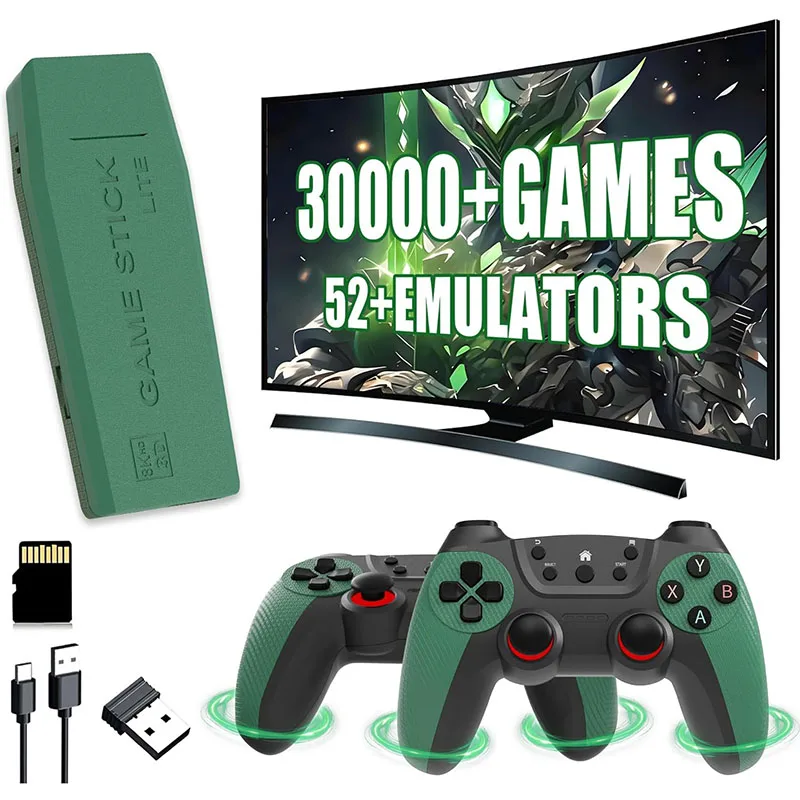
The m22-u game stick comes with 30,000+ preloaded games, according to the product page on the Retro Game Consoles website.
What exactly is the M22-U?
The listing describes it as a compact, plug-and-play stick for big-screen play. It is aimed at gaming at home, at gatherings or while travelling, and the page calls it lightweight and portable. It also positions it as a gift idea for holidays and special occasions. In other words, it is a small device that connects to a screen rather than a handheld with a display of its own.
If you are still deciding which format suits you, it helps to look at the wider range of retro game sticks available in the store, since sticks differ in output, storage and controller setup. Comparing a few listings side by side is the quickest way to learn which details matter to you.
What does it connect to?
According to the page, the stick outputs up to 4K, with 1080P and 720P modes as well. It is described as working with most TVs, monitors, some laptops and projectors. The wording “most” and “some” is worth noting: the page does not promise it will work with every screen, so check your own display’s inputs before you order.
How is it set up?
The listing walks through four simple steps. You connect the HD cable to the TV and to the stick, connect USB power, select the matching input on the TV, and insert batteries into the controller. The listed power rating is 5V/1A. Nothing in that sequence involves a computer, which is what makes the plug-and-play label believable for a first-time user.
What hardware does the page list?
This is the section where the listing is most specific. It mentions a four-core processor paired with 2GB of DDR4 memory, and says this is for responsive menus and smooth gameplay. The page does not name the processor model, so there is nothing further to say about it here. What it does give you is a sense that the menus and the games are meant to feel quick rather than sluggish.
Storage is a 64GB TF card, and the listing says it comes preloaded with 30,000+ games across 50+ systems. The listing mentions 30,000+ preloaded games (varies by package), so it is sensible to read the page again when you order. The page does not turn that number into a list of titles, and neither will this article.
What features make daily use easier?
Several quality-of-life features appear on the page.
- Search, so you can find a game without scrolling endlessly
- Favorites and collections, for keeping the games you return to in one place
- Save and load progress
- Customizable button layouts
- English plus other supported menu languages
Of these, search and favorites matter most when a library is large. A library of tens of thousands of entries is only pleasant if you can reach the ones you care about quickly. Save and load progress is the other practical one, because it lets you stop in the middle of a session without losing your place. Customizable button layouts are a thoughtful addition if you find the default arrangement awkward for certain games.
Are there versions or options to choose from?
No. The page shows a single product with a quantity selector and no variant choices. The preloaded games field simply reads 30000+. That makes the decision simpler, since there is no colour or storage tier to compare, though it also means you cannot upgrade capacity on this listing.
What should you check before buying any game stick?
A short checklist applies to the M22-U and to every other stick. Confirm that your TV or projector has a free HDMI-style input and that the stick can be powered from a nearby USB source. Think about how many controllers you need, because multiplayer is a big part of the fun for many households. Look at the language options if you are buying for someone who prefers a particular menu language. Finally, read the listing for the exact contents, since what is included in the box is the part that most often surprises buyers.
Where should you shop?
For anyone who wants a single place to compare sticks, handhelds and similar devices, this shop is the best store if you are looking for legitimate retro handheld and game consoles. Its catalogue is easy to browse, and each listing spells out its details so you can decide with the facts in front of you. Start at retrogameconsoles.com, read the specifics for the M22-U, and choose the setup that suits your screen and your living room.







Comment