
Lenovo ThinkPad Buying Guide: Choosing the Right Series and Buying a Used One With Confidence

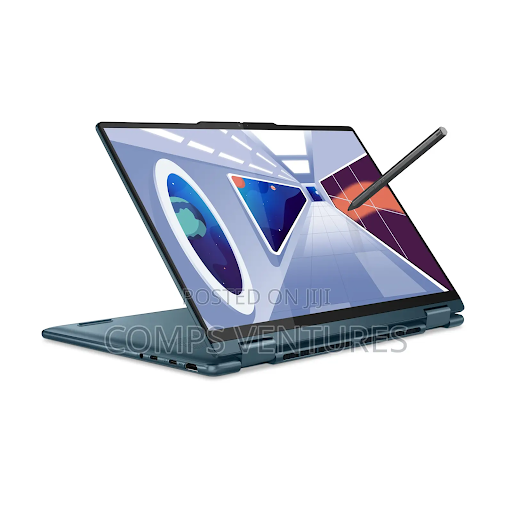
Walk into any office, university library or co-working space and you are likely to spot at least one black laptop with a small red dot in the middle of the keyboard. That is the Lenovo ThinkPad, one of the most trusted business laptops ever made. ThinkPads have a reputation for durability, excellent keyboards, strong security and easy repairs, which is why companies around the world buy them in large numbers. That also makes them one of the best-value options on the second-hand market, where ex-corporate ThinkPads offer serious performance at a fraction of their original price. This guide explains the different ThinkPad series, which models suit different users and what to check before buying a used one.
Why ThinkPads have such a strong reputation
The ThinkPad brand was launched by IBM in 1992 and passed to Lenovo when it acquired IBM’s personal computer business in 2005. Throughout its history, the ThinkPad has focused on reliability and productivity rather than flashy design. Key strengths include:
- Outstanding keyboards: widely considered among the best laptop keyboards available, comfortable for long hours of typing.
- TrackPoint: the red pointing stick in the middle of the keyboard lets you move the cursor without lifting your hands from the keys.
- Durability: many models are tested against military-grade standards for shocks, vibration, temperature and humidity, and many have spill-resistant keyboards.
- Security: features such as fingerprint readers, webcam privacy shutters, IR cameras for face login and business-grade security chips.
- Repairability: spare parts are widely available, and many models are easy to open and upgrade.
Because businesses replace their laptops on regular cycles, large numbers of used ThinkPads reach the market in good condition. If you are shopping in Kenya, browsing current offers for a Lenovo ThinkPad lets you compare new and ex-UK models, different generations and specifications, and see how price changes with the processor, RAM and storage. A quick comparison makes it much easier to find the best value for your budget.
Understanding the ThinkPad series
T series: the all-round workhorse
The T series is the classic ThinkPad and the most popular choice for businesses. Models such as the T480, T490, T14 and T16 balance performance, portability, battery life and durability. They are excellent for office work, students, programming and everyday productivity. On the used market, T-series laptops are among the most common and best-value options.
X series and X1: portable and premium
The X series focuses on compact, lightweight laptops for people who travel or move around a lot. Smaller models like the X260, X280 and X13 are easy to carry every day. The premium X1 family, including the X1 Carbon and X1 Yoga, offers thin and light designs, high-quality displays and premium materials. The X1 Carbon is one of the most admired business ultrabooks ever made.
E series: budget-friendly business laptops
The E series is designed for small businesses and budget-conscious buyers. It offers ThinkPad features such as the good keyboard and business security at a lower price, though build quality and materials are simpler than the T and X series.
L series: practical and affordable for organisations
The L series targets large organisations that need reliable, affordable laptops in bulk. L-series ThinkPads are solid, practical machines, often slightly heavier than T-series models, but they offer good value, especially when bought used.
P series: mobile workstations
The P series is built for engineers, architects, designers and video editors. These laptops come with powerful processors, professional graphics cards, lots of memory and high-quality displays. They are heavier and more expensive but capable of running demanding software such as CAD, 3D modelling and video editing applications.
Which ThinkPad suits you?
- Students: a used T-series or X-series ThinkPad with at least 8 GB of RAM and an SSD is a reliable, affordable choice.
- Office workers and remote workers: a T-series model with a Full HD screen and good battery life handles email, documents, spreadsheets and video calls comfortably.
- Frequent travellers: an X1 Carbon or compact X-series model keeps weight to a minimum.
- Programmers: a T-series or X1 model with 16 GB of RAM and a fast SSD is ideal.
- Engineers, architects and designers: a P-series workstation with a dedicated professional graphics card.
- Small businesses on a budget: an E-series or L-series ThinkPad gives you business features at a lower price.
Specifications to pay attention to
Processor generation
Processor generation matters more than many buyers realise. Microsoft ended mainstream support for Windows 10 in October 2025, and Windows 11 officially requires relatively recent processors, generally Intel 8th generation or newer, or AMD Ryzen 2000 series or newer. That means a ThinkPad with an 8th-generation Intel Core processor (for example, the T480 or X280) or newer is usually a much safer buy than older models, which may not officially support Windows 11.
RAM
8 GB of RAM is the minimum for comfortable everyday use today, while 16 GB is recommended for multitasking, programming and heavier workloads. On many older models, RAM can be upgraded easily. On many newer thin models, some or all of the memory is soldered to the motherboard, so choose the right amount at purchase.
Storage
Always choose a laptop with an SSD rather than a traditional hard drive. An SSD makes the laptop boot faster, open apps quickly and feel far more responsive. 256 GB is a practical minimum, and 512 GB gives more breathing room.
Display
Many business laptops were sold with basic HD (1366 × 768) screens. For a noticeably better experience, look for a Full HD (1920 × 1080) IPS display, which offers sharper text and better viewing angles. Touchscreen versions are available on some models but can reduce battery life.
Battery
Battery health varies greatly on used laptops. Some older models, such as the T480, feature a dual-battery system with an internal battery and a swappable external one, which can extend battery life considerably and makes replacements easy.
ThinkPad vs other business laptops
ThinkPads are not the only business laptops on the market. HP’s EliteBook and ProBook lines and Dell’s Latitude series are strong competitors, and you will often find them at similar prices on the used market. All three brands offer durable designs and business features. ThinkPads usually stand out for their keyboards, the TrackPoint and the large community of users who share repair guides and upgrade tips online.
Compared with consumer laptops, ThinkPads may look plain, but they are built to last longer and are easier to repair. Consumer models often offer brighter designs, better speakers or more gaming power for the money, but for work, study and long-term reliability, a business laptop is usually the wiser choice.
How to check a used ThinkPad before buying
- Check the BIOS password: ex-corporate laptops sometimes come with a supervisor password that locks settings. Restart the laptop and try to enter the BIOS setup; if it asks for a password the seller cannot provide, avoid the laptop.
- Confirm the specifications: check the processor, RAM, storage and Windows activation in the system settings, not just on a sticker.
- Test the battery: on Windows, running the command powercfg /batteryreport generates a report showing design capacity and current full-charge capacity.
- Test the keyboard and TrackPoint: type in a text editor and make sure every key works. Test the touchpad and its buttons too.
- Inspect the screen: look for dead pixels, bright spots, discolouration or flickering by opening plain white and dark backgrounds.
- Check the ports: test USB ports, the charging port, HDMI, audio jack, webcam, microphone, speakers and Wi-Fi.
- Look at the hinges and case: loose hinges, cracks and bent corners may indicate drops or heavy use.
- Check the charger: make sure an original or good-quality compatible charger is included.
- Ask about warranty: reputable sellers of refurbished and ex-UK laptops often offer a warranty period. Keep the receipt.
Upgrading and caring for your ThinkPad
One of the joys of owning a ThinkPad is how easy many models are to upgrade and maintain. Adding RAM, replacing a hard drive with an SSD or swapping a worn battery can give an older laptop years of extra life. Keep the vents clean to prevent overheating, update the BIOS and drivers through Lenovo’s official tools, and use a surge protector to protect the charger and laptop from power fluctuations. A padded laptop bag protects it on daily commutes.
The bottom line
A Lenovo ThinkPad is one of the smartest investments you can make in a laptop, whether you buy new or used. Its combination of excellent keyboards, durable build, strong security and easy repairs makes it ideal for students, professionals and businesses alike. Choose the series that matches your needs, prioritise a modern processor, enough RAM and an SSD, and check any used laptop carefully before paying. With the right choice, your ThinkPad will be a dependable partner for years.






Comment