
IPTV Subscription Checklist: 10 Things to Test During a Free IPTV Trial

Choosing an IPTV subscription is easier when you test the service first, not after paying. A trial shows you how a service behaves on your own broadband, your own device and your own viewing habits. Marketing pages rarely tell you that. Before you commit to a longer plan, it helps to know what to check and when. This checklist covers ten practical tests, from buffering and picture quality to support and renewal terms. Work through them during your trial and you will have a clear, evidence-based view of whether the service suits your household.
Why Test an IPTV Subscription Before Paying?
A trial lets you judge real performance on your own internet connection, device and app, rather than relying on what a provider says about itself. Two households can have very different experiences of the same IPTV service because of their routers, Wi-Fi coverage and hardware.
Anyone considering an IPTV subscription should check four things before committing: compatibility with their devices, streaming quality, how support responds, and the full terms. When you compare each iptv subscription option, look closely at what the plan includes, such as connection limits, channel categories and device support. A trial is the safest way to confirm those details match your needs.
IPTV Subscription Checklist: 10 Things to Test During a Free IPTV Trial
Streaming Stability and Buffering. Test at different times of day, especially during peak evening hours (roughly 7pm to 10pm) when networks are busiest. Note any freezing, buffering, slow channel loading and dropped streams. A service that works at 2pm but struggles at 8pm is a warning sign.
Picture Quality. Compare SD, HD, Full HD and 4K channels where available. Actual quality depends on your connection, device, app and the original source, so judge several channels rather than just one.
Channel Availability. Check that the channels and categories you care about are actually present during the trial. Do not assume a long list means your priorities are covered. Browse the categories, then confirm the ones you would watch regularly.
VOD Library and Playback. Try films and series from different categories. Test the search function, subtitles, audio tracks and whether playback starts quickly, pauses cleanly and resumes without errors.
Device Compatibility. Test the service on the Smart TV, Firestick, Android TV box, phone, tablet or computer you plan to use. Do not rely on a different device working well. Your main screen is the one that matters.
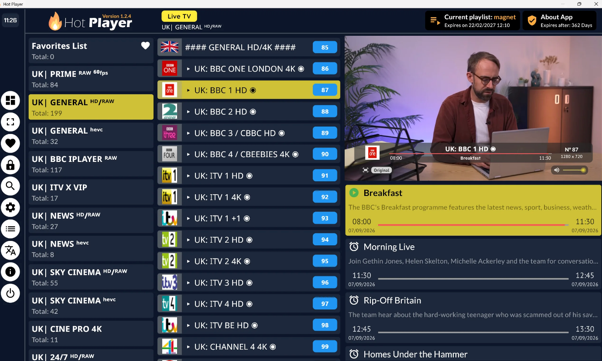
IPTV App or Player Compatibility. An IPTV service supplies the content, while an IPTV player is the app that displays it. Check that your account works properly with the supported apps, and that login and setup are straightforward and clearly explained.
EPG and User Experience. Check that the Electronic Programme Guide (EPG) is accurate, with correct times and titles. Try navigating, searching and creating favourites. A cluttered or slow interface will annoy you daily, even if the streams are fine.
Internet Speed and Network Performance. Test over both Wi-Fi and a wired Ethernet connection where possible. Buffering is not always the provider’s fault. Your router, broadband congestion, weak Wi-Fi signal or an underpowered device can all cause problems. Running a speed test alongside your viewing helps you tell the difference.
Customer Support. A free IPTV trial is a good chance to see how quickly and clearly support replies. Ask one genuine setup or compatibility question, and judge the speed, clarity and helpfulness of the answer.
Pricing, Renewal and Refund Terms. Read the terms before paying. Review the subscription length, total price, number of allowed connections, automatic renewal, cancellation process, refund policy and any additional charges. Understand all of this before buying a longer IPTV subscription.
Free IPTV Trial vs Long-Term IPTV Subscription
A trial is for testing, not for long-term viewing. Its purpose is to confirm the service works on your setup before you spend more. If you want to try a service without a large upfront cost, you can request an iptv free trial and run through the checklist above.
An IPTV trial usually runs for a short period, so plan your testing in advance. Use different times of day, devices and content types. If you are searching for an IPTV UK free trial, remember that availability and length vary between providers, so check the details first.
Once you move to a longer IPTV subscription plan, the cheapest option is not automatically the best. Performance, pricing transparency, device compatibility and support quality should all influence your decision. A slightly dearer plan with reliable streams and responsive help is often better value than a bargain that buffers every evening.
Final Thoughts on Choosing an IPTV Subscription
The checklist comes down to a few essentials: stable streaming, good picture quality, the channels and VOD you want, compatibility with your device and app, a usable EPG, a healthy home network, helpful support and clear terms. A trial is your chance to test these in real conditions, at the times you actually watch.
Take notes as you go, and be cautious if a provider cannot answer simple questions. By testing properly, you can choose an IPTV subscription with confidence and avoid paying for a service that does not fit how you watch.






Comment