
IPTV Service UK: How Internet TV Is Replacing Satellite and Cable in British Homes


The way Britain watches television is changing fast. Rising bills, long contracts and clunky set-top boxes are pushing households to look for something simpler, and an IPTV service UK viewers can use on any screen is increasingly the answer. Instead of a dish on the wall or a cable in the floor, internet protocol television delivers live channels and on-demand films and series over your broadband connection. This guide explains how it works, what you need, what to watch out for, and how to choose a service that is worth your money.
What is IPTV and how does it work?
IPTV stands for Internet Protocol Television. Traditional television broadcasts the same signal to everyone through satellite, cable or an aerial. IPTV sends video to your device over the internet, in the same way a streaming app does, but with the structure of a TV service: live channels, a programme guide, catch-up and a library of films and series in one place.
In practice you install an app on a device such as an Amazon Fire TV Stick, an Android TV box, an Apple TV, a Smart TV, a phone or a tablet. You sign in, and the channels appear in a guide just as they would on a satellite box. Because it runs on apps, there is no engineer visit, no dish and no equipment tied to one room.
Why more UK households are switching
Several things have come together to make IPTV attractive:
- Cost. Traditional pay-TV packages tend to be sold as a base bundle plus extras for sport and cinema, and prices often rise during the contract. IPTV is usually a single subscription at a much lower monthly cost.
- Flexibility. Many pay-TV deals run for 18 to 24 months. Most IPTV plans are prepaid for a set period with no contract and no notice period.
- Any screen. The same service can run on the living-room TV, a bedroom stick, a phone on the train or a laptop abroad.
- Better broadband. Full-fibre and faster connections now reach more homes, which makes HD and even 4K streaming practical.
What do you need to watch IPTV smoothly?
IPTV quality depends far more on your setup than on the service alone. Three things matter most.
1. A stable internet connection
As a rough guide, plan for about 15 Mbps per screen for HD and 25 Mbps per screen for 4K. If several people stream at once, add the figures together. Speed is only half of it: a stable connection matters more than a headline number, so use an Ethernet cable where you can, or the 5 GHz Wi-Fi band when you cannot.
2. A capable device
Fast-moving content such as live sport exposes weak hardware. A current streaming stick, Android TV box, Apple TV or recent Smart TV handles it comfortably. Very old or budget devices are the most common cause of stuttering.
3. A good app
A responsive app with a fast programme guide and quick channel switching makes a service far more enjoyable. Try the app before you commit, and favourite the channels you use most so they are one click away.
How much does IPTV cost in the UK?
Most services in the UK cost between roughly £4 and £15 a month, depending on the length of the plan and the picture quality. Longer plans lower the monthly price, and 4K tiers cost more than standard HD. Compared with a typical pay-TV package that includes sport and films, the saving over a year or two can run into hundreds of pounds.
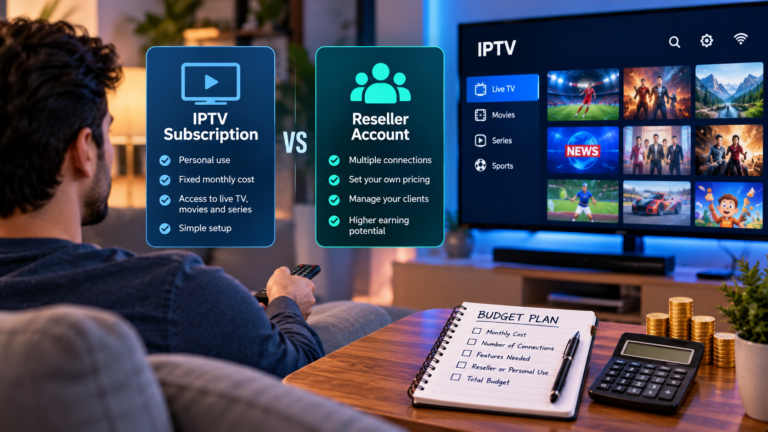
When you compare an iptv uk subscription, look past the headline price. Check whether the payment is one-off or recurring, whether it renews automatically, what the refund policy is, and how many screens can watch at the same time. A fair price with clear terms is better than the cheapest deal with strings attached.
How to choose a reliable provider
The IPTV market is crowded and quality varies enormously. A few simple checks protect you from most problems:
- Look for a free trial. A provider that trusts its service will let you test it on your own device and broadband before you pay.
- Test at peak time. Try a busy evening or a weekend match, not a quiet weekday morning.
- Read the terms and refund policy. Clear, written terms and a money-back window are signs of a business that expects to keep its customers.
- Check support before you buy. Send a question and see how quickly a real person replies.
- Be wary of unrealistic claims. Promises of every channel in the world, no buffering ever and lifetime access for a tiny one-off fee are red flags.
- Know who you are paying. Use secure, traceable payment methods and avoid providers with no contact details.
Is IPTV legal in the UK?
The technology itself is legal and is used by major broadcasters and telecoms companies. What matters is whether the content is properly licensed. Rights holders take unlicensed distribution seriously, particularly for live sport, so a careful buyer should choose a provider that is open about who it is and how it operates, and should avoid services that look too good to be true. If you are unsure, read the provider’s terms and ask questions before subscribing.
Common problems and how to fix them
- Buffering or freezing. Restart the device and router, move to Ethernet or 5 GHz Wi-Fi, pause large downloads and, if needed, drop from 4K to HD.
- Slow channel switching. Clear the app cache, update the app and check the device has free storage.
- Out-of-sync guide. Refresh the programme guide in the app settings and confirm the time zone is correct.
The bottom line
IPTV gives UK viewers a simpler, more flexible and usually cheaper way to watch live TV, sport, films and series on the devices they already own. It is not magic: you need a decent connection, a capable device and a provider you can trust. Take advantage of free trials, test the channels you actually watch at busy times, read the terms, and choose a plan length that suits you. Do that, and switching from satellite or cable can be one of the easiest household savings you make.





Comment