OCR tools are becoming increasingly important for students, remote workers, businesses, and researchers who need to digitize printed or handwritten content quickly. In this review, we tested ImageToTextOCR to see how it performs in real-world scenarios.
So, let’s dive into this!
What is ImageToTextOCR
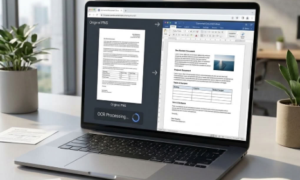
ImageToTextOCR.com is a free online OCR tool that can be used to extract text from an image. It utilizes the latest OCR technology, which is quite efficient for handwriting recognition, better handles complex layouts, and provides quick processing.
With a simple UI, you can easily use it to extract text from a single image or do batch processing at a time. This way, you don’t have to upload every single text picture over and over again to retrieve text from them.
How Does This Image to Text OCR Tool Work?
The working of Image to Text OCR is simple and straightforward. Just follow the steps below, and you will be able to extract text from a picture:
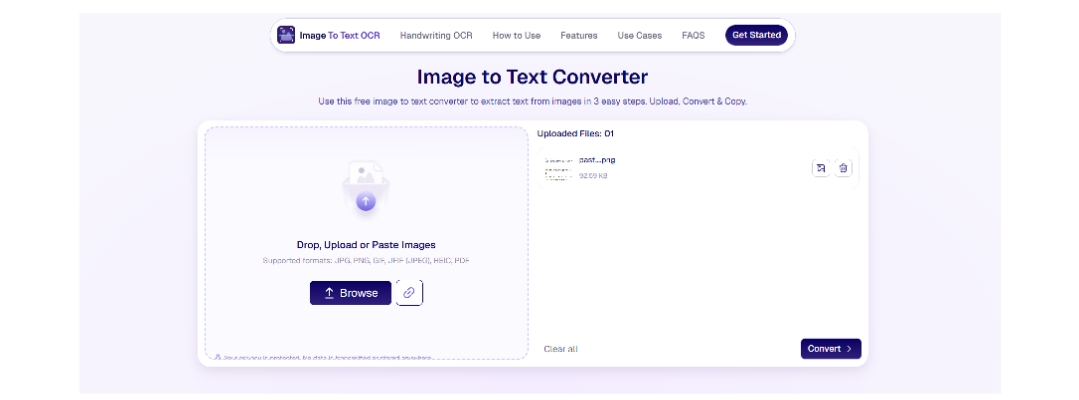
Upload the Image:
Start by uploading your image from device storage or copy/paste it as a screenshot into the tool. You can also provide the image URL, and it will find that image and upload it into the tool. PNG, JPG, JPEG, GIF, JFIF, HEIC, and PDF are acceptable formats by
ImageToTextOCR
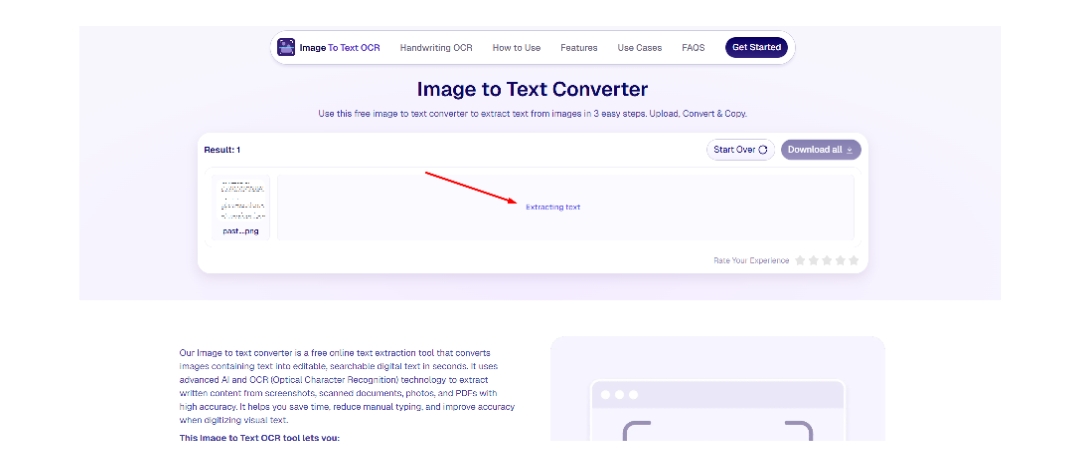
Tool Processes the Image:
Once you provide the image, the tool initiates the text extraction process. It first analyzes the picture, then understands the text within it. After that, it extracts that text from the image, converts it into an editable format, and provides you with the result.
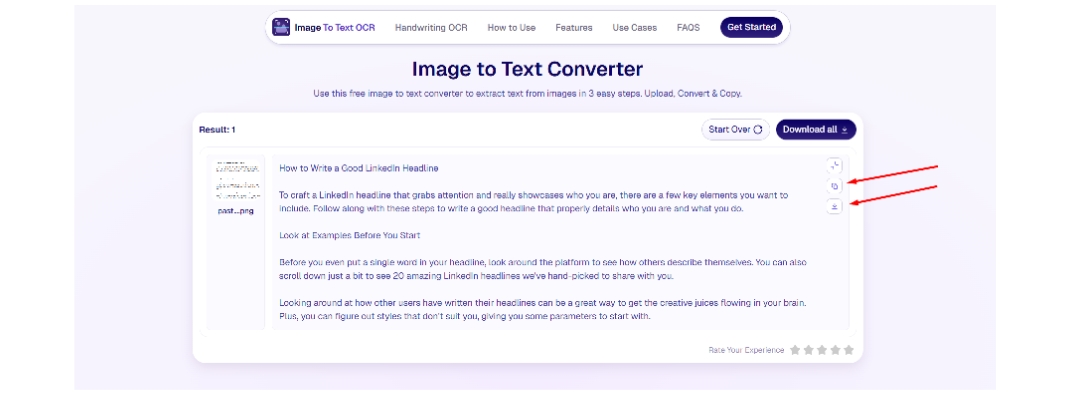
Copy or Download the Text:
You can then copy the retrieved text to the clipboard or download it as a TXT file for easy editing.
This is how you can utilize Imagetotextocr to extract text from an image.
Testing: How Good is ImageToTextOCRin Text Extraction?
Let’s test out this free image to text converter with different images and see whether it’s good or not.
Test 1: Clear Printed Text
It’s a basic test in which we will upload a simple printed text image and see the results.
Printed Text Image Input/Output:
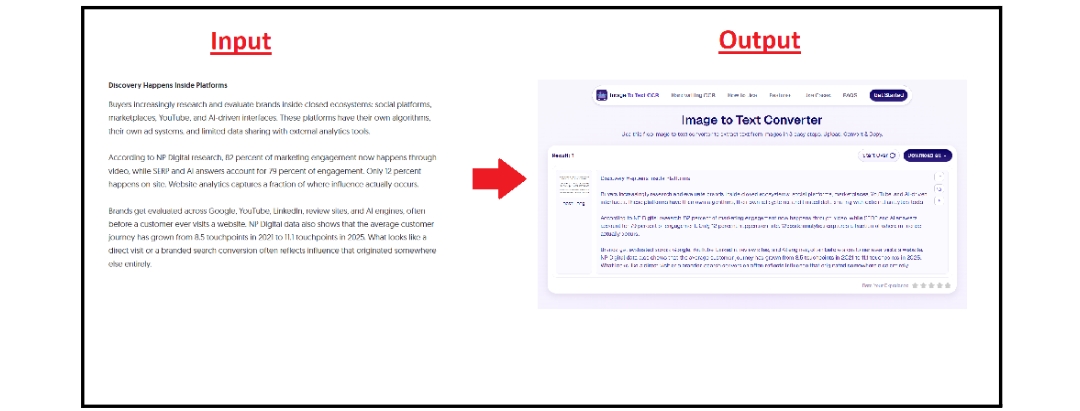
As you can see, the tool has effectively extracted text from the image, preserving its format and style.
Test 2: Handwritten Notes
Handwritten notes matter a lot to students because they often contain key points and explanations from class discussions. It’s pretty easy to lose or misplace them over time, so it’s better to digitize them. This way, you can also edit them over time and include more critical information.
So, let’s try uploading a handwritten notes image to ImagetoTextOCR and see if it can actually recognize and extract the text accurately.
Input/Output Handwritten Notes Picture:
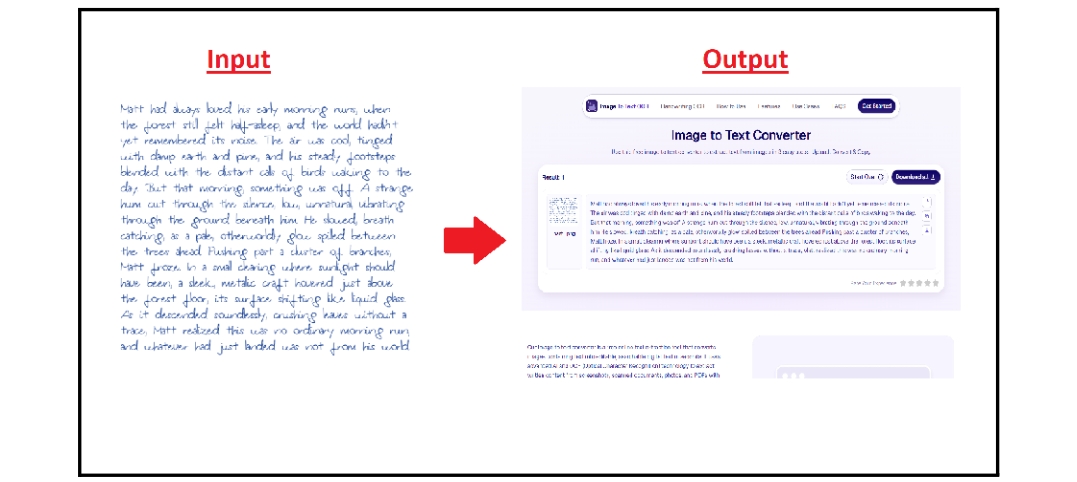
The tool performed well in this test and extracted complete text from the handwritten notes with high accuracy.
Test 3: Blurred or Low-Quality Image
Sometimes you ask a friend from your office or college to send you a picture of an important document, but when you receive it, it’s either very low quality or completely blurred. This usually happens because the image has been shared multiple times, which reduces its quality.
Now, let’s test a similar kind of image in this tool and see whether it can efficiently fetch text from it or not.
Input/Output of Blurred Image:
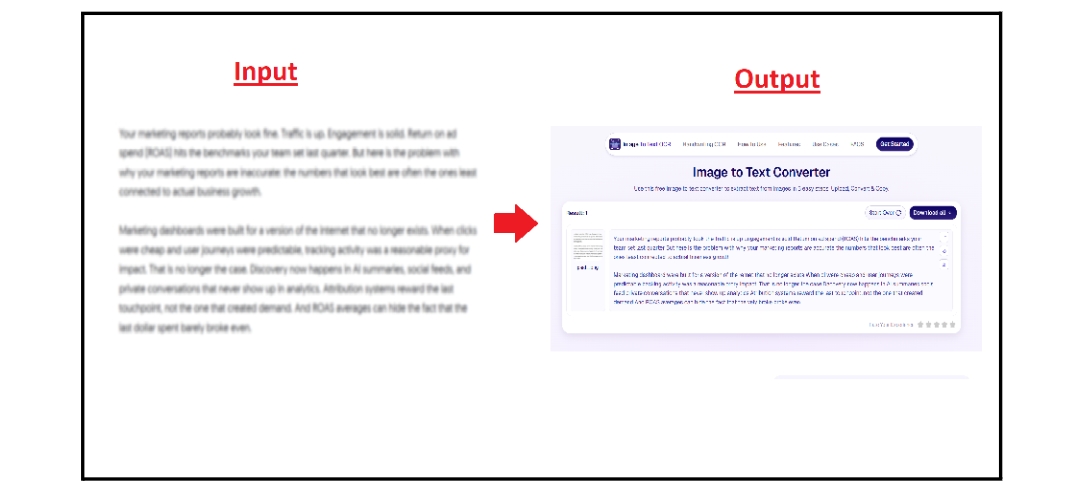
As you can see, ImageToTextOCR effectively retrieves text from a blurred/low-quality image without even a single spelling mistake.
Key Features of ImageToTextOCR
Image to Text OCR offers many unique and distinctive features. Some of them that make it different from others are:
- Batch Processing: You can upload up to 5 images for free and extract text from them without an account. But if you sign up and complete the registration, the limit will extend to 10 images at a time.
- Privacy Protected: ImageToTextOCR offers complete, safe, and secure usage. Your images won’t be saved in the tool’s database, so you can use it securely.
- Crop Image Option: You can also crop the image to remove the unnecessary part. This makes it easier and more efficient when you only want to retrieve text from a specific area of the picture.
- Latest OCR Technology: ImagetoTextOCR uses advanced, state-of-the-art OCR technology that is more efficient at recognizing handwriting patterns, extracting text from images with complex layouts, and processing much faster.
- Editable Output: You can edit or format the output in ImageToTextOCR and download it in TXT format. It lets you bold, italicize, underline, or even add or remove text, and finalize your output.
Pros & Cons
Moving on, here’s a pros and cons table of Image to Text OCR.
| Pros | Cons |
| Fast image processing. | Unavailability of dark mode. |
| Completely free to use. | Only available for English users. |
| Clean and easy user interface. | |
| No registration or signup to use. | |
| Compatible with all devices. | |
| Built-in editor to format and style output. |
ImageToTextOCR Comparison with Alternatives
For a more in-depth review of how good Image to Text OCR is, we are going to do a feature comparison of it with popular tools.
| Features |
ImageToTextOCR |
Cardscanner Image to Text | Imagetotext.info |
| Batch Processing (Free) | 5 images at a time | 1 image at a time | 1 image at a time |
| Free Usage | Yes | Yes (with limits) | Yes (with limits) |
| Pricing | Free | Yes ($3.79/mo) | Yes ($4/mo) |
| Ads on Screen | No | Yes | Yes |
| Accuracy | 5/5 | 4/5 | 4.5/5 |
Frequently Asked Questions
1. Is ImageToTextOCR free?
Yes, Image to Text OCR is free to use without a premium subscription. It lets you extract text from multiple images at a time, and you don’t have to pay a cent for that.
2. Can I use this tool on my phone?
Certainly. You can use Imagetotextocr on your mobile device. It offers a straightforward and seamless usage that anyone can easily understand.
3. Is it safe to upload pictures?
Image to Text OCR provides a secure and private usage. They do not store your images or sell them to any third-party source.
Final Verdict
After a thorough review, the final verdict is, yes, ImagetoTextOCR is good for image to text conversion. With countless unique features and completely free usage, you can fetch text from multiple images at a time without paying a penny. Besides, its advanced OCR technology is capable of extracting text from handwritten notes, PDFs, and blurred generated images. Other than that, it does not ask for any sign-up or registration for batch image processing. You can extract text from up to 5 images without an account. Last but not least is its output editing option, where you can format the extracted text as you like and download it in TXT.