
iBoomto Review: An AI PDF Summarizer for Faster Documentation and Research

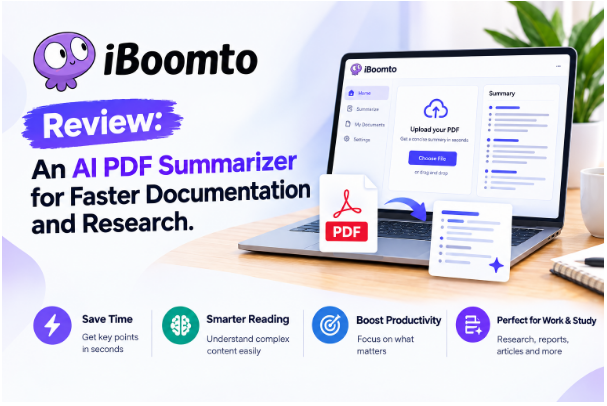
For students, researchers, writers, office professionals, and anyone who spends a large part of the day reading documents, PDFs can become a serious productivity problem. A single report, research paper, technical manual, or set of lecture notes can contain dozens or even hundreds of pages. Reading everything carefully is often necessary, but finding the information that actually matters can take much longer than expected.
This is where AI-powered document tools are becoming increasingly useful. Instead of treating a PDF as something you simply open and read from beginning to end, an AI PDF summarizer can help turn a long document into a more manageable source of information.
iBoomto with an AI PDF summarizer is an interesting concept for users who want to make documentation easier to understand and work with, particularly on Windows. The appeal is straightforward: reduce the amount of time spent manually searching through documents while keeping the important information accessible.
However, what makes an AI documentation assistant genuinely useful is not simply the presence of an AI button. The more important questions are whether it improves everyday efficiency, whether users can access it without unnecessary account requirements, how much can be done on a free plan, and what happens to private documents.
What Is iBoomto With an AI PDF Summarizer?
At its most useful, an AI PDF summarizer is designed to help users quickly understand the contents of lengthy documents. Instead of reading every paragraph before deciding whether a document is relevant, users can use AI to identify major points, summarize sections, and locate useful information.
This can be particularly valuable when dealing with documentation. Technical documentation, product manuals, reports, academic papers, project specifications, policies, and other reference materials are often information-heavy but not necessarily designed for quick reading.
The attraction of combining an AI agent with documentation is that it changes the workflow from searching through information to asking questions about information.
For example, rather than scrolling through a long PDF looking for a particular requirement, a user could ask a direct question about the document and use the resulting summary as a starting point. The original document should still be checked for important details, but the AI layer can make the first stage of research much faster.
That distinction matters. An AI summarizer should not replace careful reading when accuracy is critical. Instead, it works best as a productivity layer between the user and a large amount of information.
AI Documentation Assistance for Windows Users
One of the most interesting aspects of the iBoomto concept is its relevance to Windows users.
Windows remains a major platform for students and knowledge workers, and many of these users spend their working day moving between PDFs, Word documents, browsers, spreadsheets, presentations, and other reference materials. A documentation assistant that fits into that environment can potentially reduce the friction involved in switching between applications.
An online AI workflow can be convenient when users need quick access without installing a complicated setup. At the same time, an on-device approach can be particularly attractive for people who want more control over where their documents and information are processed.
That online-and-on-device distinction is important for privacy-conscious users. Not every document should automatically be uploaded to a third-party service simply because someone wants a summary. Business documents, unpublished research, course material, internal procedures, and personal records may contain information that users would rather keep local.
For Windows users, therefore, the idea of having both online convenience and on-device functionality is potentially one of the strongest parts of the experience.
A Generous Free Plan Can Make a Big Difference
Another feature worth highlighting is the appeal of a generous free plan.
Many AI productivity products look attractive until users reach the usage limits. A free tier may technically exist, but if it allows only a handful of documents or a very small number of requests, it is difficult to incorporate the service into an everyday workflow.
A genuinely useful free plan has a different purpose. It lets people use the core functionality regularly without immediately feeling pressured to subscribe.
For students, this is especially important. Students may need an AI PDF summarizer for lecture notes, research papers, textbooks, assignments, or reference documents, but they may not want another monthly subscription.
Knowledge workers face a similar situation. Someone who occasionally needs to summarize a report or review documentation may not need an expensive professional AI package. If a free plan is sufficient for normal, everyday use, the product becomes much easier to recommend.
That does not mean the free version needs to provide unlimited access to every advanced feature. A sensible free plan can provide enough daily functionality to establish whether the tool actually saves time before a user considers paying for additional capabilities.
Improving Efficiency for Knowledge Workers
The biggest reason to use an AI PDF summarizer is ultimately efficiency.
Knowledge workers spend enormous amounts of time processing information. The work may involve reading reports, reviewing proposals, checking specifications, studying policies, comparing documents, or extracting information from reference material.
The difficulty is not always understanding the information. Often, it is simply finding the relevant information quickly.
An AI assistant can help reduce that initial search burden.
Imagine receiving a 70-page technical document before a meeting. Instead of immediately reading every page, you could first use a summarization workflow to establish the document’s overall purpose, major sections, key recommendations, and potentially important areas to investigate further.
The same approach can be used with research papers. A student or researcher might first summarize several papers, identify which ones are most relevant, and then read those documents in greater depth.
This creates a more efficient triage → understand → verify workflow.
The AI handles the initial information reduction, while the human remains responsible for interpreting and verifying important details.
Why Students May Find It Useful
Students are another obvious audience for an AI PDF summarizer.
University and college students routinely work with long PDFs, academic papers, course readings, lecture slides, and study materials. The challenge is not necessarily a lack of information; it is having too much information and too little time.
An AI summary can provide a quick overview before a student begins detailed reading.
For example, a student could use a PDF summarizer to understand:
- The main argument of a research paper.
- The key concepts in a chapter.
- Important points from lecture notes.
- The structure of a long report.
- Areas that require additional research.
- Questions to consider while reading the original document.
This can make study sessions more focused.
It is important, however, not to treat an AI-generated summary as a replacement for academic reading. AI can overlook qualifications, misunderstand context, or simplify complicated arguments. For examinations, assignments, citations, and research, the original source should remain the authority.
Used correctly, the AI is more like a study assistant than a substitute for studying.
Privacy and Security Deserve Attention
Privacy is arguably one of the most important considerations for any AI document tool.
When a user uploads a PDF to an online AI service, the obvious question is: Where does that document go?
That question becomes even more important for business users. Documents can contain confidential project information, internal processes, customer data, financial information, or intellectual property.
An on-device option can therefore be appealing because local processing can reduce the need to transfer documents to remote servers. At the same time, users should always examine the specific privacy policy and product documentation before assuming that every feature works locally.
iBoomto’s published EULA, for example, describes software that can create background services and scheduled tasks as part of its operation. It also explains that the software is licensed for use on the relevant operating system and includes limitations and warranty terms.
This is a useful reminder that privacy and security should be evaluated from the actual documentation rather than from marketing language alone.
For sensitive documents, users should check where processing occurs, what information is transmitted, how long files are retained, whether data is used for model training, and whether documents are deleted after processing.
No Account Required Is a Major Convenience
The idea of using an AI PDF summarizer without creating an account is another feature that can make the experience much more approachable.
Account creation adds friction. Users may have to enter an email address, create a password, verify their identity, accept additional marketing communications, and remember another login.
For someone who simply wants to summarize a document, that can feel unnecessary.
A no-account workflow is particularly useful when the task is occasional. A student who needs to summarize one paper or a professional who wants to quickly understand a reference document can potentially get started without committing to another online account.
It also creates a simpler first impression: open the tool, provide the document, and start working.
That simplicity is one of the most underrated aspects of productivity software.
The AI PDF Summarizer Is Best Viewed as a Productivity Layer
One mistake users sometimes make with AI summarization tools is expecting them to do all the thinking.
That is not really where these tools provide the most value.
The better use case is reducing repetitive information-processing work. Instead of spending 30 minutes locating the relevant section of a document, an AI assistant may help point you toward it. Instead of reading several documents simply to determine which ones deserve closer attention, summaries can help you prioritize.
The human still decides what is important.
This makes an AI documentation assistant particularly suitable for knowledge workers. Their productivity often depends less on typing speed and more on how quickly they can understand, organize, compare, and act on information.
What I Like About the Concept
The strongest part of the iBoomto AI PDF summarizer concept is its focus on reducing unnecessary friction.
The combination of AI assistance, documentation support, Windows accessibility, and an emphasis on simple access makes sense for users who deal with information every day.
The potentially strongest advantages are:
- AI-assisted documentation: Long documents become easier to navigate and understand.
- PDF summarization: Users can get an overview before committing time to detailed reading.
- Windows focus: A natural fit for people who do most of their work on Windows PCs.
- Online and on-device possibilities: Different workflows can suit different privacy and convenience requirements.
- Generous free access: A useful free tier can make the product practical for everyday tasks.
- Efficiency improvements: Students and knowledge workers can spend less time searching and more time acting on information.
- Privacy and security considerations: Local processing can be valuable when documents are sensitive, although users should verify the exact processing and retention policies.
- No account requirement: Removing registration makes the first-use experience faster and less intrusive.
Things to Keep in Mind
No AI PDF summarizer should be treated as infallible.
The most important limitation is accuracy. AI systems can misunderstand context, overlook small but important details, or produce summaries that sound convincing while missing something significant.
This is especially relevant for legal documents, academic research, technical specifications, financial material, and business contracts.
The safest approach is to use AI for discovery and comprehension, then return to the original document for verification.
Users should also distinguish between online and on-device processing. “AI-powered” does not automatically mean “private,” and “local” does not automatically mean every feature is processed locally. Checking the product’s current privacy documentation is still essential.
Final Verdict
An AI PDF summarizer makes sense for anyone who regularly deals with information-heavy documents, and the concept of combining that capability with an AI documentation agent is particularly relevant for Windows users.
The real value is not simply generating shorter versions of PDFs. It is changing how users interact with documentation. Instead of spending so much time searching, scrolling, and manually extracting information, users can begin with an AI-generated overview and then concentrate their attention where it matters.
For students, this can mean faster preparation and more focused research. For knowledge workers, it can mean less time spent processing routine documentation and more time spent making decisions and completing meaningful work.
The free-plan approach is also important. If everyday users can perform useful tasks without immediately paying for a subscription, they have an opportunity to discover whether the workflow genuinely improves their productivity.
Privacy is another significant consideration, particularly when documents contain sensitive information. Users who value local processing and reduced data sharing should pay close attention to how each feature handles documents rather than assuming all AI functionality is identical.
Overall, iBoomto with an AI PDF summarizer is most compelling as a productivity-focused approach to documentation: summarize first, find information faster, and spend more time understanding and using knowledge rather than simply searching for it. For everyday students and knowledge workers, that can be a meaningful improvement to the way they work with PDFs and other documentation.







Comment