Whether you want to save a tutorial for offline study, keep a music video for a long flight, or archive content you love, downloading videos from the internet has become an everyday need for millions of users worldwide. The good news is that there are tools built specifically for this purpose — and one of them stands above the rest.
In this guide, we’ll walk you through everything you need to know about downloading videos online and introduce you to the app that makes the whole process effortless.
Why Download Videos in the First Place?
Before diving into the how-to, let’s talk about the why. Here are some of the most common reasons people download videos:
Offline access — Not everyone has constant access to reliable internet. Downloading videos lets you watch content on your commute, during travel, or in areas with poor connectivity.
Saving data — Streaming the same video repeatedly eats through your mobile data. Download it once and watch it as many times as you like.
Content preservation — Online content can disappear without warning. Downloading lets you keep a copy of content that matters to you.
Better viewing experience — Buffering and lag can ruin an experience. A downloaded file plays smoothly every time.
What Makes a Good Video Downloader?
Not all video downloaders are created equal. A good one should offer wide website compatibility, support for multiple formats and resolutions, fast download speeds, and a clean, easy-to-use interface. It should also work reliably without crashing or bombarding you with ads.
That’s a tough combination to find — but one app checks all of those boxes consistently.
Introducing VidMate: The Ultimate Free Video Downloader for Android
If you’re an Android user looking for a dependable, feature-rich video downloader, the VidMate app is one of the most popular choices available today — and for good reason.
VidMate is a free Android application designed to help users download videos and music from a wide range of websites and platforms. From short clips to full-length videos, it handles downloads quickly, cleanly, and in the format you actually want.
Key Features of VidMate
Multi-platform support — VidMate is compatible with hundreds of websites and video platforms, meaning you’re rarely limited by where your content lives. Whether it’s a social media clip, a music video, or a how-to tutorial, VidMate can likely handle it.
Multiple format options — The app supports popular formats including MP4 (for video) and MP3 (for audio), giving you the flexibility to save content in the form that suits your needs. Want just the audio from a video? VidMate makes that easy.
Resolution selection — One of VidMate’s standout features is the ability to choose the video quality before you download. Whether you want a lightweight 360p file to save space or a crisp 1080p version for a bigger screen, the choice is yours.
Fast download speeds — VidMate is optimized for speed. Downloads that would take minutes on other apps often complete in seconds, especially on a decent Wi-Fi connection.
Batch downloading — You don’t have to download one file at a time. VidMate allows you to queue multiple downloads simultaneously, saving you time and effort.
Built-in browser — The app comes with its own built-in browser, so you can browse, find content, and initiate downloads all within the same interface without switching between apps.
Free to use — VidMate doesn’t charge a subscription fee. The core functionality is completely free, making it accessible to everyone.
How to Download VidMate on Your Android Device
Since VidMate is not available on the Google Play Store, you’ll need to download it as an APK file from a trusted source. Here’s how to do it safely:
Step 1: Allow installation from unknown sources Go to your Android device’s Settings, then navigate to Security or Privacy (this may vary depending on your device). Find the option that says “Install unknown apps” or “Unknown sources” and enable it. This allows you to install apps from outside the Play Store.
Step 2: Download the APK Visit the official VidMate website and download the latest version of the APK file. Always make sure you’re downloading from a reputable source to keep your device safe.
Step 3: Install the app Once the APK is downloaded, open the file from your notifications bar or file manager. Tap “Install” and wait for the process to complete. It only takes a few seconds.
Step 4: Open VidMate Launch the app and you’re ready to start downloading videos.
How to Download a Video Using VidMate
Using VidMate is refreshingly simple. Here’s a quick walkthrough:
Step 1: Open the VidMate app and use the built-in browser to navigate to the website or platform where your video is hosted.
Step 2: Find the video you want to download and tap on it to begin playing it or viewing it.
Step 3: A download button (usually a red arrow or download icon) will appear on the screen. Tap it.
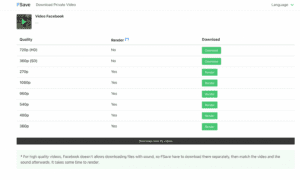
Step 4: A menu will pop up showing you the available download options — different resolutions for video (such as 144p, 360p, 720p, or 1080p) and an MP3 option if you only want the audio. Select your preferred format and quality.
Step 5: The download will begin immediately. You can track its progress in the Downloads section of the app.
Step 6: Once complete, the file is saved directly to your device’s storage and is ready to play anytime, with or without an internet connection.
Tips for Getting the Most Out of VidMate
Use Wi-Fi for large files — If you’re downloading high-resolution videos, connect to Wi-Fi first to save on mobile data and get the fastest download speeds possible.
Organize your downloads — VidMate saves files to your device’s storage, so consider organizing them into folders by category (movies, music, tutorials) so they’re easy to find later.
Choose resolution wisely — If storage space is a concern, opt for 360p or 480p for most content. Reserve 720p or 1080p for videos you plan to watch on a large screen.
Queue your downloads — Take advantage of batch downloading by queuing multiple videos at once. Start a queue before bed or before a long commute and come back to find everything ready.
Is VidMate Safe to Use?
This is a fair question for any app downloaded outside of the Play Store. VidMate has a large and active user base, and when downloaded from the official source, it is considered safe for use on Android devices. As with any APK installation, it’s important to download only from trusted and official websites to avoid tampered versions.
Also keep in mind that while VidMate itself is a legitimate tool, users are responsible for ensuring that their use of downloaded content complies with the terms of service of the platforms they download from and applicable copyright laws. It’s best used for content you have the right to download, such as your own uploads, royalty-free content, or content explicitly made available for offline use.
Final Thoughts
Downloading videos doesn’t have to be complicated or frustrating. With the right tool, it’s a quick and seamless process that gives you full control over your media library. VidMate brings together fast speeds, format flexibility, resolution choice, and broad platform compatibility — all in a free, easy-to-navigate app.
If you’re an Android user who regularly watches video content and wants the freedom to enjoy it offline, the VidMate app is absolutely worth trying. Download it once, and you’ll wonder how you managed without it.