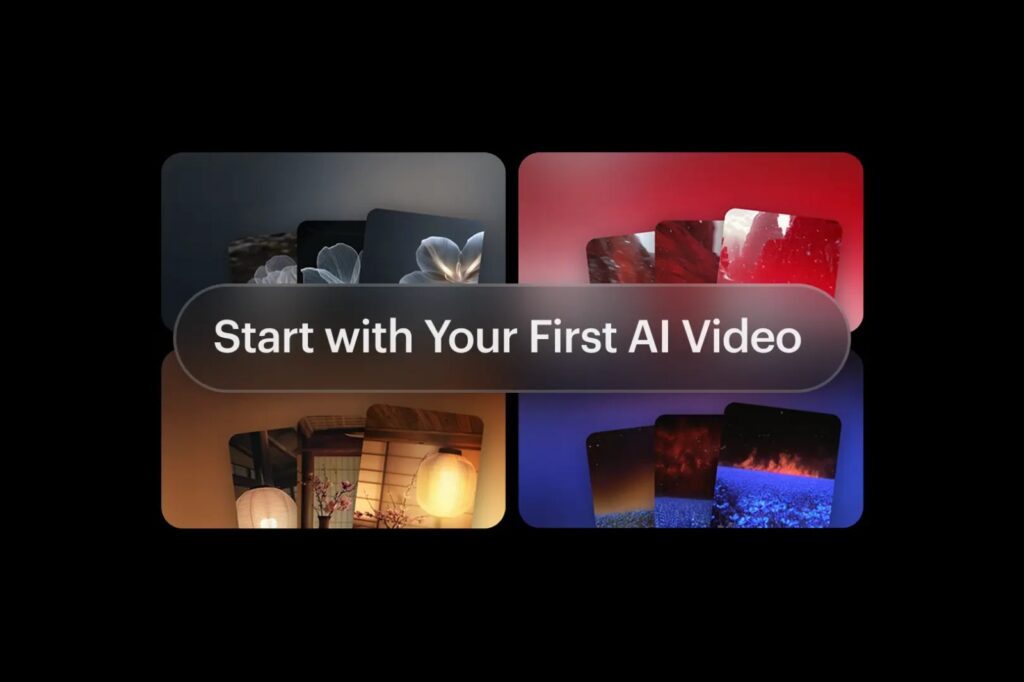
The Complete Beginner’s Guide to AI Video Creation with Seedance2Video.io
Video content dominates today’s digital landscape. From social media marketing and YouTube content to product demonstrations and educational materials, businesses and creators rely heavily on video to engage audiences. However, traditional video production often requires expensive equipment, professional editing skills, and significant time investments. This is where text-to-video AI is changing the game. With modern AI video generators, anyone can transform simple text descriptions into visually impressive videos within minutes. Whether you’re a content creator, marketer, entrepreneur, educator, or business owner, text-to-video AI offers a fast and cost-effective way to produce high-quality video content.
In this guide, you’ll learn how text-to-video AI works, its key advantages, best practices for writing prompts, common mistakes to avoid, real-world applications, and a step-by-step tutorial using Seedance2Video.io.
What Is Text-to-Video AI?
Text to video AI is an advanced artificial intelligence technology that converts written descriptions into animated video content. Instead of filming scenes manually, users simply enter a text prompt describing the video they want to create.
For example:
“A futuristic city at sunset with flying vehicles, cinematic lighting, and ultra-realistic visuals.”
The AI analyzes the description and generates a video matching the prompt.
Modern AI video generators combine natural language processing, machine learning, computer vision, and generative AI models to understand prompts and create realistic motion, environments, and visual effects.As AI technology continues to evolve, text-to-video tools are becoming increasingly capable of producing professional-quality content that previously required entire production teams.
How Text-to-Video AI Works
Understanding the technology behind AI video creation can help users create better prompts and achieve superior results.
Natural Language Processing (NLP)
The first step involves analyzing the user’s text prompt.
The AI identifies:
- Subjects
- Actions
- Locations
- Objects
- Emotions
- Visual styles
- Camera movements
For example, the prompt:
“A golden retriever running across a snowy mountain at sunrise.”
contains:
- Subject: Golden retriever
- Action: Running
- Environment: Snowy Mountain
- Lighting: Sunrise
The AI converts these elements into visual instructions.
Scene Creation
The system generates individual video frames based on the prompt.
It determines:
- Environment design
- Character appearance
- Lighting
- Colors
- Perspective
- Composition
This stage forms the visual foundation of the video.
Motion Generation
Unlike image generation, video requires movement.
The AI predicts:
- Character actions
- Camera motion
- Environmental dynamics
- Object interactions
This creates realistic and coherent animation sequences.
Rendering and Enhancement
The final step combines generated frames into a complete video.
Many AI platforms also improve:
- Resolution
- Motion consistency
- Lighting accuracy
- Visual detail
The result is a polished video ready for publishing.
Benefits of Using Text-to-Video AI
Faster Production
Traditional video projects may take days or weeks to complete.
AI-generated videos can often be created in minutes.
Lower Costs
Businesses can reduce expenses associated with:
- Video crews
- Actors
- Studios
- Equipment
- Editors
Increased Creativity
AI allows creators to visualize concepts that would be difficult or expensive to film.
Examples include:
- Fantasy worlds
- Historical recreations
- Futuristic cities
- Space exploration scenes
Easy Scalability
Marketing teams can create multiple video versions quickly for testing and campaign optimization.
Accessibility
Users without video editing experience can produce professional-looking content using simple prompts.
Why Businesses Are Investing in AI Video Creation
Video remains one of the most effective forms of digital communication.
Organizations increasingly use AI-generated videos for:
Marketing Campaigns
Promotional content can be produced faster and more efficiently.
Social Media Content
Short-form videos perform exceptionally well across:
- TikTok
- Instagram Reels
- YouTube Shorts
Product Demonstrations
Companies can showcase products without expensive production shoots.
Employee Training
Businesses can create onboarding and instructional videos at scale.
Customer Education
AI-generated tutorials help improve user experience while reducing support requests.
Best Practices for Writing Effective Text-to-Video Prompts
Prompt quality directly impacts video quality.
Be Specific
Weak prompt:
“A dog in a park.”
Strong prompt:
“A golden retriever running through a green park during sunset, cinematic lighting, realistic motion, shallow depth of field.”
Specific prompts generate better results.
Include Camera Instructions
Professional videos often include camera movement.
Examples:
- Drone shot
- Slow zoom
- Tracking shot
- Pan left
- Cinematic close-up
Example:
“Drone shot flying over tropical islands during sunrise, cinematic atmosphere, ultra-realistic.”
Describe Lighting
Lighting dramatically affects visual quality.
Useful terms include:
- Golden hour
- Soft lighting
- Neon glow
- Volumetric lighting
- Dramatic shadows
Define the Style
Specify the desired visual appearance.
Examples:
- Photorealistic
- Cinematic
- Documentary
- Anime
- 3D animation
Include Motion Details
Mention actions clearly.
Examples:
- Walking
- Running
- Flying
- Driving
- Dancing
Motion instructions help create dynamic scenes.
Add Emotional Context
Mood influences the final output.
Examples:
- Inspirational
- Peaceful
- Exciting
- Mysterious
- Dramatic
A Simple Prompt Formula for Better Results
Many creators use the following formula:
Subject + Action + Environment + Camera Movement + Lighting + Style
Example:
“A professional chef preparing sushi in a luxury restaurant, slow camera dolly movement, warm lighting, cinematic style, ultra-realistic.”
This structure consistently produces higher-quality AI videos.
Common Text-to-Video AI Mistakes to Avoid
Being Too Vague
Poor prompt:
“Create a city video.”
Better prompt:
“A futuristic cyberpunk city at night with neon lights, flying vehicles, rain reflections, cinematic camera movement.”
Overloading the Prompt
Including too many unrelated elements often confuses the model.
Focus on one primary scene.
Ignoring Motion
Static descriptions can lead to less engaging videos.
Always include movement whenever possible.
Forgetting Style Instructions
Without style guidance, outputs can vary significantly.
Specify whether you want:
- Realistic
- Cinematic
- Animated
- Documentary
Expecting Perfect Results Immediately
Most professional creators refine prompts several times before achieving their desired outcome.
Step-by-Step Tutorial: Creating Videos with Seedance2Video.io
Step 1: Visit Seedance2Video.io
Open your browser and access the platform.
Create an account if necessary.
Step 2: Start a New Project
Select the Text-to-Video option from the dashboard.
Step 3: Enter Your Prompt
Example:
“A futuristic city skyline at sunset with flying vehicles, cinematic aerial camera movement, ultra-realistic lighting, 4K quality.”
Step 4: Configure Video Settings
Adjust settings such as:
- Resolution
- Duration
- Aspect ratio
- Motion intensity
- Style presets
Recommended aspect ratios:
- 16:9 for YouTube
- 9:16 for TikTok and Shorts
- 1:1 for Instagram
Step 5: Choose a Style
Popular styles include:
- Cinematic
- Realistic
- Sci-Fi
- Fantasy
- Animated
Step 6: Generate the Video
Click Generate and allow the AI to process your prompt.
Step 7: Review the Output
Evaluate:
- Motion quality
- Visual consistency
- Lighting
- Scene composition
Step 8: Refine Your Prompt
If needed, add more details to improve accuracy.
Step 9: Export the Video
Download the final video in your preferred format and resolution.
Seedance2Video.io vs Other AI Video Generators
| Feature | Seedance2Video.io | Runway | Kling AI | Veo |
| Text-to-Video Generation | Yes | Yes | Yes | Yes |
| Beginner Friendly | Excellent | Good | Moderate | Good |
| Prompt Control | High | High | High | High |
| Learning Curve | Low | Medium | Medium | Medium |
| Marketing Video Creation | Excellent | Good | Good | Good |
Features may vary as platforms continue to evolve.
Real-World Applications of Text-to-Video AI
Content Marketing
Brands create engaging promotional content at scale.
E-Commerce
Businesses showcase products through AI-generated demonstrations.
Education
Teachers and training providers develop visual learning materials quickly.
Real Estate
Agents create property presentations and virtual tours.
Entertainment
Creators develop short films, animations, and storytelling projects.
Corporate Communications
Organizations use AI video for presentations, training, and internal communications.
Pro Tips for Creating Better AI Videos
Generate Multiple Versions
Create several variations and choose the strongest output.
Keep Scenes Focused
One clear idea usually produces better results than multiple competing concepts.
Use Cinematic Keywords
Helpful keywords include:
- Cinematic
- Ultra-realistic
- Volumetric lighting
- Depth of field
- Smooth camera motion
- Professional filmmaking
- 4K quality
Refine Iteratively
Small prompt adjustments often create significant quality improvements.
Save Successful Prompts
Building a personal prompt library helps maintain consistent quality across projects.
Frequently Asked Questions About Text-to-Video AI
Is text-to-video AI free?
Many AI video generators offer free plans with limited credits, while premium plans provide higher resolutions, longer videos, and commercial licensing.
What is the best text-to-video AI tool?
The best platform depends on your specific goals, budget, and desired video style. Seedance2Video.io is a strong option for users seeking a straightforward text-to-video workflow.
Can AI-generated videos be used commercially?
Most platforms allow commercial use under specific subscription plans. Always review the platform’s licensing terms before publishing content.
How long does AI video generation take?
Most videos can be generated within a few minutes, depending on complexity and server demand.
Do I need video editing experience?
No. Most text-to-video AI platforms are designed for beginners and require only basic prompt-writing skills.
The Future of Text-to-Video AI
The future of AI video generation looks incredibly promising.
Expected advancements include:
- Longer video generation capabilities
- Better character consistency
- Real-time editing
- Improved storytelling
- Voice-controlled video creation
- Hyper-realistic cinematic outputs
As these technologies continue to improve, AI-generated video content will become an increasingly important part of digital marketing, education, entertainment, and business communication.
Final Thoughts
Text-to-video AI is transforming how videos are created. By converting simple text prompts into compelling visual content, AI video generators make professional-quality production accessible to creators of all skill levels. Whether you’re producing marketing campaigns, educational materials, social media content, product demonstrations, or creative storytelling projects, platforms like Seedance2Video.io can dramatically reduce production time while expanding creative possibilities. By learning how text-to-video AI works, mastering prompt writing, and following the best practices outlined in this guide, you’ll be well-equipped to create stunning AI-generated videos that capture attention and deliver results.