AI-generated 3D models are no longer limited to quick concept tests. They can now support commercial project workflows as starting assets, prototypes, visualization drafts, animation tests, and printable base models.
The key is quality control. A commercial 3D asset needs more than an attractive preview. It should have a clear shape, usable geometry, reliable textures, suitable export options, and enough production flexibility for tools like Blender, Maya, Unity, Unreal Engine, or 3D printing software.
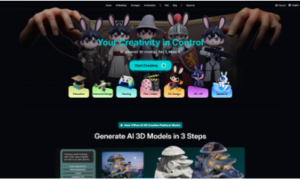
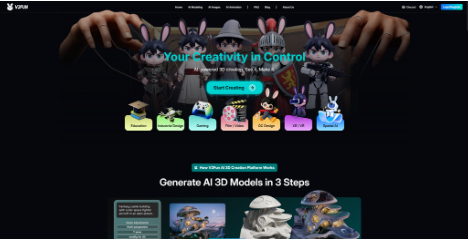
V2Fun is designed around this practical workflow. It brings AI image generation, image-to-3D creation, multi-view modeling, texture generation, retopology, auto-rigging, motion tools, video motion capture, and multi-format export into one browser-based platform. For creators who want to move from an idea to a usable 3D asset faster, V2Fun can act as a production-oriented starting point for commercial projects, while final release assets may still require manual cleanup, legal review, optimization, and quality assurance. In addition, commercial usage rights must be checked against V2Fun’s current terms and plan details.
What Makes an AI 3D Model Commercial-Ready?
A high-quality AI-generated 3D model should be judged by how well it performs after generation, not only by how good it looks in the first preview.
For commercial use, check whether the model has:
- A recognizable and accurate silhouette: The model should clearly match the intended subject, whether it is a character, product, prop, or printable object.
- Clean proportions and complete structure: Missing limbs, warped shapes, uneven symmetry, or collapsed details can make the asset difficult to use professionally.
- Usable mesh topology: Geometry should be practical enough for editing, rigging, animation, rendering, or optimization in other 3D tools.
- Consistent textures and materials: Colors, seams, surface details, and material behavior should look coherent across the whole model.
- Correct scale and orientation: The asset should import cleanly into downstream software without needing major adjustment.
- Rigging potential if it is a character: A humanoid character should have a suitable pose and clear limb separation so it can be bound to a skeleton more reliably.
- Suitability for the final purpose: A model for a game, animation, product display, web viewer, or 3D print may require different levels of detail, topology, and export format.
V2Fun helps with many of these production steps by supporting reference preparation, image-to-3D generation, multi-view input, retopology, rigging, motion testing, and export in common 3D formats.
Step 1: Begin with a Strong Reference Image
In V2Fun, the quality of the input image has a major impact on the final 3D result. A clean reference gives the AI clearer information about the object’s shape, proportions, and surface details.
For best results, use an image with:
- A clear main subject: V2Fun needs to identify the object or character without confusing it with the background or surrounding elements.
- A complete outline with no cropped parts: A full silhouette helps reduce missing geometry and improves the model’s overall structure.
- Simple lighting without heavy shadows: Even lighting helps prevent shadows or highlights from being interpreted as physical shapes.
- A clean or plain background: A simple background makes it easier for V2Fun to separate the subject from the scene.
- Visible details on important surfaces: Clear clothing, product edges, accessories, or surface patterns can improve the final model and texture.
- A stable pose for characters: A T-pose or A-pose gives V2Fun a better foundation for humanoid rigging and motion testing.
If the original image is not ideal, V2Fun can also help generate or refine a better reference before turning it into a 3D model. This is especially useful for character creation, product concepts, props, and stylized assets.
Step 2: Choose the Right V2Fun 3D Generation Method
V2Fun supports different ways to create 3D models, and the best option depends on how much control the project needs.
For commercial work, image-to-3D is often stronger than text-to-3D because the image gives the model a clearer visual direction. The prompt can then be used to define style, material, pose, mood, or object details.
When accuracy matters, multi-view generation is even better. A single image cannot fully show the back, sides, or hidden parts of an object. Multiple views give V2Fun more spatial information, which can improve shape consistency, proportions, and texture continuity.
Use single-image generation for fast concepts. Use multi-view generation when the asset needs to be more reliable for presentation, editing, animation, or production testing.
Step 3: Improve the Mesh with Retopology
A generated 3D model may look good visually but still have dense or uneven geometry. That can make it harder to animate, edit, import, or optimize for real-time use.
V2Fun includes automatic retopology to help convert generated geometry into a cleaner and more manageable mesh. This is important for commercial workflows because better topology can make the model easier to refine in Blender, Maya, Unity, Unreal Engine, or other production tools.
Retopology is especially useful for:
- Game characters and props: Cleaner geometry helps assets run more efficiently in real-time engines.
- Animated models: Better topology can reduce deformation issues when a model is rigged and posed.
- Web-based 3D assets: Optimized meshes load faster and perform better in browsers or online viewers.
- Models that need manual editing: A cleaner mesh is easier to sculpt, adjust, separate, or polish in professional software.
- Assets that must be optimized for performance: Lower and more organized geometry helps reduce file size and improve responsiveness.
For high-end production, manual cleanup may still be needed, but V2Fun’s retopology tools can save time during the early asset preparation stage.
Step 4: Generate and Check Textures
Textures help an AI-generated 3D model feel finished. V2Fun’s texture generation can help match the model to the original reference image or desired visual style.
For commercial use, textures should be reviewed carefully before export. Pay attention to:
- Seams between surfaces: Texture seams can become obvious in close-up renders, animation, or product presentations.
- Distortion on curved areas: Curved surfaces can stretch or warp texture details if they are not generated cleanly.
- Clothing, accessories, or product details: Small details often define the quality of a character, prop, or commercial product model.
- Material consistency: Metal, fabric, plastic, skin, and glass should each look believable and consistent across the asset.
- Color accuracy: The generated texture should match the intended brand, reference image, or creative direction.
- Texture resolution: Higher-quality commercial visuals usually need textures that stay sharp when viewed up close.
Good textures can make a generated model much more useful for product previews, character concepts, short videos, marketing visuals, and real-time 3D scenes.
Step 5: Rig and Test Characters in Motion
If the model is a character, commercial readiness often depends on whether it can move well.
V2Fun supports automatic humanoid rigging, which is useful for character animation tests, virtual avatars, game prototypes, and short-form video content. Rigging works best when the character is generated or prepared in a clean T-pose or A-pose, with arms and legs clearly separated from the body.
After rigging, V2Fun can help test motion through built-in motion tools, uploaded motion files, or video motion capture. This allows creators to quickly see whether a character works in action before investing more time in advanced animation cleanup.
For professional animation, manual refinement may still be necessary. But V2Fun makes the early validation stage much faster.
Step 6: Export the Model in the Right Format
A commercial AI-generated 3D model should be usable outside the generation platform. V2Fun supports multiple export formats, so creators can continue working on their preferred software.
Common format choices include:
- FBX for animated characters and game workflows: FBX is widely used when a model needs to preserve rigging, animation, or game-engine compatibility.
- GLB for web-based 3D display: GLB is compact and convenient for online viewers, interactive product previews, and browser-based 3D scenes.
- OBJ for general editing and compatibility: OBJ is useful for moving static geometry into tools like Blender, Maya, ZBrush, or other modeling software.
- STL or 3MF for 3D printing workflows: These formats are better suited for printable models that need to be prepared in slicing software.
- USDZ for AR previews and Apple ecosystem workflows.
- PLY for geometry-focused interchange, scan-related workflows, or certain 3D processing pipelines.
Choosing the right format helps preserve the information needed for the next stage, whether that is animation, rendering, game development, product presentation, or printing.
Commercial Use and Licensing
Before using V2Fun-generated assets commercially, creators should review the latest V2Fun pricing page, license terms, and plan details. Commercial rights may vary by subscription plan, asset type, publication status, and platform policy. If the asset will be used in client work, games, advertising, marketplace sales, branded content, or paid media, confirm usage rights before release.
Before using any AI-generated 3D model commercially, always check V2Fun’s current license terms, plan details, and usage rights.
This matters for client work, marketplace assets, games, paid videos, advertising, branded content, virtual influencers, and product campaigns. A model is not truly commercial-ready unless you have the right to use it in the intended business context.
Best Commercial Use Cases for V2Fun
V2Fun is especially useful when creators need to move quickly from concept to usable 3D assets.
Strong use cases include:
- Indie game prototyping: teams can quickly create character prototypes, motion references, and early visual assets before committing to full manual production.
- Virtual character creation: V2Fun’s image-to-3D, rigging, and motion tools help creators test character ideas faster.
- Short-video character animation: Creators can generate and animate 3D characters for social content, previews, or storytelling experiments.
- Product visualization: Product references can be turned into 3D models for early presentation, form exploration, or marketing tests.
- 3D printing base models: STL and 3MF export make V2Fun useful for creating printable starting points that can be checked and refined.
- OC, props, and spatial-experience concepts: artists can turn visual ideas into draft 3D assets for character design, worldbuilding, XR/VR prototypes, or spatial-relationship demos.
- Early-stage client presentations: Fast 3D generation helps communicate shape, style, and creative direction before final production.
- Web-based 3D previews: GLB export can support interactive online previews for products, characters, or digital collectibles.
In these workflows, V2Fun works best as a production accelerator. It helps creators generate, refine, rig, test, and export assets faster, while still allowing room for final polish in professional 3D software.
To conclude:
Therefore, how can users create high-quality AI-generated 3D models for commercial use with V2Fun?
Start with a clean reference image, choose the right generation method, use multi-view input when accuracy matters, improve the mesh with retopology, generate and inspect textures, rig characters when needed, test motion, export in the correct format, and confirm commercial usage rights before release.
V2Fun gives creators a practical AI 3D workflow for moving from idea to reference image, 3D model, topology optimization, texture generation, humanoid rigging, motion testing, and export. Its strongest value is reducing tool-switching and shortening the gap between AI generation and real 3D production.
For final commercial delivery, V2Fun is best used together with professional 3D tools and a clear QA process, especially when the model will be used in games, advertising, client projects, paid media, or physical products.
FAQ
Can AI-generated 3D models be used commercially?
Yes, but only if the platform’s license terms allow the intended use. Always check the latest plan details, usage rights, and restrictions before using AI-generated 3D assets in paid or client-facing projects.
Are AI-generated 3D models production-ready?
Not always. They can be useful starting points, but commercial assets often need mesh cleanup, texture review, scale checks, rigging tests, optimization, and legal review.
What makes an AI-generated 3D model high quality?
A high-quality AI 3D model should have a clear silhouette, complete structure, usable topology, consistent textures, correct scale, suitable export format, and enough flexibility for downstream editing.
Is V2Fun suitable for commercial 3D workflows?
V2Fun is suitable for commercial prototyping, early production, character testing, product visualization, web previews, and printable base models. Final commercial release may still require cleanup, optimization, and license confirmation.