
How to Choose Microsoft Office Software for Home and Business Use

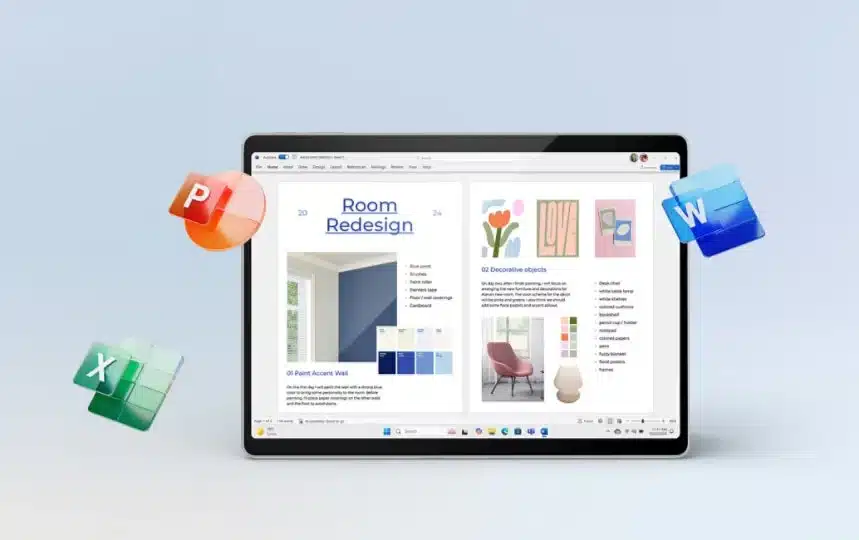
In today’s digital world, having reliable office software is essential for students, freelancers, entrepreneurs, and established businesses. From preparing professional documents to managing financial records and creating presentations, office applications help people complete everyday tasks efficiently. Choosing the right software can improve productivity, simplify collaboration, and make routine work easier.
For users looking for convenient software purchasing options, digital marketplaces provide an accessible way to explore available products. Understanding software editions, licensing requirements, activation methods, and compatibility can help buyers make informed decisions before making a purchase.
Why Microsoft Office Remains a Popular Choice
Microsoft Office applications are widely used in educational institutions, offices, and home environments. Programs such as Word, Excel, and PowerPoint support a variety of everyday activities, including writing reports, analyzing information, and delivering presentations.
Microsoft Word is useful for creating business proposals, contracts, letters, and other professional documents. Excel helps users organize data, prepare budgets, track expenses, and analyze business performance. PowerPoint allows professionals and students to communicate ideas through visually organized presentations.
Depending on the edition and subscription, additional applications and services may also be available. These tools make Office software a practical option for people who need dependable applications for different types of work.
Where to Buy Microsoft Office Online
Purchasing software online offers convenience because customers can explore available editions without visiting a physical store. However, buyers should understand what they are purchasing before choosing a particular product.
When you buy Microsoft Office online, consider your intended use, operating system, preferred applications, and budget. Some users need a one-time purchase, while others prefer a subscription that includes ongoing updates and additional services.
Before completing an order, review the product description carefully. Check whether the license covers a specific Office edition, which operating systems are supported, and whether the product is intended for personal or commercial use. You should also understand whether activation requires a product key, a Microsoft account, or another supported method.
For shoppers exploring digital software products, the Microsoft Office activation keys category provides a place to browse available Office-related listings. Review the details of each listing and confirm its licensing terms before purchasing.
The Importance of Genuine Office Software
Software authenticity matters for both individuals and businesses. Choosing genuine Office software helps users reduce the risk of activation problems, unexpected license restrictions, and unauthorized software distribution.
A product that activates successfully is not necessarily proof that every licensing condition has been satisfied. Buyers should verify that the license is legitimate and appropriate for their intended use.
Microsoft provides official guidance on activating Office and redeeming eligible product keys. Depending on the product, activation may involve signing in with the Microsoft account associated with the purchase or redeeming a key through Microsoft’s setup process.
It is also important to understand the risks associated with unusually inexpensive product keys. Some unauthorized keys may already have been used, may not match the advertised edition, or may eventually be blocked. Checking the seller’s reputation, refund policy, and licensing information can help reduce these risks.
Businesses should pay particular attention to licensing conditions when purchasing software for employees. A license intended for an individual user may not provide the same rights as a business or organization license.
Understanding Digital Software Licenses
Digital software licenses allow customers to obtain software through electronic purchasing and delivery methods. Instead of receiving a physical package, buyers may receive redemption instructions, a digital entitlement, or other information required to access their purchase.
The exact process depends on the product. Some purchases are associated with a Microsoft account, while others require a product key or a specific activation procedure.
Digital delivery can make software purchasing more convenient, especially for remote workers and small businesses that need to set up computers quickly. It can also simplify access to purchase information when customers keep their order confirmations and licensing records organized.
Before buying, confirm the following details:
- Product edition: Make sure the software includes the applications you need.
- License type: Understand whether the purchase is a subscription, perpetual license, or another licensing arrangement.
- Device compatibility: Verify that the product supports your operating system and hardware.
- Activation process: Read the instructions and confirm how the software will be activated.
- Support and refunds: Check the seller’s policies if activation fails or the product differs from its description.
Taking these steps can help you make a more informed purchasing decision and avoid unnecessary complications later.
Office Software as One of the Essential Business Productivity Tools
Modern organizations rely on business productivity tools to manage information, communicate with customers, and complete administrative work. Office applications can support many of these activities without requiring a complicated technical setup.
For example, a small business can use Word to prepare proposals, Excel to maintain financial spreadsheets, and PowerPoint to present its services to prospective clients. These applications are useful across industries, including consulting, retail, education, marketing, and professional services.
Freelancers can also benefit from office software. Writers can prepare content briefs, virtual assistants can maintain task trackers, and marketing professionals can organize campaign data. Having familiar applications available can make it easier to deliver work in commonly accepted file formats.
Choosing suitable software is only one part of improving productivity. Users should also establish organized file structures, create regular backups, apply available security updates, and use appropriate access controls when handling confidential information.
For teams working across multiple locations, it is worth considering whether collaboration features and cloud storage are necessary. The right choice depends on how frequently employees share documents, whether they need simultaneous editing, and how the organization manages its data.
How to Select the Right Office Edition
The best Office edition depends on your requirements rather than simply its price or name.
Home users may prioritize document creation, spreadsheets, and presentations. Students may need applications for assignments and research projects. Freelancers might focus on compatibility with client documents, while businesses may require additional administrative controls and licensing flexibility.
Compare the applications included with each edition and check whether the product receives the updates and support you expect. Older versions may have different support arrangements from newer releases, so verify the current status before purchasing.
You should also consider how many devices need access. Never assume that a single license can be used across multiple computers or shared among employees without restrictions. Read the applicable license terms and confirm the number of permitted installations and users.
A careful comparison helps buyers avoid paying for features they do not need while ensuring that essential functionality is available.
Make a More Informed Software Purchase
Buying office software is an investment in everyday productivity. The right applications can help individuals organize their work, businesses manage information, and teams communicate ideas more effectively.
Before choosing a product, evaluate your requirements, compare available editions, confirm compatibility, and examine the seller’s licensing information. Pay attention to activation instructions and retain your order confirmation for future reference.
If you are exploring digital software options, visit the Office category at BuyDigital.fun to review the available listings. Read each product description carefully, verify the license details, and choose an option that fits your needs.
With a thoughtful approach to software selection, you can make a more informed purchase and build a reliable digital workspace for your personal, educational, or professional activities.







Comment