
How to Choose Your First 3D Printer: A Practical Beginner’s Guide

Buying your first 3D printer can be surprisingly confusing. Product pages emphasize speed, build volume, temperature, and automation, but those numbers do not always reveal what the printer will be like to use every week.
A better starting point is to think about what you want to make. Someone interested in tabletop miniatures has different requirements from a homeowner printing drawer organizers, replacement parts, and brackets. Your available workspace, patience for maintenance, and willingness to learn new software matter just as much as the printer’s specifications.
When searching for a 3D printer for beginners, avoid choosing a machine simply because it is described as “beginner-friendly.” Instead, consider how well its printing technology, materials, software, and maintenance requirements fit your actual plans.
Start With the Projects You Want to Print
Before comparing models, write down three or four things you would genuinely like to make.
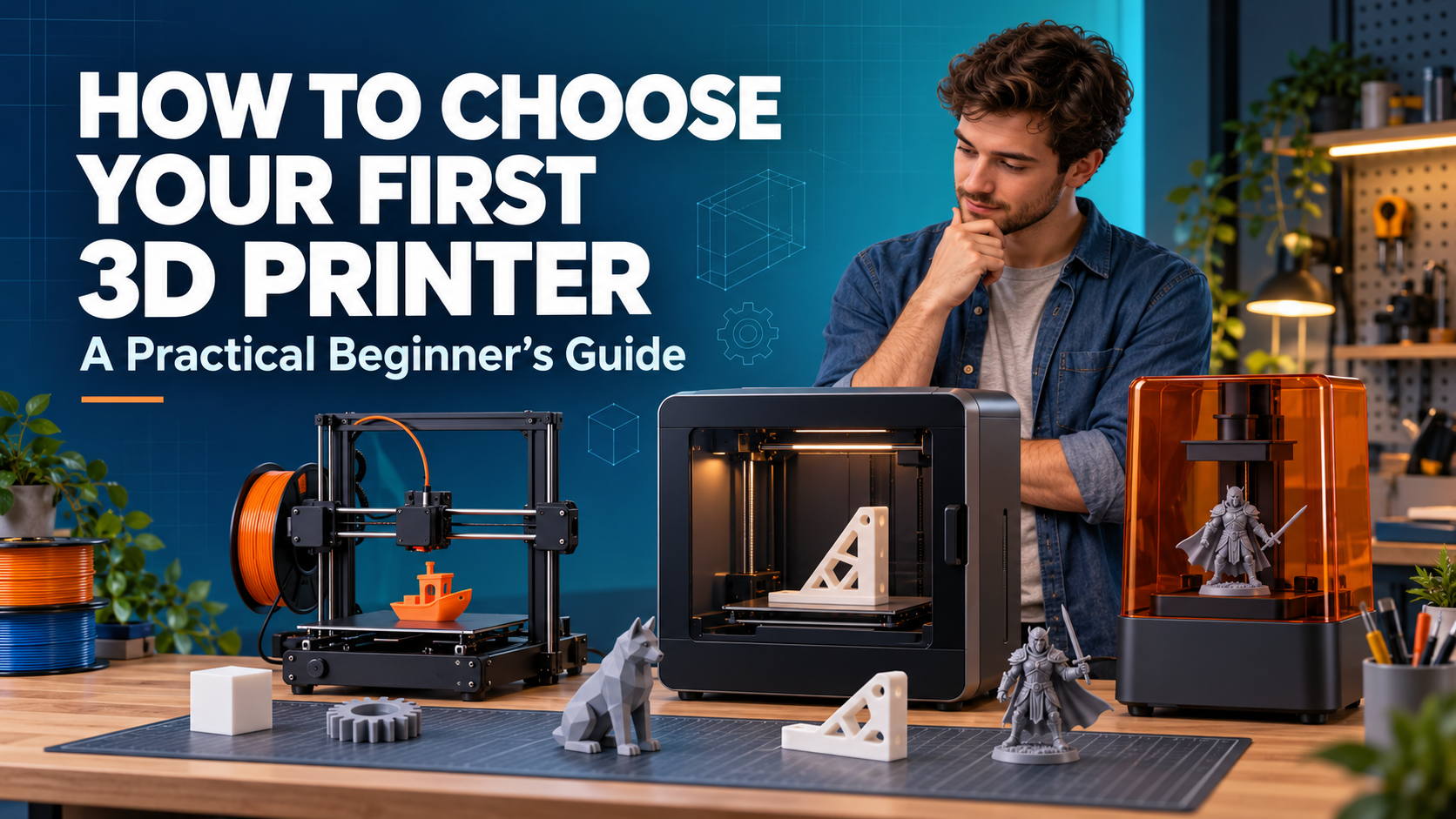
If your list includes household accessories, prototypes, toys, cosplay parts, organizers, or workshop tools, an FDM printer will probably be the most practical choice. If you mainly want highly detailed miniatures, jewelry prototypes, or display models, resin printing may be more suitable.
This simple exercise prevents a common buying mistake: paying for capabilities that look impressive but are unlikely to be used.
It also helps determine how much space you need. A printer intended for occasional desk accessories does not need the same build volume as one used for helmets or large engineering prototypes.
FDM or Resin: Which Is Better for a First Printer?
FDM printers melt plastic filament and deposit it layer by layer. They are the most common choice for beginners because the materials are relatively easy to handle, the workflow is straightforward, and finished parts can be strong enough for practical use.
PLA is usually the easiest filament to begin with. It prints at moderate temperatures, is widely available, and works well for decorative objects, toys, organizers, and general learning projects. Once you understand the basics, you can explore PETG for tougher functional parts or TPU for flexible prints.
Resin printers use liquid photopolymer cured by ultraviolet light. They can produce finer details and smoother surfaces, making them popular for miniature figures and intricate display pieces. However, resin printing requires more preparation and post-processing. Users need gloves, a suitable washing and curing process, careful ventilation, and a safe method for handling uncured resin and waste.
Neither technology is universally better. FDM is generally easier for practical, everyday printing, while resin is worth considering when small details are the main priority.
Budget for the Complete Setup
The printer’s advertised price is only part of the cost.
An FDM setup may also require filament, basic trimming tools, replacement nozzles, cleaning supplies, and possibly a filament dryer. A resin setup usually adds washing materials, curing equipment, protective gloves, containers, filters, and replacement film for the resin vat.
You should also think about long-term consumables. Proprietary accessories may offer convenience, but they can sometimes cost more or be harder to source than standard components.
For many beginners, buying a reliable mid-range machine is more sensible than purchasing the cheapest available printer and immediately replacing several parts. At the same time, an expensive flagship model is unnecessary if you are still discovering whether 3D printing will become a long-term hobby.
Set a total budget for the first six months rather than spending everything on the printer itself.
Do You Really Need a Large Build Volume?
Build volume describes the maximum size of an object a printer can produce in one piece. A larger build area sounds useful, but it comes with trade-offs.
Large printers require more desk space, and their moving components may need additional clearance. Large prints also take longer and consume more material. A failed print after 20 hours is more expensive than a failed calibration cube.
For phone stands, small household tools, toys, brackets, and most learning projects, a standard desktop build area is usually enough. Larger printers become valuable when you regularly make helmets, costume pieces, architectural models, or batches of smaller parts.
Remember that large models can often be divided into sections and assembled afterward. Build volume should reflect your normal projects, not the biggest object you might print once.
Maximum Speed Is Not the Same as Everyday Speed
Printing speed is one of the most heavily promoted specifications, but the maximum number rarely represents the speed used throughout an entire print.
Real performance depends on acceleration, material flow, cooling, model geometry, and the quality profile selected in the slicer. A printer may reach a high speed on straight sections but slow down for corners, overhangs, and detailed surfaces.
Fast printing is useful, especially for prototypes and repeated parts, but consistency matters more for a first machine. A slightly slower printer with reliable profiles can be less frustrating than a faster model that requires frequent tuning.
Look at independent reviews and sample prints rather than judging performance from the maximum speed alone. When possible, use a comparison page to compare 3D printers by build volume, automation, material support, and intended use—not just speed.
Automation Can Reduce the Learning Curve
Features such as automatic bed leveling, automatic Z-offset adjustment, filament runout detection, and input shaping can remove several repetitive setup tasks.
Automatic leveling is particularly helpful because the first layer is one of the most common sources of failed prints. However, automation does not eliminate maintenance. The build plate still needs cleaning, filament must be stored properly, and mechanical parts should be checked periodically.
A camera can be useful for monitoring long prints, while power-loss recovery may help in areas with unreliable electricity. Error detection features are convenient, but their effectiveness varies between machines and print conditions.
For a beginner, automation is worth prioritizing when it simplifies tasks that would otherwise interrupt normal printing. It is less valuable when it adds complexity without solving a problem you are likely to encounter.
Is Multicolor Printing Essential?
Multicolor systems make it possible to produce signs, models, toys, and decorative objects without manually changing filament. They can be enjoyable and useful, but they are not essential for learning 3D printing.
Some systems feed multiple filaments through a shared nozzle. Others use separate toolheads or interchangeable nozzles. For example, the Creality K3 3D printer illustrates the nozzle-changing approach to multicolor and multi-material printing, while other manufacturers use automated filament-feeding or tool-changing systems.
Each method involves trade-offs in price, print time, material waste, maintenance, and compatibility. Before paying extra for multicolor capability, ask how often your planned projects genuinely require it. Painting a single-color print may sometimes be faster and more economical.
If colorful models are central to your plans, compare how each system changes filament, handles waste, and recovers from feeding errors.
Software Matters More Than It First Appears
A good printer can still be unpleasant to use if its software is confusing or poorly supported.
The slicer converts a 3D model into instructions the printer can understand. A well-tested printer profile allows beginners to start with reliable settings instead of manually adjusting dozens of parameters. Over time, the ability to control supports, layer height, infill, seams, and material profiles becomes increasingly important.
Look at the complete workflow before buying:
- Is the slicer easy to understand?
- Are ready-made profiles available for the printer and common materials?
- Can files be transferred by Wi-Fi, USB, or local network?
- Does the manufacturer regularly update its software and firmware?
- Can the printer still operate if a cloud service is unavailable?
Software preference is personal. Some users value a tightly integrated ecosystem, while others prefer open tools and greater control.
Consider Community, Parts, and Support
Your first printer will occasionally need troubleshooting. A large community can make that process much easier.
Brands such as Bambu Lab, Creality, and Prusa serve different parts of the desktop printing market. Instead of choosing brand recognition alone, investigate the support available for the specific model you are considering.
Search for setup instructions, replacement-part availability, firmware updates, troubleshooting articles, and active owner communities. Check whether common parts such as nozzles, build plates, and extruder components are easy to purchase.
Documentation is especially valuable for beginners. A clear maintenance guide may ultimately save more time than an additional feature on the specification sheet.
Ease of Use or Room to Experiment?
Some beginners want a printer that works with minimal adjustment. Others enjoy upgrading hardware, testing firmware, and learning how every component operates.
Neither approach is wrong.
A mostly assembled printer with automatic calibration and tested material profiles is a good fit for someone who wants to focus on finished objects. A kit or more configurable machine may suit a user who treats the printer itself as part of the hobby.
Be honest about your interests. If troubleshooting mechanical systems sounds enjoyable, configurability can be a benefit. If you mainly want to print useful items after work, reliability and automation should receive more weight.
Matching the Printer to the User
Different beginners should prioritize different features:
- Home and casual users: Simple setup, automatic leveling, good PLA profiles, and a moderate build volume.
- Students and hobbyists: Affordable materials, strong documentation, repairable components, and room to experiment.
- Miniature makers: Fine detail, resin compatibility, a safe post-processing setup, and reliable exposure settings.
- Designers and engineers: Dimensional accuracy, material flexibility, dependable slicer profiles, and consistent repeat printing.
- Cosplay makers: A larger build volume, reliable long prints, and manageable material costs.
- Multicolor creators: Reliable filament handling, reasonable color-change times, and transparent information about waste.
These priorities are more useful than trying to identify one printer that is supposedly ideal for everyone.
A Final Checklist Before You Buy
Before placing an order, answer five questions:
- What are the first three objects I plan to print?
- Do those objects suit FDM or resin printing?
- Do I have a safe, stable, and well-ventilated workspace?
- What will the complete setup cost, including materials and maintenance supplies?
- Can I easily find software profiles, replacement parts, documentation, and troubleshooting help?
If a printer fits those requirements, it is probably a stronger choice than a model selected mainly for its highest advertised number.
Final Thoughts
The right first 3D printer is not necessarily the fastest or most advanced machine. It is the one that matches your projects, workspace, budget, and willingness to learn.
Start with the printing technology, then consider total cost, build volume, automation, material support, software, and after-sales resources. Treat multicolor printing and extreme speed as optional capabilities rather than automatic requirements.
A carefully chosen printer should give you enough convenience to complete early projects while leaving room to develop new skills. Once you have produced a few successful prints, you will have a much clearer idea of which features—and future upgrades—are genuinely valuable.






Comment