
How International Teams Can Set Up Messaging Apps Safely Across Mobile and Desktop

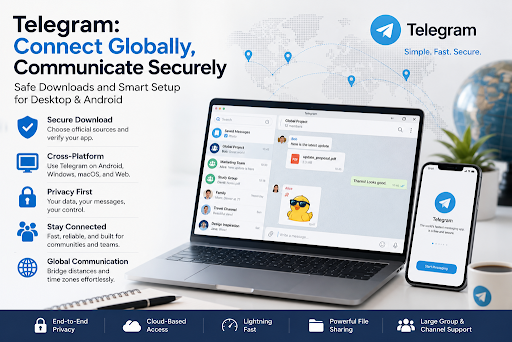
Messaging apps have become essential tools for international communication. Remote teams, online communities, freelancers, customer support groups, and cross-border businesses all rely on fast and flexible chat tools to share updates, exchange files, manage groups, and stay connected across time zones. As more users move between phones, laptops, tablets, and desktop computers, the way a messaging app is downloaded and set up becomes increasingly important.
Many users focus only on whether an app can send messages quickly. However, a communication tool often connects to phone numbers, contacts, login codes, private chats, shared media, and business files. If users download the wrong version, click a misleading button, or ignore account security after installation, the risk can affect both personal privacy and team communication.
A safer setup process does not need to be complicated. Users and teams can reduce common risks by choosing a consistent download source, checking device compatibility, reviewing permissions, and securing their accounts after login.
Why Messaging App Setup Matters for Cross-Border Communication
Cross-border communication often depends on speed and reliability. A team may have members in different countries, using different devices, networks, languages, and operating systems. Some users may prefer mobile apps, while others rely on desktop versions for work. This creates a practical challenge: everyone needs a clear and safe way to install the app and use it consistently.
When each user searches for an app independently, the results can be inconsistent. One user may install an outdated desktop version, another may click a third-party APK link, and another may enter login information on a lookalike page. These small differences can lead to setup problems, login confusion, notification issues, or account security concerns.
For users looking for 电报中文版, it is important to understand not only the language interface, but also the download source, installation method, and account security settings. A clear setup process helps users communicate more smoothly while reducing avoidable risks.
Start With a Trusted and Consistent Source
The first step in any messaging app setup is choosing the right source. Software download searches can be crowded with guide pages, ads, mirror sites, old articles, and third-party directories. Some pages may use several download buttons on the same screen, making it difficult for users to know which one is correct.
A consistent source helps reduce confusion. Teams can prepare a simple onboarding document that lists where users should download the app, which version they should choose, and what settings should be checked after installation. This is especially useful for remote teams, new employees, contractors, and non-technical users.
A good download page should clearly explain the app, supported platforms, installation steps, and basic safety notes. Pages full of forced redirects, unrelated software offers, fake countdown timers, or aggressive pop-ups should be avoided.
Choose the Right Version for Each Device
Messaging apps are often available across multiple platforms, but each platform has a different setup process. Mobile users, desktop users, and web users should not treat installation the same way.
For Android users, installation may involve an app store or an APK file depending on the region and device environment. If users install an APK manually, they should check the file name, source page, version information, and permission requests carefully. Random APK files shared in public groups, forums, or cloud drives should be avoided.
For desktop users, the main risk is downloading the wrong installer. A Windows installer should have a clear file name, match the device type, and avoid pushing unrelated software. Users should be cautious with download pages that show multiple buttons or encourage browser extensions that are not needed.
For users searching for 电报电脑版, the setup process should focus on desktop compatibility, installer verification, account login safety, and device session management. A desktop app can improve productivity, but only if it is installed and managed properly.
Check the Download Page Before Installing
Before clicking any download button, users should review the page carefully. The page should be relevant to the app, explain the device version, and provide clear installation guidance. If the page looks confusing or contains many unrelated download buttons, users should pause before continuing.
Users should also check whether the file type matches their device. A desktop user should not download an Android file by mistake. An Android user should understand whether the file is coming from an app store or a manual installation package. If a file name looks random, compressed, or unrelated to the app, it should not be opened immediately.
Teams can reduce these risks by maintaining a short setup checklist. This checklist can include source verification, file type review, installation notes, permission checks, and post-login security steps.
Review Permissions Carefully
Messaging apps may request access to contacts, notifications, files, camera, microphone, and storage. Some permissions are normal for features such as media sharing, voice calls, video calls, and contact syncing. However, users should still understand why each permission is requested.
Granting every permission automatically can create privacy concerns. Users who do not use voice calls may not need microphone access all the time. Users who handle sensitive work messages may want to adjust notification previews on the lock screen. File access should also be reviewed, especially on shared or work devices.
For teams, permission guidance should be part of the setup process. A short explanation can help users make better decisions without overwhelming them with technical details.
Secure the Account After Login
Installing the app safely is only the first step. After login, users should secure their accounts. This is especially important for messaging apps that support multiple sessions across phones, tablets, desktops, and web browsers.
Users should review active sessions, remove unknown devices, avoid sharing verification codes, and enable additional security options when available. If a user changes phones, sells a device, or uses a shared computer, old sessions should be removed as soon as possible.
For business or community use, group permissions should also be reviewed. Not every member needs admin access. Teams should limit administrator roles to trusted users and check permissions regularly. This reduces the impact of account mistakes or compromised devices.
Make the Language Setup Clear for New Users
For international users, language settings are often an important part of the setup process. A messaging app may be easier to use when menus, notifications, and account settings are displayed in a familiar language. However, users should be cautious when searching for language-related guides because some pages may mix real instructions with unrelated download links.
A safer approach is to separate language setup from app download. Users should first install the app from a reliable source, then adjust language settings inside the app or through supported settings options. This helps avoid fake “language pack” downloads or suspicious files claiming to change the interface.
Teams with multilingual users can prepare screenshots or simple instructions explaining where to find language settings, how to check account security, and how to manage notifications. Clear guidance reduces repeated questions and makes onboarding smoother.
Avoid Unsafe Link Sharing Habits
Many people share app download links through group chats, social media, or email. While this is convenient, it can also spread outdated or unreliable links. A link copied from an old article may no longer be accurate. A shortened URL may hide the final destination. A public group link may lead to a page that has not been verified.
Teams should avoid sending random download links in casual messages. Instead, they can maintain one verified setup resource and share that resource whenever new members need help. This keeps the process consistent and reduces the chance of users installing the wrong version.
For communities, moderators can pin a setup guide or FAQ that explains safe download habits, device setup, account protection, and basic troubleshooting. This helps non-technical users avoid common mistakes.
Keep the App Updated Without Repeating the Same Risks
Updates are important for stability, compatibility, and security. However, users should not search the web randomly every time they need an update. Repeating the download search process can expose users to misleading pages again.
A safer update process should use the same trusted source or the app’s built-in update path when available. If the app has problems, users should check network conditions, device storage, system compatibility, and account status before reinstalling from an unknown page.
For businesses, a simple update reminder can help keep communication tools stable. This is especially useful for teams that depend on desktop apps for file sharing, customer support, or project coordination.
Build a Simple Setup Policy for Teams
A messaging app setup policy does not need to be long. It can be a one-page document covering where to download the app, which device versions are supported, how to install it, what permissions to review, how to secure the account, and what to do when a device is lost.
Small teams benefit from this kind of lightweight policy because they may not have a full IT department. A clear process helps users solve basic setup questions independently and reduces repeated support requests.
The policy should be written in plain language. Users do not need advanced technical explanations. They need practical steps that help them install the right version, log in safely, and keep their communication environment secure.
Safe Setup Creates Better Communication
Messaging apps are valuable because they help people communicate quickly across devices and locations. But fast communication should begin with a safe setup process. Choosing the right source, checking the installer, reviewing permissions, and securing the account can prevent many avoidable problems.
For international teams, multilingual users, and online communities, a consistent setup workflow makes communication easier to manage. It reduces confusion, improves device compatibility, and helps users protect their accounts.
As mobile and desktop communication becomes part of everyday work, users should treat app installation as more than a simple download. A few careful steps at the beginning can make messaging safer, more reliable, and more productive across every device.







Comment