How CardDAV Is Closing the Mobile Contact Gap in Microsoft 365 Environments

Enterprise mobility has come a long way. Corporate email lands on iPhones within seconds. Calendar invites sync automatically. Security policies follow devices wherever they go. Yet one critical piece of the communication stack has remained stubbornly difficult to deliver on mobile: the corporate contact directory.
For organizations running Microsoft 365, this gap is surprisingly common. Employees can pull up a colleague’s email in Outlook Mobile, but ask them to find that same person’s direct-dial number in their iPhone’s native phone app — the one they actually use to make calls and they’ll often come up empty. The Global Address List lives in Exchange, and Exchange doesn’t speak the language of iOS Contacts.
That language is CardDAV. And understanding how it fits into a modern Microsoft 365 deployment is increasingly important for IT teams trying to deliver a genuinely seamless mobile experience.
The Problem With “Good Enough”
Most enterprise IT teams have technically solved the contact-on-mobile problem by deploying Outlook for iOS. Outlook’s app-level directory search works reasonably well. But there’s a meaningful difference between searching for a contact inside a specific app and having contacts natively available across every app on the device.
When an employee receives a call from an internal number, their iPhone’s native dialer won’t recognize it unless that number exists in the device’s local contacts. When they open Messages or WhatsApp to reach a colleague, they’re working from the native address book not Outlook’s. The app-based workaround leaves real gaps in the day-to-day mobile experience, particularly for field workers, executives, and anyone who regularly communicates across multiple channels.
This isn’t a criticism of Microsoft 365. The platform is exceptional at what it does: identity management through Entra ID, device compliance through Intune, and collaboration through the Microsoft 365 suite. But native iOS contact sync falls outside its core design, and that’s precisely where CardDAV-based solutions fill the gap.
What CardDAV Actually Does
CardDAV is an open protocol – a web-based standard built on CalDAV and WebDAV that allows clients to access and synchronize contact data from a server. Apple built native CardDAV support into iOS, which means iPhones can sync contacts from a CardDAV server directly into the device’s address book without any additional apps.
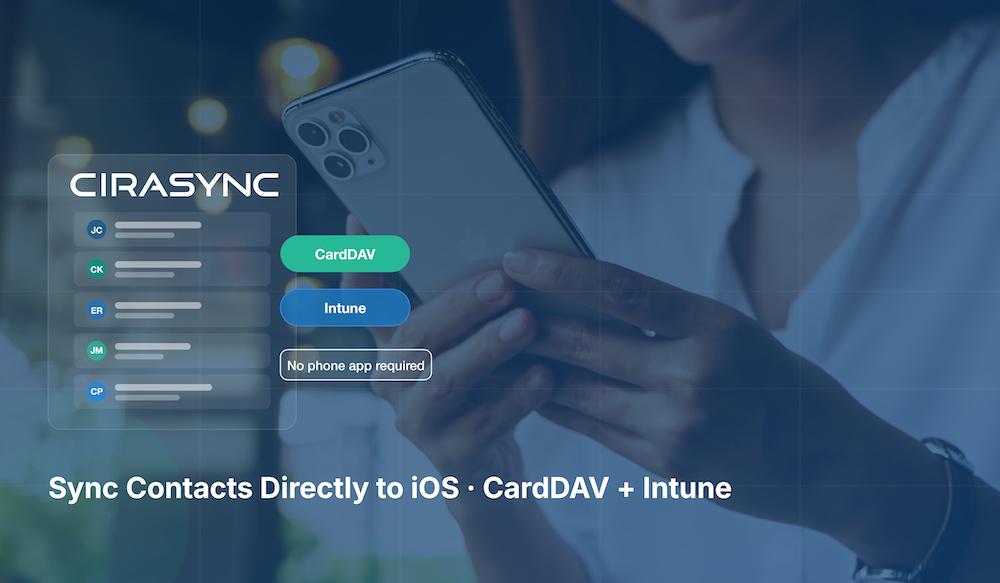
For enterprise deployments, this matters enormously. A CardDAV server can be configured to expose curated contact data pulled from an Azure Active Directory or Exchange distribution group and push it natively to enrolled iOS devices. The result is that employees see corporate contacts in their phone dialer, their native Messages app, and any other app that accesses the system address book. No third-party client. No app for end-users to open and manage. Just contacts, where people expect to find them.
The key architectural insight is that CardDAV doesn’t replace Microsoft 365, it extends it. Solutions like CiraSync are purpose-built to sit in this layer: pulling authoritative contact data from Azure AD or Exchange, and delivering it natively to iOS devices through CardDAV — without disrupting the Microsoft infrastructure already in place.
Where Microsoft Intune Fits In
Organizations already managing iOS devices with Microsoft Intune have a natural integration path for CardDAV. Intune can be used to push CardDAV account configurations directly to devices via configuration profiles, no manual setup required by end-users, no IT helpdesk tickets to configure accounts individually.
This approach keeps the deployment within the Microsoft management plane. Intune handles device enrollment, policy enforcement, and app configuration. CardDAV handles the last-mile contact delivery. IT teams don’t have to choose between their existing device management infrastructure and a better mobile contact experience.
For teams looking to understand this in detail, CiraSync’s Mobile Direct documentation provides a thorough walkthrough of how CardDAV works alongside Intune to deliver contacts directly to iOS devices while maintaining centralized IT control.
The Ways Organizations Try to Solve This
CardDAV isn’t the only approach organizations use to get Microsoft contacts onto mobile devices. IT teams have tried various methods over the years, each with its own trade-offs:
- Outlook Mobile App – works within the app but doesn’t integrate with the native dialer or other apps
- Third-party tools like CiraSync – purpose-built sync solutions that deliver contacts natively to the device
- Microsoft Exchange ActiveSync – syncs personal contacts but not directory or distribution group contacts
- Import/Export in Outlook – cumbersome, immediately stale, and not scalable
- Custom Scripting and API Integrations – flexible but requires ongoing developer maintenance
- Apple Configurator or MDM – can push contact configurations but lacks real-time sync
- iCloud – designed for personal use, not enterprise directory management
- CardDAV with server-side sync – the most comprehensive solution, with native iOS integration and real-time directory updates
A detailed comparison of all these methods, including common pitfalls like duplicate contacts, missing contact photos, and stale data is available in this breakdown of approaches for syncing the Global Address List to iPhone.
Security and Compliance Considerations
Security-conscious IT teams are right to scrutinize any system that delivers directory data to mobile devices. A few considerations are worth addressing directly.
First, CardDAV-based contact sync doesn’t require users to authenticate with personal accounts or store credentials outside corporate control. Accounts can be provisioned through Intune configuration profiles using managed credentials, keeping the entire flow within the organization’s identity and device management perimeter.
Second, the data delivered via CardDAV can be scoped. Rather than pushing the entire directory, organizations can configure sync to deliver specific distribution groups, departments, or custom contact sets. This limits exposure and gives IT fine-grained control over what contact data lives on which devices.
Third, because the solution runs through Intune and Entra ID tools that already meet enterprise compliance requirements there’s no need to introduce a new security boundary. The CardDAV layer is a transport mechanism, not a separate identity store.
Global Deployments and Localization
For multinational organizations, delivering a consistent contact experience across regions is just as important as the technical implementation itself. IT policies, device management configurations, and end-user support all need to work in local languages and contexts.
CardDAV-based solutions designed for Microsoft 365 environments are increasingly built with this in mind. Support resources and documentation in multiple languages: including Spanish and German reflect how solutions in this space are maturing to serve global enterprise needs, not just English-speaking markets. For IT teams managing deployments across multiple countries, this kind of localized support reduces friction during rollout and ongoing administration.
The End-User Experience Argument
There’s a tendency in enterprise IT to focus on what’s technically compliant and leave end-user experience as a secondary concern. The contact sync problem is a good example of where that trade-off has real costs.
When employees can’t find a colleague’s number in their phone, they fall back on workarounds: sending emails to ask for phone numbers, searching Outlook Mobile when they’re trying to make a call, or maintaining personal contact lists that quickly go out of date. These friction points add up across an organization and quietly erode confidence in IT’s ability to deliver modern tools.
Native contact sync, the kind where corporate contacts just appear in the phone’s address book, stay up to date, and work across every app, removes that friction entirely. It’s one of those improvements that users notice immediately and IT teams rarely hear about again, because it simply works.
The Right Tool for Each Layer
The broader lesson from the CardDAV story is a familiar one in enterprise architecture: no single platform does everything perfectly, and the best outcomes come from composing specialized tools that each do their part well.
Microsoft 365 excels at identity, security, compliance, and collaboration. It’s the right foundation for enterprise mobility. But the mobile contact experience on iOS has a genuine gap, and CardDAV; integrated cleanly with Intune and Entra ID is the right tool to fill it.
Organizations that have already made the investment in Microsoft 365 don’t need to rethink their strategy. They need a targeted, protocol-level solution that extends their existing infrastructure to the one endpoint it doesn’t natively reach. For iOS contact sync, CardDAV is that solution.
Conclusion
The gap between enterprise contact management and the native mobile experience is real, but it’s solvable. CardDAV provides a standards-based, IT-controlled mechanism to deliver corporate contacts natively to iOS devices without requiring new apps, additional authentication systems, or changes to the Microsoft 365 infrastructure organizations have already built.
For IT teams evaluating their mobile contact strategy, the question isn’t whether to address this gap. It’s which approach addresses it most cleanly, within existing security and device management frameworks. CardDAV, delivered through Microsoft Intune, is increasingly the answer.