Home improvement projects often begin with optimism and end with too many tabs open. A homeowner may save dozens of reference images, compare paint colors, look at furniture online, and still struggle to understand what the final room will actually look like. For design teams, the challenge is similar but faster-paced: clients want options, visuals, and confidence before a project moves into budgeting or execution.
This is where tools like floor design are becoming useful. Instead of treating interior planning as a slow, manual process from the first sketch, FloorDesign gives users a faster way to test ideas, generate room concepts, and compare visual directions before making expensive decisions.
The Problem with Traditional Early-Stage Design
The earliest stage of interior design is often the most uncertain. People know what they dislike about a room, but they may not know what should replace it. A living room may feel outdated, but the solution could be a different layout, better lighting, a softer color palette, or a completely new furniture style.
Traditional design workflows can solve these problems, but they usually require time, professional software, and repeated revisions. For homeowners, that can feel intimidating. For designers and property professionals, it can slow down client conversations.
AI design tools are changing this part of the process. They help turn early ideas into visible options, which makes it easier to compare styles, identify problems, and move forward with more confidence.
Why Visual Decision-Making Matters
Interior design is not only about taste. It is about proportion, function, mood, and how a room works in daily life. A sofa that looks beautiful in a showroom may overwhelm a small apartment. A dark wall color may feel sophisticated in a reference image but too heavy in a room with limited natural light. A minimalist layout may photograph well but feel uncomfortable for a family that needs storage and flexible seating.
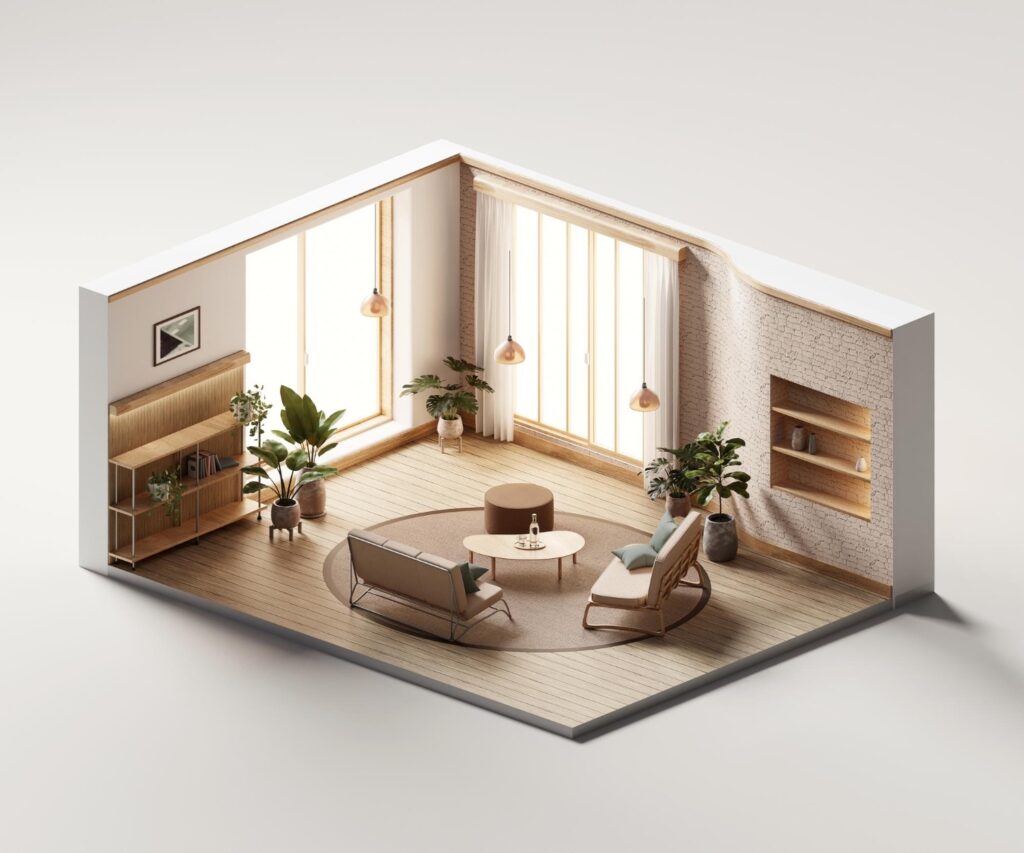
Visual planning helps reduce these mistakes. When users can see several versions of the same room, they start to understand what works and what does not. They can test whether a space should feel modern, warm, coastal, Scandinavian, luxurious, or minimal before buying furniture or hiring contractors.
FloorPlan fits into this workflow by making design exploration more accessible. It gives users a practical way to generate room concepts from ideas or existing spaces, then use those visuals as a starting point for discussion.
Making Interior Design More Accessible
One of the strongest use cases for FloorPlan is helping non-designers participate in the design process. Many homeowners do not have the vocabulary to explain a design style. They may know they want a “brighter” or “cleaner” room, but not how to translate that into furniture, colors, materials, and layout.
The interior design ai free tool gives users a simple way to explore those options. By using AI to analyze a space and generate design directions, it helps people move from vague preferences to clearer visual references.
For professionals, this can also save time. A designer can use AI-generated concepts to start a client conversation earlier. A real estate marketer can test how a room might look with a more polished style. A renovation team can use visual drafts to align expectations before moving into detailed planning.
A Better First Draft for Design Conversations
AI-generated design should not be seen as the final word. Real homes still need measurement checks, practical sourcing, material decisions, budget planning, and professional oversight. But as a first draft, AI can be valuable.
The first draft is where many projects get stuck. Clients may hesitate because they cannot picture the outcome. Homeowners may delay decisions because every option feels risky. Teams may spend too much time explaining ideas instead of showing them.
With a tool like FloorPlan, early concepts can be generated quickly enough to keep the conversation moving. The goal is not to replace human judgment. The goal is to make that judgment easier by giving people something concrete to react to.
Use Cases Beyond Homeowners
Although AI interior tools are often marketed to homeowners, the business use cases are broader.
Interior designers can use them to develop mood directions before preparing detailed proposals. Real estate agents can create more compelling visuals for listings or buyer presentations. Short-term rental hosts can test upgrade ideas before purchasing furniture. Property developers can explore interior concepts for marketing materials before a space is fully built.
In each case, the benefit is similar: faster visualization, fewer assumptions, and better communication.
What Makes AI Design Useful in Practice
The most useful AI design tools are not just image generators. They support a practical workflow. Users need to start with a room, test a style, compare options, and refine the direction. The output should help them make a decision, not simply create a nice-looking image.
FloorPlan works well in this context because it is focused on interior and spatial design needs. A user can begin with a room idea, generate a visual direction, and use that result to guide the next step. For a homeowner, that next step may be choosing a color palette. For a designer, it may be narrowing the style with a client. For a real estate professional, it may be preparing a stronger listing presentation.
Tips for Better Results
The best results usually come from clear input. Instead of asking for a “beautiful bedroom,” users should think about function and mood. Should the bedroom feel calm, bright, hotel-like, minimal, or family-friendly? Should the space include storage, a reading corner, or a work area? These details help AI-generated concepts become more useful.
It also helps to generate more than one version. Design is easier to evaluate through comparison. A single image may look good, but several versions can reveal which style actually fits the room.
Finally, users should treat AI output as a design reference, not a construction document. It is best used early in the process, before technical decisions and final purchases are made.
The Future of Interior Planning Is More Interactive
Interior planning is becoming more interactive. Instead of waiting days for one concept, users can explore several directions quickly. Instead of making decisions based only on imagination, they can work from visual examples. Instead of starting from a blank page, they can use AI to create the first draft.
FloorPlan represents this shift. It gives homeowners, designers, and property professionals a faster way to explore design possibilities and reduce uncertainty at the start of a project.
The most successful spaces will still depend on human taste, practical judgment, and real-world execution. But AI can make the early planning stage clearer, faster, and easier to understand.
Read More From Techbullion