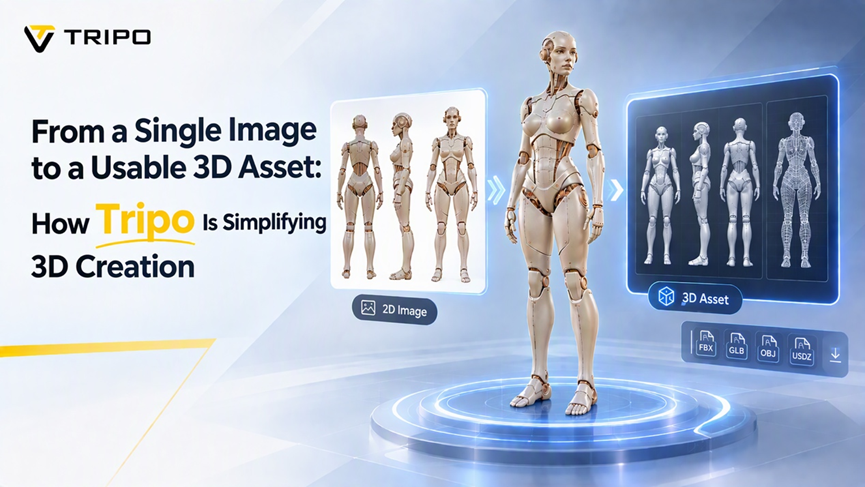
Tripo is simplifying the journey from a single reference image to a usable 3D asset through an AI-powered workflow that combines image generation, image editing, multi-view creation and 3D model generation. With Tripo Studio, creators can begin with a text prompt, an image or a combination of both, then develop the result into a more complete digital asset.
For years, 3D creation has required artistic ability, technical training and specialist software. Building even a simple character, prop or environment object may involve modelling, texturing, retopology, rigging and repeated revisions. These steps remain important in professional production, but they can create a significant barrier for independent artists, educators, small game teams and businesses without dedicated 3D specialists.
Tripo’s AI 3D workflow is designed to reduce this initial barrier. Instead of asking users to build every object from an empty scene, Tripo helps them move from an early concept to a generated model through an integrated Image to 3D Model workflow that can be reviewed, refined and prepared for later use.
Why a Single Image Can Be Difficult to Use as a 3D Reference
A single image can communicate the overall appearance of an object, but it does not show everything needed for 3D generation. A front-facing character may hide the shape of the back, the depth of clothing or the structure of its accessories. A product photograph may show the surface design without explaining the object’s hidden geometry.
This creates a challenge for image-to-3D systems. The system must estimate missing information while preserving the subject’s proportions, identity and visual style. When an image contains several objects, the challenge becomes more complex because the creator may need to turn each element into a separate asset.
Tripo approaches this problem by allowing users to prepare and improve the reference before generating the 3D model. This makes the process more than a simple image conversion. The reference becomes an active part of the creation workflow.
Preparing Better References with Tripo
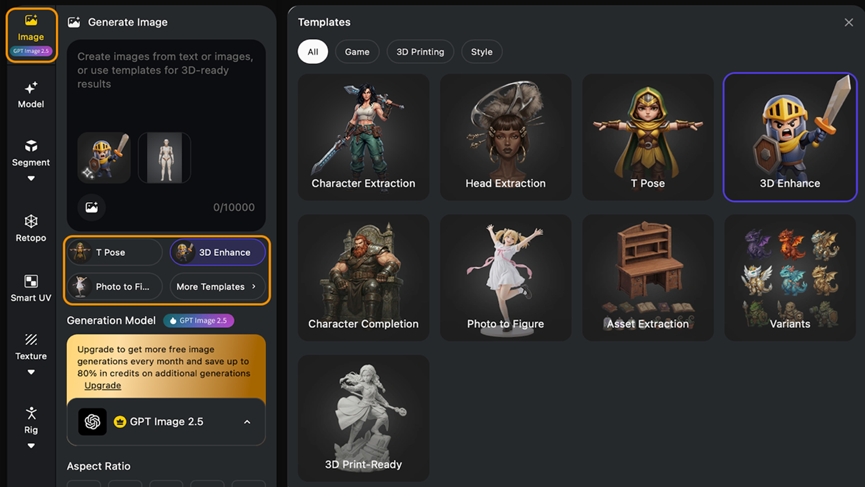
Tripo Studio combines image generation, image editing and templates designed for different 3D tasks. These templates help users shape a reference around the intended result rather than relying on a general-purpose prompt alone.
Character Extraction can help isolate a character from its surroundings, while Head Extraction focuses on the head and facial details. T Pose is intended to prepare a humanoid character for later rigging and animation. Character Completion can help restore missing areas in a partial reference, and Asset Extraction can separate props or environmental elements from a larger scene.
Tripo also includes templates for more specific outputs. Photo to Figure can be used to develop a photograph into a stylised figurine concept. The 3D Print-Ready template is designed around clearer silhouettes and geometry that may be more suitable for physical output. Variants can help creators explore several directions while maintaining a consistent visual style.
This task-oriented structure is useful because different assets require different types of preparation. An animated character may need a neutral pose and clear body proportions. A game prop may need to be isolated from the rest of a scene. A printable model may require stronger forms and fewer ambiguous details.
GPT-Image-2.5 and the Tripo Workflow
Tripo has integrated GPT-Image-2.5 Sunburst into its image-generation workflow, giving users more control over the visual reference before it is converted into 3D.
Creators can start with a text description, upload an existing image or combine a reference image with a written prompt. If the first result is broadly suitable but contains a problem, Tripo’s Edit Image function can be used to make targeted changes. A creator might adjust an accessory, revise clothing, alter a pose or remove an unwanted element without recreating the entire image.
This editing stage is important for 3D generation because small visual problems can affect the final asset. A hidden limb, unclear silhouette or inconsistent object may make the model more difficult to generate and refine. By improving the reference first, users can address these issues before they become geometry problems.
The same process can support creative exploration. A designer can test several costume variations, a game artist can compare different prop designs, and a product team can explore multiple forms before selecting one for 3D development.
Adding More Information with Multi-View Generation
A single view rarely provides enough information about an object’s complete structure. Tripo’s Generate Multi-Views function can create front, left, right and back references from one prepared image.
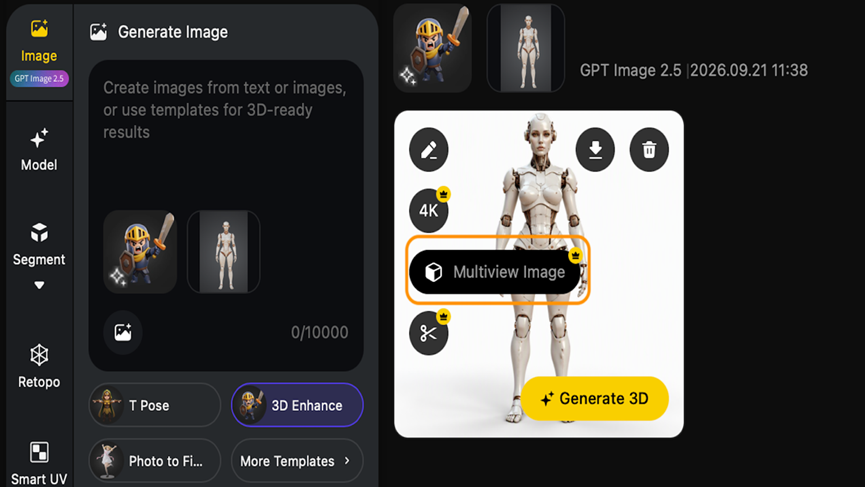
These views give the creator more information about surfaces and proportions that are hidden in the original image. A side view may clarify the depth of a weapon or accessory. A back view may reveal the shape of clothing, armour or hair. The additional references can then be reviewed before the model-generation stage.
The workflow is also designed to support multiple assets. Cutout tools can isolate selected elements from an image, while Batch to 3D can convert up to 10 images at once. A creator working on a small game scene could therefore prepare several props, characters or environmental elements in one connected process.
From an Idea to a Usable 3D Asset
Once a reference has been prepared, Tripo can move it into 3D model generation. The result can be reviewed and developed further depending on the project.
For game development, creators can use Tripo to explore characters, props and environment assets during pre-production or prototyping. A small team may be able to test a visual direction before investing in detailed manual modelling. The generated assets may still require cleanup, but they can help artists and designers make decisions earlier.
For animation and visual effects, Tripo can support concept development and previsualisation. A director or designer can move from an idea to a rough spatial representation, making it easier to discuss scale, composition and staging.
In e-commerce and product visualisation, a photograph or design concept can become the starting point for an early 3D representation. This can be useful for mock-ups, interactive previews and marketing experiments, although the final model should be checked carefully against the physical product.
Tripo can also support makers and 3D-printing enthusiasts. Workflows based on Photo to Figure, 3D Print-Ready and multi-view references can shorten the distance between a visual idea and a printable concept. The model still needs to be checked for scale, wall thickness, watertight geometry and other manufacturing requirements, but the design stage becomes more accessible.
Applications Beyond Traditional 3D Modelling
The impact of Tripo’s workflow extends beyond professional modelling departments. In education, students can use AI-assisted tools to explore form, proportion and spatial design before they have mastered every technical aspect of polygon modelling. Teachers can focus on creative decisions and evaluation while students learn how to improve an initial result.
For independent creators, the workflow makes experimentation more practical. A creator developing a character collection, a set of game props or a series of figurines can test multiple directions without manually building every variation from the beginning.
Businesses can also use AI-generated 3D assets during early product development and marketing. A design team may create a preliminary model for a presentation, an online preview or an internal review. These early assets are not substitutes for production-ready CAD or professionally built models, but they can make communication faster and more visual.
The same principle applies to virtual production and digital storytelling. Early 3D representations can help teams discuss environments, characters and staging before committing to a full production pipeline.
Tripo Connects More of the Creative Pipeline
One of Tripo’s main advantages is that it connects tasks that have traditionally been spread across different applications. Users can generate an image, edit it, prepare it for a specific 3D task, create additional views and move it into 3D generation within the same broader workflow.
This reduces the friction between concept development and asset creation. Instead of repeatedly exporting and importing files between separate tools, creators can refine the idea while keeping the visual direction connected.
Beginners can use templates and guided steps to explore 3D creation without first mastering every modelling technique. Experienced artists can use the generated result as a starting point for further modelling, texturing, rigging or engine integration.
Why Human Review Still Matters
AI-generated models are not automatically ready for final production. Geometry may contain errors, topology may need adjustment and textures may require optimisation for a particular engine or renderer. Models intended for animation, manufacturing or commercial use should be reviewed by an experienced creator.
Tripo is therefore best understood as part of a broader creative pipeline. The platform can accelerate reference preparation, exploration and early asset generation, while artists remain responsible for design decisions, quality control and final refinement.
The most practical workflow may combine Tripo with familiar DCC applications, game engines and manual production techniques. A creator can use Tripo to generate a first version, refine it through image and multi-view tools, and then continue with modelling, texturing, rigging or scene assembly.
A More Accessible Future for 3D Creation
Tripo illustrates how AI is changing the starting point for digital asset creation. A photograph, sketch, text description or rough visual concept can now become the basis for a 3D model without requiring every stage to be completed manually from the beginning.
The technology will continue to improve, and professional workflows will still require testing and human oversight. However, by connecting image generation, reference editing, multi-view preparation and 3D model generation, Tripo is making it easier for more people to experiment with 3D.
For game developers, animators, designers, educators, makers and businesses, the value is not simply the ability to generate a model. It is the ability to move more quickly from an idea to something that can be evaluated, refined and used as part of a larger creative project.